Image Summarizer

🔥 Free AI Image Summarizer — No Sign-Up Required

Turn Any Image Into a Clear, Readable Summary

Upload a photo, screenshot, chart, or handwritten note. Our AI image summarizer extracts every detail and gives you a clean, organized summary in seconds.

Supports photos, screenshots, scanned docs, handwritten notes, and more

Trusted by thousands of professionals, students, and researchers

2M+

Images Summarized

98%

Accuracy Rate

< 5s

Avg. Summary Time

40+

Languages Supported

How It Works

Three Steps. Zero Effort.

No software to install, no accounts to create. Upload an image and your AI-generated summary is ready before you finish your coffee.

Upload Your Image

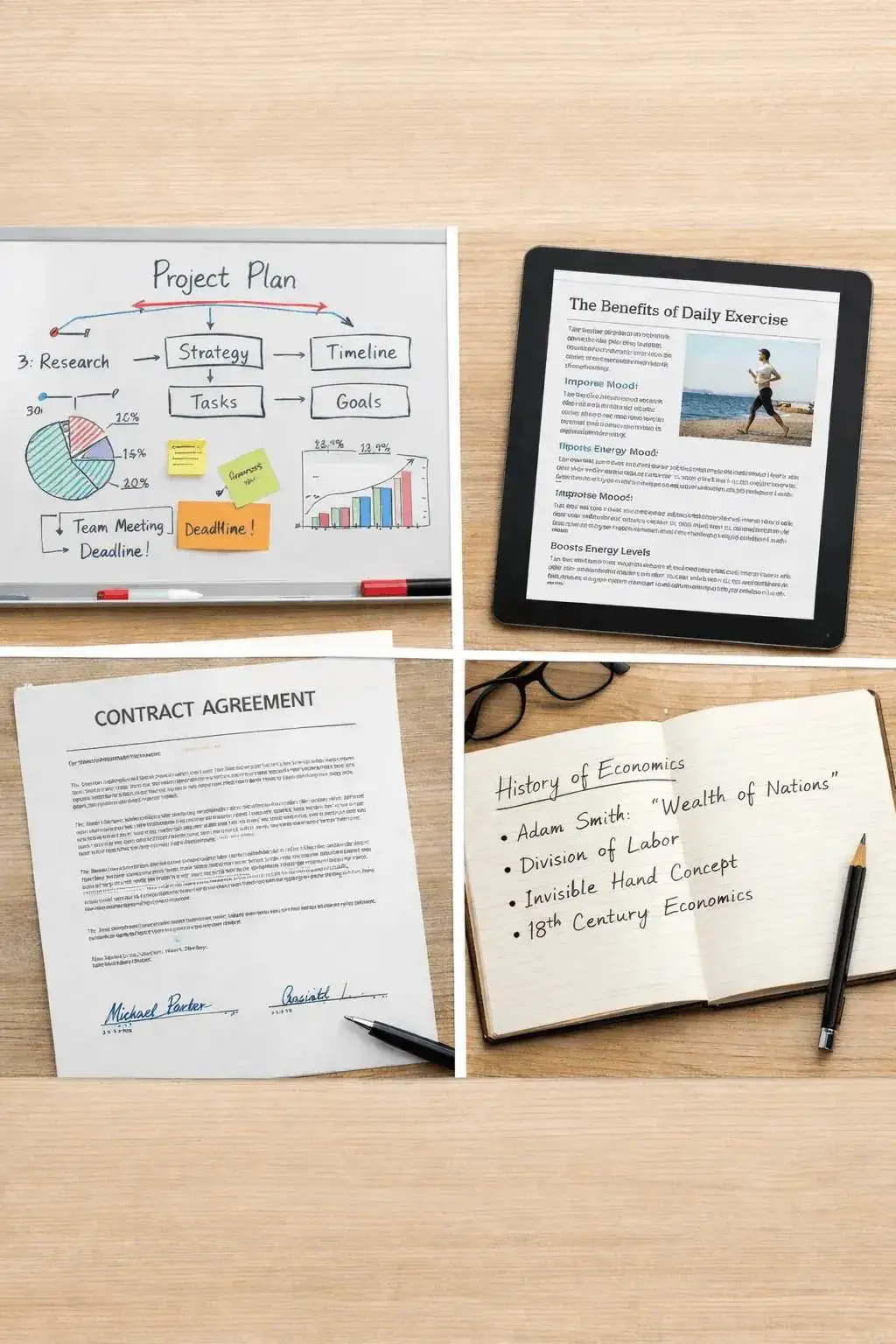
Drag and drop any image — a photo of a whiteboard, a screenshot of an article, a scanned contract, or a picture of handwritten lecture notes. The AI image summarizer accepts all major file formats up to 10MB.
Upload your image to the AI summarizer

AI Reads and Analyzes

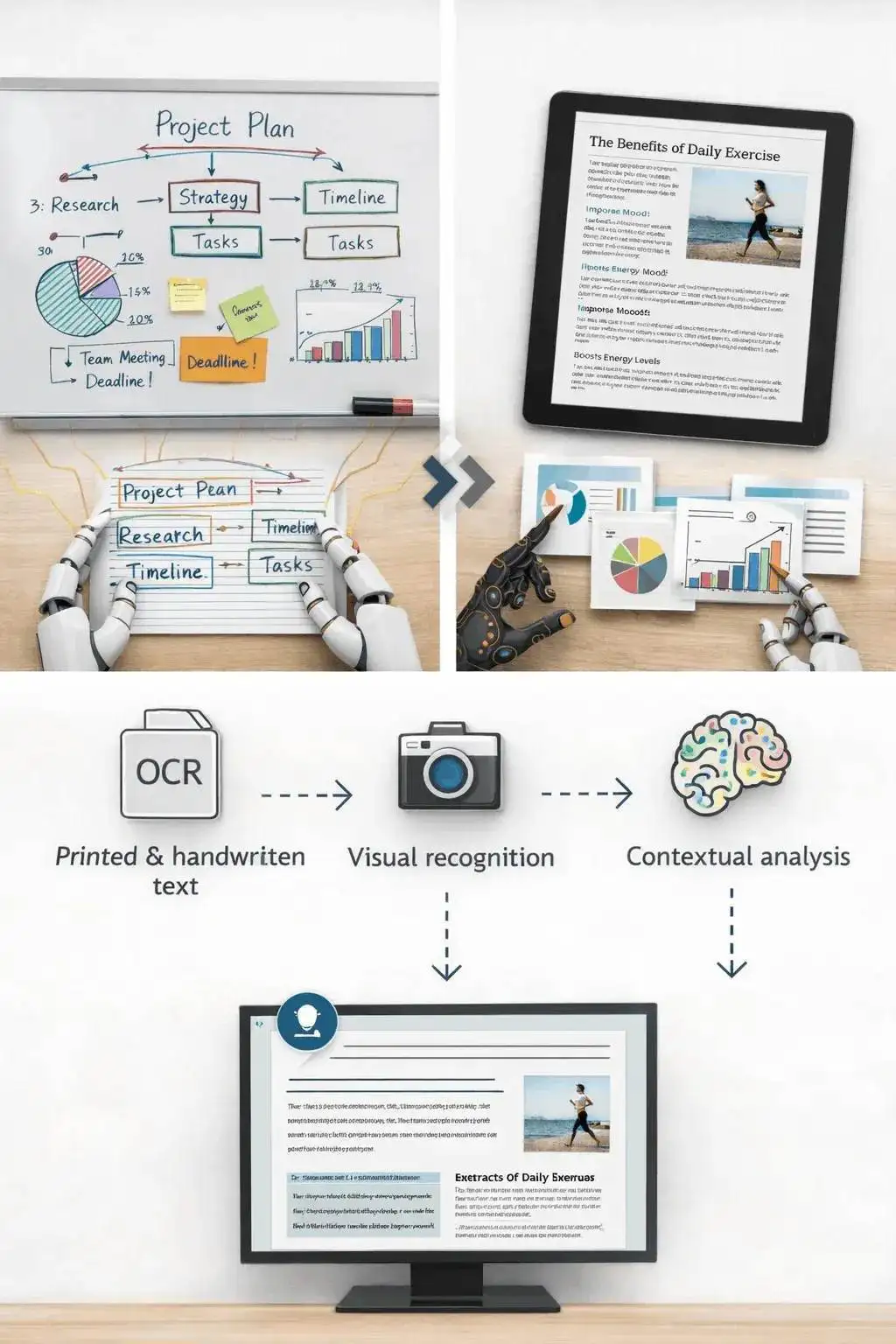
Behind the scenes, our image summarization AI does the heavy lifting. It first runs optical character recognition (OCR) to pull out every piece of text. Then it identifies visual elements — charts, diagrams, objects, scenes. Finally, it combines everything into context it can summarize.
AI reads and analyzes your image
3

Get Your Summary

Within seconds, you'll see a clean summary highlighting the key points from your image. Copy it, download it as a text file, or keep chatting with the AI to dig deeper into specific details. It's that simple.

What Makes It Different

More Than Just Text Extraction

Most tools stop at OCR. This AI image summarizer actually understands what it's looking at — then explains it in plain language.

🔍

Deep Visual Understanding

Goes beyond text recognition. The AI identifies charts, diagrams, objects, and scenes — then weaves them into a coherent summary that captures the full picture.

✍️

Handwriting Recognition

Scribbled meeting notes? Messy lecture handwriting? The AI reads cursive and print handwriting with high accuracy, so nothing gets lost.

💬

Chat With Your Images

Don't just read the summary — ask questions about it. "What's the trend in Q3?" or "Translate this sign." The AI responds with specific answers from your image.

🌍

40+ Language Support

Upload images with text in French, Mandarin, Arabic, Hindi, or dozens of other languages. The summarizer detects the language automatically and responds in your preferred one.

📊

Chart & Graph Analysis

Bar charts, pie graphs, flow diagrams, timelines — the AI reads visual data representations and translates them into clear, written takeaways you can actually use.

🔒

Private & Secure

Your images are processed and discarded — never stored, never used for training, never shared. End-to-end encryption protects every upload.

Who It's For

Built for the Way You Actually Work

Whether you're cramming for exams or prepping a board meeting, the image summarizer fits into your workflow.

🎓

Students & Researchers

Photograph textbook pages, lecture slides, or lab diagrams. Get organized notes without typing a single word. Focus on understanding, not transcribing.

💼

Business Professionals

Summarize whiteboard brainstorms, meeting notes, financial charts, or scanned contracts. Pull key data points from reports in seconds instead of hours.

⚖️

Legal & Compliance Teams

Convert scanned agreements and handwritten annotations into searchable, editable text. Extract clauses and key terms from photographed documents.

📱

Content Creators & Marketers

Analyze competitor ads, summarize infographics, or generate captions from product photos. Speed up content production without sacrificing quality.

🏥

Healthcare Workers

Digitize handwritten patient notes, summarize medical charts, or extract information from lab result images for faster record-keeping.

🌐

Travelers & Multilingual Users

Snap a photo of a foreign menu, street sign, or instruction manual. The AI translates and summarizes so you understand it immediately.

Why Switch

AI Image Summarizer vs. Manual Work

See why thousands of people have replaced slow, manual image analysis with an AI-powered approach.

FeatureAI SummarizerManual
Processing time per image~3 sec5–15 min
Handwriting recognition
Multi-language support✓ 40+Limited
Chart/graph interpretationInconsistent
Follow-up questions
Export to multiple formatsManual
CostFreeYour time

What People Say

Real Users, Real Results

"I photograph my whiteboard after every meeting now. By the time I sit down, the summary is already in my inbox. It's become a non-negotiable part of my workflow."

D

David K.

Product Manager

"As a grad student, I was spending hours transcribing research papers and diagrams. This tool cut that time down to basically nothing. My thesis would've taken twice as long without it."

S

Sarah M.

PhD Candidate

"I deal with contracts in three languages daily. Upload the scanned page, get the summary in English — it even catches handwritten margin notes. Incredible accuracy."

R

Reiko T.

Legal Consultant

More Free Tools

Explore other tools to help you download and convert media

YouTube to MP3

Extract audio from any YouTube video and convert it to MP3 format. Free, fast, and no sign-up required.

YouTube to MP3

YouTube to MP4

Download YouTube videos as MP4 files instantly. Choose from multiple resolutions and watch offline anytime.

YouTube to MP4

YouTube Video Downloader

Download YouTube videos without watermark. Multiple resolutions available for offline viewing.

YouTube Video Downloader

Instagram Reels Downloader

Download Instagram reels as MP4 files instantly. No app required, works on any device.

Instagram Reels Downloader

TikTok Video Downloader

Download TikTok videos as MP4 files instantly. No watermark, no signup required.

TikTok Video Downloader

YouTube Summary with ChatGPT

Batch summarize YouTube videos and playlists in seconds with comprehensive, in-depth summaries.

YouTube Summary with ChatGPT

YouTube to Text

Turn any YouTube video into readable text instantly. Free AI-powered converter, no sign-up needed.

YouTube to Text

YouTube to Transcript

Transcribe any YouTube video fast and free. Get accurate, timestamped transcripts in multiple languages.

YouTube to Transcript

YouTube Subtitle Downloader

Extract and download YouTube subtitles in 100+ languages. Export as SRT, TXT, or VTT.

YouTube Subtitle Downloader

YouTube Transcript Downloader

Download YouTube video transcripts instantly. Fast, free, and no sign-up required.

YouTube Transcript Downloader

YouTube Transcript Generator

Generate YouTube video transcripts instantly. Accurate AI-powered transcription for any video.

YouTube Transcript Generator

Book Summarizer

Get key insights from any book in seconds. Free AI-powered book summarizer.

Book Summarizer

Paper Summarizer

Summarize research papers instantly. Get key findings and insights with AI.

Paper Summarizer

Podcast Summarizer

Summarize podcasts instantly. Get key takeaways from any podcast episode with AI.

Podcast Summarizer

PPT Summarizer

Summarize PowerPoint presentations instantly. Extract key points from any PPT file.

PPT Summarizer

Video Summarizer

Summarize videos instantly. Get key moments and insights from any video with AI.

Video Summarizer

Word Summarizer

Summarize Word documents instantly. Extract key points from any document with AI.

Word Summarizer

Speech to Text

Convert speech to text instantly. Accurate AI-powered transcription for any audio.

Speech to Text

Voice to Text

Convert voice recordings to text instantly. Free, fast, and accurate AI transcription.

Voice to Text

Voice Memo to Text

Convert voice memos to text instantly. Accurate transcription for any voice memo.

Voice Memo to Text

Video to Text

Convert any video to readable text. Free AI-powered video transcription tool.

Video to Text

Frequently Asked Questions About Our Image Summarizer

What is an image summarizer and how does it work?
An image summarizer is an AI-powered tool that analyzes visual content and converts it into clear written information. Instead of manually reviewing an image, you upload it and the system automatically extracts the most important details. Our image summarizer uses advanced computer vision and language models to understand objects, text, diagrams, and layouts within an image. Once the image is processed, the system generates a concise summary explaining the key information. For example, if you upload a screenshot of notes, a slide presentation, a document, or a chart, the tool detects the important elements and turns them into readable insights. This process happens within seconds, making it far faster than manually interpreting visual content. The technology behind the tool combines optical character recognition (OCR), image recognition, and natural language processing. Together, these systems allow the AI to understand both text and visual structure inside the image. This makes the image summarizer useful for students, professionals, researchers, and content creators who want quick insights without spending time analyzing complex images.
What types of images can the tool summarize?
Our image summarizer supports a wide range of image types. The system works best with images that contain meaningful information, such as text, diagrams, notes, or structured visual data. Common image types include screenshots, handwritten notes, presentation slides, whiteboard photos, infographics, and charts. It can also process scanned documents, meeting notes, research diagrams, and study materials. Many users upload lecture slides or textbook pages to extract the main points quickly. Others use the tool to summarize visual reports, business dashboards, or technical diagrams. The AI is designed to detect both visual elements and written content within the image. That means it can analyze charts, graphs, and structured layouts, not just plain text. While the system works with many formats, the best results come from images that are clear and well-lit. Blurry or extremely low-resolution images may reduce accuracy because the system cannot easily detect the details.
Can the image summarizer read handwritten notes?
Yes. One of the most powerful features of the tool is handwriting recognition. The AI can detect and interpret handwritten text in many cases, especially when the writing is clear and readable. Students often upload notebook pages, study notes, or whiteboard photos to convert them into summarized text. The system first converts handwriting into digital text using optical character recognition. Then the summarization engine analyzes the content and produces a concise explanation of the key ideas. This is extremely helpful for students reviewing lecture notes or professionals capturing ideas from brainstorming sessions. Instead of rewriting everything manually, you can simply upload a photo and receive a structured summary. However, handwriting styles vary widely. If the writing is extremely messy or the image quality is poor, the tool may not interpret every word perfectly. For best results, use images with clear handwriting and good lighting.
How accurate are the summaries generated by the tool?
Accuracy depends on image clarity and the type of content inside the image. In most cases, the summarizer produces highly reliable results because it combines multiple AI systems to interpret visual information. The system identifies key text, headings, visual structures, and patterns in the image. It then organizes that information into a meaningful summary that reflects the original content. For images containing structured information like slides, documents, or charts, the summaries tend to be extremely accurate. These formats provide clear visual signals that the AI can easily understand. If the image contains complex diagrams or very dense visual information, the summary focuses on the most important insights rather than describing every small detail. To improve accuracy, upload images that are clear, high resolution, and properly framed. Avoid images with heavy glare, extreme angles, or cropped content.
How long does it take to summarize an image?
The summarization process is extremely fast. Most images are processed in just a few seconds. When you upload an image, the system immediately begins analyzing it using computer vision algorithms. The AI identifies text, objects, diagrams, and structural elements inside the image. Once this information is extracted, the summarization engine organizes it into readable text. The entire process usually takes around three seconds depending on image size and complexity. This speed allows users to process multiple images quickly without waiting for long analysis times. It is particularly useful when reviewing lecture slides, scanning documents, or extracting insights from visual reports. Compared to manual analysis, which can take several minutes per image, the tool dramatically reduces the time required to understand visual information.
Does the tool support multiple languages?
Yes. The image summarizer supports more than 40 languages. The system can recognize text in many major languages including English, Spanish, French, German, Hindi, Arabic, Chinese, and Japanese. Once the text is detected, the AI summarizes the content in a clear and structured way. This multilingual capability makes the tool useful for global users who work with international documents or educational materials. For example, students can summarize foreign-language notes while researchers can quickly analyze international reports. Language detection happens automatically. You do not need to configure the language manually in most cases. The system identifies the language from the text within the image and processes it accordingly. If the image contains multiple languages, the tool attempts to interpret each section and produce a coherent summary.
Can the summarizer interpret charts and graphs?
Yes. The tool is designed to analyze visual data such as charts, graphs, and infographics. When a chart appears in an image, the AI examines the labels, axes, and visual patterns to understand the meaning behind the data. It then explains the key insights in plain language. For example, if a graph shows a trend or comparison between values, the summarizer may describe the trend rather than simply listing numbers. This makes it easier to understand the main takeaway quickly. Infographics are also supported because they combine visual structure with textual information. The AI identifies the key sections of the infographic and summarizes the overall message. Although the system can interpret most charts, extremely complex data visualizations may still require manual review for detailed analysis.
Can I ask follow-up questions about the image?
Yes. One of the most powerful features of the tool is the ability to ask follow-up questions. After the image is summarized, you can interact with the AI to request additional details. For example, you might ask the system to explain a chart more clearly or provide more context about a specific part of the image. This conversational capability transforms the summarizer into an interactive assistant rather than a simple analysis tool. Students often use follow-up questions to clarify lecture material, while professionals use them to better understand charts or visual reports. The AI uses the image context and summary to answer these questions, allowing you to explore the content in greater depth without analyzing the image manually.
What file formats are supported?
The image summarizer supports the most common image formats used online and on mobile devices. Supported formats typically include JPG, JPEG, PNG, and WebP. These formats cover the majority of screenshots, smartphone photos, and digital images. Some platforms may also support additional formats depending on the system configuration. For best results, upload high-resolution images with minimal compression. Images that are extremely compressed or pixelated may lose detail, which can affect the accuracy of the summary. If you are capturing a photo of a document or whiteboard, make sure the entire content is visible within the frame before uploading it.
Is the image summarizer free to use?
Yes. The tool offers a free version so users can quickly analyze images without paying for software or subscriptions. Many image analysis tools require expensive subscriptions or manual processing services. Our goal is to make powerful AI summarization accessible to everyone. The free version allows users to upload images and receive summaries instantly. This makes it useful for students, researchers, and professionals who need quick insights without spending money. In some cases, advanced features or higher usage limits may be available through premium options. These features are typically designed for users who process large volumes of images or require advanced workflows. For everyday use, however, the free version is more than sufficient.
Who can benefit from using an image summarizer?
The image summarizer is designed for anyone who works with visual information. Students use it to summarize lecture slides, textbook pages, and handwritten notes. Researchers rely on it to analyze diagrams and data visualizations quickly. Professionals often use the tool to interpret reports, presentations, and business dashboards. Instead of spending time reviewing each slide or chart manually, they can generate summaries instantly. Content creators also benefit from the tool because it allows them to extract insights from infographics or visual content. In general, anyone who wants to save time and extract meaning from images can benefit from using the image summarizer.
Is my data safe when uploading images?
Yes. Protecting user data is extremely important. Images uploaded to the platform are processed securely and used only for generating summaries. The system does not store images longer than necessary for processing unless explicitly required for user accounts or saved history features. Many users upload private notes, documents, or business materials. That is why the platform is designed with strong privacy safeguards to protect sensitive information. In addition, secure data handling practices help ensure that your images remain confidential during the processing stage. Always review the platform's privacy policy to understand how your data is handled, especially if you are working with highly sensitive documents.
How can I get the best results from the tool?
To get the most accurate summaries, start by uploading high-quality images. Clear images with good lighting and proper alignment produce better results. Avoid images that are heavily blurred, cropped, or distorted. If you are taking a photo of a document or whiteboard, try to capture the entire content within the frame. Images with clear text and structured layouts tend to produce the most detailed summaries. Slides, documents, and charts are particularly well suited for summarization. If the image contains a lot of information, consider asking follow-up questions to explore specific sections in more detail. Using these simple steps will help you get the most reliable and useful results from the image summarizer.

Ready to Summarize Your First Image?

It takes less than five seconds. No sign-up, no credit card, no hassle.

Start Summarizing Free