Riassuntore Immagini
Altri strumenti in questa categoria senza lasciare questa pagina.
Riassuntore Immagini
Gratuito Riassuntore Immagini
Upload an image and get a plain-language summary of the visible content. Use it for screenshots, notes, charts, diagrams, scanned pages, and visual references you want to understand faster.
Images
Upload common image files
TXT
Copy or download summary
Gratuito
No account needed
What the Image Summarizer does
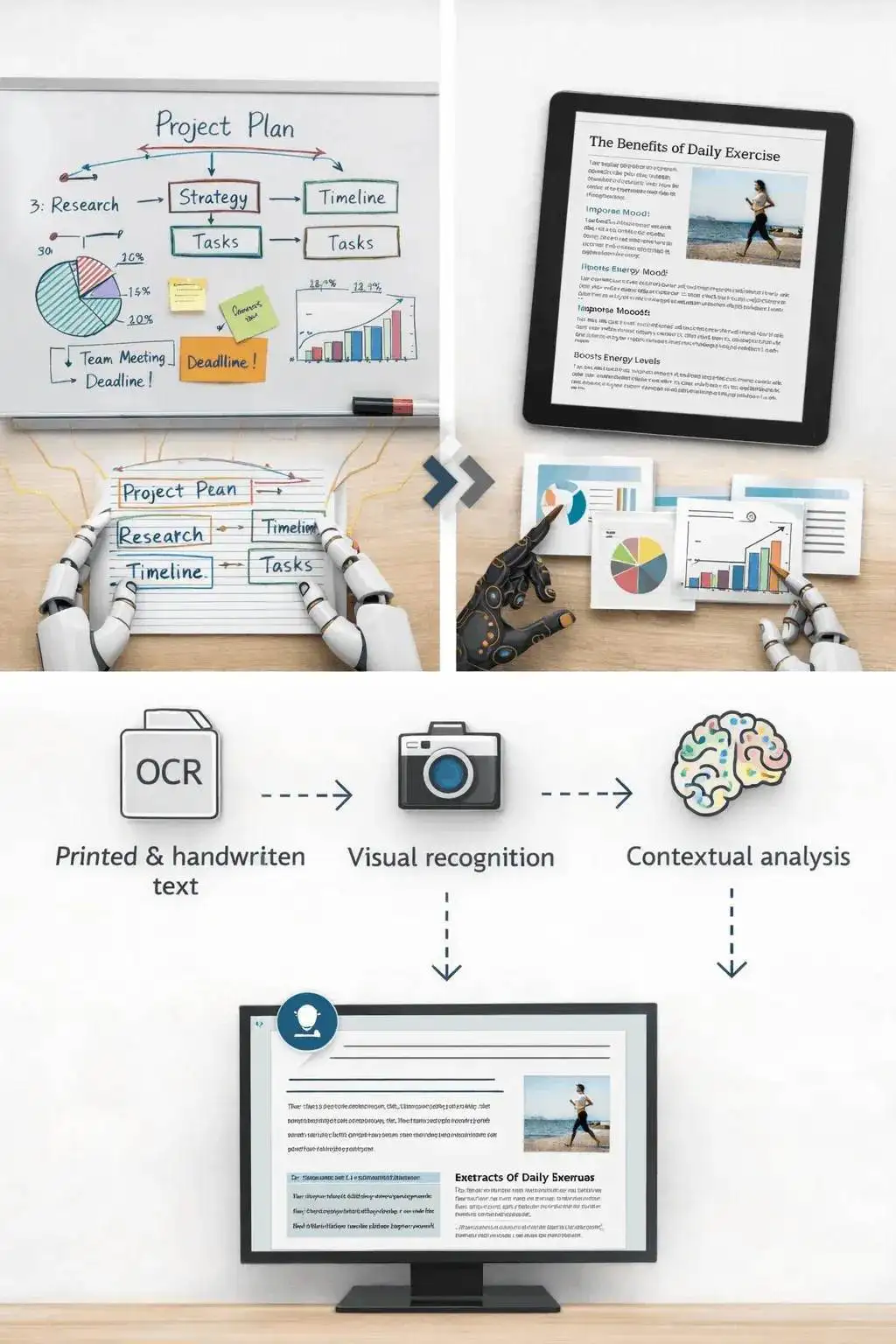
The image summarizer analyzes the uploaded picture and turns visible information into readable text. It is useful when you have a screenshot, chart, slide image, or note photo and need the main point quickly.
- Accepted input: PNG, JPG, JPEG, GIF, WebP, SVG, BMP, and TIFF files up to 25 MB.
- Output: A readable visual summary with copy controls and TXT download.
- Ideale per: Students, researchers, creators, and teams turning image-based information into notes.
- Limit: Visual summaries can miss tiny text, unclear handwriting, cropped sections, low-contrast details, or data points hidden in dense charts.
How it works
Upload the file, let Sceneform extract the usable content, then review the generated summary before you use it in notes, research, or publishing.
01
Upload the image
Choose a supported image file. Clear, well-lit images produce better summaries than blurry or cropped screenshots.
02
Generate the summary
Sceneform reads visible text and visual context, then produces a written summary.
03
Copia o scarica
Review the summary, copy it to your notes, or download the result as a TXT file.
Image summaries are strongest when the visual has a clear job
A screenshot of an article, a chart from a report, or a photo of notes usually has a clear structure. The tool can summarize the visible text and explain the main visual context.
It is less reliable on decorative images, screenshots with many tiny panels, or photos where the important content is partly cut off.
- Screenshots: Summarize articles, app screens, social posts, and research snippets.
- Notes: Turn readable handwritten or printed notes into a cleaner written recap.
- Charts: Extract the visible trend or comparison, then verify important numbers manually.
Know when to use another tool
If the image is actually a slide deck export, the PPT summarizer may preserve the presentation structure better. If the file is a PDF document, use a document or paper summarizer instead.
Use the image summarizer when the source is truly visual: a photo, chart, screenshot, scanned note, whiteboard, or diagram.

What affects summary quality
Summaries are a first pass, not a substitute for reviewing important source material. The output improves when the file is readable, complete, and focused.
Good input
A clear screenshot, scanned page, diagram, chart, whiteboard photo, or note image with readable text and enough resolution.
Image clarity matters more than file type. A sharp PNG usually beats a blurry photo.
Charts need readable labels. If a chart is unlabeled or the text is tiny, verify the interpretation manually.
Use this for understanding and notes, not as a final source of truth for contracts, diagnoses, invoices, or compliance work.
Useful ways to use the summary
The best summary gives you a faster route into the material. Use it to decide what deserves closer attention, prepare notes, or turn a long file into a readable starting point.
Summarize screenshots
Turn saved posts, article screenshots, app screens, and research clips into readable notes.
Review visual reports
Get a plain-language first pass on charts, dashboards, and infographics before digging in.
Capture notes
Summarize classroom notes, meeting whiteboards, and photographed pages without retyping everything.
Choose the right summarizer
Use the tool that matches your source file. That keeps the output focused and prevents audio, slide, document, and image workflows from blending together.
| Content | Recommended tool | Usalo per |
|---|---|---|
| Screenshots, photos, charts, notes, and image files | Riassuntore Immagini | Visual summaries, OCR-style extraction, and screenshot notes |
| Video files | Riassuntore Video | Summaries from uploaded videos with spoken audio |
| Slides and presentation exports | Riassuntore PPT | Deck summaries and slide-level notes |
| Word documents and reports | Riassuntore Documenti Word | Text-heavy document summaries |
Free, no account, and temporary processing
Gli strumenti gratuiti di Sceneform non richiedono un account. L'uso normale è illimitato, con controlli anti-abuso riservati al traffico automatizzato o eccessivo.
Uploaded files are used to create your result and deleted after processing. Avoid uploading files you are not allowed to process, and review summaries before using them for academic, business, medical, legal, or financial decisions.
More Free Tools
Explore other tools to help you download and convert media
YouTube to MP3
Converti video YouTube in audio MP3 dal tuo browser. Gratuito, nessun account richiesto.
YouTube to MP3YouTube to MP4
Salva video YouTube come file MP4 per editing, ricerca o revisione offline.
YouTube to MP4Downloader Video YouTube
Scarica video YouTube con un flusso di lavoro browser semplice, ideale per la ricerca creator.
Downloader Video YouTubeDownloader YouTube Shorts
Salva YouTube Shorts pubblici come file MP4 per riferimento, revisione o editing.
Downloader YouTube ShortsDownloader Thumbnail YouTube
Scarica thumbnail disponibili da video e Shorts YouTube pubblici.
Downloader Thumbnail YouTubeGeneratore Nome Canale YouTube
Genera idee di nomi canale YouTube dalla tua nicchia, audience e posizionamento.
Generatore Nome Canale YouTubeGeneratore Hashtag YouTube
Trasforma il tema di un video in hashtag YouTube rilevanti e idee di packaging.
Generatore Hashtag YouTubeGeneratore Descrizione YouTube
Scrivi descrizioni YouTube con hook, capitoli, CTA e hashtag.
Generatore Descrizione YouTubeGeneratore Riassunto YouTube
Riassumi video YouTube in punti chiave, capitoli e note riutilizzabili.
Generatore Riassunto YouTubeYouTube to Text
Trasforma video YouTube in testo leggibile per note, sottotitoli, citazioni e repurposing.
YouTube to TextYouTube to Transcript
Ottieni trascritti YouTube leggibili con timestamp quando disponibili.
YouTube to TranscriptDownloader Sottotitoli YouTube
Scarica sottotitoli YouTube disponibili come file SRT, TXT o VTT.
Downloader Sottotitoli YouTubeDownloader Instagram Reels
Scarica Instagram Reels pubblici come file MP4 per riferimenti, tutorial o tuoi post.
Downloader Instagram ReelsDownloader Video TikTok
Scarica video TikTok pubblici come file MP4 per ricerca creator e revisione offline.
Downloader Video TikTokDownloader Video
Scarica video online pubblici quando nessun downloader specifico della piattaforma è adatto.
Downloader VideoGeneratore Trascritto TikTok
Trasforma video TikTok pubblici in testo trascritto per hook, sottotitoli e ricerca.
Generatore Trascritto TikTokGeneratore Trascritto Instagram
Trasforma Instagram Reels e video pubblici in testo trascritto per sottotitoli e citazioni.
Generatore Trascritto InstagramGeneratore Trascritto Facebook
Trasforma video Facebook pubblici e repliche Live in testo trascritto.
Generatore Trascritto FacebookGeneratore Trascritto Twitter/X
Trasforma post video Twitter e X pubblici in testo trascritto per citazioni e ricerca.
Generatore Trascritto Twitter/XGeneratore Trascritto LinkedIn
Trasforma clip LinkedIn, webinar e interviste in testo trascritto leggibile.
Generatore Trascritto LinkedInGeneratore Trascritto Pinterest
Trasforma Pin video Pinterest in testo trascritto per ricette, tutorial e note.
Generatore Trascritto PinterestRiassuntore Libri
Riassumi capitoli di libri, note e documenti lunghi in conclusioni chiare.
Riassuntore LibriRiassuntore Articoli Scientifici
Riassumi articoli di ricerca in risultati, metodi, limitazioni e conclusioni.
Riassuntore Articoli ScientificiRiassuntore Podcast
Trasforma audio podcast in riassunti, punti chiave, trascritti e bozze di note dello show.
Riassuntore PodcastRiassuntore PPT
Trasforma slide PowerPoint in un briefing conciso con punti chiave e conclusioni.
Riassuntore PPTRiassuntore Video
Riassumi video nei momenti chiave, insegnamenti e note riutilizzabili.
Riassuntore VideoRiassuntore Documenti Word
Riassumi documenti Word e testo incollato in insegnamenti chiari.
Riassuntore Documenti WordRiconoscimento Vocale
Converti discorsi, riunioni, interviste e note vocali in testo leggibile.
Riconoscimento VocaleVoce in Testo
Trasforma l'audio parlato in testo pulito per note, script, sottotitoli e follow-up.
Voce in TestoMemo Vocale in Testo
Converti memo vocali in testo pulito per note, script e riassunti.
Memo Vocale in TestoVideo in Testo
Converti file video in testo leggibile per sottotitoli, note e editing.
Video in TestoConvertitori Audio e Video
Converti file audio e video tra formati comuni in una libreria di strumenti gratuiti.
Convertitori Audio e VideoImage summarizer in multiple languages
Use the image summarizer in supported Sceneform locales. We will redo localization after the English source copy is stable.
Image Summarizer FAQ
Ready to use the Image Summarizer?
Upload a file, generate a readable summary, then copy or download the result when it is ready.
Summarize a file