Develop an image brief with Nano Banana Pro.
Choose Nano Banana Pro when your project calls for that specific image model. Describe the scene and attach references when useful. Review the composition and important details before choosing an image for your project.
Compare plans and credits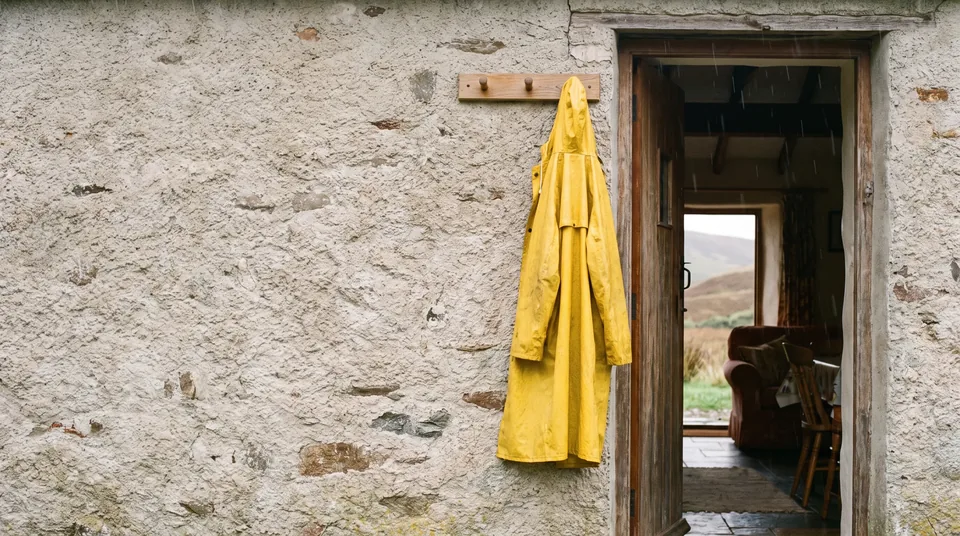
What you can create
Select Pro directly
Open Nano Banana Pro in the image tool. This page selects Pro rather than the Nano Banana 2.1 model.
Explain the role of each reference
Add images that clarify the subject, composition, or visual treatment. Tell the model which details matter and what should change.
Set the output for its destination
Choose an aspect ratio and a 1K, 2K, or 4K resolution. Review the displayed credit cost before generating.
From your idea to finished content
Open Nano Banana Pro
Use the button to open the image tool with Pro selected. Prepare a brief and any image references.
Describe the composition
Name the subject, setting, lighting, and framing. Explain how the model should use each attached reference.
Choose settings and review
Set the output shape and resolution, then generate. Inspect text, proportions, and reference details before using the image.
Prompts to start with
Use these briefs as a starting point. Replace the details with your own product, audience, and style.
A reference-based product scene
Place the referenced desk lamp on a walnut table beside a linen curtain. Keep its curved shade and brass finish.
A campaign image with room for copy
Create a landscape image of a yellow raincoat hanging beside an open doorway. Leave clear wall space on the left.
Frequently asked questions
- Does this page open Nano Banana Pro or Nano Banana 2.1?
- The button selects Nano Banana Pro. Sceneform has a separate Nano Banana image page that selects Nano Banana 2.1.
- Can I use image references?
- Yes. Add references in the image tool and describe how they should guide the result. Follow the displayed attachment limits.
- Which resolutions can I choose?
- Nano Banana Pro offers 1K, 2K, and 4K resolution settings. Check the displayed cost when you change the output settings.
- Will the result reproduce my reference exactly?
- Generated details can differ from the reference. Inspect the output and revise your instructions when an important feature changes.
Explore related tools
Create your next project
Start with a clear brief. Review the result. Make it yours.