Bild-Zusammenfassung
Weitere Tools in dieser Kategorie ohne die Seite zu verlassen.
Bild-Zusammenfassung
Kostenlos Bild-Zusammenfassung
Upload an image and get a plain-language summary of the visible content. Use it for screenshots, notes, charts, diagrams, scanned pages, and visual references you want to understand faster.
Images
Upload common image files
TXT
Copy or download summary
Kostenlos
No account needed
What the Image Summarizer does
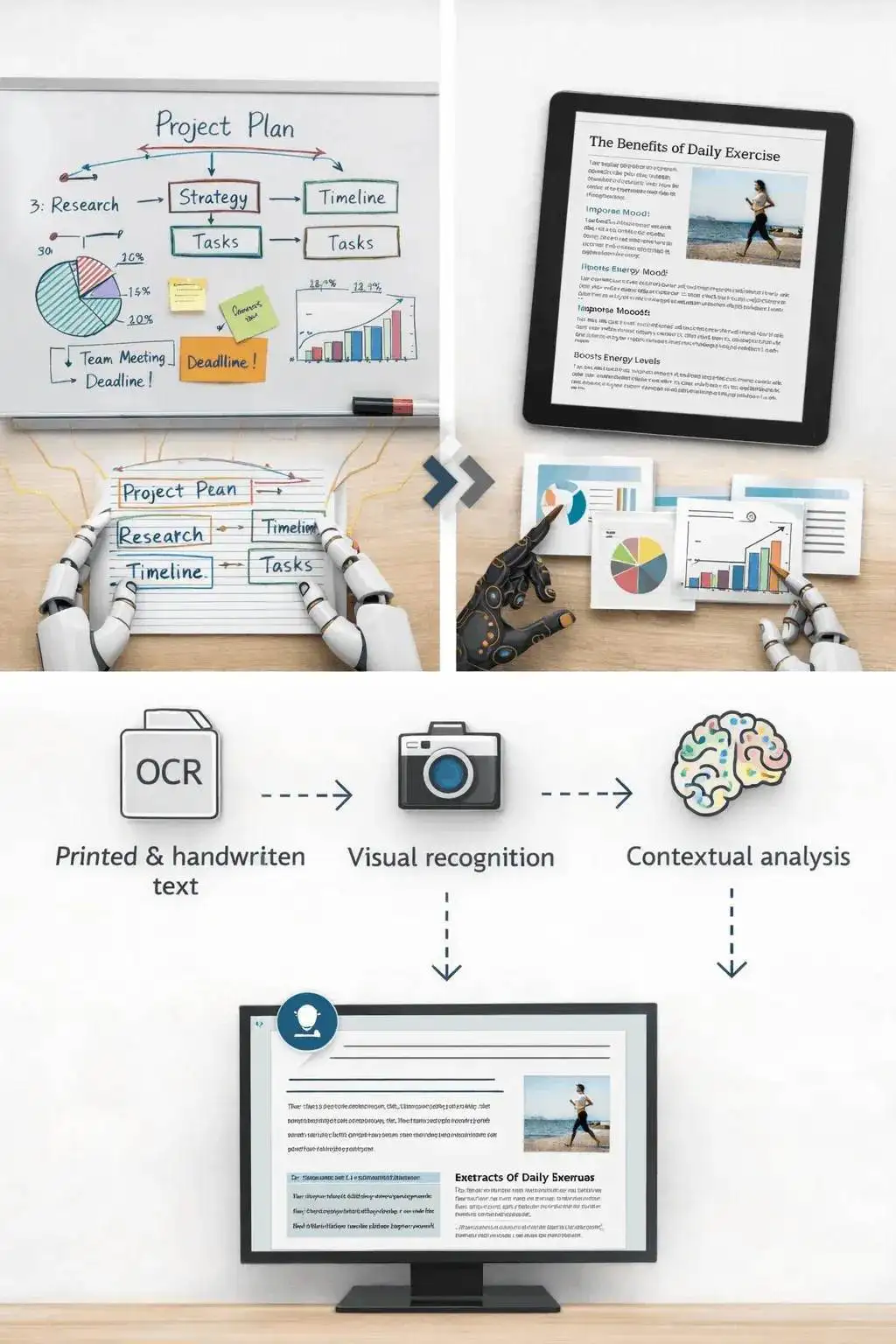
The image summarizer analyzes the uploaded picture and turns visible information into readable text. It is useful when you have a screenshot, chart, slide image, or note photo and need the main point quickly.
- Accepted input: PNG, JPG, JPEG, GIF, WebP, SVG, BMP, and TIFF files up to 25 MB.
- Ausgabe: A readable visual summary with copy controls and TXT download.
- Optimal für: Students, researchers, creators, and teams turning image-based information into notes.
- Limit: Visual summaries can miss tiny text, unclear handwriting, cropped sections, low-contrast details, or data points hidden in dense charts.
How it works
Upload the file, let Sceneform extract the usable content, then review the generated summary before you use it in notes, research, or publishing.
01
Upload the image
Choose a supported image file. Clear, well-lit images produce better summaries than blurry or cropped screenshots.
02
Generate the summary
Sceneform reads visible text and visual context, then produces a written summary.
03
Kopieren oder herunterladen
Review the summary, copy it to your notes, or download the result as a TXT file.
Image summaries are strongest when the visual has a clear job
A screenshot of an article, a chart from a report, or a photo of notes usually has a clear structure. The tool can summarize the visible text and explain the main visual context.
It is less reliable on decorative images, screenshots with many tiny panels, or photos where the important content is partly cut off.
- Screenshots: Summarize articles, app screens, social posts, and research snippets.
- Notes: Turn readable handwritten or printed notes into a cleaner written recap.
- Charts: Extract the visible trend or comparison, then verify important numbers manually.
Know when to use another tool
If the image is actually a slide deck export, the PPT summarizer may preserve the presentation structure better. If the file is a PDF document, use a document or paper summarizer instead.
Use the image summarizer when the source is truly visual: a photo, chart, screenshot, scanned note, whiteboard, or diagram.

What affects summary quality
Summaries are a first pass, not a substitute for reviewing important source material. The output improves when the file is readable, complete, and focused.
Good input
A clear screenshot, scanned page, diagram, chart, whiteboard photo, or note image with readable text and enough resolution.
Image clarity matters more than file type. A sharp PNG usually beats a blurry photo.
Charts need readable labels. If a chart is unlabeled or the text is tiny, verify the interpretation manually.
Use this for understanding and notes, not as a final source of truth for contracts, diagnoses, invoices, or compliance work.
Useful ways to use the summary
The best summary gives you a faster route into the material. Use it to decide what deserves closer attention, prepare notes, or turn a long file into a readable starting point.
Summarize screenshots
Turn saved posts, article screenshots, app screens, and research clips into readable notes.
Review visual reports
Get a plain-language first pass on charts, dashboards, and infographics before digging in.
Capture notes
Summarize classroom notes, meeting whiteboards, and photographed pages without retyping everything.
Choose the right summarizer
Use the tool that matches your source file. That keeps the output focused and prevents audio, slide, document, and image workflows from blending together.
| Content | Recommended tool | Verwenden Sie es für |
|---|---|---|
| Screenshots, photos, charts, notes, and image files | Bild-Zusammenfassung | Visual summaries, OCR-style extraction, and screenshot notes |
| Video files | Video-Zusammenfassung | Summaries from uploaded videos with spoken audio |
| Slides and presentation exports | PPT-Zusammenfassung | Deck summaries and slide-level notes |
| Word documents and reports | Word-Dokument-Zusammenfassung | Text-heavy document summaries |
Free, no account, and temporary processing
Sceneforms kostenlose Tools erfordern kein Konto. Die normale Nutzung ist unbegrenzt, mit Missbrauchskontrollen für automatisierte oder übermäßige Datenverkehr.
Uploaded files are used to create your result and deleted after processing. Avoid uploading files you are not allowed to process, and review summaries before using them for academic, business, medical, legal, or financial decisions.
More Free Tools
Explore other tools to help you download and convert media
YouTube zu MP3
Konvertieren Sie YouTube-Videos kostenlos in MP3-Audio direkt im Browser. Keine Anmeldung erforderlich.
YouTube zu MP3YouTube zu MP4
Speichern Sie YouTube-Videos als MP4-Dateien zum Bearbeiten, Recherchieren oder Offline-Ansehen.
YouTube zu MP4YouTube Video Downloader
Laden Sie YouTube-Videos über einen einfachen Browser-Workflow herunter, der für wiederholte Creator-Recherche entwickelt wurde.
YouTube Video DownloaderYouTube Shorts Downloader
Speichern Sie öffentliche YouTube Shorts als MP4-Dateien zum Referenzieren, Überprüfen oder Bearbeiten.
YouTube Shorts DownloaderYouTube Thumbnail Downloader
Laden Sie verfügbare Vorschaubilder von öffentlichen YouTube-Videos und Shorts herunter.
YouTube Thumbnail DownloaderYouTube Benutzername Generator
Generieren Sie YouTube-Kanalnamen basierend auf Ihrer Nische, Zielgruppe und Positionierung.
YouTube Benutzername GeneratorYouTube Hashtag Generator
Wandeln Sie ein Video-Thema in relevante YouTube-Hashtags und Verpackungsideen um.
YouTube Hashtag GeneratorYouTube Beschreibungs-Generator
Erstellen Sie YouTube-Beschreibungen mit Hooks, Kapiteln, CTAs und Hashtags.
YouTube Beschreibungs-GeneratorYouTube Zusammenfassungs-Generator
Fassen Sie YouTube-Videos in Schlüsselpunkte, Kapitel und wiederverwendbare Notizen zusammen.
YouTube Zusammenfassungs-GeneratorYouTube zu Text
Wandeln Sie YouTube-Videos in lesbaren Text für Notizen, Untertitel, Zitate und Wiederverwendung um.
YouTube zu TextYouTube zu Transkript
Erhalten Sie lesbare YouTube-Transkripte mit Zeitstempeln, wenn verfügbar.
YouTube zu TranskriptYouTube Untertitel Downloader
Laden Sie verfügbare YouTube-Untertitel als SRT-, TXT- oder VTT-Dateien herunter.
YouTube Untertitel DownloaderInstagram Reels Downloader
Laden Sie öffentliche Instagram Reels als MP4-Dateien für Referenzen, Tutorials oder Ihre eigenen Beiträge herunter.
Instagram Reels DownloaderTikTok Video Downloader
Laden Sie öffentliche TikTok-Videos als MP4-Dateien für Creator-Recherche und Offline-Ansicht herunter.
TikTok Video DownloaderVideo Downloader
Laden Sie öffentliche Online-Videos herunter, wenn kein plattformspezifischer Downloader passt.
Video DownloaderTikTok Transkript Generator
Wandeln Sie öffentliche TikTok-Videos in Transkript-Text für Hooks, Untertitel und Recherche um.
TikTok Transkript GeneratorInstagram Transkript Generator
Wandeln Sie öffentliche Instagram Reels und Videos in Transkript-Text für Untertitel und Zitate um.
Instagram Transkript GeneratorFacebook Transkript Generator
Wandeln Sie öffentliche Facebook-Videos und Live-Wiederholungen in Transkript-Text um.
Facebook Transkript GeneratorTwitter/X Transkript Generator
Wandeln Sie öffentliche Twitter- und X-Videoposts in Transkript-Text für Zitate und Recherche um.
Twitter/X Transkript GeneratorLinkedIn Transkript Generator
Wandeln Sie LinkedIn-Clips, Webinare und Interviews in lesbaren Transkript-Text um.
LinkedIn Transkript GeneratorPinterest Transkript Generator
Wandeln Sie Pinterest-Video-Pins in Transkript-Text für Rezepte, Tutorials und Notizen um.
Pinterest Transkript GeneratorBuch-Zusammenfassung
Fassen Sie Buchkapitel, Notizen und lange Dokumente in klare Erkenntnisse zusammen.
Buch-ZusammenfassungPapier-Zusammenfassung
Fassen Sie Forschungsarbeiten in Erkenntnisse, Methoden, Einschränkungen und Erkenntnisse zusammen.
Papier-ZusammenfassungPodcast-Zusammenfassung
Wandeln Sie Podcast-Audio in Zusammenfassungen, Schlüsselpunkte, Transkripte und Show-Note-Entwürfe um.
Podcast-ZusammenfassungPPT-Zusammenfassung
Wandeln Sie PowerPoint-Folien in eine prägnante Zusammenfassung mit Schlüsselpunkten und Erkenntnissen um.
PPT-ZusammenfassungVideo-Zusammenfassung
Fasse Videos in Schlüsselmomente, Erkenntnisse und wiederverwendbare Notizen zusammen.
Video-ZusammenfassungWord-Dokument-Zusammenfassung
Fasse Word-Dokumente und eingefügte Texte in klare Erkenntnisse zusammen.
Word-Dokument-ZusammenfassungSprache zu Text
Konvertiere Sprache, Meetings, Interviews und Sprachnachrichten in lesbaren Text.
Sprache zu TextSprache zu Text
Wandle gesprochenes Audio in sauberen Text für Notizen, Skripte, Untertitel und Nachverfolgung um.
Sprache zu TextSprachmemo zu Text
Konvertiere Sprachmemos in sauberen Text für Notizen, Skripte und Zusammenfassungen.
Sprachmemo zu TextVideo zu Text
Konvertiere Videodateien in lesbaren Text für Untertitel, Notizen und Bearbeitung.
Video zu TextAudio- & Video-Konverter
Konvertiere Audio- und Videodateien zwischen gängigen Formaten in einer kostenlosen Tool-Bibliothek.
Audio- & Video-KonverterImage summarizer in multiple languages
Use the image summarizer in supported Sceneform locales. We will redo localization after the English source copy is stable.
Image Summarizer FAQ
Ready to use the Image Summarizer?
Upload a file, generate a readable summary, then copy or download the result when it is ready.
Summarize a file