Instrumente gratuite

Rezumator Imagini

Mai multe instrumente din această categorie fără a părăsi această pagină.

Toate instrumentele

Rezumator Imagini

Gratuit Rezumator Imagini

Upload an image and get a plain-language summary of the visible content. Use it for screenshots, notes, charts, diagrams, scanned pages, and visual references you want to understand faster.

Images

Upload common image files

TXT

Copy or download summary

Gratuit

No account needed

What the Image Summarizer does

The image summarizer analyzes the uploaded picture and turns visible information into readable text. It is useful when you have a screenshot, chart, slide image, or note photo and need the main point quickly.

  • Accepted input: PNG, JPG, JPEG, GIF, WebP, SVG, BMP, and TIFF files up to 25 MB.
  • Ieșire: A readable visual summary with copy controls and TXT download.
  • Ideal pentru: Students, researchers, creators, and teams turning image-based information into notes.
  • Limit: Visual summaries can miss tiny text, unclear handwriting, cropped sections, low-contrast details, or data points hidden in dense charts.

How it works

Upload the file, let Sceneform extract the usable content, then review the generated summary before you use it in notes, research, or publishing.

01

Upload the image

Choose a supported image file. Clear, well-lit images produce better summaries than blurry or cropped screenshots.

02

Generate the summary

Sceneform reads visible text and visual context, then produces a written summary.

03

Copiază sau descarcă

Review the summary, copy it to your notes, or download the result as a TXT file.

Image summaries are strongest when the visual has a clear job

A screenshot of an article, a chart from a report, or a photo of notes usually has a clear structure. The tool can summarize the visible text and explain the main visual context.

It is less reliable on decorative images, screenshots with many tiny panels, or photos where the important content is partly cut off.

  • Screenshots: Summarize articles, app screens, social posts, and research snippets.
  • Notes: Turn readable handwritten or printed notes into a cleaner written recap.
  • Charts: Extract the visible trend or comparison, then verify important numbers manually.
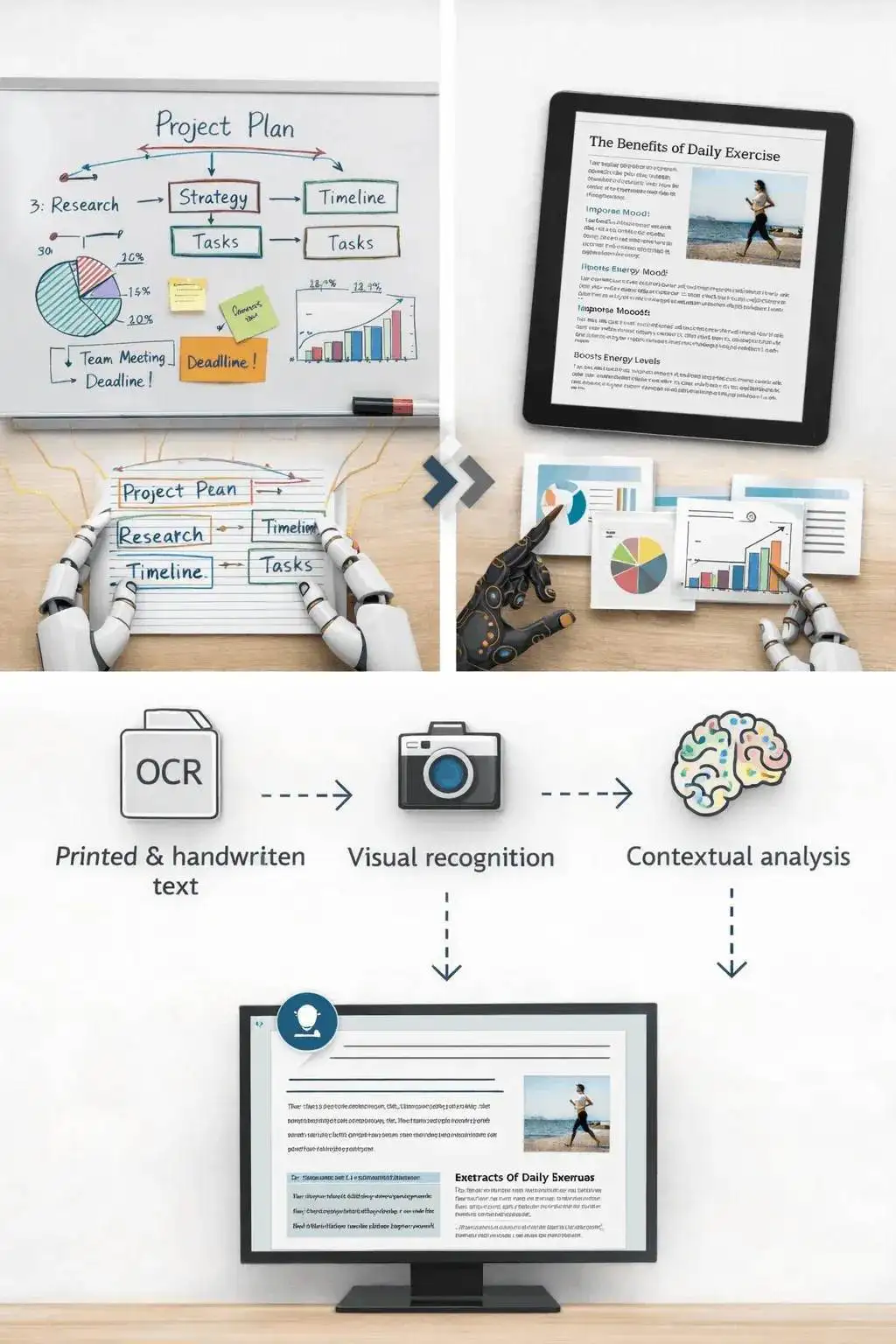
Upload an image to generate a readable summary

Know when to use another tool

If the image is actually a slide deck export, the PPT summarizer may preserve the presentation structure better. If the file is a PDF document, use a document or paper summarizer instead.

Use the image summarizer when the source is truly visual: a photo, chart, screenshot, scanned note, whiteboard, or diagram.

Image content analyzed into summary text

What affects summary quality

Summaries are a first pass, not a substitute for reviewing important source material. The output improves when the file is readable, complete, and focused.

Good input

A clear screenshot, scanned page, diagram, chart, whiteboard photo, or note image with readable text and enough resolution.

Image clarity matters more than file type. A sharp PNG usually beats a blurry photo.

Charts need readable labels. If a chart is unlabeled or the text is tiny, verify the interpretation manually.

Use this for understanding and notes, not as a final source of truth for contracts, diagnoses, invoices, or compliance work.

Useful ways to use the summary

The best summary gives you a faster route into the material. Use it to decide what deserves closer attention, prepare notes, or turn a long file into a readable starting point.

Summarize screenshots

Turn saved posts, article screenshots, app screens, and research clips into readable notes.

Review visual reports

Get a plain-language first pass on charts, dashboards, and infographics before digging in.

Capture notes

Summarize classroom notes, meeting whiteboards, and photographed pages without retyping everything.

Choose the right summarizer

Use the tool that matches your source file. That keeps the output focused and prevents audio, slide, document, and image workflows from blending together.

ContentRecommended toolFolosește-l pentru
Screenshots, photos, charts, notes, and image filesRezumator ImaginiVisual summaries, OCR-style extraction, and screenshot notes
Video filesRezumator VideoSummaries from uploaded videos with spoken audio
Slides and presentation exportsRezumator PPTDeck summaries and slide-level notes
Word documents and reportsRezumator Documente WordText-heavy document summaries

Free, no account, and temporary processing

Instrumentele gratuite Sceneform nu necesită un cont. Utilizarea normală este nelimitată, cu controale de abuz rezervate pentru traficul automatizat sau excesiv.

Uploaded files are used to create your result and deleted after processing. Avoid uploading files you are not allowed to process, and review summaries before using them for academic, business, medical, legal, or financial decisions.

More Free Tools

Explore other tools to help you download and convert media

YouTube la MP3

Convertește videoclipurile YouTube în audio MP3 direct din browser. Gratuit, fără cont necesar.

YouTube la MP3

YouTube la MP4

Salvează videoclipurile YouTube ca fișiere MP4 pentru editare, cercetare sau vizionare offline.

YouTube la MP4

Descărcător Videoclipuri YouTube

Descarcă videoclipurile YouTube printr-un flux simplu de browser, conceput pentru cercetarea repetată a creatorilor.

Descărcător Videoclipuri YouTube

Descărcător YouTube Shorts

Salvează YouTube Shorts publice ca fișiere MP4 pentru referință, vizionare sau fluxuri de editare.

Descărcător YouTube Shorts

Descărcător Miniaturi YouTube

Descarcă miniaturile disponibile din videoclipurile și Shorts-urile YouTube publice.

Descărcător Miniaturi YouTube

Generator Nume Utilizator YouTube

Generează idei de nume pentru canalul YouTube pe baza nicșei, publicului și poziționării tale.

Generator Nume Utilizator YouTube

Generator Hashtag-uri YouTube

Transformă tema unui videoclip în hashtag-uri YouTube relevante și idei de ambalare.

Generator Hashtag-uri YouTube

Generator Descriere YouTube

Redactează descrieri YouTube cu cârlige, capitole, apeluri la acțiune și hashtag-uri.

Generator Descriere YouTube

Generator Rezumat YouTube

Rezumă videoclipurile YouTube în puncte cheie, capitole și note reutilizabile.

Generator Rezumat YouTube

YouTube la Text

Transformă videoclipurile YouTube în text citibil pentru note, subtitrări, citate și reutilizare.

YouTube la Text

YouTube la Transcriere

Obține transcrieri YouTube citibile cu marcaje de timp, când sunt disponibile.

YouTube la Transcriere

Descărcător Subtitrări YouTube

Descarcă subtitrările YouTube disponibile ca fișiere SRT, TXT sau VTT.

Descărcător Subtitrări YouTube

Descărcător Instagram Reels

Descarcă Reels-urile Instagram publice ca fișiere MP4 pentru referințe, tutoriale sau propriile tale postări.

Descărcător Instagram Reels

Descărcător Videoclipuri TikTok

Descarcă videoclipurile TikTok publice ca fișiere MP4 pentru cercetarea creatorilor și vizionare offline.

Descărcător Videoclipuri TikTok

Descărcător Videoclipuri

Descarcă videoclipuri publice online când nu se potrivește niciun descărcător specific platformei.

Descărcător Videoclipuri

Generator Transcriere TikTok

Transformă videoclipurile TikTok publice în text transcriere pentru cârlige, subtitrări și cercetare.

Generator Transcriere TikTok

Generator Transcriere Instagram

Transformă Reels-urile și videoclipurile Instagram publice în text transcriere pentru subtitrări și citate.

Generator Transcriere Instagram

Generator Transcriere Facebook

Transformă videoclipurile Facebook publice și redifuzările Live în text transcriere.

Generator Transcriere Facebook

Generator Transcriere Twitter/X

Transformă postările video Twitter și X publice în text transcriere pentru citate și cercetare.

Generator Transcriere Twitter/X

Generator Transcriere LinkedIn

Transformă clipurile, webinarii și interviurile LinkedIn în text transcriere citibil.

Generator Transcriere LinkedIn

Generator Transcriere Pinterest

Transformă Pins-urile video Pinterest în text transcriere pentru rețete, tutoriale și note.

Generator Transcriere Pinterest

Rezumator Cărți

Rezumă capitole de cărți, note și documente lungi în concluzii clare.

Rezumator Cărți

Rezumator Lucrări

Rezumă lucrări de cercetare în constatări, metode, limitări și concluzii.

Rezumator Lucrări

Rezumator Podcast

Transformă audio podcast în rezumate, puncte cheie, transcrieri și schițe de note de emisiune.

Rezumator Podcast

Rezumator PPT

Transformă diapozitivele PowerPoint într-o prezentare concisă cu puncte cheie și concluzii.

Rezumator PPT

Rezumator Video

Rezumați videoclipurile în momente cheie, concluzii și note reutilizabile.

Rezumator Video

Rezumator Documente Word

Rezumați documente Word și text lipit în concluzii clare.

Rezumator Documente Word

Vorbire în Text

Convertiți vorbirea, întâlnirile, interviurile și notele vocale în text lizibil.

Vorbire în Text

Voce în Text

Transformați audio vorbit în text curat pentru note, scenarii, subtitrări și follow-up.

Voce în Text

Memorandum Vocal în Text

Convertiți memorandumurile vocale în text curat pentru note, scenarii și rezumate.

Memorandum Vocal în Text

Video în Text

Convertiți fișierele video în text lizibil pentru subtitrări, note și editare.

Video în Text

Convertoare Audio și Video

Convertiți fișierele audio și video între formate comune într-o bibliotecă de instrumente gratuite.

Convertoare Audio și Video

Image summarizer in multiple languages

Use the image summarizer in supported Sceneform locales. We will redo localization after the English source copy is stable.

Image Summarizer FAQ

Ready to use the Image Summarizer?

Upload a file, generate a readable summary, then copy or download the result when it is ready.

Summarize a file