Bezplatné nástroje

Zhrňovač Obrázkov

Ďalšie nástroje v tejto kategórii bez opustenia tejto stránky.

Všetky nástroje

Zhrňovač Obrázkov

Zadarmo Zhrňovač Obrázkov

Upload an image and get a plain-language summary of the visible content. Use it for screenshots, notes, charts, diagrams, scanned pages, and visual references you want to understand faster.

Images

Upload common image files

TXT

Copy or download summary

Zadarmo

No account needed

What the Image Summarizer does

The image summarizer analyzes the uploaded picture and turns visible information into readable text. It is useful when you have a screenshot, chart, slide image, or note photo and need the main point quickly.

  • Accepted input: PNG, JPG, JPEG, GIF, WebP, SVG, BMP, and TIFF files up to 25 MB.
  • Výstup: A readable visual summary with copy controls and TXT download.
  • Najlepšie pre: Students, researchers, creators, and teams turning image-based information into notes.
  • Limit: Visual summaries can miss tiny text, unclear handwriting, cropped sections, low-contrast details, or data points hidden in dense charts.

How it works

Upload the file, let Sceneform extract the usable content, then review the generated summary before you use it in notes, research, or publishing.

01

Upload the image

Choose a supported image file. Clear, well-lit images produce better summaries than blurry or cropped screenshots.

02

Generate the summary

Sceneform reads visible text and visual context, then produces a written summary.

03

Kopírovať alebo stiahnuť

Review the summary, copy it to your notes, or download the result as a TXT file.

Image summaries are strongest when the visual has a clear job

A screenshot of an article, a chart from a report, or a photo of notes usually has a clear structure. The tool can summarize the visible text and explain the main visual context.

It is less reliable on decorative images, screenshots with many tiny panels, or photos where the important content is partly cut off.

  • Screenshots: Summarize articles, app screens, social posts, and research snippets.
  • Notes: Turn readable handwritten or printed notes into a cleaner written recap.
  • Charts: Extract the visible trend or comparison, then verify important numbers manually.
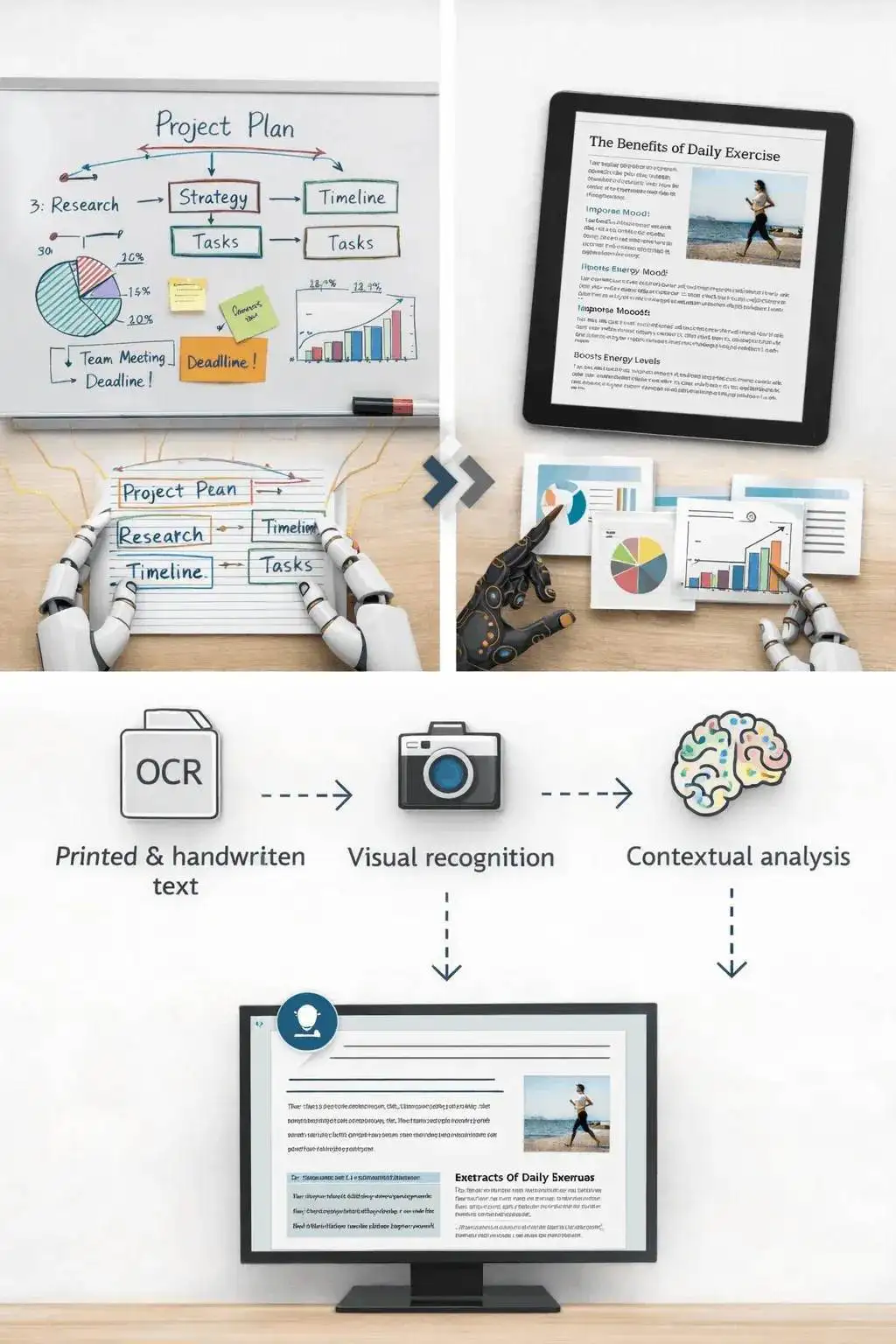
Upload an image to generate a readable summary

Know when to use another tool

If the image is actually a slide deck export, the PPT summarizer may preserve the presentation structure better. If the file is a PDF document, use a document or paper summarizer instead.

Use the image summarizer when the source is truly visual: a photo, chart, screenshot, scanned note, whiteboard, or diagram.

Image content analyzed into summary text

What affects summary quality

Summaries are a first pass, not a substitute for reviewing important source material. The output improves when the file is readable, complete, and focused.

Good input

A clear screenshot, scanned page, diagram, chart, whiteboard photo, or note image with readable text and enough resolution.

Image clarity matters more than file type. A sharp PNG usually beats a blurry photo.

Charts need readable labels. If a chart is unlabeled or the text is tiny, verify the interpretation manually.

Use this for understanding and notes, not as a final source of truth for contracts, diagnoses, invoices, or compliance work.

Useful ways to use the summary

The best summary gives you a faster route into the material. Use it to decide what deserves closer attention, prepare notes, or turn a long file into a readable starting point.

Summarize screenshots

Turn saved posts, article screenshots, app screens, and research clips into readable notes.

Review visual reports

Get a plain-language first pass on charts, dashboards, and infographics before digging in.

Capture notes

Summarize classroom notes, meeting whiteboards, and photographed pages without retyping everything.

Choose the right summarizer

Use the tool that matches your source file. That keeps the output focused and prevents audio, slide, document, and image workflows from blending together.

ContentRecommended toolPoužite na
Screenshots, photos, charts, notes, and image filesZhrňovač ObrázkovVisual summaries, OCR-style extraction, and screenshot notes
Video filesZhrňovač videíSummaries from uploaded videos with spoken audio
Slides and presentation exportsZhrňovač PPTDeck summaries and slide-level notes
Word documents and reportsZhrňovač dokumentov WordText-heavy document summaries

Free, no account, and temporary processing

Bezplatné nástroje Sceneform nevyžadujú účet. Normálne použitie je neobmedzené, s kontrolami zneužitia vyhradenými pre automatizovaný alebo nadmerný provoz.

Uploaded files are used to create your result and deleted after processing. Avoid uploading files you are not allowed to process, and review summaries before using them for academic, business, medical, legal, or financial decisions.

More Free Tools

Explore other tools to help you download and convert media

YouTube na MP3

Konvertujte YouTube videá na MP3 audio priamo v prehliadači. Bezplatne, bez potreby účtu.

YouTube na MP3

YouTube na MP4

Uložte YouTube videá ako MP4 súbory na úpravu, výskum alebo offline prezeranie.

YouTube na MP4

YouTube Sťahovač Videí

Sťahujte YouTube videá jednoduchým pracovným postupom v prehliadači určeným na výskum tvorcu.

YouTube Sťahovač Videí

YouTube Shorts Sťahovač

Uložte verejné YouTube Shorts ako MP4 súbory na referenciu, prezeranie alebo úpravu.

YouTube Shorts Sťahovač

YouTube Sťahovač Miniatúr

Sťahujte dostupné miniatúry z verejných YouTube videí a Shorts.

YouTube Sťahovač Miniatúr

YouTube Generátor Mien Kanálov

Generujte nápady na názvy YouTube kanálov na základe vašej špecializácie a publika.

YouTube Generátor Mien Kanálov

YouTube Generátor Hashtagov

Premieňajte tému videa na relevantné YouTube hashtagy a nápady na balenie.

YouTube Generátor Hashtagov

YouTube Generátor Popisov

Vytvárajte YouTube popisy s háčikmi, kapitolami, výzvami a hashtagmi.

YouTube Generátor Popisov

YouTube Generátor Zhrnutí

Zhrňte YouTube videá do kľúčových bodov, kapitol a opätovne použiteľných poznámok.

YouTube Generátor Zhrnutí

YouTube na Text

Premieňajte YouTube videá na čitateľný text na poznámky, titulky, citáty a opätovné použitie.

YouTube na Text

YouTube na Prepis

Získajte čitateľné YouTube prepisy s časovými značkami, ak sú dostupné.

YouTube na Prepis

YouTube Sťahovač Titulkov

Sťahujte dostupné YouTube titulky ako SRT, TXT alebo VTT súbory.

YouTube Sťahovač Titulkov

Instagram Reels Sťahovač

Sťahujte verejné Instagram Reels ako MP4 súbory na referencie, návody alebo vlastné príspevky.

Instagram Reels Sťahovač

TikTok Sťahovač Videí

Sťahujte verejné TikTok videá ako MP4 súbory na výskum tvorcu a offline prezeranie.

TikTok Sťahovač Videí

Sťahovač Videí

Sťahujte verejné online videá, keď sa nehodí špecifický sťahovač platformy.

Sťahovač Videí

TikTok Generátor Prepisov

Premieňajte verejné TikTok videá na text prepisu na háčiky, titulky a výskum.

TikTok Generátor Prepisov

Instagram Generátor Prepisov

Premieňajte verejné Instagram Reels a videá na text prepisu na titulky a citáty.

Instagram Generátor Prepisov

Facebook Generátor Prepisov

Premieňajte verejné Facebook videá a Live opakovania na text prepisu.

Facebook Generátor Prepisov

Twitter/X Generátor Prepisov

Premieňajte verejné Twitter a X video príspevky na text prepisu na citáty a výskum.

Twitter/X Generátor Prepisov

LinkedIn Generátor Prepisov

Premieňajte LinkedIn klipy, webináre a rozhovory na čitateľný text prepisu.

LinkedIn Generátor Prepisov

Pinterest Generátor Prepisov

Premieňajte Pinterest video Piny na text prepisu na recepty, návody a poznámky.

Pinterest Generátor Prepisov

Zhrňovač Kníh

Zhrňte kapitoly kníh, poznámky a dlhé dokumenty do jasných poznatkov.

Zhrňovač Kníh

Zhrňovač Článkov

Zhrňte výskumné články na zistenia, metódy, obmedzenia a poznatky.

Zhrňovač Článkov

Zhrňovač Podcastov

Premieňajte audio podcastov na zhrnutia, kľúčové body, prepisy a návrhy poznámok.

Zhrňovač Podcastov

Zhrňovač PPT

Premieňajte PowerPoint snímky na stručný prehľad s kľúčovými bodmi a poznatkami.

Zhrňovač PPT

Zhrňovač videí

Zhrňte videá na kľúčové momenty, poznatky a opakovaně použiteľné poznámky.

Zhrňovač videí

Zhrňovač dokumentov Word

Zhrňte dokumenty Word a vložený text na jasné poznatky.

Zhrňovač dokumentov Word

Prevod reči na text

Konvertujte reč, stretnutia, rozhovory a hlasové poznámky na čitateľný text.

Prevod reči na text

Hlas na text

Premeňte hovorený zvuk na čistý text pre poznámky, scenáre, titulky a follow-upy.

Hlas na text

Hlasová poznámka na text

Konvertujte hlasové poznámky na čistý text pre poznámky, scenáre a zhrnutia.

Hlasová poznámka na text

Video na text

Konvertujte videosúbory na čitateľný text pre titulky, poznámky a úpravy.

Video na text

Konvertory zvuku a videa

Konvertujte zvukové a videosúbory medzi bežnými formátmi v jednej bezplatnej knižnici nástrojov.

Konvertory zvuku a videa

Image summarizer in multiple languages

Use the image summarizer in supported Sceneform locales. We will redo localization after the English source copy is stable.

Image Summarizer FAQ

Ready to use the Image Summarizer?

Upload a file, generate a readable summary, then copy or download the result when it is ready.

Summarize a file