Podsumowywacz Obrazów

Bezpłatnie Podsumowywacz Obrazów

Upload an image and get a plain-language summary of the visible content. Use it for screenshots, notes, charts, diagrams, scanned pages, and visual references you want to understand faster.

Images

Upload common image files

TXT

Copy or download summary

Bezpłatnie

No account needed

What the Image Summarizer does

The image summarizer analyzes the uploaded picture and turns visible information into readable text. It is useful when you have a screenshot, chart, slide image, or note photo and need the main point quickly.

  • Accepted input: PNG, JPG, JPEG, GIF, WebP, SVG, BMP, and TIFF files up to 25 MB.
  • Wyjście: A readable visual summary with copy controls and TXT download.
  • Najlepsze do: Students, researchers, creators, and teams turning image-based information into notes.
  • Limit: Visual summaries can miss tiny text, unclear handwriting, cropped sections, low-contrast details, or data points hidden in dense charts.

How it works

Upload the file, let Sceneform extract the usable content, then review the generated summary before you use it in notes, research, or publishing.

01

Upload the image

Choose a supported image file. Clear, well-lit images produce better summaries than blurry or cropped screenshots.

02

Generate the summary

Sceneform reads visible text and visual context, then produces a written summary.

03

Skopiuj lub pobierz

Review the summary, copy it to your notes, or download the result as a TXT file.

Image summaries are strongest when the visual has a clear job

A screenshot of an article, a chart from a report, or a photo of notes usually has a clear structure. The tool can summarize the visible text and explain the main visual context.

It is less reliable on decorative images, screenshots with many tiny panels, or photos where the important content is partly cut off.

  • Screenshots: Summarize articles, app screens, social posts, and research snippets.
  • Notes: Turn readable handwritten or printed notes into a cleaner written recap.
  • Charts: Extract the visible trend or comparison, then verify important numbers manually.
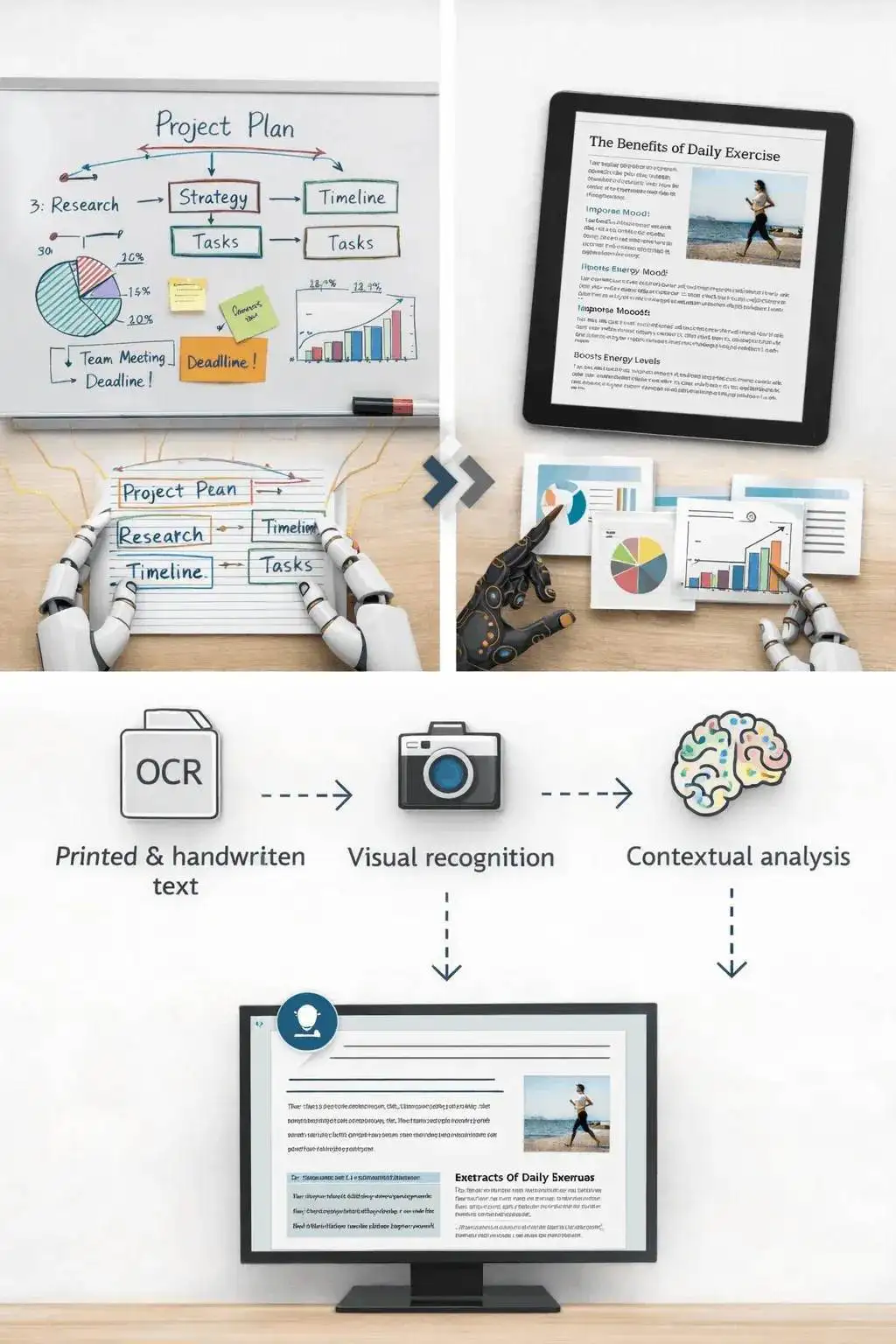
Upload an image to generate a readable summary

Know when to use another tool

If the image is actually a slide deck export, the PPT summarizer may preserve the presentation structure better. If the file is a PDF document, use a document or paper summarizer instead.

Use the image summarizer when the source is truly visual: a photo, chart, screenshot, scanned note, whiteboard, or diagram.

Image content analyzed into summary text

What affects summary quality

Summaries are a first pass, not a substitute for reviewing important source material. The output improves when the file is readable, complete, and focused.

Good input

A clear screenshot, scanned page, diagram, chart, whiteboard photo, or note image with readable text and enough resolution.

Image clarity matters more than file type. A sharp PNG usually beats a blurry photo.

Charts need readable labels. If a chart is unlabeled or the text is tiny, verify the interpretation manually.

Use this for understanding and notes, not as a final source of truth for contracts, diagnoses, invoices, or compliance work.

Useful ways to use the summary

The best summary gives you a faster route into the material. Use it to decide what deserves closer attention, prepare notes, or turn a long file into a readable starting point.

Summarize screenshots

Turn saved posts, article screenshots, app screens, and research clips into readable notes.

Review visual reports

Get a plain-language first pass on charts, dashboards, and infographics before digging in.

Capture notes

Summarize classroom notes, meeting whiteboards, and photographed pages without retyping everything.

Choose the right summarizer

Use the tool that matches your source file. That keeps the output focused and prevents audio, slide, document, and image workflows from blending together.

ContentRecommended toolUżyj do
Screenshots, photos, charts, notes, and image filesPodsumowywacz ObrazówVisual summaries, OCR-style extraction, and screenshot notes
Video filesPodsumowanie WideoSummaries from uploaded videos with spoken audio
Slides and presentation exportsPodsumowywacz PPTDeck summaries and slide-level notes
Word documents and reportsPodsumowanie Dokumentu WordText-heavy document summaries

Free, no account, and temporary processing

Bezpłatne narzędzia Sceneform nie wymagają konta. Normalne użytkowanie jest nieograniczone, z kontrolami nadużyć zarezerwowanymi dla ruchu zautomatyzowanego lub nadmiernego.

Uploaded files are used to create your result and deleted after processing. Avoid uploading files you are not allowed to process, and review summaries before using them for academic, business, medical, legal, or financial decisions.

More Free Tools

Explore other tools to help you download and convert media

YouTube na MP3

Konwertuj filmy YouTube na audio MP3 bezpośrednio w przeglądarce. Bezpłatnie, bez konta.

YouTube na MP3

YouTube na MP4

Zapisuj filmy YouTube jako pliki MP4 do edycji, badań lub offline'owego przeglądania.

YouTube na MP4

Pobieracz Wideo YouTube

Pobieraj filmy YouTube za pomocą prostego przepływu pracy w przeglądarce, zaprojektowanego dla twórców.

Pobieracz Wideo YouTube

Pobieracz YouTube Shorts

Zapisuj publiczne YouTube Shorts jako pliki MP4 do referencji, przeglądu lub edycji.

Pobieracz YouTube Shorts

Pobieracz Miniatur YouTube

Pobieraj dostępne miniatury z publicznych filmów YouTube i Shorts.

Pobieracz Miniatur YouTube

Generator Nazwy Kanału YouTube

Generuj pomysły na nazwy kanału YouTube na podstawie Twojej niszy i pozycjonowania.

Generator Nazwy Kanału YouTube

Generator Hashtagów YouTube

Zamień temat wideo na trafne hashtagi YouTube i pomysły na opakowanie.

Generator Hashtagów YouTube

Generator Opisów YouTube

Twórz opisy YouTube z hakami, rozdziałami, CTA i hashtagami.

Generator Opisów YouTube

Generator Podsumowań YouTube

Podsumuj filmy YouTube do kluczowych punktów, rozdziałów i notatek.

Generator Podsumowań YouTube

YouTube na Tekst

Zamień filmy YouTube na czytelny tekst do notatek, napisów, cytatów i repurposingu.

YouTube na Tekst

YouTube na Transkrypcję

Uzyskaj czytelne transkrypcje YouTube ze znacznikami czasu, gdy są dostępne.

YouTube na Transkrypcję

Pobieracz Napisów YouTube

Pobieraj dostępne napisy YouTube jako pliki SRT, TXT lub VTT.

Pobieracz Napisów YouTube

Pobieracz Instagram Reels

Pobieraj publiczne Instagram Reels jako pliki MP4 do referencji, tutoriali lub własnych postów.

Pobieracz Instagram Reels

Pobieracz Wideo TikTok

Pobieraj publiczne filmy TikTok jako pliki MP4 do badań twórców i offline'owego przeglądania.

Pobieracz Wideo TikTok

Pobieracz Wideo

Pobieraj publiczne filmy online, gdy brak dedykowanego pobieracza platformy.

Pobieracz Wideo

Generator Transkrypcji TikTok

Zamień publiczne filmy TikTok na tekst transkrypcji do haków, napisów i badań.

Generator Transkrypcji TikTok

Generator Transkrypcji Instagram

Zamień publiczne Instagram Reels i filmy na tekst transkrypcji do napisów i cytatów.

Generator Transkrypcji Instagram

Generator Transkrypcji Facebook

Zamień publiczne filmy Facebook i Live replays na tekst transkrypcji.

Generator Transkrypcji Facebook

Generator Transkrypcji Twitter/X

Zamień publiczne posty wideo Twitter i X na tekst transkrypcji do cytatów i badań.

Generator Transkrypcji Twitter/X

Generator Transkrypcji LinkedIn

Zamień klipy LinkedIn, webinaria i wywiady na czytelny tekst transkrypcji.

Generator Transkrypcji LinkedIn

Generator Transkrypcji Pinterest

Zamień Piny wideo Pinterest na tekst transkrypcji do przepisów, tutoriali i notatek.

Generator Transkrypcji Pinterest

Podsumowywacz Książek

Podsumuj rozdziały książek, notatki i długie dokumenty do jasnych wniosków.

Podsumowywacz Książek

Podsumowywacz Artykułów

Podsumuj artykuły naukowe do ustaleń, metod, ograniczeń i wniosków.

Podsumowywacz Artykułów

Podsumowywacz Podcastów

Zamień audio podcastu na podsumowania, kluczowe punkty, transkrypcje i szkice notatek.

Podsumowywacz Podcastów

Podsumowywacz PPT

Zamień slajdy PowerPoint na zwięzłe briefing z kluczowymi punktami i wnioskami.

Podsumowywacz PPT

Podsumowanie Wideo

Podsumuj filmy wideo na kluczowe momenty, wnioski i notatki do ponownego wykorzystania.

Podsumowanie Wideo

Podsumowanie Dokumentu Word

Podsumuj dokumenty Word i wklejony tekst na jasne wnioski.

Podsumowanie Dokumentu Word

Mowa na Tekst

Konwertuj mowę, spotkania, wywiady i notatki głosowe na czytelny tekst.

Mowa na Tekst

Głos na Tekst

Zamień mowę na czysty tekst do notatek, scenariuszy, napisów i uzupełnień.

Głos na Tekst

Notatka Głosowa na Tekst

Konwertuj notatki głosowe na czysty tekst do notatek, scenariuszy i podsumowań.

Notatka Głosowa na Tekst

Wideo na Tekst

Konwertuj pliki wideo na czytelny tekst do napisów, notatek i edycji.

Wideo na Tekst

Konwertery Audio i Wideo

Konwertuj pliki audio i wideo między popularnymi formatami w jednej darmowej bibliotece narzędzi.

Konwertery Audio i Wideo

Image summarizer in multiple languages

Use the image summarizer in supported Sceneform locales. We will redo localization after the English source copy is stable.

Image Summarizer FAQ

Ready to use the Image Summarizer?

Upload a file, generate a readable summary, then copy or download the result when it is ready.

Summarize a file