Youtube to MP3

Convert Your Favorite YouTube Videos to Audio Instantly

Grab the audio you love from any YouTube video.

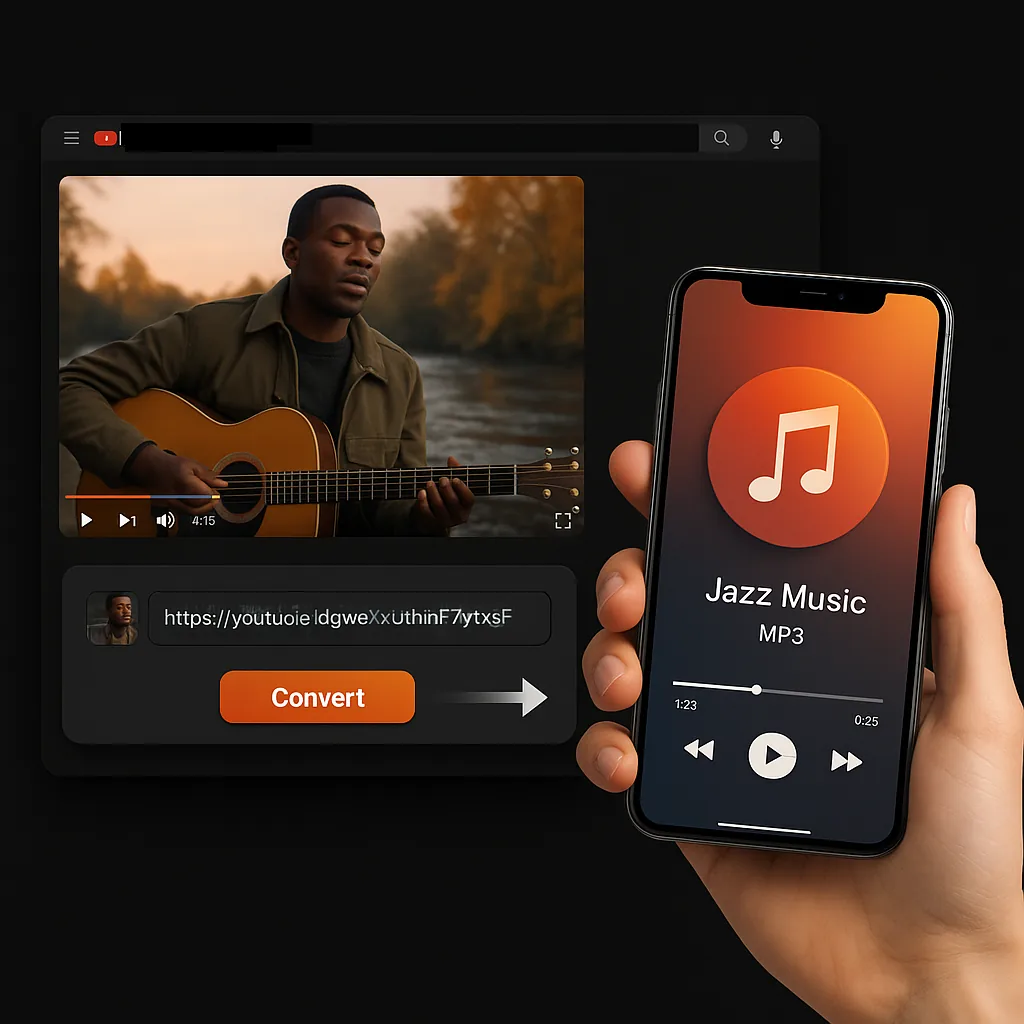
Just drop the video URL, and we'll extract the audio for you. Clear, ready-to-play audio files you can save and enjoy anytime on any device.

YouTube to MP3 converter

Heard something you like? Save it in seconds.

Hit the link, click convert, and it's yours. No install required, no wait. Just the audio content you want, ready when you are.

YouTube to MP3 converter

More Free Tools

Explore other tools to help you download and convert media

YouTube to MP3 converter in multiple languages

Sceneform's YouTube to MP3 converter is built for everyone. It supports over 26 languages so users worldwide can convert YouTube videos with ease using our straightforward platform.

🇿🇦Afrikaans🇸🇦Arabic🇦🇲Armenian🇮🇳Assamese🇦🇿Azerbaijani🇧🇾Belarusian🇧🇩Bengali🇧🇦Bosnian🇧🇬Bulgarian🇪🇸Catalan🇲🇼Chichewa🇨🇳Mandarin Chinese🇭🇷Croatian🇨🇿Czech🇩🇰Danish🇳🇱Dutch🇬🇧English🇪🇪Estonian🇵🇭Filipino🇫🇮Finnish🇫🇷French🇪🇸Galician🇬🇪Georgian🇩🇪German🇬🇷Greek🇮🇳Gujarati🇳🇬Hausa🇮🇱Hebrew🇮🇳Hindi🇭🇺Hungarian🇮🇸Icelandic🇮🇩Indonesian🇮🇪Irish🇮🇹Italian🇯🇵Japanese🇮🇩Javanese🇮🇳Kannada🇰🇿Kazakh🇰🇬Kyrgyz🇰🇷Korean🇱🇻Latvian🇨🇩Lingala🇱🇹Lithuanian🇱🇺Luxembourgish🇲🇰Macedonian🇲🇾Malay🇮🇳Malayalam🇮🇳Marathi🇳🇵Nepali🇳🇴Norwegian🇦🇫Pashto🇮🇷Persian🇵🇱Polish🇵🇹Portuguese🇮🇳Punjabi🇷🇴Romanian🇷🇺Russian🇷🇸Serbian🇵🇰Sindhi🇸🇰Slovak🇸🇮Slovenian🇸🇴Somali🇪🇸Spanish🇰🇪Swahili🇸🇪Swedish🇮🇳Tamil🇮🇳Telugu🇹🇭Thai🇹🇷Turkish🇺🇦Ukrainian🇵🇰Urdu🇻🇳Vietnamese🇬🇧Welsh

How to turn your favorite YouTube videos into MP3s 100% free with our tool?

With Sceneform's YouTube to MP3 converter, grabbing audio from YouTube is simple, fast, and totally free. Here's how to do it:

  • Copy the video URL: Just pick the YouTube video you want and copy the URL from your browser.
  • Open the tool: Go to the Sceneform website and search for the YouTube to MP3 converter.
  • Paste the URL: Drop that YouTube URL into the box --- no setup needed.
  • Hit convert and download: Hit the convert button, and in moments, your MP3 will be ready to save.

No ads. No sign ups. No hassle. Just an easy way to keep the audio you love.

How to turn your favorite YouTube videos into MP3s 100% free with our tool?

Why use our YouTube to MP3 converter?

Sceneform's YouTube to MP3 converter makes it easy to save the audio you care about from any YouTube video. Here's why people love it:

  • Offline Listening: No signal? No stress. Once you convert it, the audio is yours to keep and listen to anytime without internet.
  • Quick and Simple: Just paste the link and hit download. No delays, no extra steps in the conversion process.
  • Sound Quality You Can Choose: Go for rich, high-quality audio or smaller file sizes to save space on your device.
  • Use It Anywhere: Works perfectly on your phone, laptop, or tablet. Nothing to install.
  • MP3 Format Always Works: MP3 files are supported almost everywhere, so you never have to think twice.

With our converter, you get clean audio from any video in seconds. It's fast, easy, and built for your everyday use.

Why use our YouTube to MP3 converter?

Turn YouTube videos into crystal-clear MP3 audio, fast and free every time

Streaming YouTube videos in HD can eat up over 1 GB of data per hour. That's tough when you're on a limited plan or trying to save money while listening on the move.

Our tool helps you skip the video and grab just the audio in high-quality MP4 format. Whether it's a playlist, podcasts, or songs you love, you can save the audio content straight to your device. Our web-based tool works smoothly on phones, tablets, and computers. No extra software or install needed.

You know what's even better? This tool gives you clean video downloads without hidden fees, popups, or slowdowns. Just copy the URL, press convert, and enjoy the audio you want anytime.

Turn YouTube videos into crystal-clear MP3 audio, fast and free every time

What makes our YouTube to MP3 converter worth using?

  • Offline Listening: Save the audio from any video and listen without needing internet. Great for flights, commutes, or quiet time.
  • Simplicity: Just copy the video URL, paste it, and click convert. That's it. Your MP3 is ready in a few seconds through our straightforward conversion process.
  • Audio Quality: Choose the sound quality that suits you. Whether you want high clarity or a smaller file, it's up to you.
  • Device Flexibility: Works on phones, tablets, laptops, and desktops. No limits on where you use it.
  • MP3 Format: MP3s play anywhere. From old phones to modern apps, it just works.

In short, our tool makes saving the audio you love fast, clean, and easy --- with zero hassle.

What makes our YouTube to MP3 converter worth using?

No ads. No sign-ups. Just a smooth, stress-free experience every time

Frustrated with all the popups and sign up forms just to convert a single YouTube video? You're not the only one. Most users want quick, clean access without delays. That's exactly what this converter delivers.

With Sceneform's YouTube to MP3 tool, you can convert any video without ads, sign ups, or hidden steps. Save music, podcasts, lectures, or anything else in just a few seconds using our free service.

Drop in your YouTube link, click convert, and your MP3 is ready to go. The interface is simple to use and works across any platform --- whether it's Android, iPhone, Mac, or Windows.

No ads. No sign-ups. Just a smooth, stress-free experience every time

Great for offline use: keep your audio with you anywhere

No limits on downloads: convert as many videos as you want.

Using a YouTube to MP3 converter like Sceneform's gives you several clear advantages:

  • Unlimited Conversions: Convert multiple YouTube videos as you like without restrictions or daily limits.
  • Simple Process: Paste the URL, click convert, and download the MP3 in seconds. No setup or hassle.
  • Audio Quality Options: Pick the sound quality that works best for you, whether you want crisp clarity or smaller files.
  • Works Everywhere: Convert and download on your phone, laptop, or tablet. Move your files around easily.
  • Multi-channel Ready: MP3s work with nearly all apps and devices, so you never have to worry about compatibility.

Sceneform's YouTube to MP3 converter gives you fast, smooth access to audio you love --- and never asks you to slow down or wait.

Great for offline use: keep your audio with you anywhere

FAQs

1. Do I need to install anything to use this converter?
No. Our YouTube to MP3 converter works directly in your web browser. Just open the site, paste your YouTube URL, and download the MP3. No software, no plugins.
2. Is there a limit to how many videos I can convert?
Nope. You can convert YouTube videos as many times as you like. There are no daily caps or hidden restrictions on our free YouTube service.
3. Will the MP3 files work on my phone?
Yes. MP3 is a widely supported format that works on nearly all devices, including Android, iPhone, and tablets with default features.
4. Can I use this tool to save music for my workouts or commutes?
Absolutely. Our tool is perfect for grabbing music, talks, or playlists you want to listen to while offline --- whether you're at the gym, on the road, or just relaxing.
5. Does Sceneform's converter keep a copy of the files I convert?
No. Once your file is converted and downloaded, it's removed from the server. Your privacy is respected at all times with our service.
6. How do I convert multiple YouTube videos at once?
Currently, our tool processes one video URL at a time to ensure quality conversion. Simply repeat the straightforward process for each video you want to convert.
7. What audio file formats does your converter support?
Our converter specializes in MP3 format, which provides excellent audio quality and universal compatibility across all platforms and channels.
8. Can I convert videos of any length using your tool?
Yes, our converter can handle videos of any length. The conversion process remains fast regardless of video duration.
9. Is there a way to solve audio quality issues after conversion?
Our converter maintains high audio quality by default. If you experience issues, try converting again or check if the original YouTube video has good audio quality.
10. What's the convenience of using your converter over other tools?
Our tool offers maximum convenience with no sign requirements, no ads, and straightforward features that extract audio from your favorite YouTube videos instantly without any hassle.
11. Can I use this converter to save educational content for studying?
Absolutely! Many students use our YouTube to MP3 converter to download videos of lectures, tutorials, and educational content. This way, you can listen to study materials during commutes or when you don't have internet access.
12. Is it safe to convert YouTube videos using your service?
Yes, our converter is completely safe. We don't require any personal information, and we don't store your converted files on our servers. The conversion happens securely, and your privacy is protected throughout the entire process.
13. Can I convert YouTube videos on my mobile device?
Definitely! Our YouTube to MP3 converter works perfectly on mobile devices. Whether you're using an Android phone, iPhone, or tablet, you can easily paste the YouTube URL and convert videos on the go without downloading any mobile apps.
14. How much does it cost to use your YouTube to MP3 converter?
Our service is completely free! You don't need to pay any money or subscribe to premium plans. We believe everyone should have free access to convert their favorite YouTube videos to MP3 format without any cost barriers.
15. Can I convert YouTube videos from different countries and regions?
Yes! Our converter works with YouTube videos from any country or region. No matter where the video was uploaded or what language it's in, you can easily convert YouTube videos to MP3 format using our global service.