YouTube to Text Converter — Instant and Free
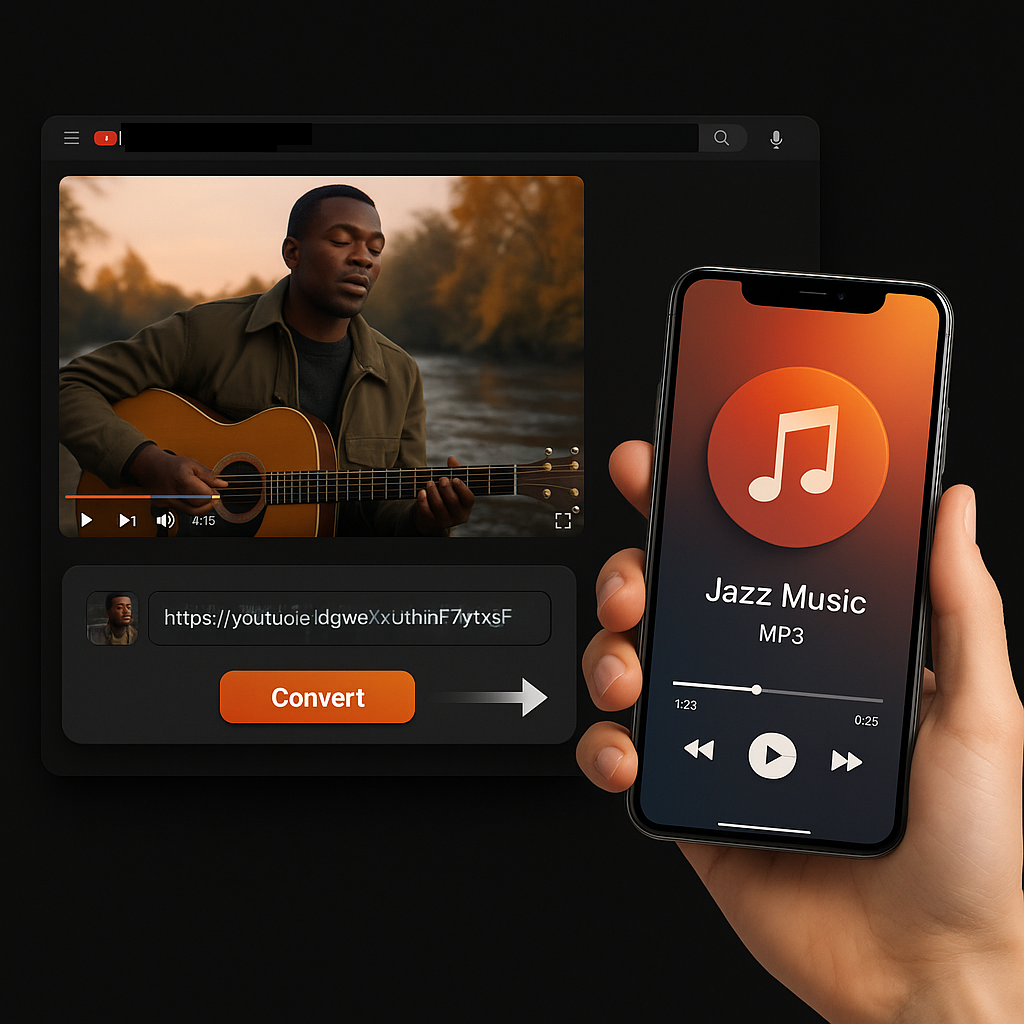
Free YouTube to Text Converter — An easy-to-use AI tool that helps you turn any YouTube video into readable text.
Trusted by millions of learners, creators, and professionals worldwide.
Turn Any YouTube Video into Text — Instantly, with AI
YouTube is the largest library of spoken knowledge on the planet. Lectures, interviews, tutorials, conference talks, product reviews, podcasts — billions of hours of valuable content locked inside a video player where you cannot search it, copy it, highlight it, or reuse it.
Our YouTube to Text Converter changes that. Paste any video link and our AI extracts the full spoken content as clean, readable text you can work with immediately. Not a subtitle file. Not a raw dump of auto-generated captions. Actual readable text — properly formatted, flowing naturally, and ready to copy into a document, feed into another tool, or publish as-is.
The AI engine behind our converter handles videos with or without existing subtitles. For captioned videos, we extract and clean the text. For uncaptioned videos up to 150 minutes, we analyze the audio directly and generate the transcription from scratch. Either way, you get accurate, usable text in seconds — not the garbled, punctuation-free output most free tools produce.
Whether you are turning a lecture into study notes, converting an interview into a blog post, pulling quotes from a panel discussion, or building a searchable text archive from a video channel — our tool delivers the text you need without the hours of manual typing.


How to Convert YouTube Videos to Text
Step 1: Paste the YouTube URL
Copy the link to any YouTube video — lectures, tutorials, interviews, podcasts, product reviews, webinars, conference talks, or Shorts. Paste it into the input field above. We accept standard URLs, shortened youtu.be links, and full playlist URLs for batch conversion.
Step 2: Select Your Settings
Choose batch processing if you are converting multiple videos, adjust language settings if needed, and pick your preferred output. Our AI automatically detects whether subtitles are available and selects the best extraction method for maximum accuracy.
Step 3: Get Your Text
Click "Convert" and our AI delivers clean, readable text within seconds. Copy it to your clipboard, download it as a file, or use our built-in AI to generate a summary, key points, or mind map from the extracted content. Save everything to your personal workspace for future reference.

What Makes Our YouTube to Text Converter Different
Works on Videos Without Subtitles
This is where most competing tools fail. If a video has no captions — no auto-generated subtitles, no uploaded tracks — most converters return nothing. Ours does not. We analyze the audio directly and generate accurate text from videos up to 150 minutes long, even when zero subtitle data exists. This unlocks an enormous amount of content that other tools simply cannot access.
Readable Text, Not Caption Dumps
Most YouTube-to-text tools give you a wall of auto-generated subtitle text — no punctuation, no paragraph breaks, no capitalization, fragmented sentences scattered across hundreds of timed entries. We deliver properly formatted, flowing text that reads like a document. Sentences are complete. Paragraphs are structured. You can paste it into a Word document or email and it makes sense on its own.
Batch Conversion for Playlists and Multiple Videos
Processing videos one at a time is slow when you are working through a course, a conference recording series, or a competitor's entire channel. Paste a playlist URL or add multiple links and we convert them all simultaneously. Each video gets its own clean text output, organized and ready for use.
AI-Powered Summarization Built In
Converting video to text is step one. What often comes next is figuring out what the important parts are. Our tool includes AI summarization that distills the extracted text into key points, structured summaries, and visual mind maps — all generated automatically alongside your text output. No need to paste the text into a separate AI tool.

60+ Languages Supported
Our AI transcribes and converts videos across 60+ languages. Watch a Spanish lecture and get the text in Spanish. Process a Japanese tutorial and receive clean Japanese text. We also support cross-language output — convert in the source language, then translate the text using our AI.
No Length Restrictions
Short Shorts or three-hour keynotes — it does not matter. We convert videos of any length without trimming, truncating, or degrading quality. Longer videos produce proportionally more text, and our AI handles the full content without skipping sections.
Free, No Sign-Up Required
Paste a link, get your text. No account creation, no email verification, no trial periods hiding behind the free label. Every core feature is available to every user immediately.
Save to Your Workspace
Every text output, summary, and mind map can be saved to your personal workspace. Build a searchable library of converted video content that you can return to, organize, and reference across projects.
Stop Watching. Start Reading.
Turn any YouTube video into clean, readable text in seconds. Paste your first link and see the difference our AI makes.
Convert to Text Instantly
Why Convert YouTube Videos to Text
Create Written Content from Video
The fastest path from a YouTube video to a blog post, newsletter, or social thread is through text. Our YouTube to text converter gives you a ready-made first draft — spoken content transformed into readable prose you can edit, restructure, and publish. Content teams that used to spend days transcribing now produce written assets from video in minutes.
Study and Review Lectures Offline
Downloaded text is searchable, highlightable, and portable. Instead of rewatching a 90-minute lecture to find one key concept, you search the text file and jump straight to it. Students use our converter to build study archives from entire course playlists — all lectures, all notes, all searchable from a single folder.
Pull Accurate Quotes and Citations
Researchers, journalists, and analysts need exact wording, not paraphrases. Converting video to text gives you a precise written record you can search by keyword, copy verbatim quotes from, and cite with confidence. Far more reliable than scribbling notes while scrubbing through a timeline.
Feed AI Tools and Workflows
Clean text from our converter plugs directly into ChatGPT and other AI tools for summarization, analysis, question generation, translation, and content transformation. YouTube videos are one of the richest sources of spoken-word content available — converting them to text makes that content machine-readable and actionable.
Improve SEO with Video Transcripts
Publish the converted text as a transcript alongside your embedded video. Search engines index text, not video audio — so adding a transcript creates a keyword-rich page that ranks in both video and traditional web search results, doubling your content's discoverability from a single asset.
Build Searchable Video Archives
Organizations, educators, and content teams accumulate hundreds of videos over time. Converting them to text creates a searchable knowledge base where anyone can find specific information across the entire library using simple keyword search — something impossible with video alone.
Ensure Accessibility
Text versions of video content make information available to people who are deaf or hard of hearing, prefer reading to watching, or need to consume content in environments where audio is not practical. Converting video to text is one of the simplest steps toward meeting accessibility standards.

Understanding the Difference: Text, Transcript, and Subtitles
People often use these terms interchangeably, but they serve different purposes. Our YouTube to Text Converter is specifically designed to produce clean readable text — here is how it compares to the other formats.
Text (Clean Readable Prose)
Clean, continuous prose extracted from the video's spoken content. No timestamps, no sequence numbers, no formatting markup — just readable text organized into natural paragraphs. This is the format writers, marketers, students, and researchers reach for when they want to work with video content as a written document.
Best for: Blog posts, study notes, quote extraction, AI tool input, content repurposing, SEO transcripts, text analysis.
Transcript (Timestamped Text)
The full spoken content preserved with timestamps marking when each segment occurs in the video. Useful when you need to reference specific moments or navigate back to the original footage. Our YouTube Transcript Generator produces this format.
Best for: Academic citation, video navigation, meeting records, professional documentation.
Subtitles (Timed Caption Files)
Formatted files (SRT, VTT) designed for playback synchronization — each entry has a sequence number, start and end timestamps, and a short text fragment. Built for video players and editing software, not for reading. Our YouTube Subtitle Downloader produces this format.
Best for: Video editing, embedding captions, media player use, accessibility compliance files.
Our YouTube to Text Converter gives you the cleanest, most immediately usable output. If you need timestamps or caption files instead, we have dedicated tools for those.

Batch Convert: Turn Entire Playlists into Text at Once
Single-video conversion works for the occasional clip. But if you are processing a course playlist, a conference channel, a podcast archive, or a competitor's video library — you need batch conversion.
Paste a playlist URL or add multiple individual links and we convert every video simultaneously. Each one gets its own clean text output, and everything is organized by video title for easy reference.
Who uses batch conversion:
- Students converting an entire semester of lectures into searchable study notes
- Content teams turning a video series into written content assets
- Researchers building text corpora from curated video collections
- Marketing teams analyzing competitor video content at scale
- Educators creating text-based course materials from video playlists

Converting Videos Without Subtitles — Our AI Handles It
Most YouTube-to-text tools rely entirely on existing subtitle data. If a video has no captions — no auto-generated subtitles, no uploaded tracks — those tools return an error or an empty result.
Our converter works differently. When subtitle data is unavailable, our AI analyzes the video's audio track directly using advanced speech recognition. We process videos up to 150 minutes long and generate accurate text even when YouTube provides zero caption data.
This matters because a significant portion of YouTube content has no subtitles at all — independent creators who never enabled auto-captions, older videos uploaded before YouTube's automatic captioning system existed, content in languages with limited auto-caption support, and private or unlisted videos shared via link.
With our tool, that content is no longer inaccessible. If there is spoken audio, we can convert it to text.
What People Are Saying
Aisha Rahman
Digital Marketing Manager
"We produce blog posts from our client webinar recordings. Before this tool, transcription was the bottleneck — three to four hours per video. Now we paste the link, grab the text, and our writers have a working draft in under two minutes. Content production has gone from weekly to daily."
Thomas Bergström
Postdoctoral Researcher
"I am analyzing spoken rhetoric in political YouTube content for my research. The batch conversion lets me process 50+ videos overnight and work with the text in my analysis software the next morning. Doing this manually would have taken months."
Keiko Tanaka
Online Course Creator
"I repurpose my own tutorial videos into written guides for students who prefer reading. The text quality from this converter is genuinely better than what I get from YouTube's auto-captions — proper sentences, real punctuation, and paragraphs that actually flow."
Daniel Okoro
Freelance Journalist
"When I need to fact-check what someone said in an interview or press conference uploaded to YouTube, I convert it to text and search for the exact phrase. It is faster and more accurate than my old method of rewatching segments with a notepad."
Marta Sánchez
High School Spanish Teacher
"I convert English-language educational videos to text so my students can read along and improve their comprehension. The 60+ language support also means I can process content in Spanish and generate materials directly in my teaching language."
Ravi Krishnan
Product Analyst
"Our team monitors competitor product demos and launch events on YouTube. Batch converting their latest uploads into text gives us a searchable intelligence library that updates weekly. We spot positioning changes and feature announcements we would have missed just watching casually."
More Free Tools
Explore other tools to help you download and convert media
YouTube to MP3
Extract audio from any YouTube video and convert it to MP3 format. Free, fast, and no sign-up required.
YouTube to MP3YouTube to MP4
Download YouTube videos as MP4 files instantly. Choose from multiple resolutions and watch offline anytime.
YouTube to MP4YouTube Video Downloader
Download YouTube videos without watermark. Multiple resolutions available for offline viewing.
YouTube Video DownloaderInstagram Reels Downloader
Download Instagram reels as MP4 files instantly. No app required, works on any device.
Instagram Reels DownloaderTikTok Video Downloader
Download TikTok videos as MP4 files instantly. No watermark, no signup required.
TikTok Video DownloaderYouTube Summary with ChatGPT
Batch summarize YouTube videos and playlists in seconds with comprehensive, in-depth summaries.
YouTube Summary with ChatGPTYouTube to Transcript
Transcribe any YouTube video fast and free. Get accurate, timestamped transcripts in multiple languages.
YouTube to TranscriptYouTube Subtitle Downloader
Extract and download YouTube subtitles in 100+ languages. Export as SRT, TXT, or VTT.
YouTube Subtitle DownloaderYouTube Transcript Downloader
Download YouTube video transcripts instantly. Fast, free, and no sign-up required.
YouTube Transcript DownloaderYouTube Transcript Generator
Generate YouTube video transcripts instantly. Accurate AI-powered transcription for any video.
YouTube Transcript GeneratorBook Summarizer
Get key insights from any book in seconds. Free AI-powered book summarizer.
Book SummarizerImage Summarizer
Summarize images instantly with AI. Extract key information from any image.
Image SummarizerPaper Summarizer
Summarize research papers instantly. Get key findings and insights with AI.
Paper SummarizerPodcast Summarizer
Summarize podcasts instantly. Get key takeaways from any podcast episode with AI.
Podcast SummarizerPPT Summarizer
Summarize PowerPoint presentations instantly. Extract key points from any PPT file.
PPT SummarizerVideo Summarizer
Summarize videos instantly. Get key moments and insights from any video with AI.
Video SummarizerWord Summarizer
Summarize Word documents instantly. Extract key points from any document with AI.
Word SummarizerSpeech to Text
Convert speech to text instantly. Accurate AI-powered transcription for any audio.
Speech to TextVoice to Text
Convert voice recordings to text instantly. Free, fast, and accurate AI transcription.
Voice to TextVoice Memo to Text
Convert voice memos to text instantly. Accurate transcription for any voice memo.
Voice Memo to TextVideo to Text
Convert any video to readable text. Free AI-powered video transcription tool.
Video to Text