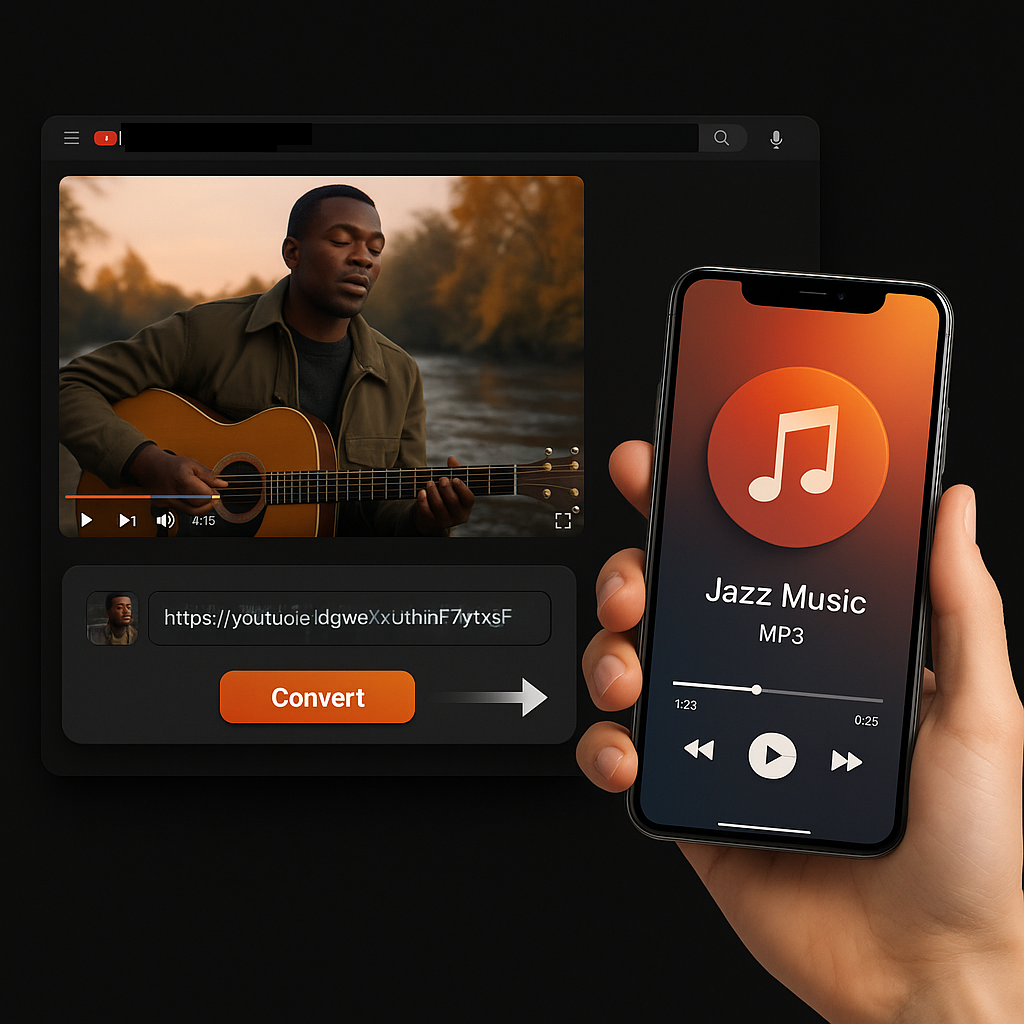
Online YouTube Subtitle Downloader

Extract and download YouTube subtitles in 100+ languages. Batch process entire playlists, export as SRT, TXT, or VTT — all in seconds.

Try with these popular videos:

4.9 — Chrome Store
80,000,000+ — Users
12,000+ — Schools & Teams

Trusted by millions of learners, creators, and professionals worldwide.

YouTube Subtitle Downloader: Extract Captions from Any Video in Seconds

YouTube keeps its caption data locked inside the video player. There is no native export button, no built-in download option, and no simple way to save subtitle files to your device. If you have ever tried to grab captions manually, you know the pain — broken formatting, missing timestamps, and hours wasted copying text line by line.

Our YouTube subtitle downloader eliminates all of that. We connect directly to the video's caption data, pull every available subtitle track — creator-uploaded, auto-generated, and auto-translated across 100+ languages — and package it into clean, properly structured files you can use immediately. The entire process takes seconds, costs nothing, and requires zero sign-up.

YouTube subtitle downloader

Get exactly the file you need, formatted correctly, every time

Whether you are building study notes from a lecture, importing captions into a video editing timeline, repurposing spoken content into a blog post, or archiving subtitles before a video goes offline — our tool gives you exactly the file you need, formatted correctly, every time.

YouTube subtitle downloader features
How to download YouTube subtitles

How to Download YouTube Subtitles with Our Tool

Step 1: Paste Your Video or Playlist Link

Head to any YouTube video and copy the URL from your browser's address bar — or tap "Share" in the YouTube app and copy the link. Paste it into the input field above. We accept standard video URLs, shortened youtu.be links, Shorts URLs, and full playlist links for batch processing.

Step 2: We Scan and Detect All Available Captions

The moment you hit "Generate Subtitle," our system scans the video and identifies every available caption track. You will see a complete list within seconds — each track clearly labeled by language and type (creator-uploaded, auto-generated, or auto-translated) so you know exactly what you are choosing.

Step 3: Pick Your Language, Choose Your Format, Download

Select the language you want, choose SRT, TXT, or VTT, and hit download. Your file saves directly to your device with accurate timestamps, proper formatting, and the correct file structure for immediate use. For playlists, we process every video and let you grab all files at once.

YouTube subtitle downloader features

What Makes Our YouTube Subtitle Downloader Stand Out

Instant, Zero-Cost Downloads

We do not charge a cent, ever. There are no premium tiers hiding behind the free label, no credit card prompts after three downloads, and no artificial speed limits. Every feature you see on this page is available to every user, every time, at no cost.

No Registration, No Barriers

We never ask for your email, your name, or any account details. Paste a link, download your file, and leave. Your experience stays fast, private, and completely anonymous.

100+ Languages Detected Automatically

Our system identifies every subtitle track attached to a video — including auto-translated versions YouTube generates behind the scenes. If a caption track exists in Korean, Arabic, Portuguese, or any of 100+ other languages, we surface it and make it downloadable.

Playlist and Bulk Processing

Paste a single playlist URL and we extract subtitles from every video inside it. No need to copy links one by one. Content teams, educators, and researchers use this to process entire lecture series, video courses, and content libraries in a single session.

Millisecond-Accurate Timing

We do not approximate. Our SRT and VTT exports carry the exact timestamp data from the original caption track — start times, end times, and duration markers accurate to the millisecond. When you drop our files into an editing timeline, every line lands precisely where it should.

Subtitle export formats

Three Professional Export Formats

SRT

The universal subtitle standard. Works in every major video editor and media player on the market.

TXT

Pure spoken content with no timestamps or formatting. Ready for blog drafts, research analysis, AI tool input, or plain reading.

VTT

Built for the web. The native caption format for HTML5 video players, online courses, and custom web applications.

All Caption Types, Clearly Labeled

YouTube videos can carry three different kinds of subtitles — and they vary dramatically in quality. We detect all three and label each one so you never accidentally download a machine-translated track when a human-edited version exists:

  • Creator-uploaded — Highest accuracy. Written and timed by the video creator or their team.
  • Auto-generated — Broad coverage. Created by YouTube's speech recognition. Good for common speech, less reliable with names, jargon, and accents.
  • Auto-translated — Machine translations of the source track into other languages. Quality varies by language pair.

Works Everywhere, No Installation

Desktop, laptop, tablet, phone. Chrome, Safari, Firefox, Edge. Our tool runs entirely in your browser — there is nothing to download, install, or configure. If you can open a web page, you can download subtitles.

Start Downloading YouTube Subtitles — Free, Right Now

Every feature. Every format. Every language. No sign-up. No limits. Paste your first link above and see your subtitles in seconds.

Get YouTube Subtitles Now
Why download YouTube subtitles

Why You May Want to Download YouTube Subtitles

Turn Videos into Written Content

Subtitle text is the fastest shortcut from video to article. Download captions in TXT format and you have a rough draft ready for editing — no transcription service, no manual typing. Content marketers, bloggers, and social media teams use our YouTube subtitle downloader to convert a single video into blog posts, email newsletters, LinkedIn threads, and tweet storms in a fraction of the time it would take to write from scratch.

Study Smarter, Not Longer

Download lecture captions and review them as text instead of rewatching hour-long recordings. Highlight key passages, search for specific terms, and build study guides from the exact words your professor used. Language learners download subtitles in their target language — or two languages side by side — to study vocabulary and sentence structure with real, native-speaker content.

Speed Up Video Editing

Professional editors know that manual captioning is one of the slowest parts of post-production. Our SRT exports drop directly into your editing timeline with perfect sync — Premiere Pro, Final Cut, DaVinci Resolve, CapCut, and every other major tool recognizes our files out of the box. Skip the transcription step entirely.

Cite Video Sources Accurately

Researchers and journalists need exact quotes, not approximations. Downloading the subtitle file lets you search for precise wording, verify statements against the original source, and copy text that is faithful to what was actually said — far more reliable than scribbling notes while scrubbing through a timeline.

Meet Accessibility Standards

Organizations publishing video content often need caption files for ADA compliance, WCAG requirements, or internal accessibility policies. Downloading existing YouTube captions with our tool gives you a verified starting point for review and correction — dramatically faster than building caption files from zero.

Protect Against Disappearing Content

YouTube videos get deleted, made private, or taken down by copyright claims every day. A downloaded subtitle file is a permanent text record that survives regardless of what happens to the original video. Archivists, journalists, and legal teams rely on this for documentation.

Power AI and Data Pipelines

Clean subtitle text — particularly our timestamp-free TXT exports — plugs directly into AI summarization tools, keyword extraction scripts, sentiment analysis models, and large language model workflows. YouTube captions are one of the largest sources of structured, time-coded spoken-word data on the internet.

Types of YouTube subtitles

Understanding the Three Types of YouTube Subtitles

Not all YouTube captions are created equal. When you paste a link into our YouTube subtitle downloader, we scan for all three types and label each one clearly so you always make the right choice.

Creator-Uploaded Subtitles

These are hand-crafted caption files uploaded by the video creator or a professional captioning service. They represent the highest quality available — accurate spelling, correct grammar, proper punctuation, and precisely timed sync points. If a video has creator-uploaded subtitles, we always recommend downloading those first.

Auto-Generated Subtitles

YouTube's speech recognition engine produces these automatically for most videos. They offer the broadest coverage — you can find auto-generated captions even on videos that were never manually captioned. The tradeoff is accuracy: common vocabulary and clear speech come through well, but proper nouns, technical terminology, heavy accents, overlapping speakers, and background noise can produce errors. Treat these as a strong first draft that benefits from a quick review.

Auto-Translated Subtitles

YouTube can machine-translate any existing subtitle track (whether creator-uploaded or auto-generated) into 100+ other languages. Translation quality depends heavily on the language pair — widely spoken combinations like English-to-Spanish produce solid results, while less common pairs may require significant editing. These are useful for getting the general meaning across languages, but should not be relied on for precision without review.

Our tool displays the type next to every track so you can evaluate quality before downloading.

SRT TXT VTT subtitle formats

Subtitle File Formats: SRT vs. TXT vs. VTT

We export in three formats because different jobs require different file structures. Here is when to use each one.

SRT (SubRip Subtitle)

The industry default for timed subtitles. Every SRT file contains numbered entries, each with a start timestamp, an end timestamp, and the caption text. This is the format video editors, media players, and captioning tools expect.

Choose SRT when you are: adding subtitles to a video project, importing captions into an editing timeline, embedding closed captions in a media player, or delivering subtitle files to a client.

Our SRT files are compatible with Premiere Pro, Final Cut Pro, DaVinci Resolve, CapCut, VLC, HandBrake, Kapwing, and virtually every other tool that handles subtitles.

TXT (Plain Text)

Everything spoken in the video, delivered as clean, continuous text with no timestamps, sequence numbers, or formatting markup. This is the format writers, marketers, and researchers reach for.

Choose TXT when you are: drafting a blog post from video content, building study notes, extracting quotes for an article, feeding text into an AI tool, running keyword or sentiment analysis, or publishing a transcript on your website for SEO.

VTT (Web Video Text Tracks)

The web-native subtitle format built specifically for HTML5 video elements. VTT supports everything SRT does — timed text entries with start and end timestamps — plus additional capabilities like text positioning, alignment control, and basic styling.

Choose VTT when you are: adding captions to videos embedded on your website, building an online course with captioned lessons, or developing a custom web video player that needs native caption support.

Batch download subtitles from playlists

Batch Download: Process Entire Playlists in One Action

Downloading subtitles one video at a time works fine for a single clip — but if you are dealing with a course playlist, a content series, or a research collection, you need batch processing.

Our YouTube subtitle downloader handles this natively. Paste a playlist URL and we automatically process every video inside it — detecting caption tracks, preparing files, and organizing downloads so you can grab everything at once.

Who uses batch download:

  • Content teams converting an entire video series into written assets
  • Educators building offline caption archives for full courses
  • Researchers assembling text corpora from curated video collections
  • Editors preparing subtitle files for multi-episode projects
  • Language learners collecting captions from a show or lesson series

Getting the best results with batch downloads:

  • Groups of 20–50 videos process smoothly on most devices
  • Playlist URLs work automatically — no need to extract individual video links
  • Every file saves with the video title in the filename, keeping your downloads organized
  • Format selection applies consistently across the entire batch
YouTube subtitles improve search visibility

How YouTube Subtitles Improve Search Visibility

If you publish video content and care about discoverability, subtitles are one of the highest-leverage SEO tools available — and most creators underuse them.

Search engines index caption text

YouTube and Google cannot watch your video. They rely on text signals — titles, descriptions, tags, and subtitle data — to understand what your content covers. Accurate captions give search algorithms significantly more material to work with, increasing your chances of ranking for relevant queries.

Captions lift engagement metrics

Videos with subtitles consistently show higher watch times and lower abandonment rates. Viewers stay longer when they can read along — especially in noisy environments, on muted devices, or when the speaker has an unfamiliar accent. YouTube's ranking algorithm interprets these engagement signals as quality indicators.

Transcripts create rankable pages

Download your subtitles with our tool and publish them as a written transcript on your website alongside the embedded video. This creates a text-rich page that can rank in traditional web search results — capturing audiences who search via text, not just video. One piece of content, two discovery channels.

Trusted by Creators, Students, and Professionals Worldwide

Priya Nair

Priya Nair

Freelance Video Editor

"Importing subtitle files used to eat up half my morning. Now I paste the link, download the SRT, and drop it straight into my Premiere timeline. The timestamps are spot-on every time — I have not had to manually adjust sync once."

David Okonkwo

David Okonkwo

PhD Candidate, Linguistics

"I am building a corpus of spoken English from educational content for my dissertation. The batch playlist feature lets me pull clean TXT files from entire lecture series overnight. It has saved me weeks of manual transcription work."

Carla Mendes

Carla Mendes

Content Marketing Lead

"We repurpose client webinar recordings into blog posts and social content. Downloading the subtitle text as TXT gives our writers a first draft in under a minute. Our content output per video has tripled since we started using this."

Jun Watanabe

Jun Watanabe

Language Student

"I download English subtitles alongside Japanese auto-translations for the same videos. Reading both side by side while watching has improved my comprehension faster than any textbook exercise."

Amina Hossain

Amina Hossain

Accessibility Coordinator

"Our university requires captioned versions of all instructional video content. Being able to download existing YouTube captions and review them against our standards has cut our compliance workflow time in half."

Marcus Chen

Marcus Chen

Independent Journalist

"When I am fact-checking a quote from a public figure's YouTube interview, I need the exact words — not my paraphrase. Downloading the subtitle file and searching it for specific phrases has become part of my standard verification process."

More Free Tools

Explore other tools to help you download and convert media

YouTube to MP3

Extract audio from any YouTube video and convert it to MP3 format. Free, fast, and no sign-up required.

YouTube to MP3

YouTube to MP4

Download YouTube videos as MP4 files instantly. Choose from multiple resolutions and watch offline anytime.

YouTube to MP4

YouTube Video Downloader

Download YouTube videos without watermark. Multiple resolutions available for offline viewing.

YouTube Video Downloader

Instagram Reels Downloader

Download Instagram reels as MP4 files instantly. No app required, works on any device.

Instagram Reels Downloader

TikTok Video Downloader

Download TikTok videos as MP4 files instantly. No watermark, no signup required.

TikTok Video Downloader

YouTube Summary with ChatGPT

Batch summarize YouTube videos and playlists in seconds with comprehensive, in-depth summaries.

YouTube Summary with ChatGPT

YouTube to Text

Turn any YouTube video into readable text instantly. Free AI-powered converter, no sign-up needed.

YouTube to Text

YouTube to Transcript

Transcribe any YouTube video fast and free. Get accurate, timestamped transcripts in multiple languages.

YouTube to Transcript

YouTube Transcript Downloader

Download YouTube video transcripts instantly. Fast, free, and no sign-up required.

YouTube Transcript Downloader

YouTube Transcript Generator

Generate YouTube video transcripts instantly. Accurate AI-powered transcription for any video.

YouTube Transcript Generator

Book Summarizer

Get key insights from any book in seconds. Free AI-powered book summarizer.

Book Summarizer

Image Summarizer

Summarize images instantly with AI. Extract key information from any image.

Image Summarizer

Paper Summarizer

Summarize research papers instantly. Get key findings and insights with AI.

Paper Summarizer

Podcast Summarizer

Summarize podcasts instantly. Get key takeaways from any podcast episode with AI.

Podcast Summarizer

PPT Summarizer

Summarize PowerPoint presentations instantly. Extract key points from any PPT file.

PPT Summarizer

Video Summarizer

Summarize videos instantly. Get key moments and insights from any video with AI.

Video Summarizer

Word Summarizer

Summarize Word documents instantly. Extract key points from any document with AI.

Word Summarizer

Speech to Text

Convert speech to text instantly. Accurate AI-powered transcription for any audio.

Speech to Text

Voice to Text

Convert voice recordings to text instantly. Free, fast, and accurate AI transcription.

Voice to Text

Voice Memo to Text

Convert voice memos to text instantly. Accurate transcription for any voice memo.

Voice Memo to Text

Video to Text

Convert any video to readable text. Free AI-powered video transcription tool.

Video to Text

Frequently Asked Questions

What is a YouTube subtitle downloader?
It is a tool that extracts the caption data embedded in YouTube videos and converts it into downloadable files. Our YouTube subtitle downloader pulls all available subtitle tracks — creator-uploaded, auto-generated, and auto-translated — and lets you save them as SRT, TXT, or VTT files for use in video editing, content creation, research, study, translation, and accessibility workflows.
How do I download subtitles from a YouTube video?
Paste the video URL into the input field at the top of this page, click "Generate Subtitle," choose your preferred language and format from the results, and click download. The entire process takes seconds. No account or software required.
Is it really free? Are there hidden limits?
It is genuinely free — no trial period, no premium tier, no feature gating, no download caps. Every user gets full access to every feature, every format, and every language. We do not ask for payment or credit card information at any point.
What file formats can I download subtitles in?
We offer SRT (timed subtitle files for video editing and media players), TXT (clean text without timestamps for reading, writing, and AI workflows), and VTT (web-native captions for HTML5 video players and online platforms).
How many languages do you support?
We detect and offer subtitles in every language available on the YouTube video — including auto-translated versions, which typically cover 100+ languages. If YouTube has a caption track in a given language for that video, we can download it.
Can I download subtitles from an entire playlist at once?
Yes. Paste the playlist URL and our tool processes every video inside it automatically. You can download all subtitle files in a single batch — no need to handle videos individually.
What if the video has no subtitles?
If a video has no caption data at all — neither creator-uploaded nor auto-generated — our tool cannot extract subtitles from it. However, the vast majority of YouTube videos have at least auto-generated captions. When you paste a link, we immediately show you what is available.
Do I need to install anything?
No. Our YouTube subtitle downloader runs entirely in your browser. There is no software to download, no browser extension to install, and no account to create. It works on any modern browser across desktop, tablet, and mobile devices.
Are the timestamps accurate?
Yes. We preserve the original timestamp data from YouTube's caption track down to the millisecond. SRT and VTT files include these timestamps. TXT files omit them by design, delivering only the spoken text.
Can I edit the files after downloading?
Absolutely. Every file we produce is a standard text-based format. Open it in any text editor, word processor, or specialized subtitle editing application. Modify the text, adjust timing, correct errors — the files are fully yours to work with.
What is the difference between auto-generated and uploaded subtitles?
Creator-uploaded subtitles are written by humans and tend to be highly accurate. Auto-generated subtitles are produced by YouTube's speech recognition — they offer wider coverage but may contain mistakes, especially with proper nouns, technical terms, and accented speech. We label both types clearly so you can choose the best available quality.
Can I use this for YouTube Shorts?
Yes. Shorts URLs work exactly the same way. If the Short has caption data, we extract and download it.
Is downloading YouTube subtitles legal?
Downloading subtitles for personal use, study, research, accessibility, and content creation is generally considered acceptable practice. We recommend respecting the copyright of the original content and the terms of service of the platforms you use.
How does downloading subtitles help with SEO?
Subtitle text can be published as a written transcript alongside your video on your website, creating a text-rich page that search engines can fully index. This improves keyword coverage and lets your content rank in both video and traditional web search results — effectively doubling your discoverability from a single piece of content.
Does the tool work on phones and tablets?
Yes. Our YouTube subtitle downloader is fully responsive and works in any modern mobile browser. No app download needed.