Free Voice to Text — No Signup Required

Your Voice, Perfectly Typed — in Real Time

We turn your spoken words into clean, accurate text the moment you say them. Our free voice to text engine runs entirely in your browser on any device — Android, iPhone, laptop, or desktop — with nothing to install and nothing to pay. Just speak, and watch your words appear.

99.1%

Accuracy

85+

Languages

3M+

Users Worldwide

0ms

Latency Feel

Free Voice to Text That Works Wherever You Do

We've engineered our voice to text engine to run natively in any modern browser, which means it works on every operating system and device you already own. There's no app to download, no extension to install, and no account to create. Whether you're dictating on your Android phone during a commute, transcribing a lecture on your Chromebook, or typing hands-free on your Mac at the office, we deliver the same lightning-fast, high-accuracy speech recognition experience everywhere.

Voice to Text on Android

Our voice to text Android experience is fully optimized for Chrome on every Android device. Tap the microphone, start speaking, and watch your words flow onto the screen in real time. We've fine-tuned our engine for mobile network latency and smaller screens, so you get desktop-grade accuracy with a mobile-first interface. Whether you're running Android 10 or the latest version, our tool works seamlessly without draining your battery or requiring any downloads from the Play Store.

Voice to Text Online Free

Our web-based voice to text tool runs entirely in your browser — Chrome, Edge, Firefox, or Safari. There's nothing to install, no plugins to enable, and absolutely no cost. Just open our site, grant microphone access, and start dictating. Your speech is processed using state-of-the-art AI models that run partly on-device and partly in our secure cloud, striking the perfect balance between speed and accuracy. It's voice to text online, completely free, with zero compromises on quality.

Voice to Text on iOS & Mac

iPhone and Mac users love our voice to text tool for its clean interface and instant responsiveness. Open Safari or Chrome, navigate to our site, and you're ready to dictate. We handle the nuances of Apple's audio stack flawlessly, delivering crisp, accurate transcription whether you're speaking into your iPhone's built-in mic, AirPods, or your MacBook's microphone array. No App Store download needed — just bookmark our page and you have a professional-grade voice to text converter always at your fingertips.

How It Works

Voice to Text in Four Effortless Steps

We've stripped away every unnecessary barrier between your voice and your text. No accounts, no installations, no credit card. Our voice to text converter is the fastest path from speaking to reading — and we've made it completely free so nothing stands between your thoughts and their written form.

Open in Your Browser

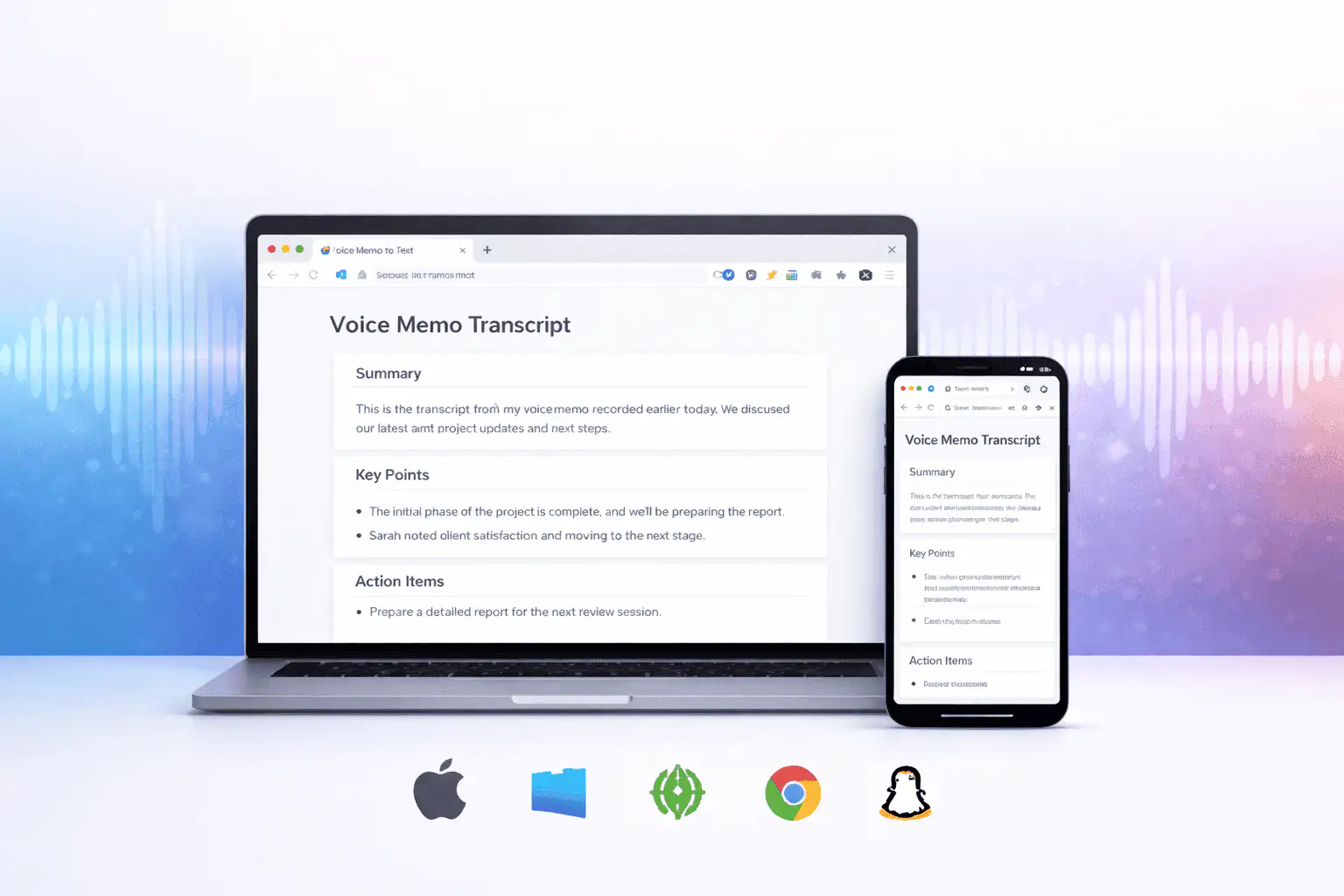
Navigate to our voice to text tool in any modern browser on any device. Works on Android, iOS, Windows, Mac, Linux, and ChromeOS. No download, no signup — you're ready to go the moment the page loads.
Open in Your Browser

Tap the Microphone

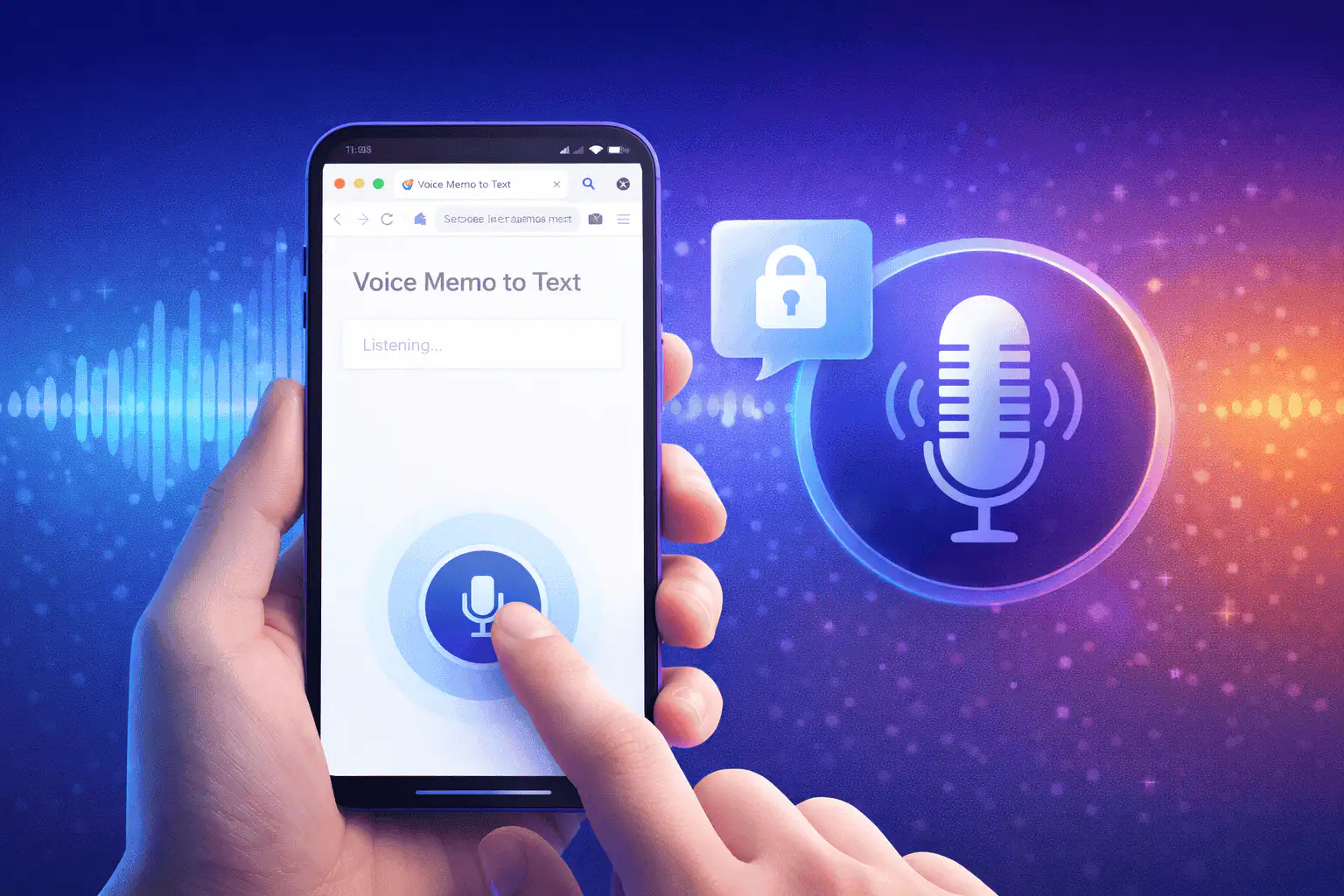
Click or tap the microphone button and grant audio access. We only listen when you tell us to, and we never store your voice recordings. Your privacy is built into every layer of our architecture.
Tap the Microphone

Speak Naturally

Talk at your normal pace in any of 85+ supported languages. Our AI engine detects your language automatically, adds punctuation, capitalizes sentences, and converts your speech into clean, readable text in real time as you speak.
Speak Naturally

Copy, Edit & Export

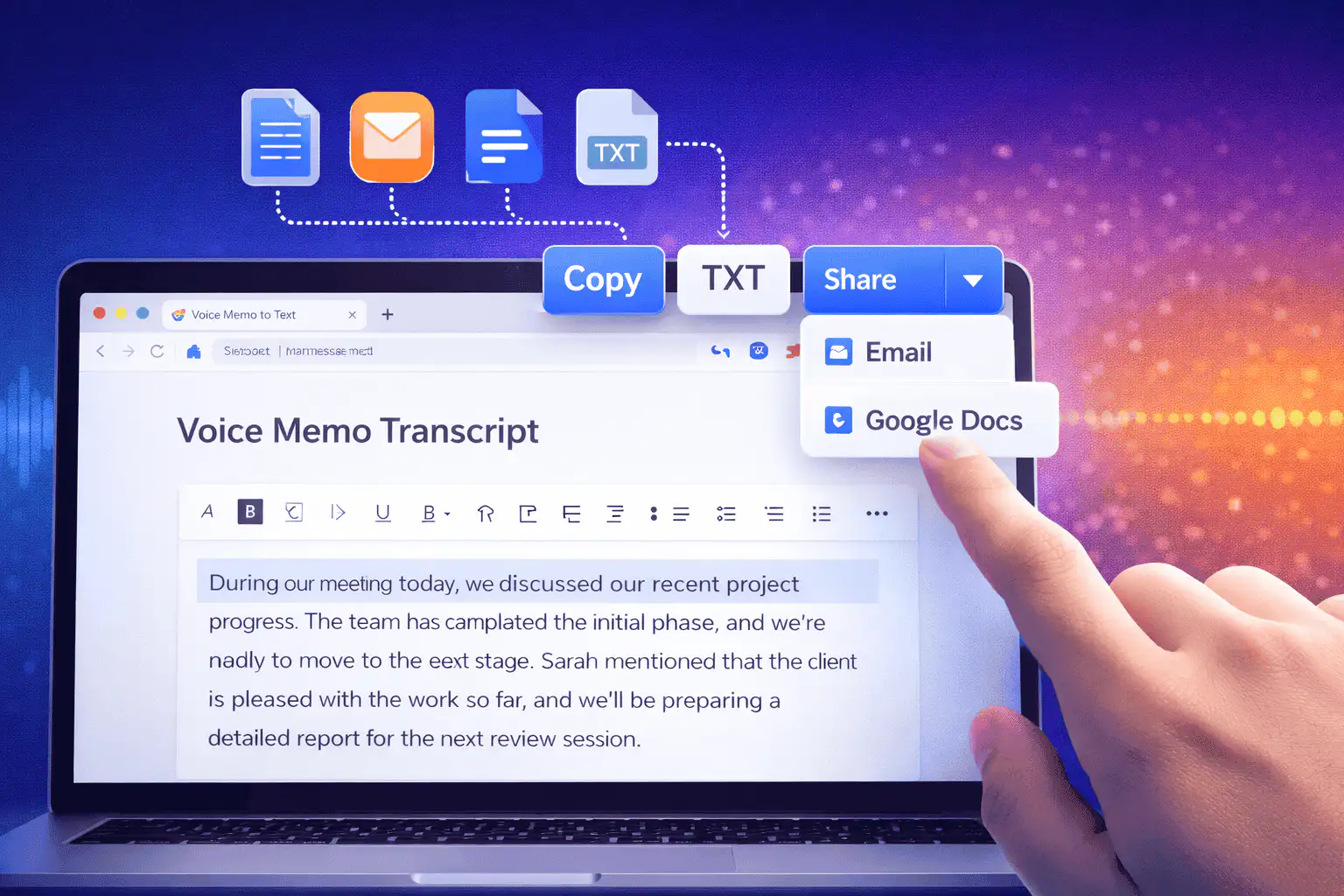
When you're finished, review your text in our built-in editor. Make any corrections, format as needed, then copy to your clipboard, download as a text file, or share directly to email, Google Docs, or any other app.
Copy, Edit & Export

Features

Why Our Free Voice to Text Is in a League of Its Own

We didn't build another basic dictation widget. We built a comprehensive voice to text platform with AI at its core — designed to handle accents, background noise, technical vocabulary, and multi-language conversations with the kind of accuracy that used to require expensive enterprise software. And we made it free, because we believe everyone deserves access to great speech recognition.

Real-Time Transcription with Zero Perceptible Delay

Our voice to text engine processes speech as fast as you produce it. Words appear on screen the instant you speak them, with no buffering, no lag, and no awkward pauses. We achieve this through a hybrid architecture that combines on-device speech processing for initial recognition with cloud-based AI refinement for accuracy — giving you the speed of local processing with the intelligence of our neural models. Whether you're dictating a quick email or transcribing an hour-long meeting, the experience feels instantaneous.

85+ Languages & Dialects

We support voice to text in over 85 languages with automatic detection. Speak in English, switch to Spanish mid-sentence, and we'll capture both accurately. Our models are trained on native speech data from every supported region, handling accents, colloquialisms, and dialectal variations that trip up lesser tools.

Smart Punctuation & Formatting

Forget about manually adding periods and commas. Our AI automatically inserts appropriate punctuation, capitalizes new sentences, formats numbers and dates, and even recognizes voice commands for paragraph breaks. The result is clean, publish-ready text straight from your voice — not a raw dump of words that needs extensive editing before it's useful.

Advanced Noise Cancellation — Transcribe Anywhere

Recording in a café with clattering cups? On a busy street with traffic? In a conference room with ten people talking at once? Our noise isolation algorithms strip away background interference and focus exclusively on your voice, maintaining high accuracy even in environments that would render most voice to text tools useless. We process the audio signal in real time to separate speech from noise, so you can dictate anywhere life takes you without worrying about audio quality. This is especially valuable for voice to text Android users who are often on the move in unpredictable environments.

Private & Secure by Design

We never store your voice recordings. Audio is processed in real time and immediately discarded — nothing is saved to our servers, nothing is used to train our models, and nothing is shared with third parties. Your dictation sessions are encrypted end-to-end, and we're fully GDPR compliant. For users in sensitive fields like healthcare, legal, or finance, this means you can use our free voice to text tool with complete confidence that your spoken words remain private.

Voice Commands for Hands-Free Control

Go beyond simple dictation with our built-in voice command system. Say "new paragraph" to start a fresh section, "delete last sentence" to remove a mistake, "select all" to highlight everything, or "stop listening" to pause transcription. We support dozens of natural-language commands that let you format, edit, and navigate your text entirely with your voice — perfect for accessibility use cases, for anyone with repetitive strain injuries, or simply for those moments when your hands are occupied.

The Best Voice to Text Experience on Android

We know that a huge proportion of our users rely on voice to text Android capabilities every single day — for texting, note-taking, email composition, and more. That's why we've invested heavily in optimizing our engine specifically for Android devices, ensuring you get desktop-level accuracy and speed right in your mobile browser without needing to install any app from the Play Store. Works instantly in Chrome for Android — no Play Store app needed. Just open our website and start speaking. We've tested on hundreds of Android devices from Samsung, Google Pixel, OnePlus, Xiaomi, Motorola, and more to ensure universal compatibility. Optimized for mobile data and Wi-Fi connections alike. Our lightweight architecture uses minimal bandwidth, so you can dictate reliably even on slower mobile networks or when you're in areas with spotty coverage. Battery-efficient processing ensures our voice to text tool doesn't drain your phone. We use hardware-accelerated audio processing and intelligent power management so you can dictate for extended sessions without watching your battery plummet. Full support for Android accessibility features including TalkBack integration, high-contrast mode, and adjustable font sizing. We believe voice to text should be available to everyone, regardless of ability or device configuration.
The Best Voice to Text Experience on Android

AI Voice & Text to Speech

Go Beyond Transcription — AI Voice Text to Speech

Our platform doesn't just convert voice to text — we also offer a powerful AI voice text to speech engine that transforms your written words back into natural, expressive audio. Choose from dozens of lifelike AI voices across multiple languages, accents, and styles. Whether you need to generate voiceovers for video content, create audio versions of articles for accessibility, produce podcast intros, or build voice-enabled applications, our text to speech engine delivers studio-quality results without a recording booth.

Combine our voice to text transcription with our AI text to speech capabilities and you have a complete bidirectional voice-text workflow. Dictate your thoughts, edit the transcription, then convert the polished text back into speech with a voice that matches your brand or project. It's the kind of end-to-end functionality that used to require multiple expensive tools and technical expertise — now available in one free platform, accessible from any browser on any device.

We believe that AI-powered voice technology should be accessible to everyone. Our platform combines cutting-edge speech recognition with natural text to speech synthesis...

Use Cases

Voice to Text for Every Situation, Every Person, Every Day

We've designed our free voice to text platform to serve anyone who communicates with words. From students and professionals to creators and people with disabilities, our tool adapts to the way you work and the way you live. Here are just some of the ways millions of people use our voice to text technology every day.

Email & Messaging Dictation

Composing emails and messages by voice is three to four times faster than typing, and our voice to text engine makes it effortless. Dictate your emails while walking, driving (safely, hands-free), cooking, or doing anything else that keeps your hands busy. Our smart punctuation and formatting means the text you produce is clean and professional enough to send without extensive editing. This is especially transformative for voice to text Android users who find typing on small screens cumbersome or slow.

Students & Academic Work

Students across the world use our free voice to text tool to capture lecture notes in real time, draft essays and research papers by dictation, transcribe recorded study sessions, and prepare for exams by reviewing spoken summaries. Our multi-language support is especially valuable for international students working across languages. The fact that our tool is completely free and requires no signup makes it instantly accessible to every student, regardless of budget or technical skill.

Content Creators & Writers

Many of the world's most prolific writers and content creators prefer to draft by voice rather than keyboard. Our voice to text tool lets you speak your first drafts, blog posts, scripts, social media content, newsletter copy, and creative writing at the speed of thought. Combined with our AI voice text to speech engine, you can also convert your finished text into audio for podcasts, YouTube narration, and voiceovers — creating a complete content production pipeline from a single platform.

Accessibility & Assistive Use

For individuals with motor impairments, repetitive strain injuries, dyslexia, or other conditions that make traditional typing difficult or painful, our free voice to text platform is a genuine lifeline. We've built full compatibility with screen readers, keyboard navigation, and high-contrast display modes. Our voice command system means you can control the entire interface without ever touching a keyboard or mouse. We're committed to ensuring that voice to text online remains free and accessible for everyone who needs it.

Medical & Legal Professionals

Healthcare providers use our voice to text tool to dictate patient notes, clinical observations, and treatment plans with accurate recognition of medical terminology. Legal professionals dictate case notes, client memos, and court preparation documents knowing our engine handles complex legal language with precision. Our privacy-first architecture ensures no recordings are ever stored, giving professionals in regulated industries the confidence to dictate sensitive information securely.

Business & Remote Teams

From executives dictating memos on the go to remote teams transcribing daily standups and strategy sessions, our voice to text tool integrates seamlessly into modern business workflows. Upload recorded meetings or dictate notes in real time, then export the text to your project management tool, CRM, or team communication platform. Our voice to text online free tier provides enough capacity for most individual professionals, while our premium plans scale to support enterprise-level usage across entire organizations.

Loved by Millions Who Prefer Speaking to Typing

"I've tried every voice to text tool on Android and this is the only one that actually works reliably. The accuracy is incredible, it handles my accent without any issues, and I love that it's completely free. I use it every day for emails and notes."

Priya S.

Software Engineer, Bangalore

"As someone with carpal tunnel syndrome, this free voice to text tool has been genuinely life-changing. I can write entire reports, emails, and documents without touching my keyboard. The voice commands for formatting are brilliant — I rarely need to correct anything."

Marcus T.

Financial Analyst, Chicago

"I produce three podcast episodes a week and this tool handles everything — I dictate my show notes using voice to text, edit them, then use the AI text to speech feature to create voiceover intros. It's replaced two separate paid tools I was using before."

Lena K.

Podcast Host & Content Creator

More Free Tools

Explore other tools to help you download and convert media

YouTube to MP3

Extract audio from any YouTube video and convert it to MP3 format. Free, fast, and no sign-up required.

YouTube to MP3

YouTube to MP4

Download YouTube videos as MP4 files instantly. Choose from multiple resolutions and watch offline anytime.

YouTube to MP4

YouTube Video Downloader

Download YouTube videos without watermark. Multiple resolutions available for offline viewing.

YouTube Video Downloader

Instagram Reels Downloader

Download Instagram reels as MP4 files instantly. No app required, works on any device.

Instagram Reels Downloader

TikTok Video Downloader

Download TikTok videos as MP4 files instantly. No watermark, no signup required.

TikTok Video Downloader

YouTube Summary with ChatGPT

Batch summarize YouTube videos and playlists in seconds with comprehensive, in-depth summaries.

YouTube Summary with ChatGPT

YouTube to Text

Turn any YouTube video into readable text instantly. Free AI-powered converter, no sign-up needed.

YouTube to Text

YouTube to Transcript

Transcribe any YouTube video fast and free. Get accurate, timestamped transcripts in multiple languages.

YouTube to Transcript

YouTube Subtitle Downloader

Extract and download YouTube subtitles in 100+ languages. Export as SRT, TXT, or VTT.

YouTube Subtitle Downloader

YouTube Transcript Downloader

Download YouTube video transcripts instantly. Fast, free, and no sign-up required.

YouTube Transcript Downloader

YouTube Transcript Generator

Generate YouTube video transcripts instantly. Accurate AI-powered transcription for any video.

YouTube Transcript Generator

Book Summarizer

Get key insights from any book in seconds. Free AI-powered book summarizer.

Book Summarizer

Image Summarizer

Summarize images instantly with AI. Extract key information from any image.

Image Summarizer

Paper Summarizer

Summarize research papers instantly. Get key findings and insights with AI.

Paper Summarizer

Podcast Summarizer

Summarize podcasts instantly. Get key takeaways from any podcast episode with AI.

Podcast Summarizer

PPT Summarizer

Summarize PowerPoint presentations instantly. Extract key points from any PPT file.

PPT Summarizer

Video Summarizer

Summarize videos instantly. Get key moments and insights from any video with AI.

Video Summarizer

Word Summarizer

Summarize Word documents instantly. Extract key points from any document with AI.

Word Summarizer

Speech to Text

Convert speech to text instantly. Accurate AI-powered transcription for any audio.

Speech to Text

Voice Memo to Text

Convert voice memos to text instantly. Accurate transcription for any voice memo.

Voice Memo to Text

Video to Text

Convert any video to readable text. Free AI-powered video transcription tool.

Video to Text

Frequently Asked Questions About Our Voice to Text Tool

Is your voice to text tool really free?
Yes, completely and genuinely free. We offer our core voice to text engine at no cost, with no signup required, no credit card, and no hidden usage limits that force you into a paid plan after a trial period. Our free tier includes real-time dictation, smart punctuation, voice commands, multi-language support, and export to text files. We also offer premium plans for power users and teams who need advanced features like custom vocabulary, API access, and priority support — but the free version is a fully functional, high-accuracy voice to text tool that millions of people use daily as their primary dictation solution.
How do I use voice to text on my Android device?
Using voice to text on Android is as simple as opening Chrome (or any supported browser) and navigating to our website. Tap the microphone button, grant microphone permission when prompted, and start speaking. Your words will appear as text in real time. There's no app to install from the Play Store — our entire platform runs in your browser. We've tested extensively on devices running Android 10 through the latest version, across manufacturers including Samsung, Google Pixel, OnePlus, Xiaomi, Motorola, and OPPO, ensuring a consistent and reliable experience for every Android user.
What languages do you support for voice to text?
We currently support over 85 languages and regional dialects, including English (US, UK, Australian, Indian, and more), Spanish, French, German, Portuguese, Mandarin Chinese, Japanese, Korean, Arabic, Hindi, Russian, Italian, Dutch, Swedish, Turkish, Thai, Vietnamese, Swahili, and many others. Our engine detects your language automatically, so you never need to manually select it. We also support multilingual dictation — if you naturally switch between languages while speaking, our AI will recognize and transcribe both languages accurately within the same session.
How accurate is your voice to text conversion?
We achieve 99.1% word-level accuracy on clear audio in controlled tests, and consistently deliver above 95% accuracy in real-world conditions with typical background noise. Our accuracy outperforms most free voice to text tools and competes directly with premium paid services. Factors that can affect accuracy include heavy background noise, very strong accents that deviate significantly from standard speech patterns, and highly specialized technical jargon. For the latter, our premium plan allows you to add custom vocabulary to improve recognition of domain-specific terms.
Is my voice data private and secure?
Absolutely. We process your voice to text conversion in real time and immediately discard the audio — we never store your voice recordings on our servers, and we never use your audio data to train our AI models. All communication between your device and our servers is encrypted using TLS 1.3. We're fully GDPR compliant and do not share any user data with third parties. For organizations with strict compliance requirements, our enterprise plan offers additional controls including on-premises deployment options and custom data processing agreements.
What is AI voice text to speech, and how does it work?
Our AI voice text to speech feature is the complement to our voice to text tool — it converts written text into natural-sounding spoken audio using advanced neural voice synthesis. We offer over 50 AI voices in dozens of languages, each modeled on real human speech patterns to produce audio that sounds natural, expressive, and engaging. You can use it to create voiceovers for videos, generate audio versions of written content for accessibility, produce podcast segments, build voice-enabled applications, or simply listen to your transcribed notes read back to you. The feature is integrated directly into our platform, so you can go from voice to text to speech seamlessly in one workflow.
Can I use voice to text offline?
Our web-based voice to text tool currently requires an internet connection for full AI-powered transcription, as the speech recognition models run in our secure cloud infrastructure. However, we've optimized our platform to work efficiently on slow or intermittent connections — including mobile data networks — so you can dictate reliably even when your internet isn't at full speed. We're actively developing offline capabilities that will allow basic voice to text functionality without any connection, and we'll be rolling this out to all users in a future update.
How does your tool compare to Google's built-in voice typing?
While Google's built-in voice typing is convenient, our platform offers significantly higher accuracy (99.1% vs. approximately 90%), smarter punctuation and formatting, over 50 voice commands for hands-free control, advanced noise cancellation, multiple export formats, and an integrated AI text to speech engine — all for free. Google's voice typing is great for quick, casual dictation, but when you need professional-grade voice to text with clean, ready-to-use output, our tool delivers a meaningfully better experience on every dimension. And unlike Google's tool, we never store your audio data or use it for any purpose beyond your immediate transcription session.

Get Started

Your Voice Deserves Better Than Being Forgotten

Every unrecorded thought is a lost opportunity. We give your voice the power of the written word — instantly, accurately, and completely free. Join over three million people who've already made the switch from slow typing to effortless voice to text. No signup, no download, no catch. Just open your browser and start speaking.

Free forever · No signup · Works on Android, iOS, Mac, Windows, Linux, ChromeOS

Start Voice to Text Free