TikTok video downloader
Download public TikTok videos as MP4 files from your browser. Free to use, no account required, and built for creator research, offline review, and saving videos you own.
TikTok Carousel Generator
Turn hooks, scripts, or saved creator research into TikTok carousel posts with AI-generated slide copy, visuals, and export-ready formats.

Wandeln Sie einen TikTok-Link in eine verwendbare Videodatei um
Sceneform helps you save public TikTok videos from a normal browser workflow. Copy the TikTok URL, paste it into the downloader, and save the file to your device.
The tool is useful for collecting creative references, reviewing your own posts, preparing notes, or watching saved clips when you do not want to rely on streaming.
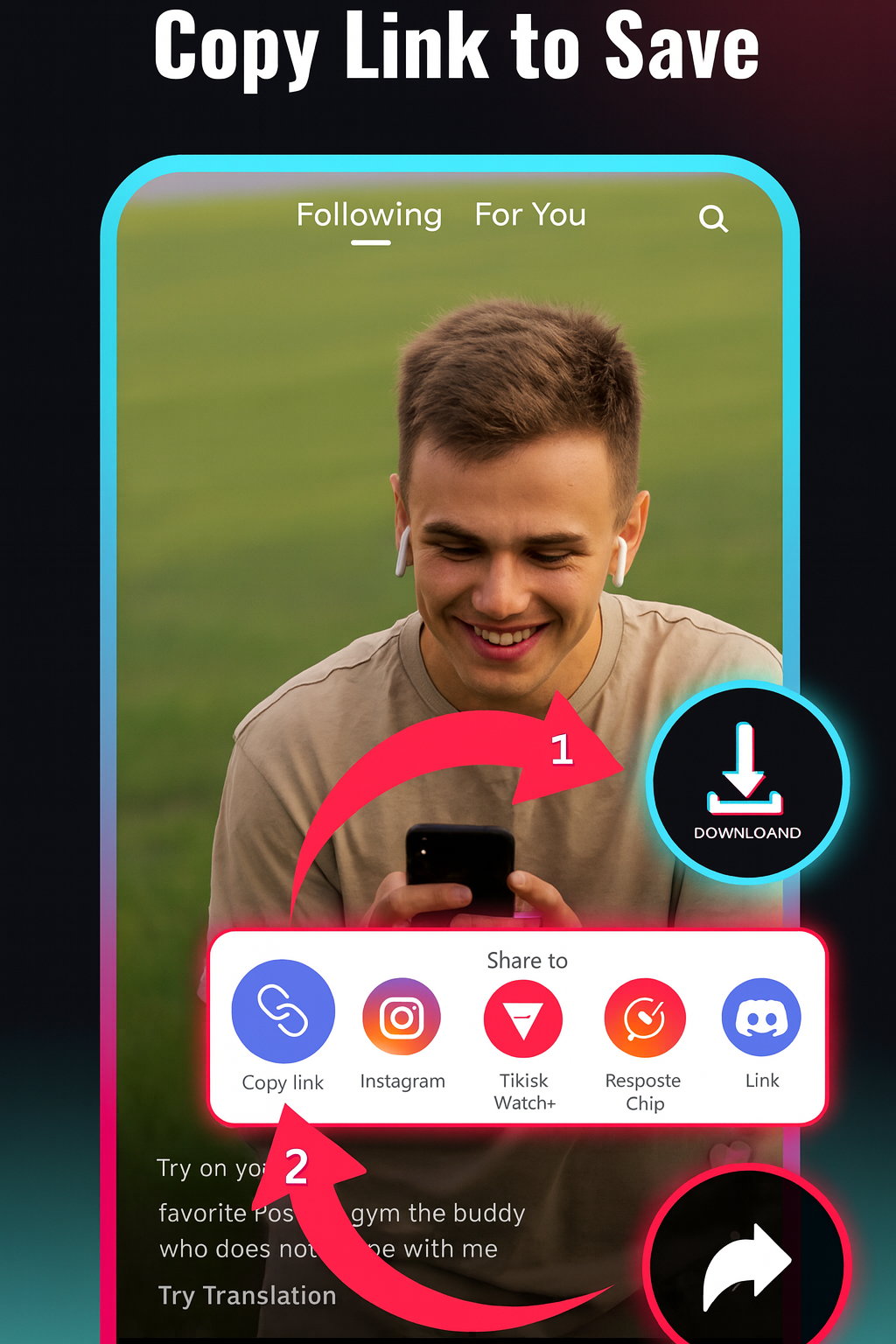
So laden Sie ein TikTok-Video herunter
- Copy the TikTok link. Open the TikTok app or website, tap Share, and choose Copy link.
- Paste it into Sceneform. Add the copied URL to the downloader. You do not need to create an account.
- Confirm your rights. Tick the box that says you may download the video, then start the download. Quality depends on the source video.
- Save the file. When processing finishes, download the video to your phone, desktop, or editing workflow.
If TikTok blocks, removes, restricts, or changes access to a video, the download may fail. A fresh copied link often solves simple URL issues.

Qualität und Wasserzeichen-Verfügbarkeit hängen von der Quelle ab
TikTok downloaders often promise flawless HD and a clean file for every link. In practice, the file depends on what the platform makes available for that public video at request time.
- Resolution: downloads are capped at 720p. The source may only offer a lower resolution.
- Watermarks: whether a file carries one depends on what TikTok makes available for that link.
- Private videos: private, removed, and login-gated videos are not supported.
- Output: the expected result is a playable video file for offline review or permitted reuse.
This is more useful than pretending every link behaves the same. You get clearer expectations before you paste the URL.
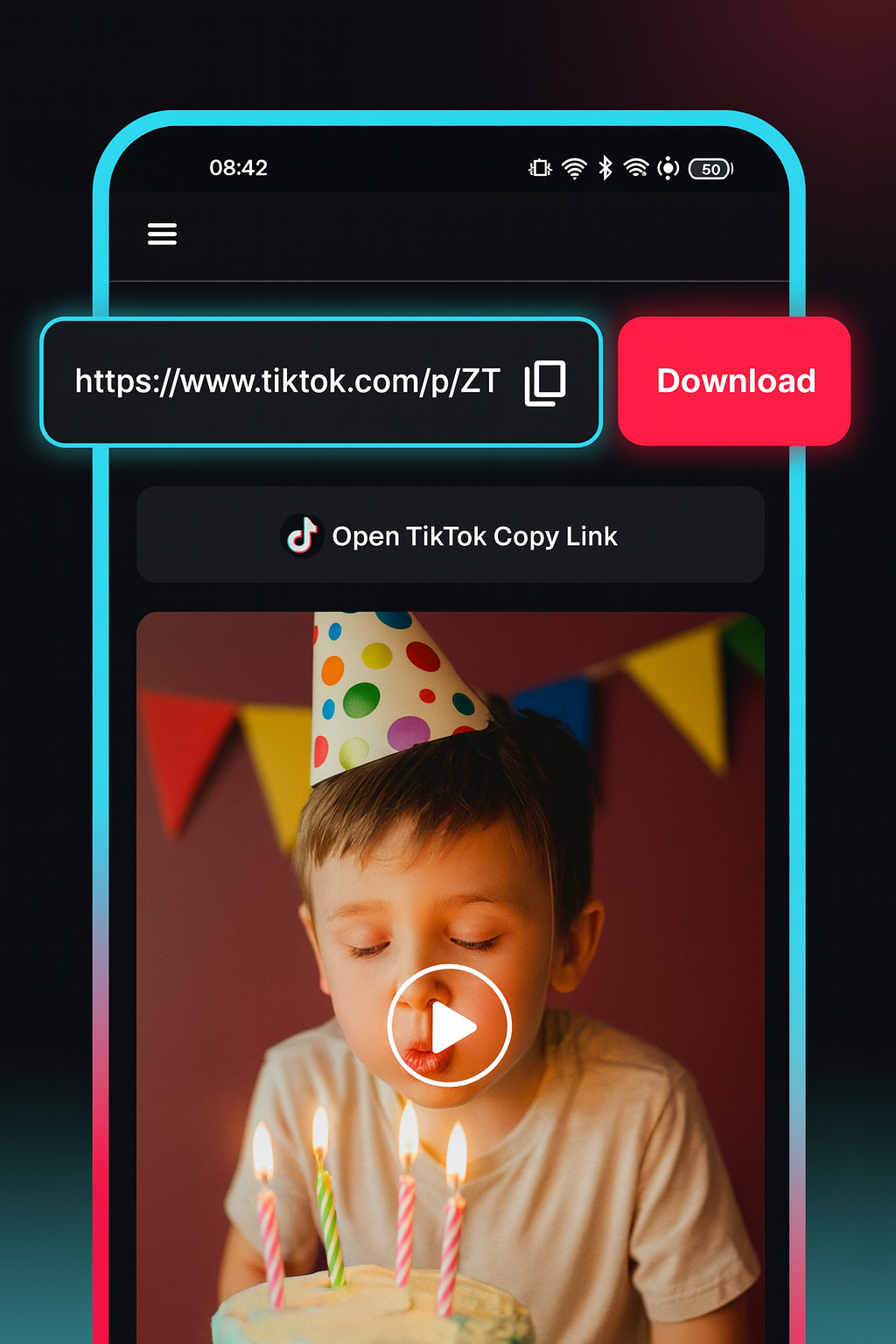
Use the downloader that matches the link
Platform-specific pages help users solve the task faster and avoid generic “download any video” claims.
Ideal für Creator-Recherche, Referenzen und eigene Beiträge
Ein TikTok-Downloader ist am wertvollsten, wenn er Ihnen hilft, einen bestimmten Clip für einen echten Workflow verfügbar zu halten. Speichern Sie Beispiele, bevor sich ein Trend ändert, behalten Sie Ihre eigenen veröffentlichten Videos zur Wiederverwendung oder sammeln Sie Referenzen für ein Skript, eine Bearbeitung oder eine Kundenüberprüfung.
- Sichern Sie TikTok-Videos, die Sie erstellt haben oder deren Verwendung Ihnen erlaubt ist.
- Sammeln Sie Hooks, Pacing-Beispiele und Bearbeitungsreferenzen.
- Überprüfen Sie Lehr-Clips, Rezepte, Workouts und Tutorials offline.
- Bereiten Sie Recherche-Notizen vor, ohne Ihren Feed erneut zu durchsuchen.
Kostenlos, kein Konto erforderlich und temporäre Dateien
The TikTok Video Downloader is free to use and does not require a Sceneform account. Normal use is unlimited, with abuse controls reserved for automated or excessive traffic.
Processed files expire after one day. Use downloaded videos only in ways you are allowed to, especially for reposting, ads, client work, or commercial use.
More free tools
Download, convert, transcribe, and summarize with the rest of the library.
TikTok-Video-Downloader in mehreren Sprachen
Use the TikTok video downloader in your preferred language. Paste a public TikTok link and download the file from your browser.