Creator
$19/month
Billed monthly
For solo creators posting every week
500 credits every month
- Up to 250 braces edits
- Up to 50 AI videos
- Up to 1.5 hours of AI voiceover
- Roll over up to 1,000 credits
Upload a smiling photo and name the braces and the band color. It works on photos, not a live camera. The editor adds brackets and a wire and can tidy crowded teeth, so check the result.
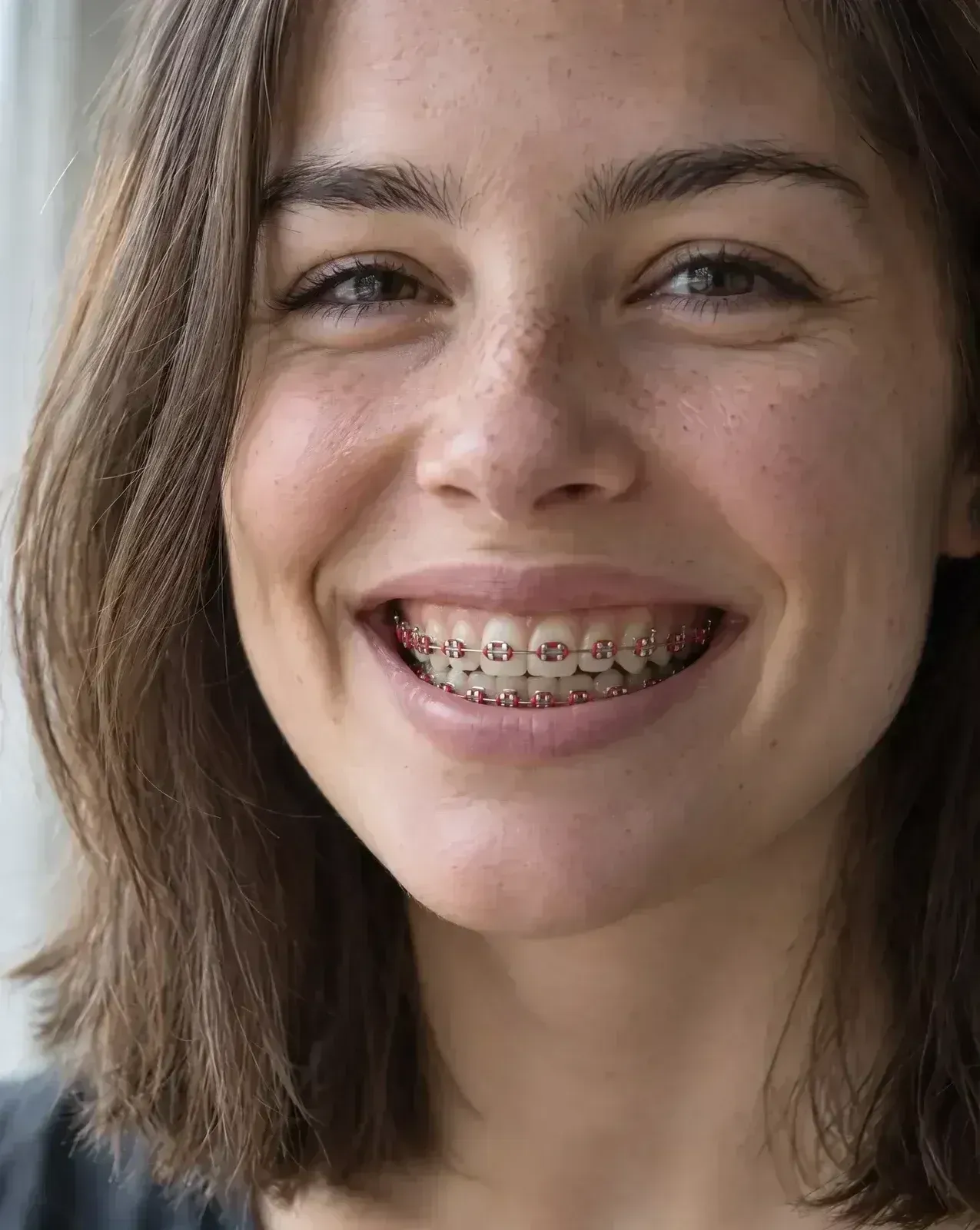
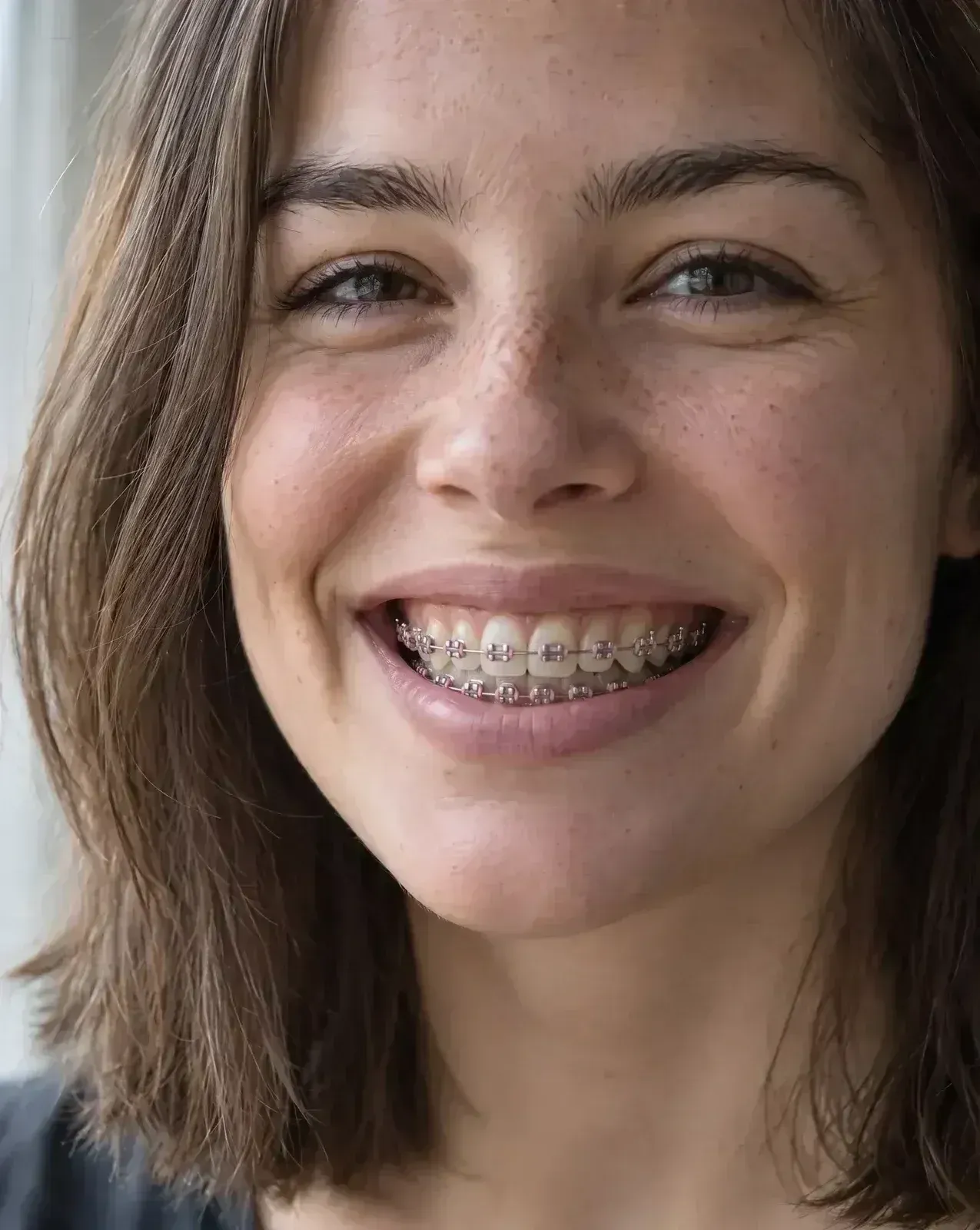 Pink braces
Plans from $19 a month
Add metal braces to the visible teeth: one small silver bracket centred on each tooth and one thin silver archwire across the upper teeth and one across the lower teeth, with pink elastic bands around each bracket. Keep the teeth exactly the same shape, size, spacing and color. Keep the lips, gums, face, skin, hair, expression, lighting and background exactly the same.Then the sentence that keeps the teeth and face. Copy includes it.
Upload a close smile
Open the image editor and add a sharp photo where you smile with your front teeth showing. The closer the mouth, the more detail each bracket gets.
Name the braces and the color
Write metal or ceramic and the band color, like navy bands. Then add the sentence that keeps your teeth, lips and face as they are.
Check the gaps, then compare
Zoom in on the spaces between your teeth and the lower row. Run another color on the same photo and put them side by side.
The first choice at the orthodontist is usually what kind of braces to wear. Here are four, on the same smile, from most to least visible.
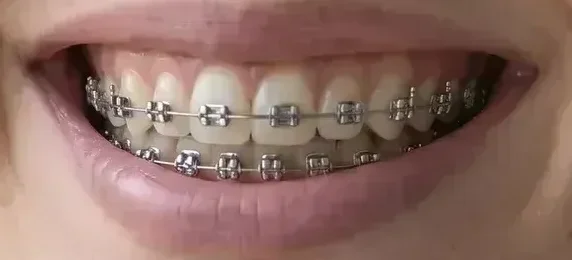
Metal brackets
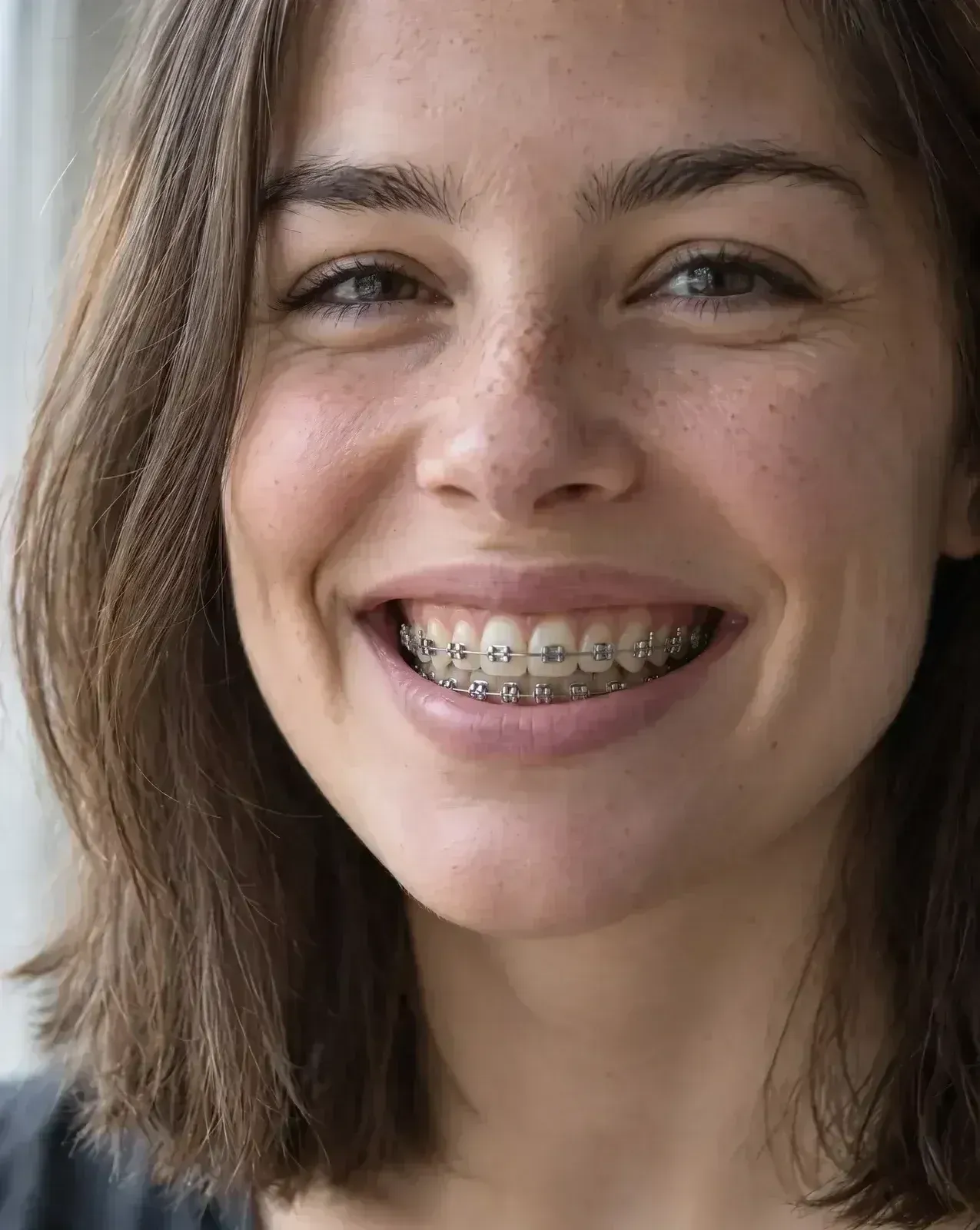
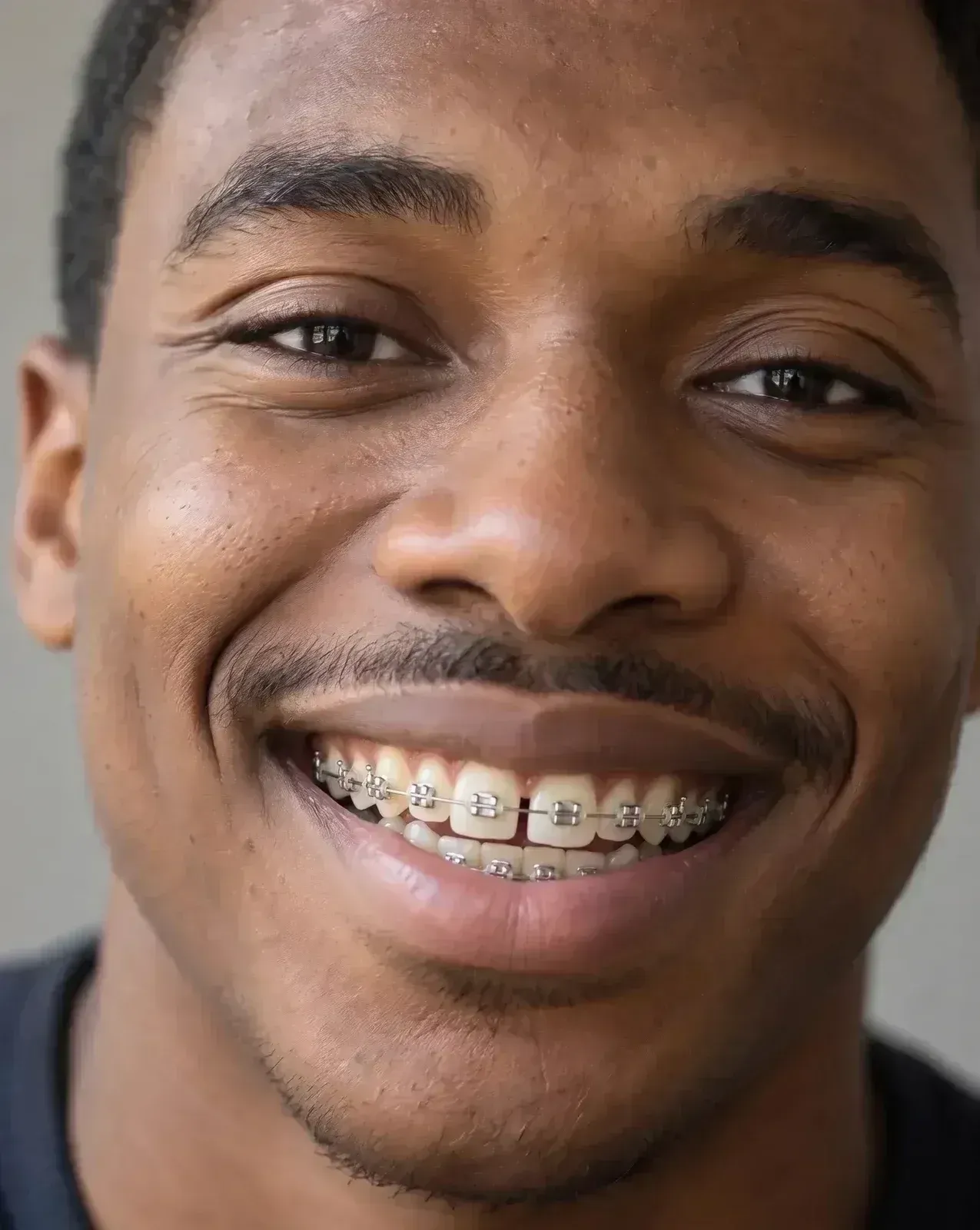
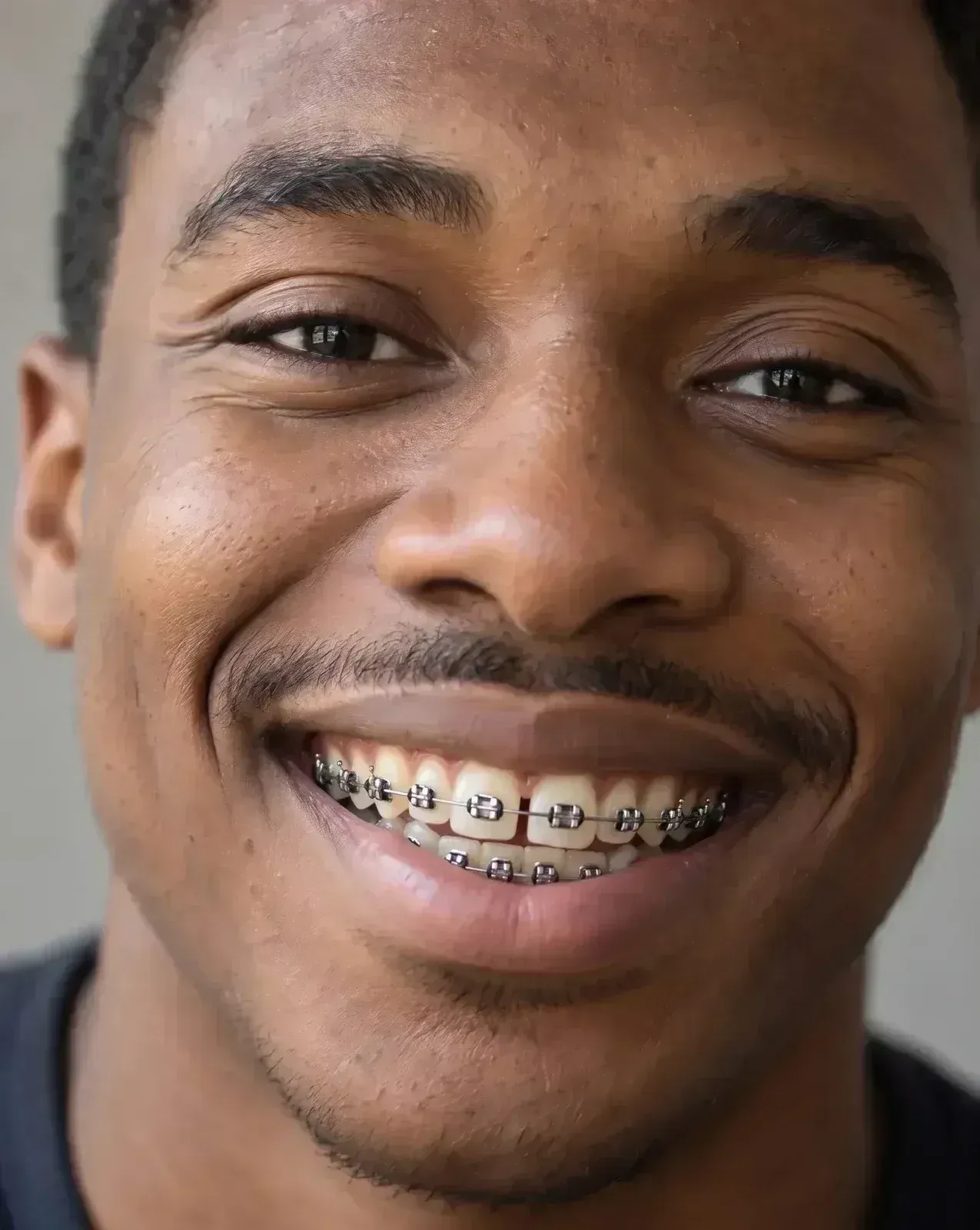
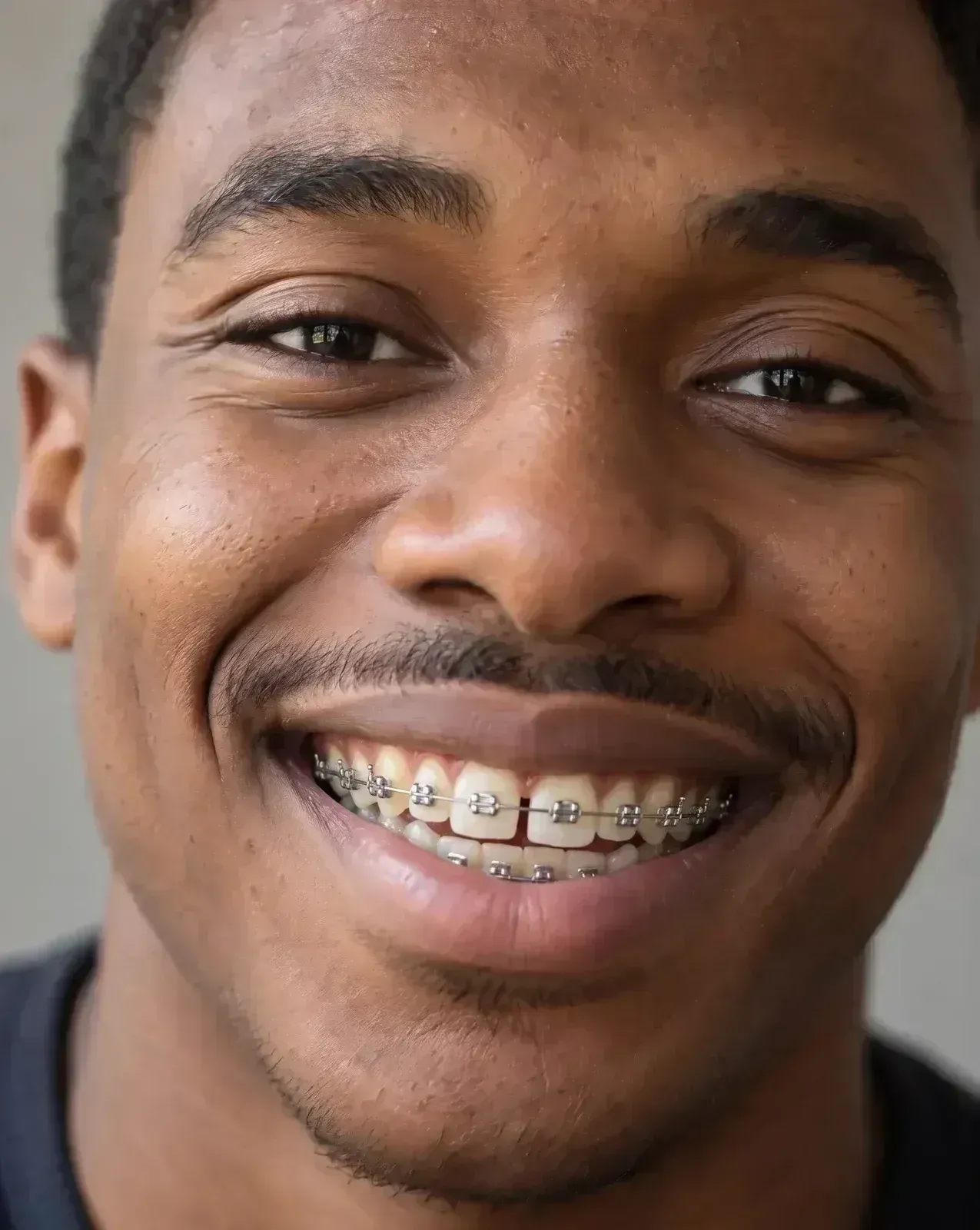
A silver bracket on the front of each tooth and a wire across them. Colored bands go here.
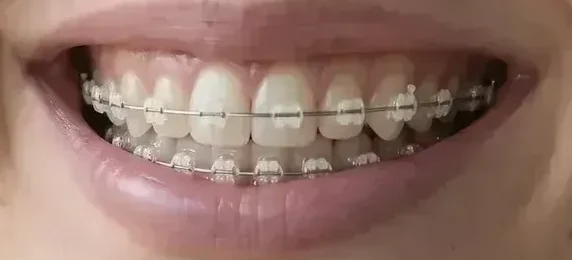
Ceramic brackets
Tooth-colored brackets with clear bands. From a few feet away, the thin wire is what shows.
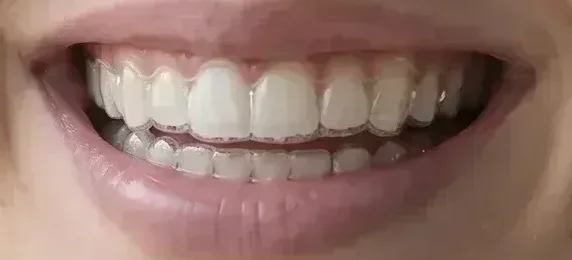
Clear aligners
Thin plastic trays over the teeth, with no brackets or wire. They read as extra shine and a soft edge at the gums.
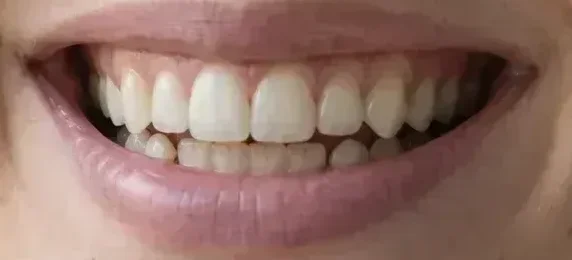
Lingual braces
Brackets glued to the back of the teeth. From the front, you look like this.
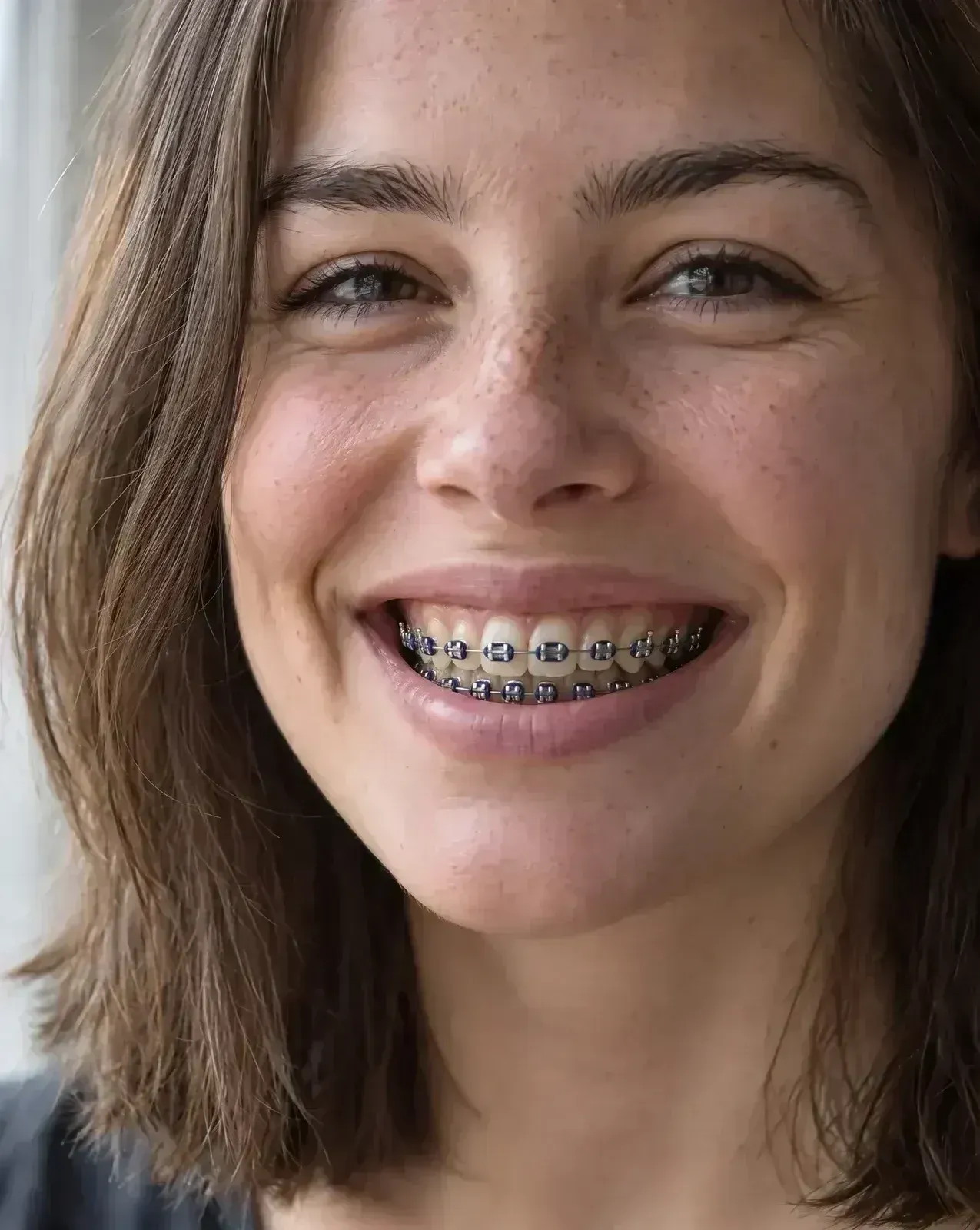
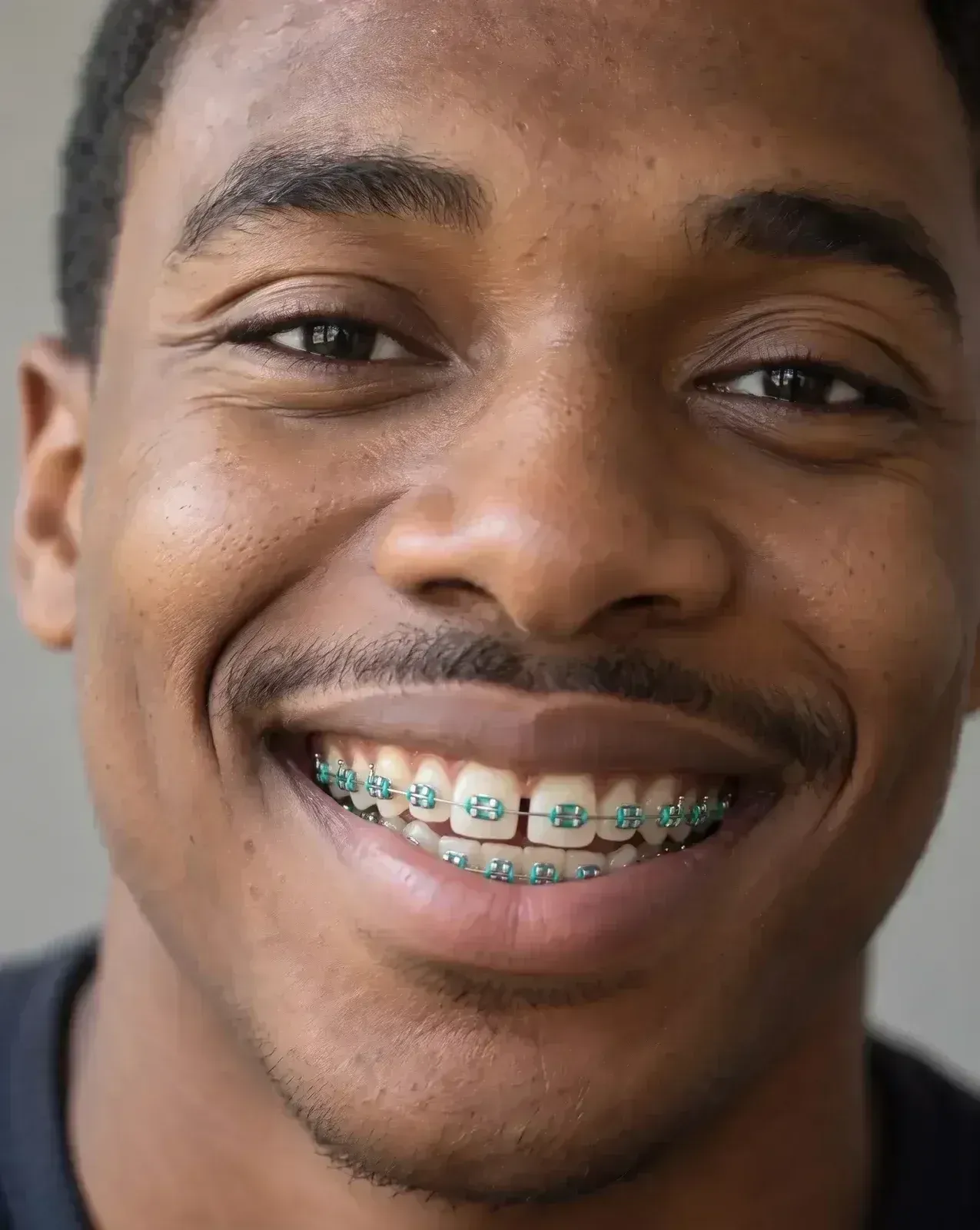
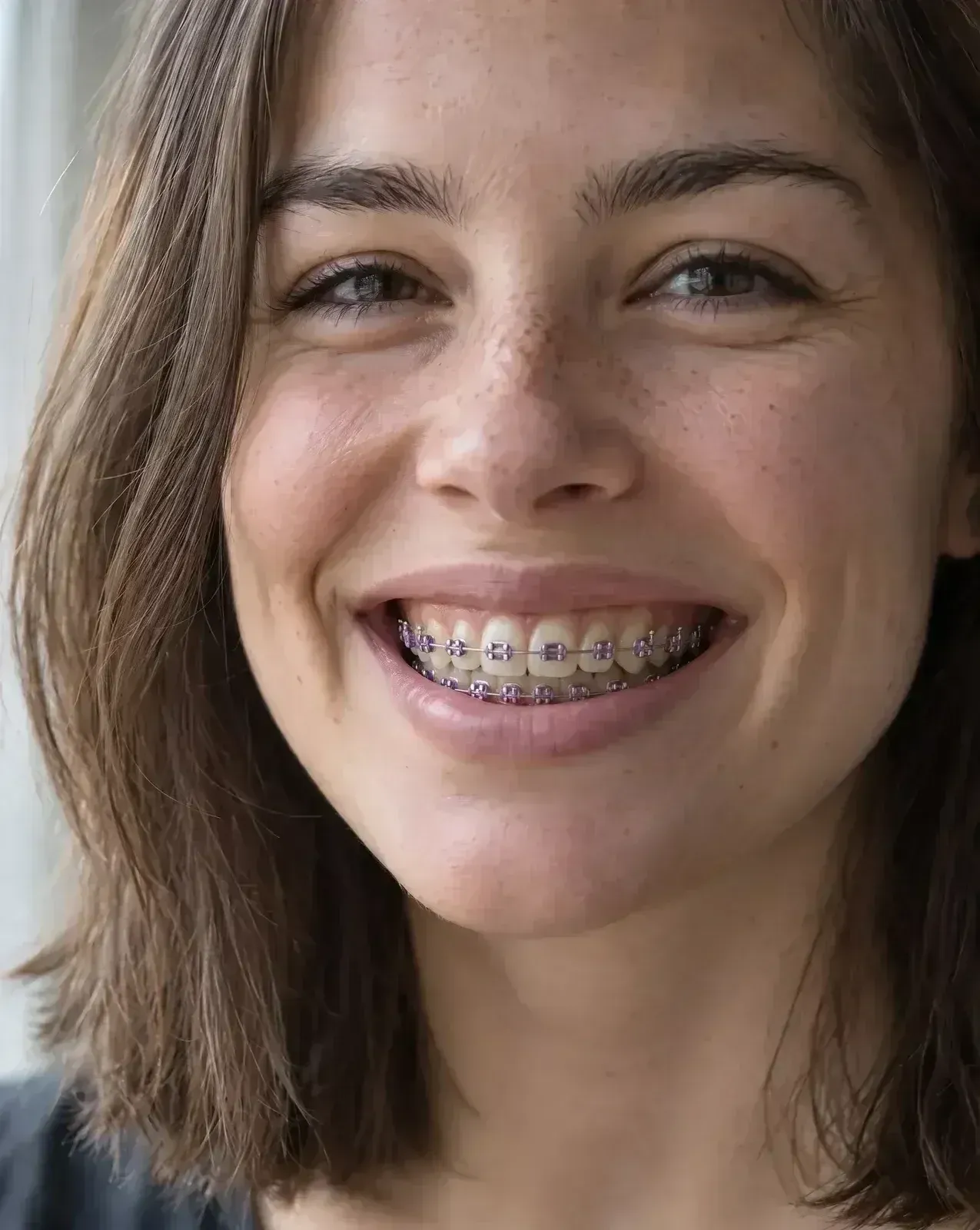
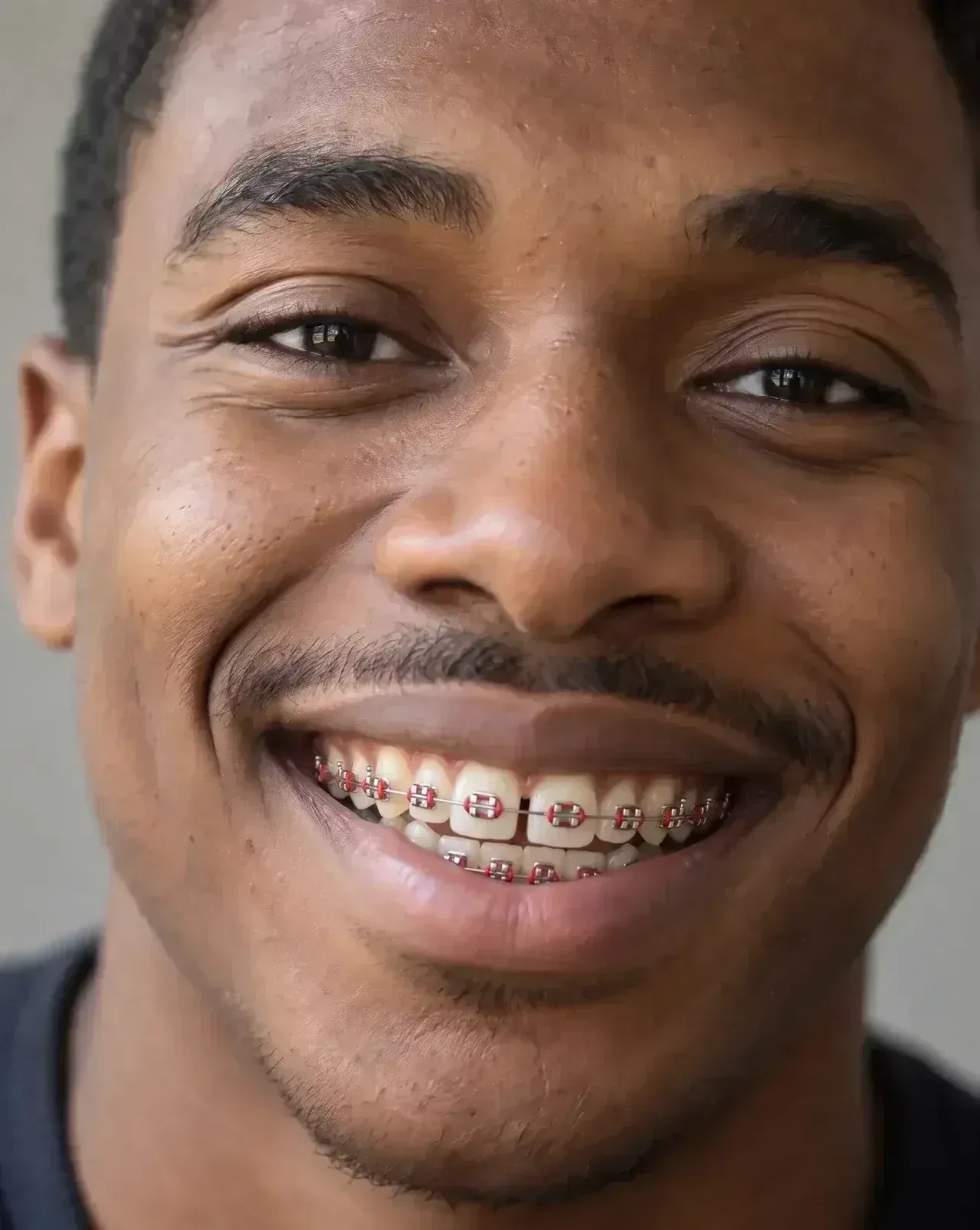
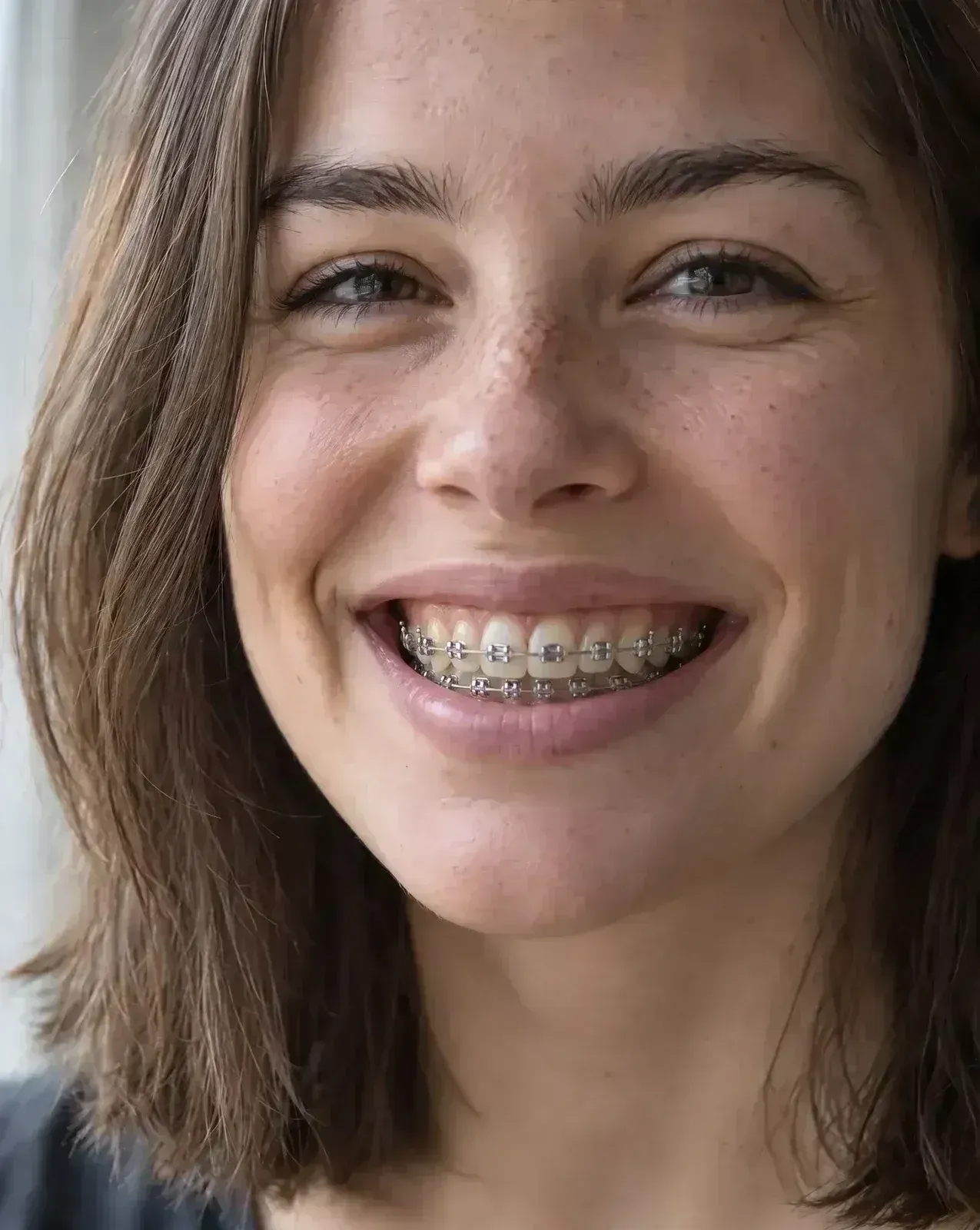
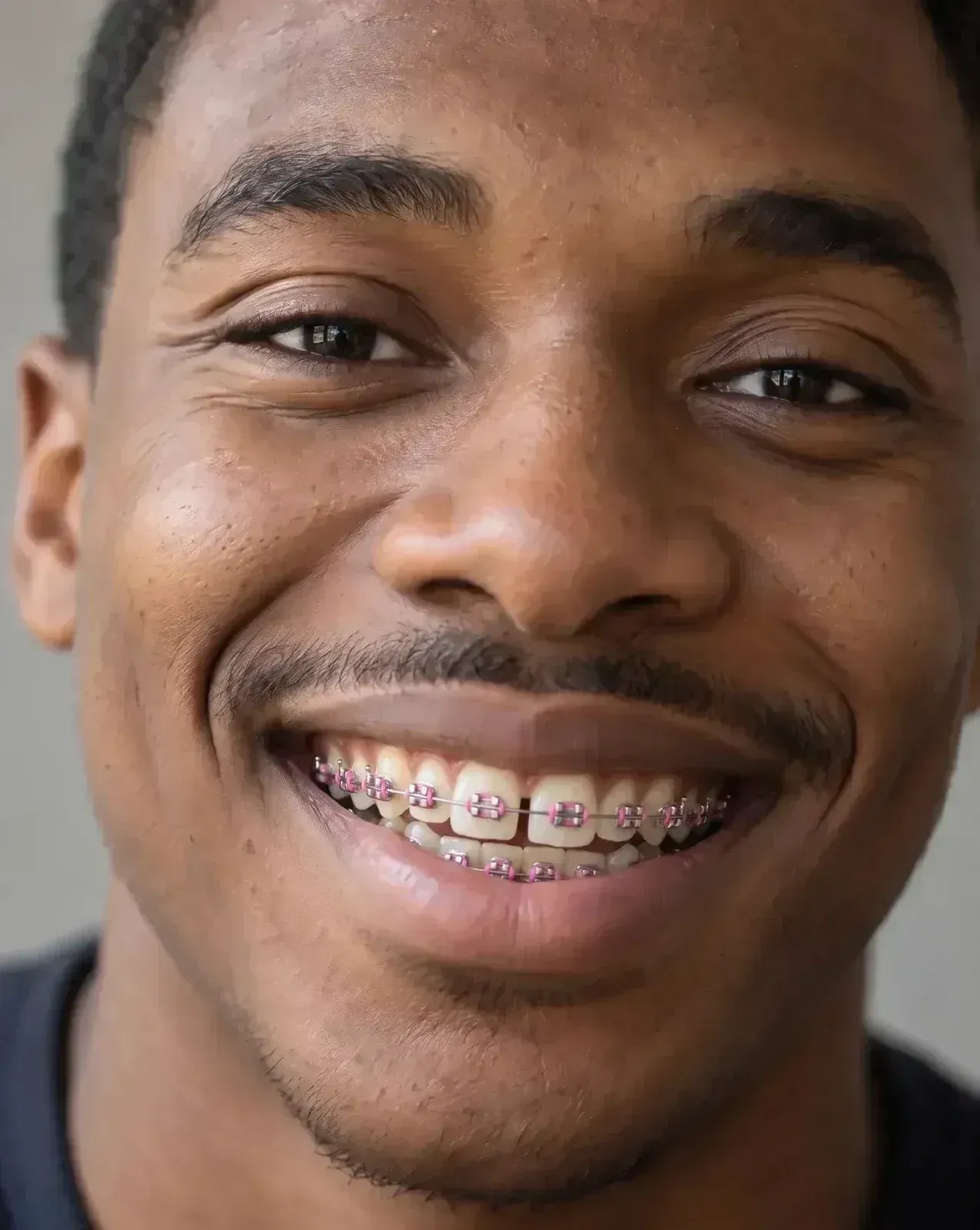
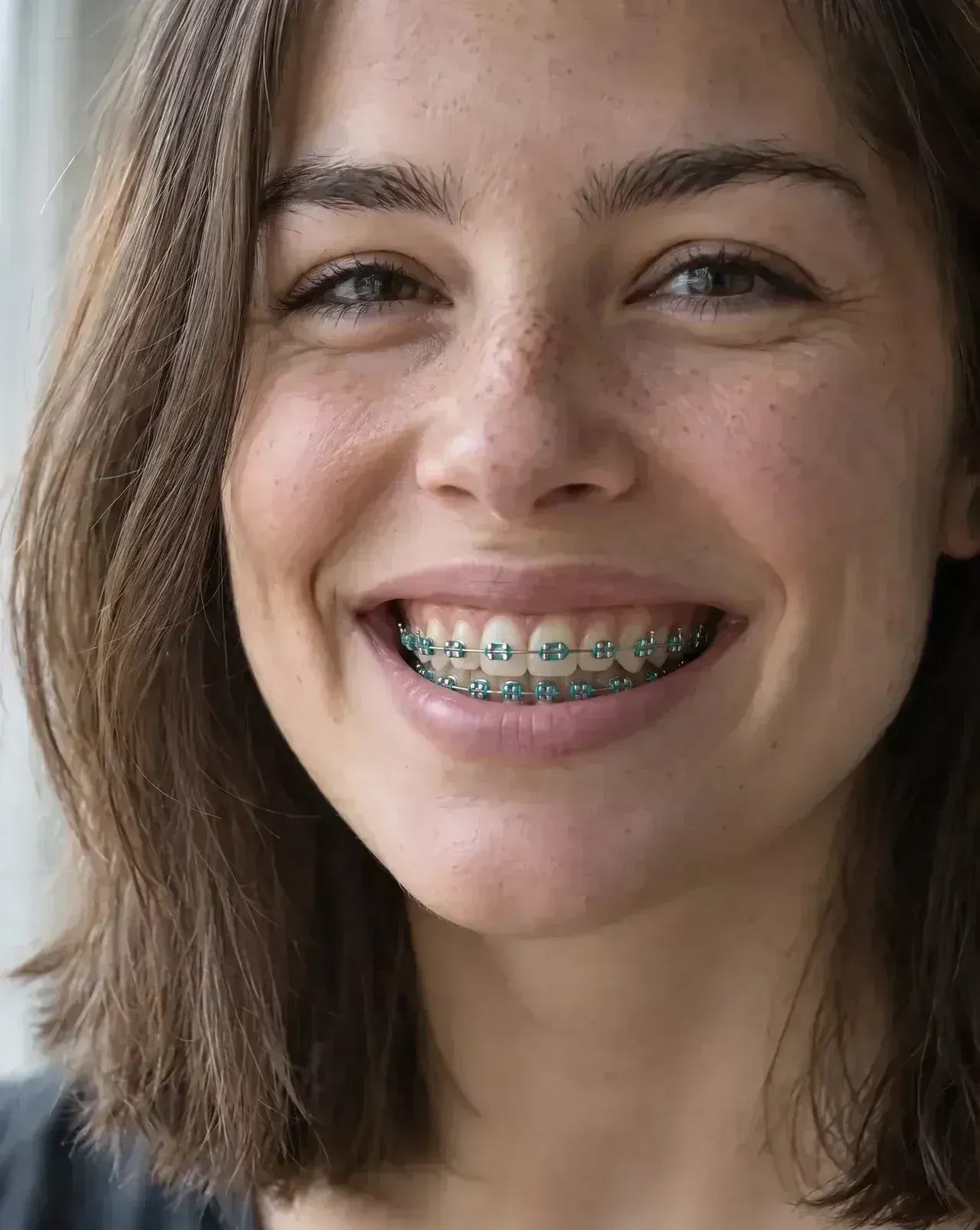
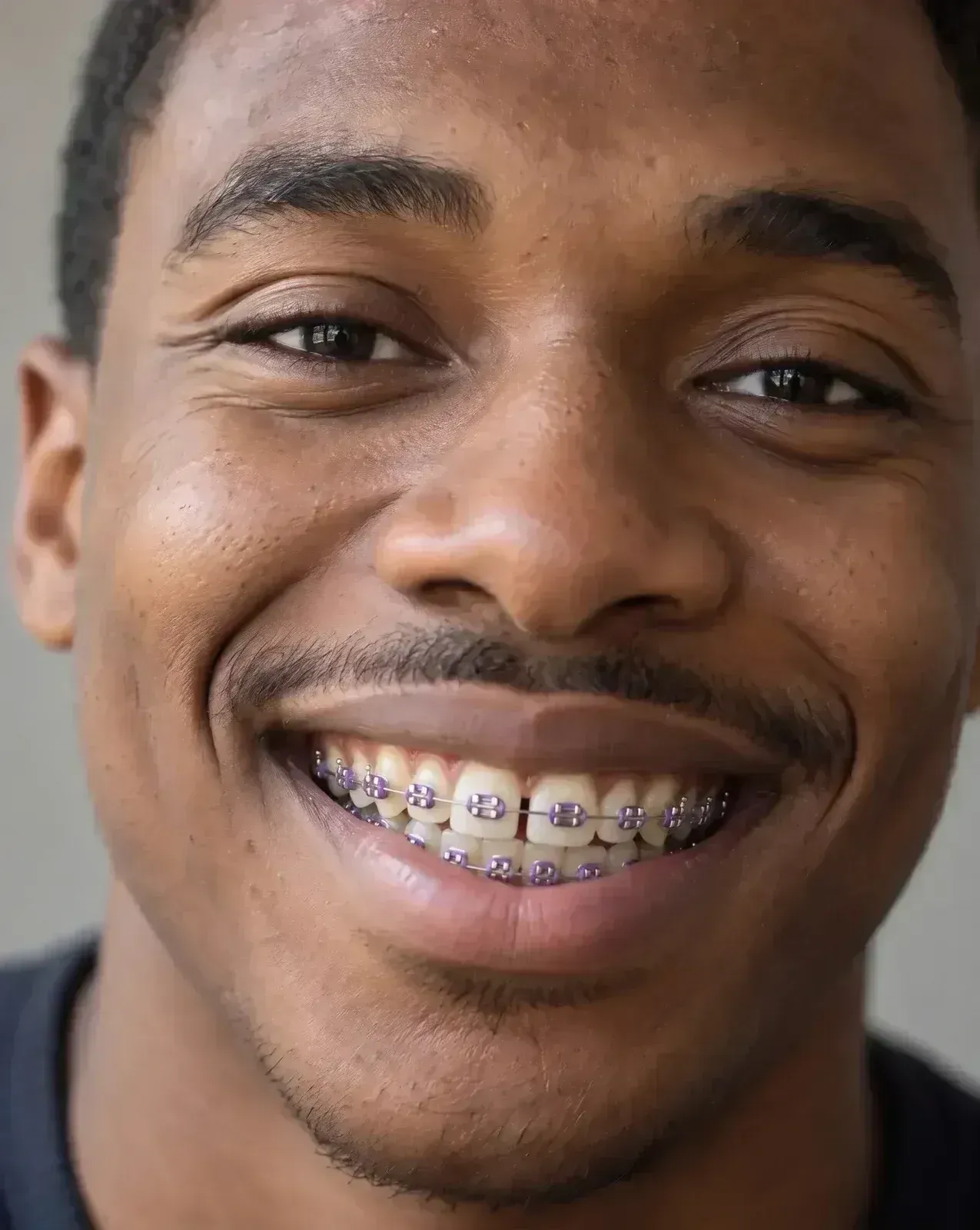
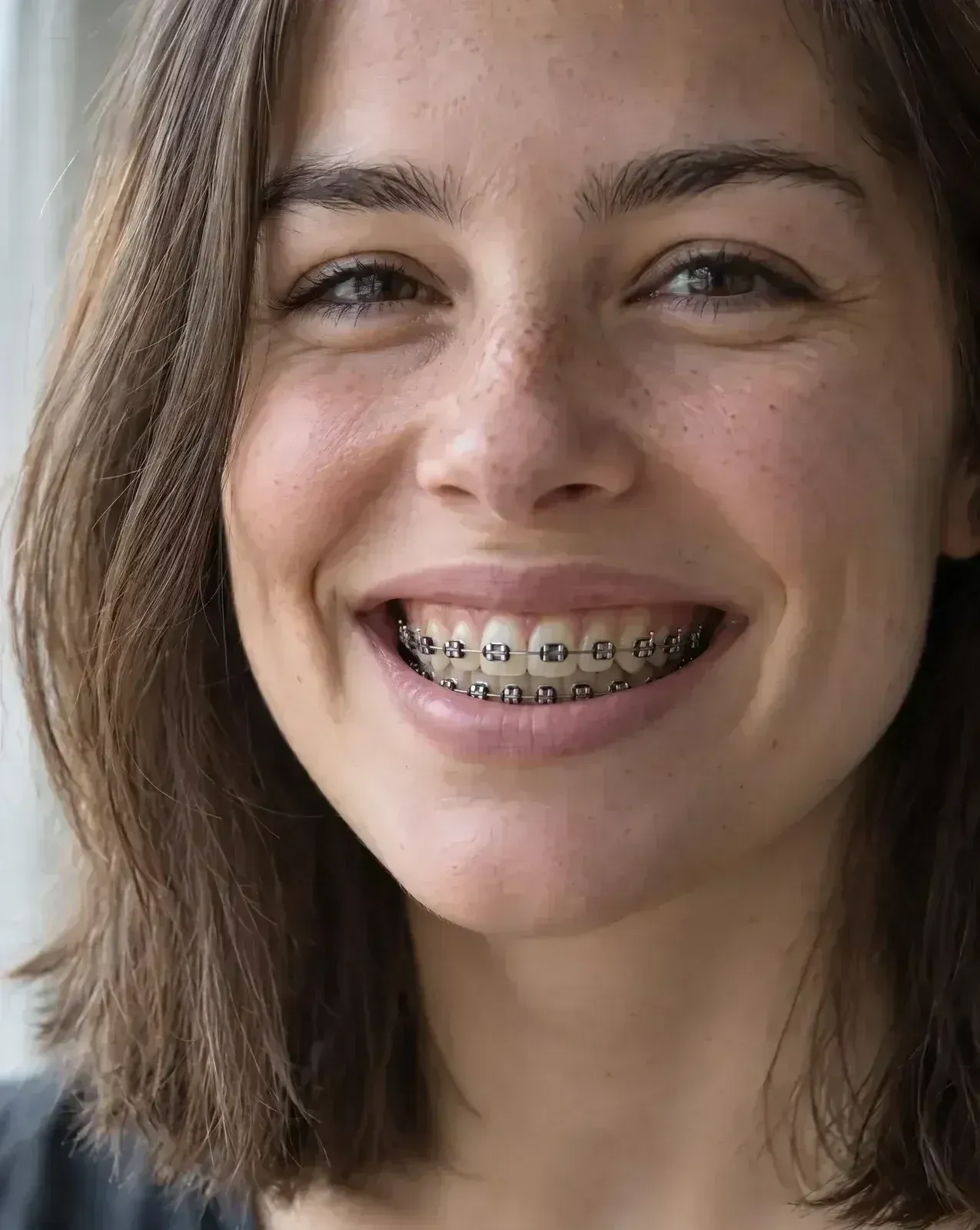
The same band color reads differently against different lips and skin. Each pair is one prompt, run once on each photo.

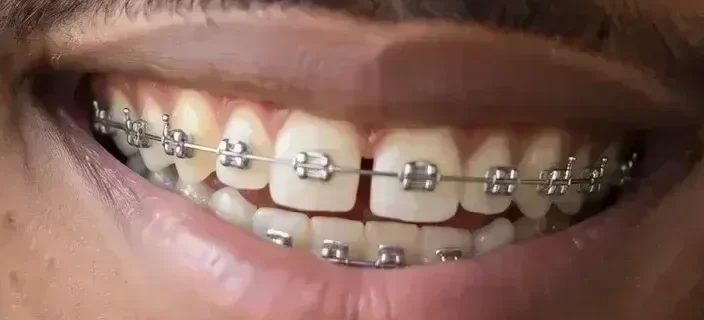
Silver
Clear
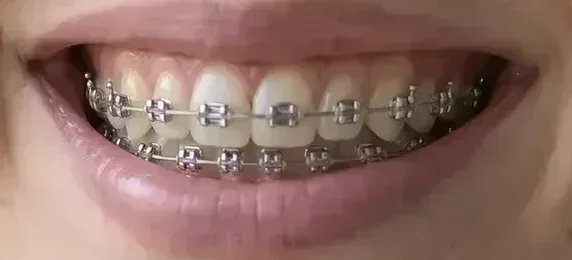
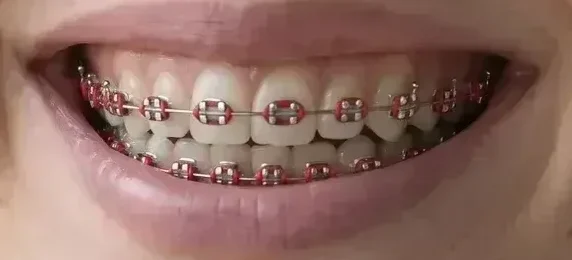
Pink
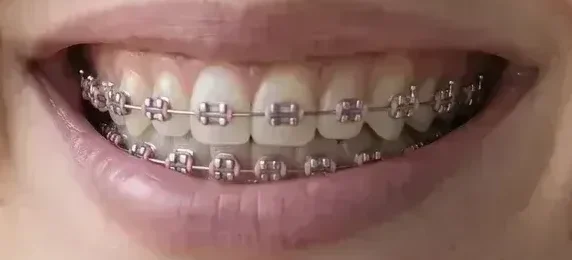
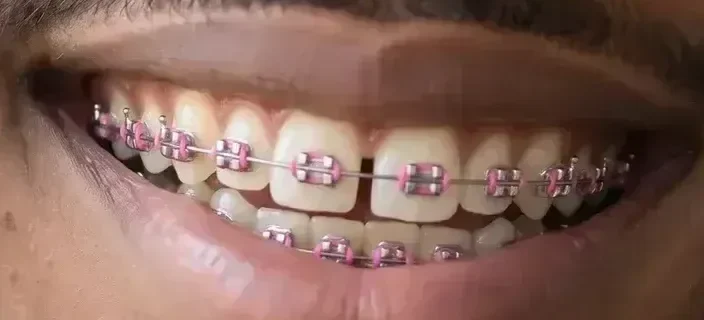

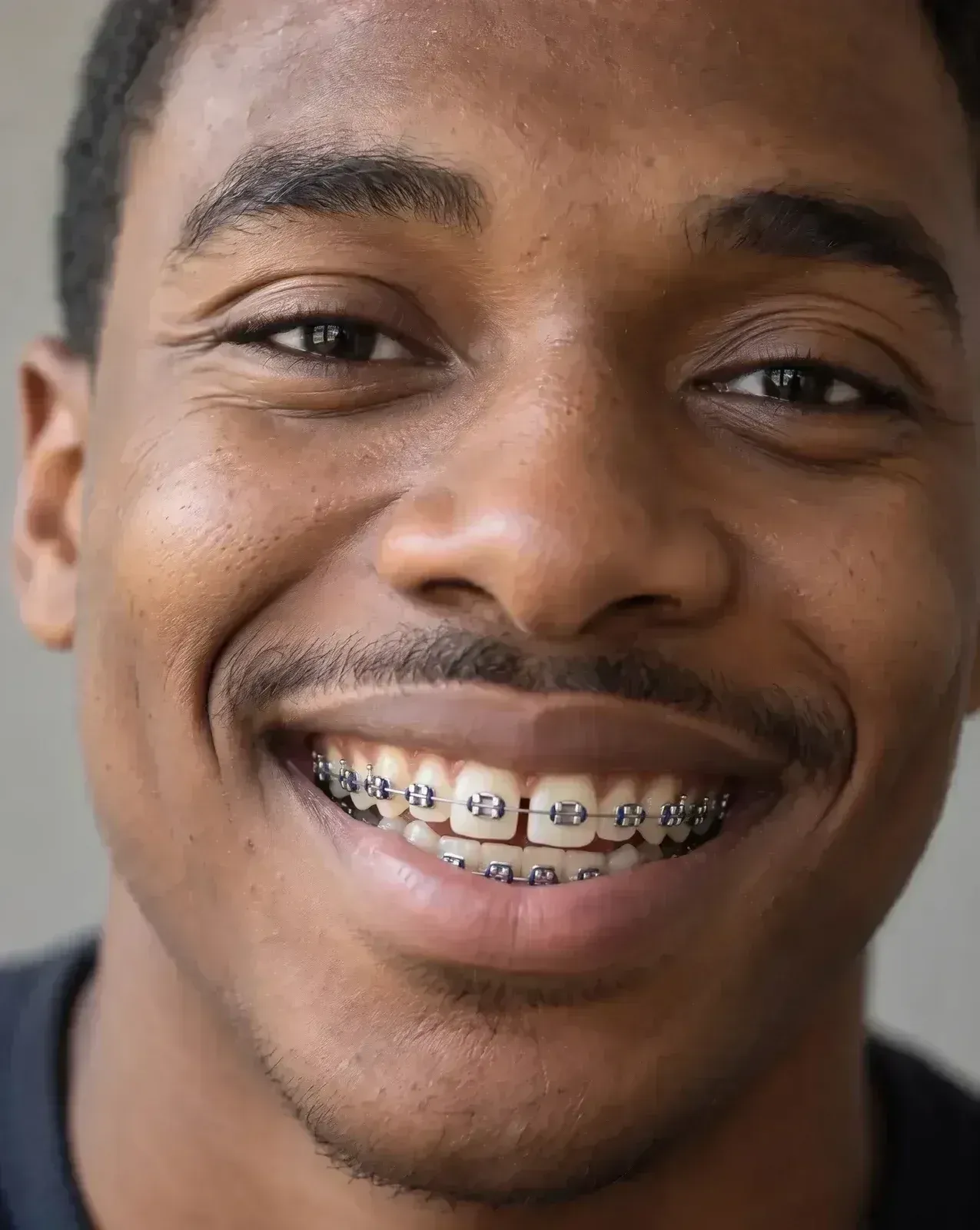
Navy
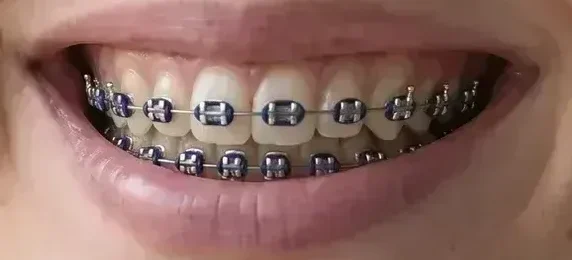
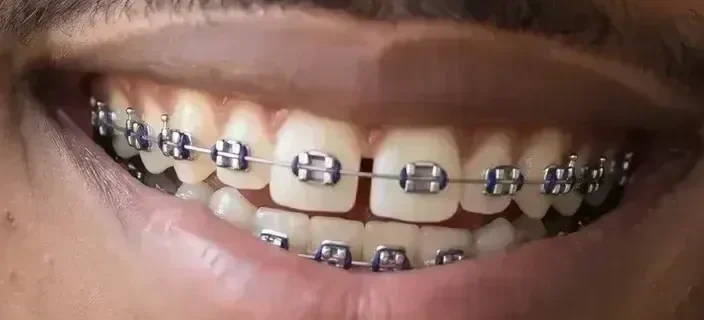

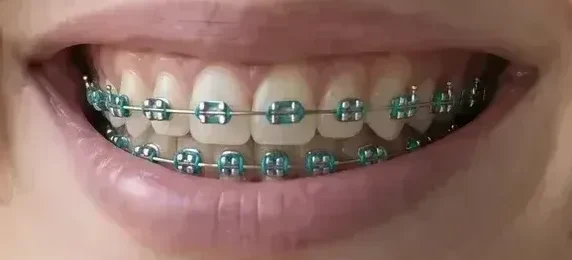
Teal
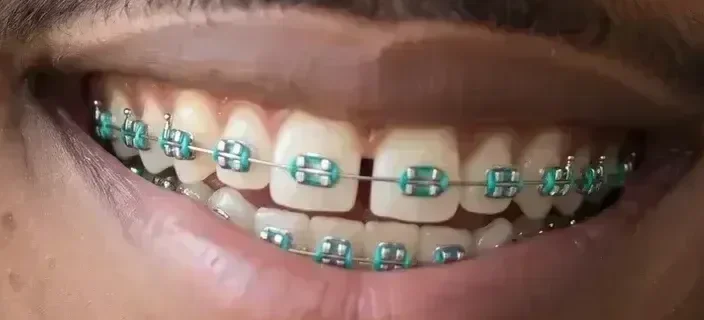

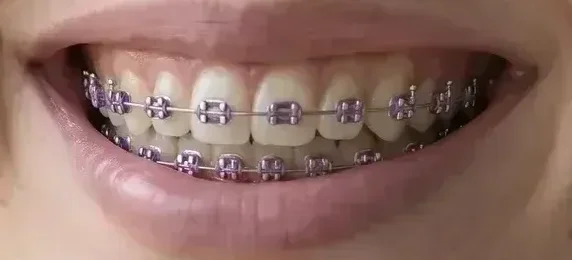
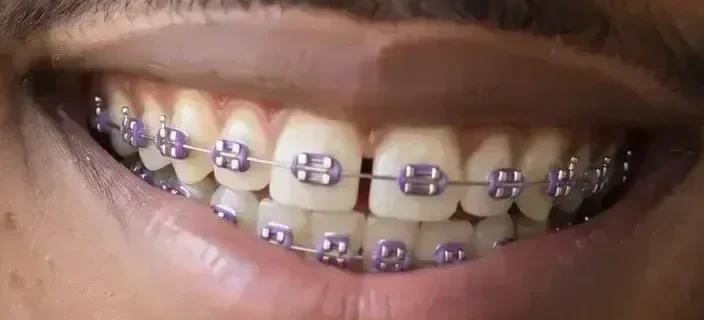
Purple

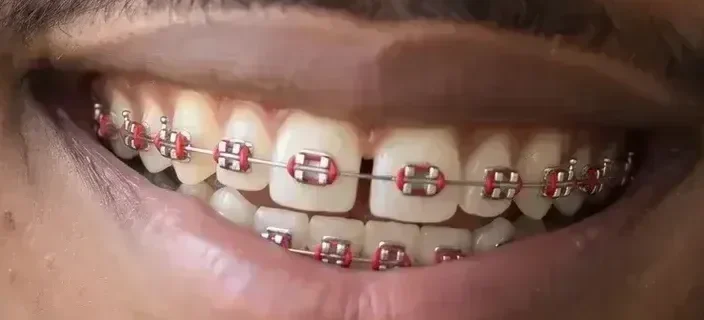
Red
Black
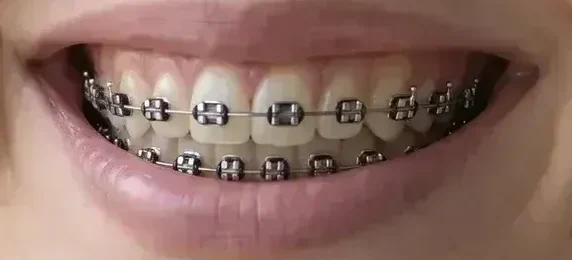
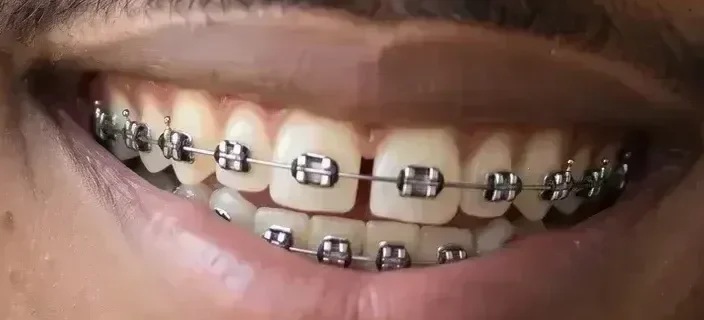
The brackets almost always look right. The teeth under them are what can change, so compare those with your photo.
1. The gap closes
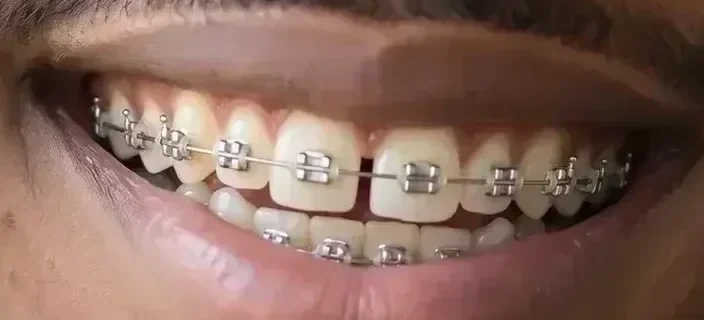
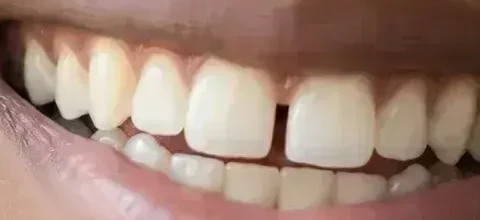
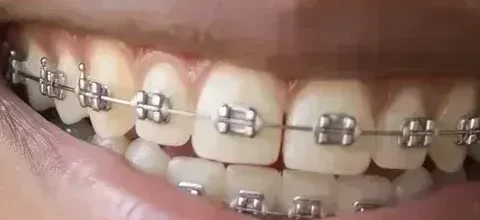
Fix his smile told the model to improve his teeth, so it closed the gap between the front two. The braces look real, but the teeth are no longer his.
Fix: Leave out words like fix, perfect or straight. End with the keep sentence. On the same photo, it kept the gap.
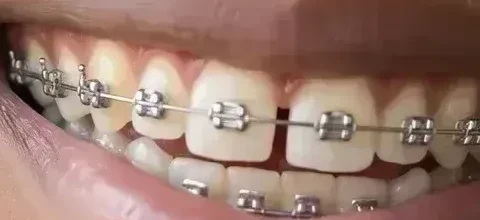
2. Crowded teeth come back tidy
Her lower front teeth overlap, and one sits behind the others. Every edit of her photo on this page lined them up, even with the keep sentence.
Fix: Compare the lower row with your photo before you share. Naming the crowding did not hold it on this photo, so judge the look by the upper teeth.
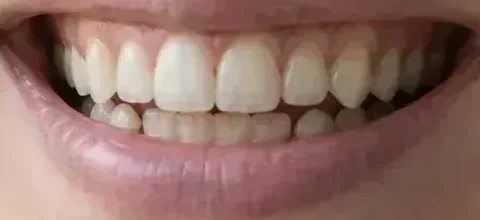
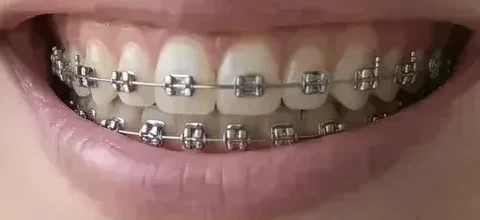
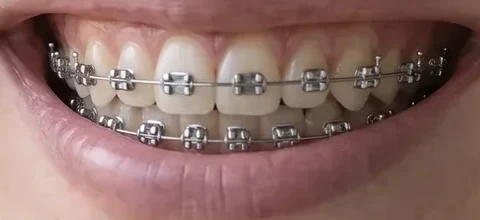
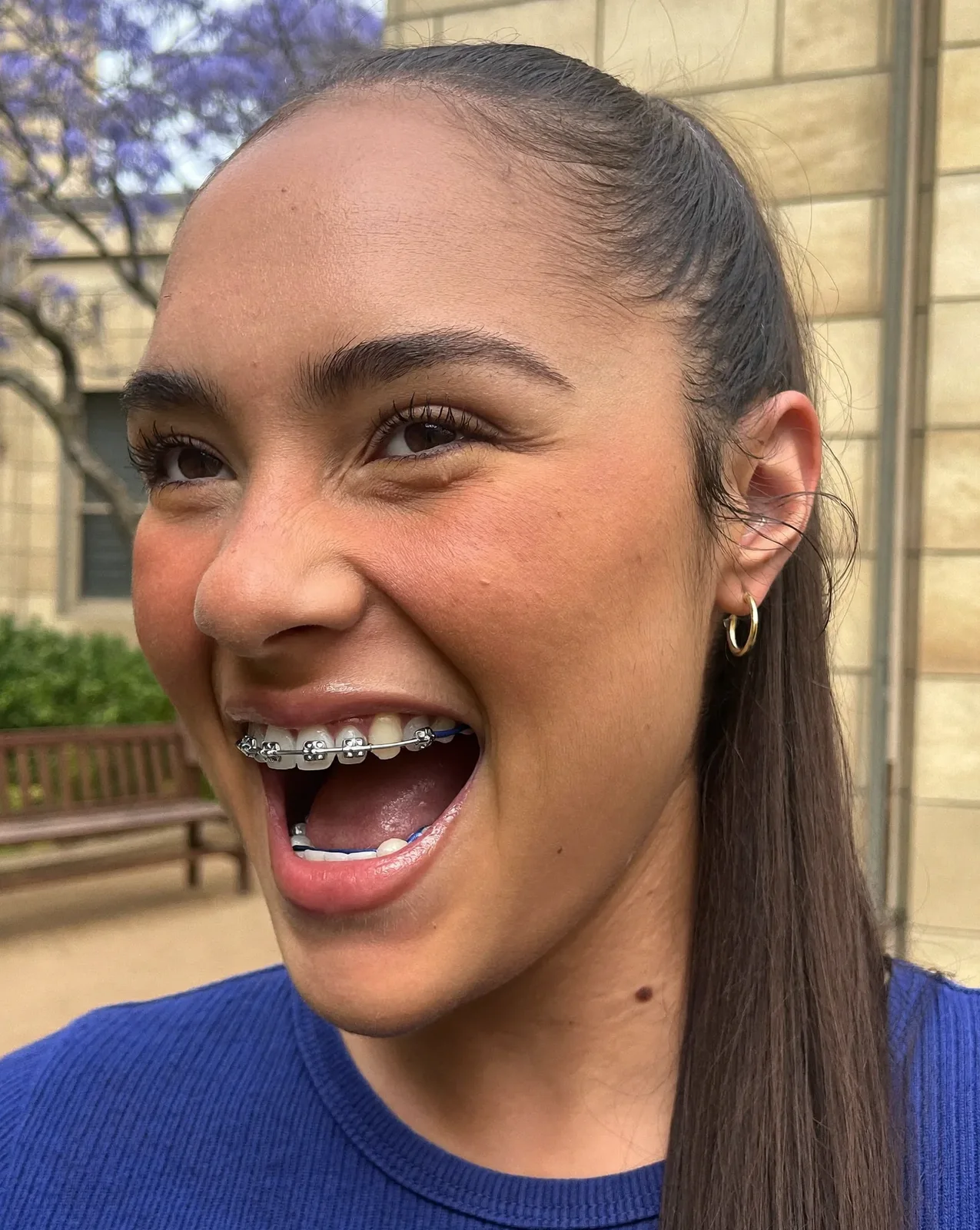
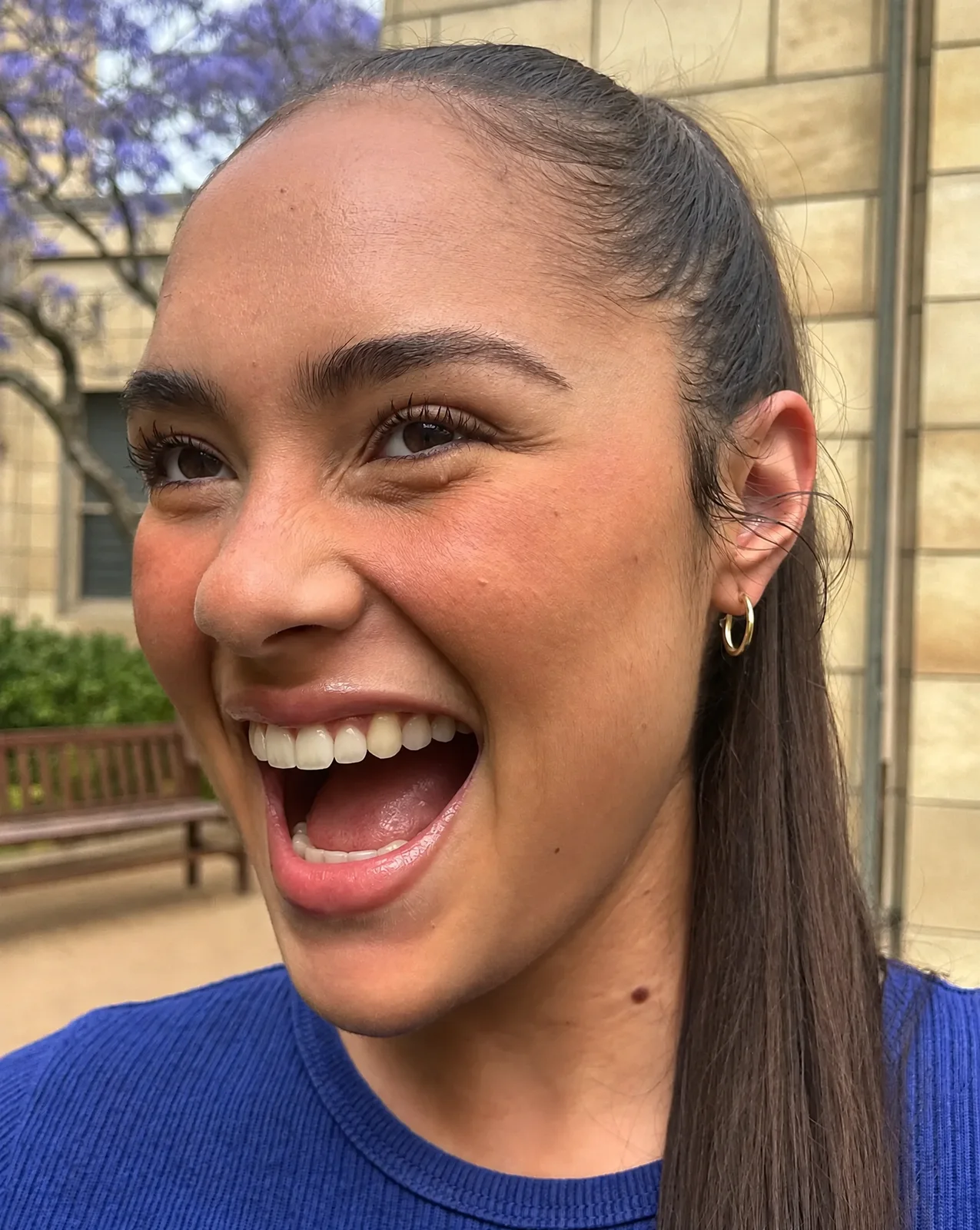
The same edit runs the other way. Ask for the brackets, wires and bands to go, and for the teeth to stay where they are. The teeth under the braces are the model's guess, since the photo never showed them.
Remove the braces, brackets, wires and bands from the teeth. Show the natural teeth in the same positions with the same color. Keep the lips, gums, face, skin, hair, expression, lighting and background exactly the same.
Each prompt names the braces, then says what must not change. Paste one into the image editor as it is, or swap in your own color.
Add metal braces to the visible teeth: one small silver bracket centred on each tooth and one thin silver archwire across the upper teeth and one across the lower teeth, with …
Keep the teeth exactly the same shape, size, spacing and color. Keep the lips, gums, face, skin, hair, expression, lighting and background exactly the same.
Silver
… with no colored bands.
Clear
… with clear elastic bands around each bracket.
Pink
… with pink elastic bands around each bracket.
Navy
… with navy elastic bands around each bracket.
Teal
… with teal elastic bands around each bracket.
Purple
… with purple elastic bands around each bracket.
Red
… with red elastic bands around each bracket.
Black
… with black elastic bands around each bracket.

Ceramic brackets
Add ceramic braces to the visible teeth: one small tooth-colored bracket centred on each tooth, one thin silver archwire across the upper teeth and one across the lower teeth, and clear elastic bands.

Clear aligners
Put thin clear plastic aligner trays over the upper and lower teeth, with a faint sheen and slightly smoother edges at the gum line.
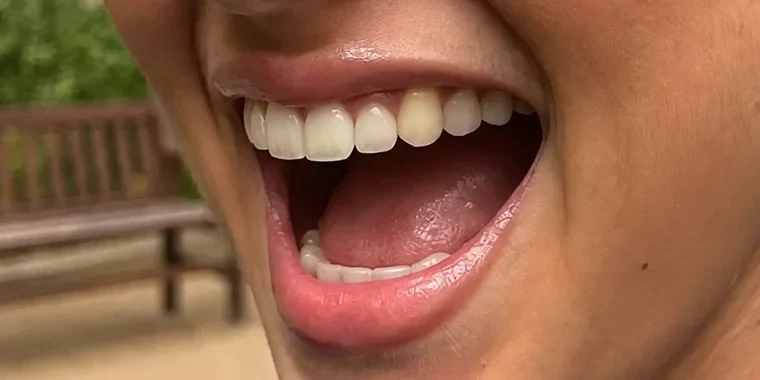
Remove braces
Remove the braces, brackets, wires and bands from the teeth. Show the natural teeth in the same positions with the same color. Keep the lips, gums, face, skin, hair, expression, lighting and background exactly the same.
Pick the plan for how much you post. Every model on every plan. Unused credits roll over. Cancel anytime.
Billed monthly
For solo creators posting every week
500 credits every month
Billed monthly
For creators posting daily across channels
1,300 credits every month
Billed monthly
For brands and production teams
2,700 credits every month
Billed monthly
For agencies running always-on content
5,500 credits every month
Want checkout, comparison tables, or a custom volume? See the full pricing page