Creator
$19/month
Billed monthly
For solo creators posting every week
500 credits every month
- Up to 250 age edits
- Up to 50 AI videos
- Up to 1.5 hours of AI voiceover
- Roll over up to 1,000 credits
See the same face at 25, 50 and 85.
Pick an age, then add a portrait. The image editor ages the face, or takes years off it, and keeps the rest of the photo.
Plans from $19 a month
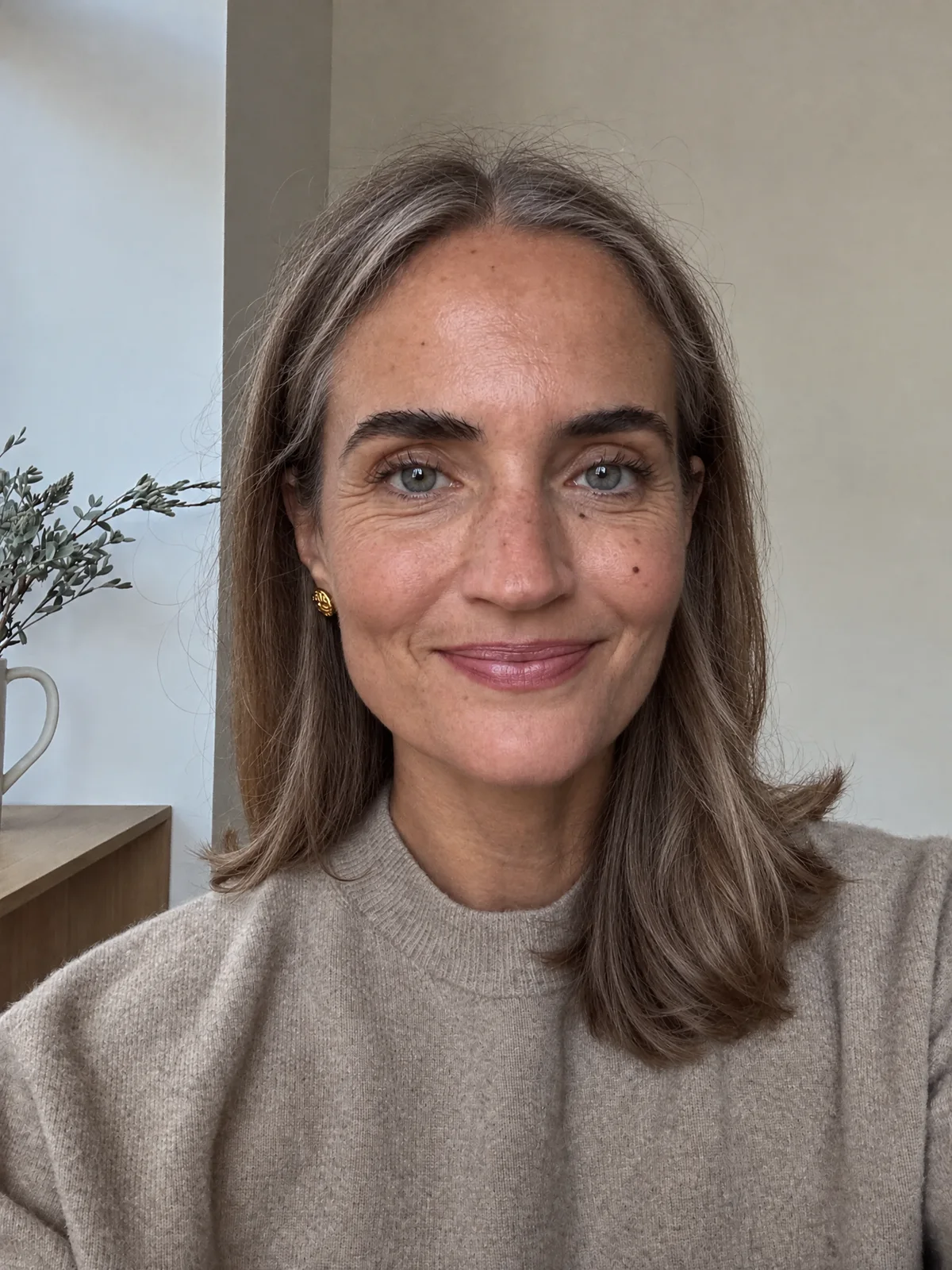
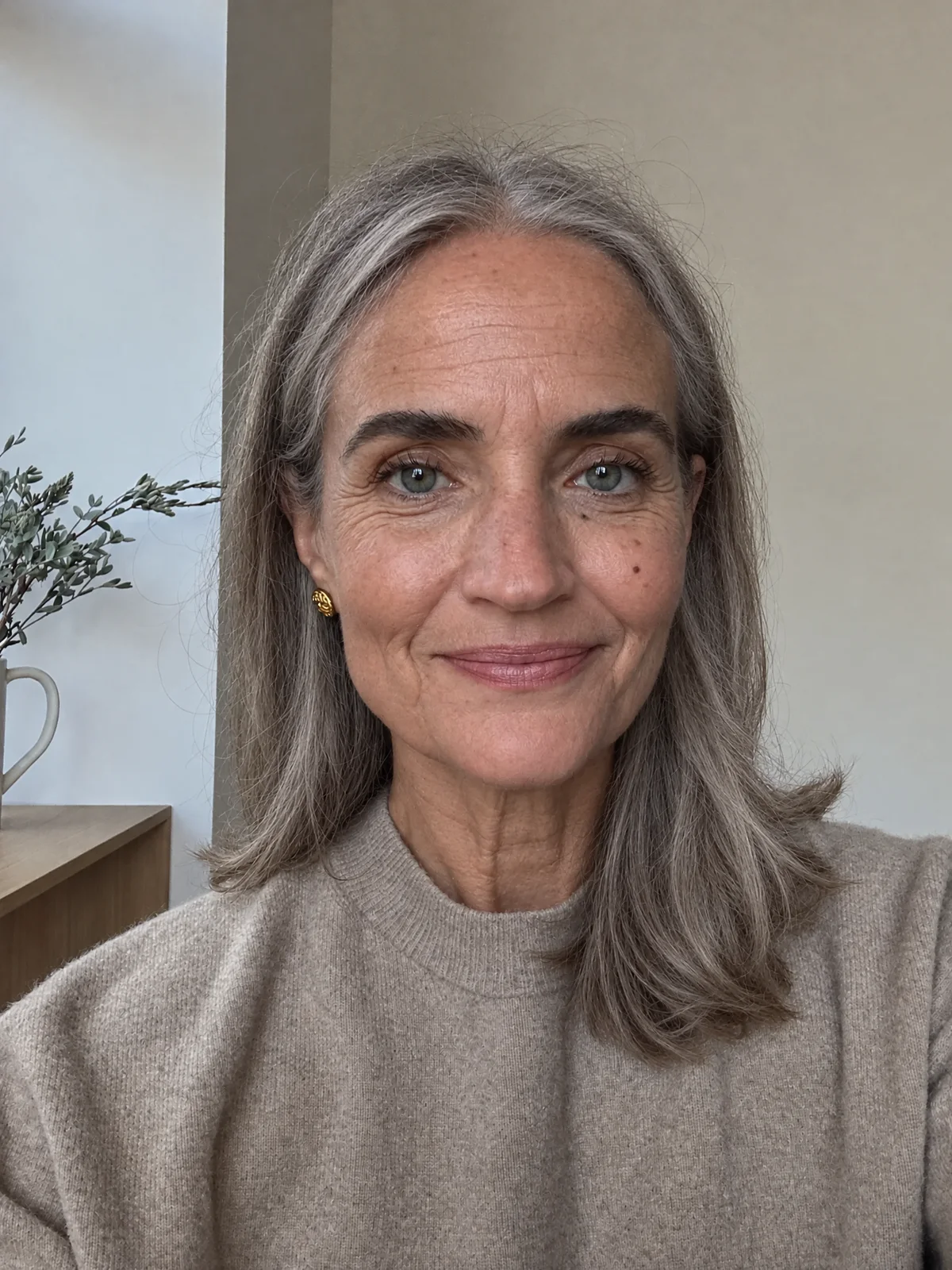
Show her at 70: silver-white hair, deep smile lines, lower eyelids that sag a little, and thinner skin with a few age spots. Keep it the same person: the same face shape, eye color, nose, freckles, moles and skin tone. Keep the pose, expression, clothing, framing, lighting and background exactly the same.
Silver hair, deep smile lines and a few age spots on her forehead.
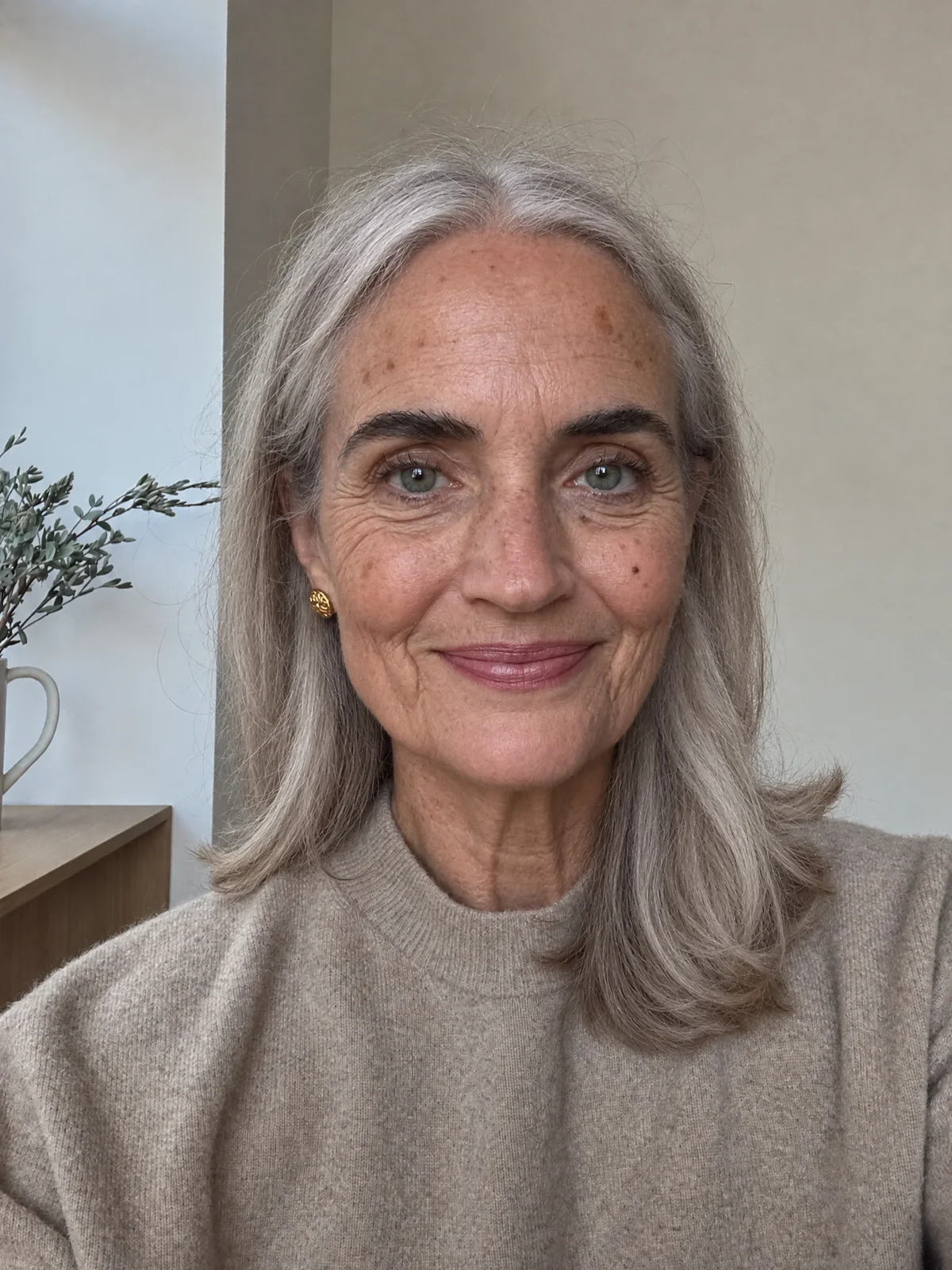 Edited to 70
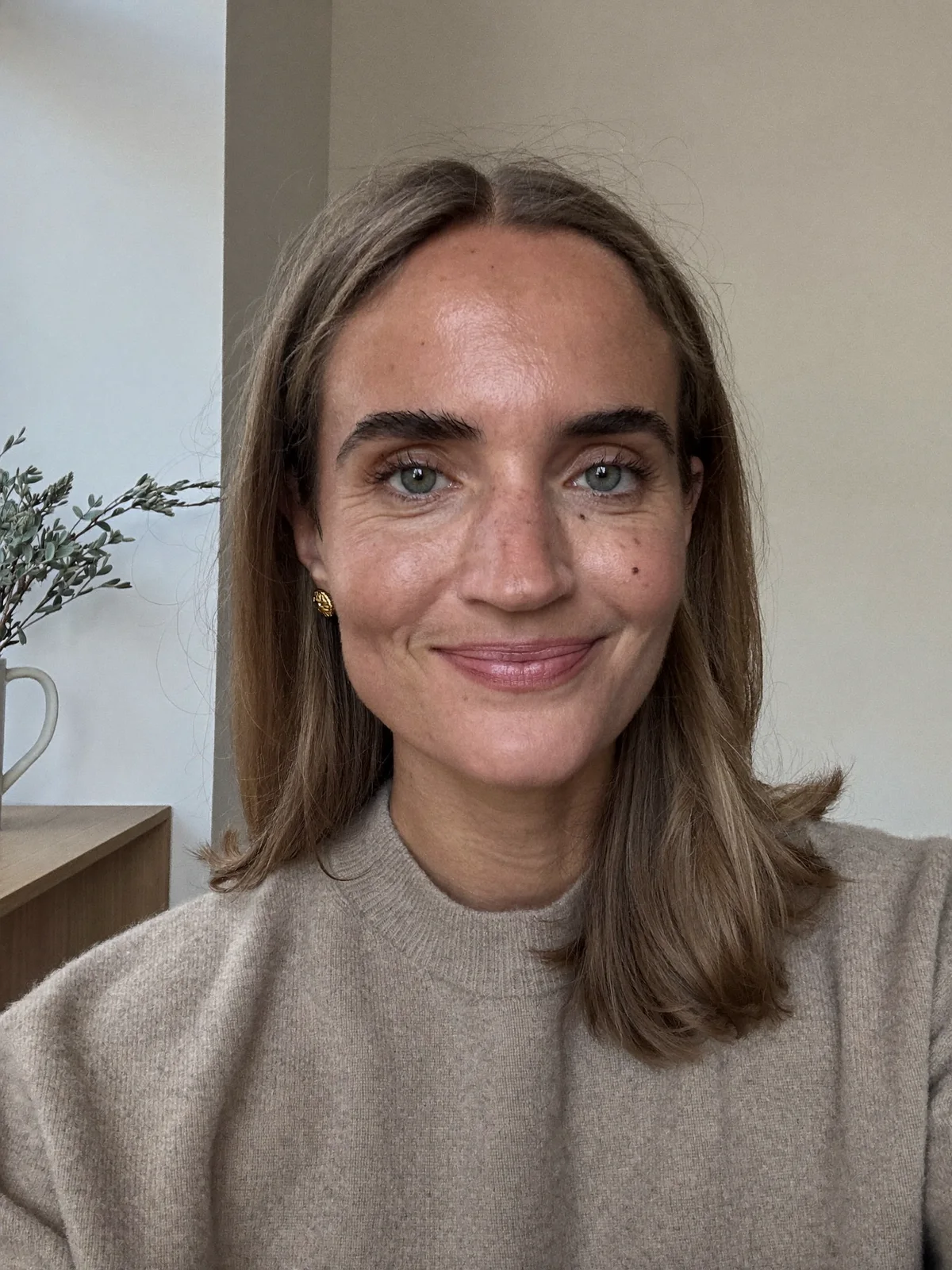
Show her at 70: silver-white hair, deep smile lines, lower eyelids that sag a little, and thinner skin with a few age spots. Keep it the same person: the same face shape, eye color, nose, freckles, moles and skin tone. Keep the pose, expression, clothing, framing, lighting and background exactly the same.
Silver hair, deep smile lines and a few age spots on her forehead.
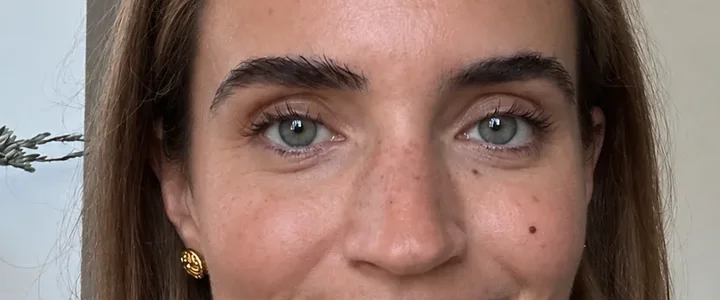
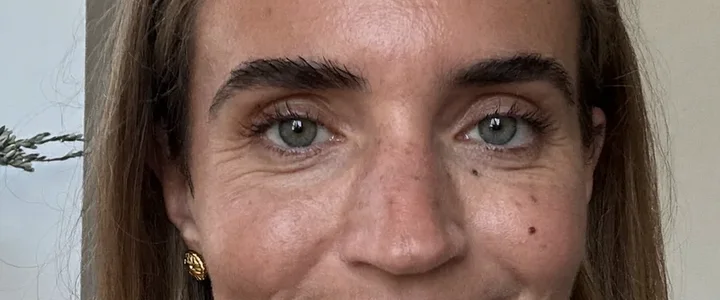
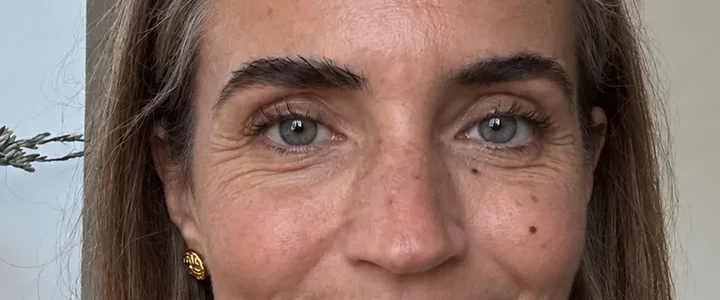
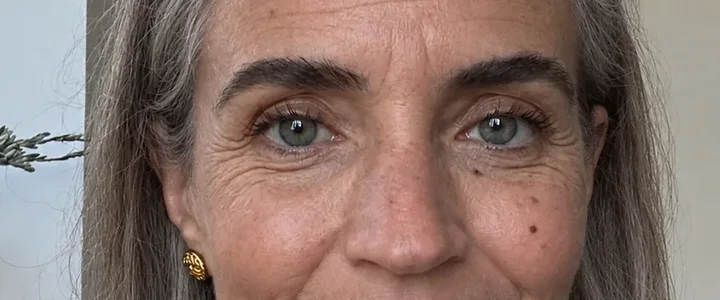
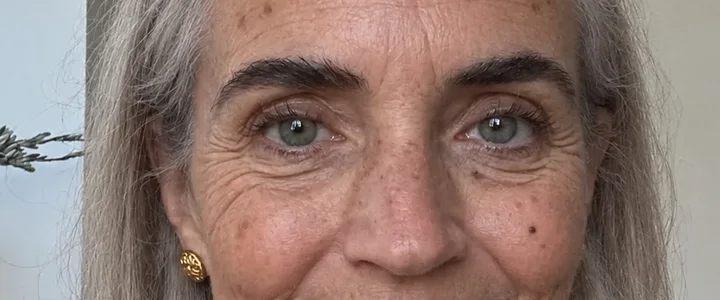
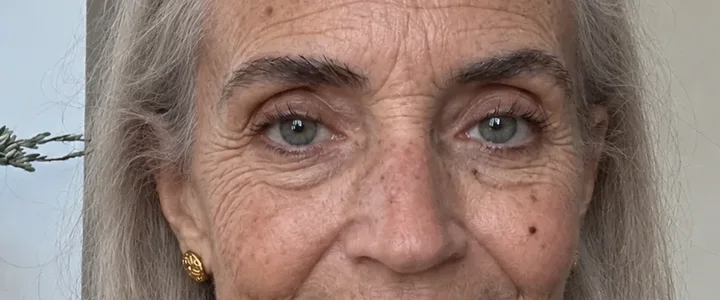
Every crop is cut from the same spot in all six frames, so you can follow the lines, the gray and the folds as they come in.
Hair and forehead
Gray starts at the temples at 50 and covers her head by 70. Age spots show up on the forehead after that.
Eyes
Lines start at the outer corners, then the lids grow heavier. Her eye color stays.
Mouth and jaw
Smile lines deepen and the lips thin. By 85 the skin along the jaw folds.
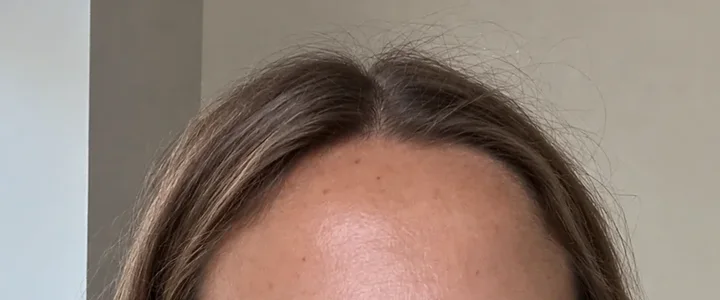

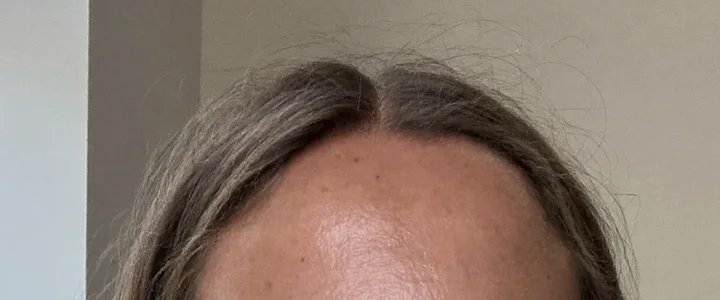

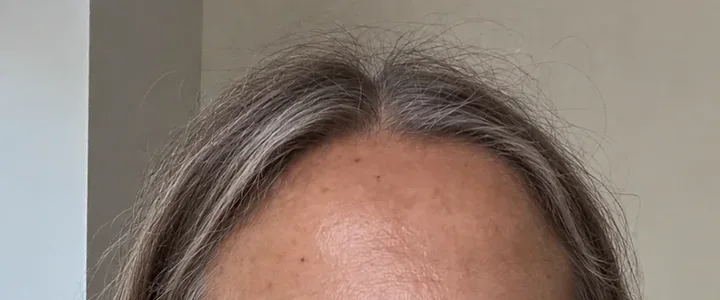

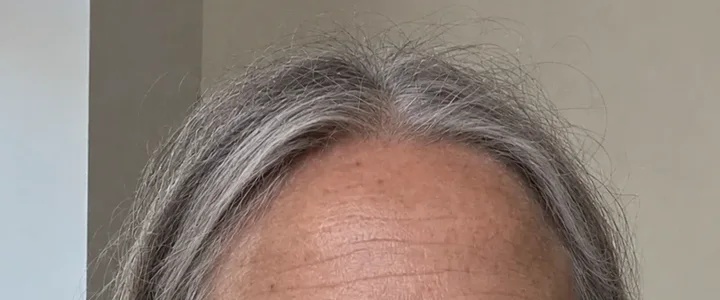

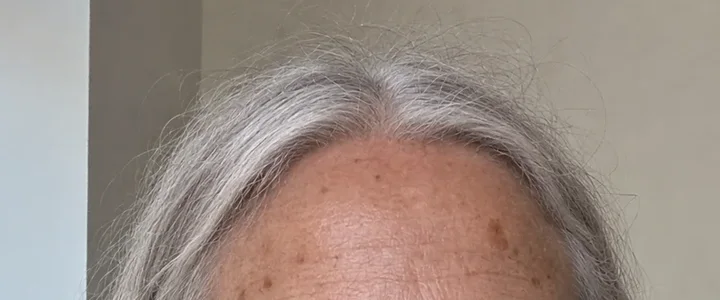

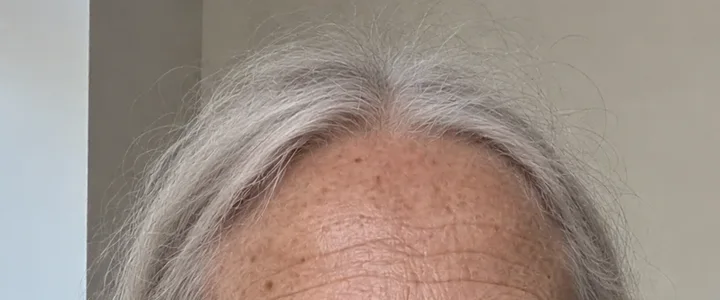
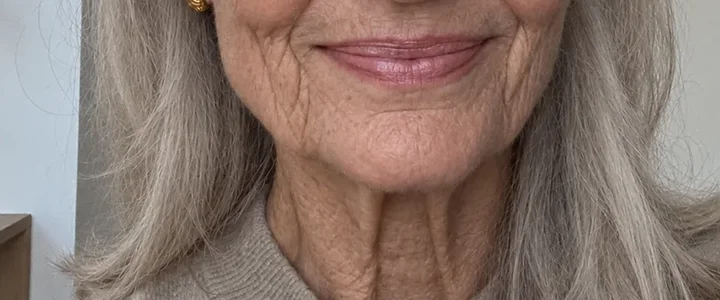
Hair and forehead
Gray starts at the temples at 50 and covers her head by 70. Age spots show up on the forehead after that.
25
38 · photo
50
60
70
85
Eyes
Lines start at the outer corners, then the lids grow heavier. Her eye color stays.
25
38 · photo
50
60
70
85
Mouth and jaw
Smile lines deepen and the lips thin. By 85 the skin along the jaw folds.
25
38 · photo
50
60
70
85
The same prompt shape works on a casual phone photo. He is 45 in the middle frame. The other two are edits of it.

25
Edit
Show him at 25: thick dark hair with no gray, smooth skin with no lines, a fuller face, a firmer jawline, and short dark stubble.

45
His photo

75
Edit
Show him at 75: thin white hair, a short white beard, deep lines across his forehead and around his eyes, and looser skin on his neck.
Upload a clear portrait
Open the image editor and add a sharp, front-facing photo in even light. Hair, glasses or a hand over the face hide what the edit needs to age.
Name the age and what changes
Write the age as a number and two to four changes you expect, like gray at the temples. End with the sentence that keeps the face and the photo.
Compare it with your photo
Put the result next to the original and check the eyes, the nose and any marks. Run it again for a second take, or change one word and run it.
Same photo, same 70 prompt, run twice. Drag across the frame. The first run put a large age spot at her temple. The second left the temple clear and scattered small spots across her forehead instead.
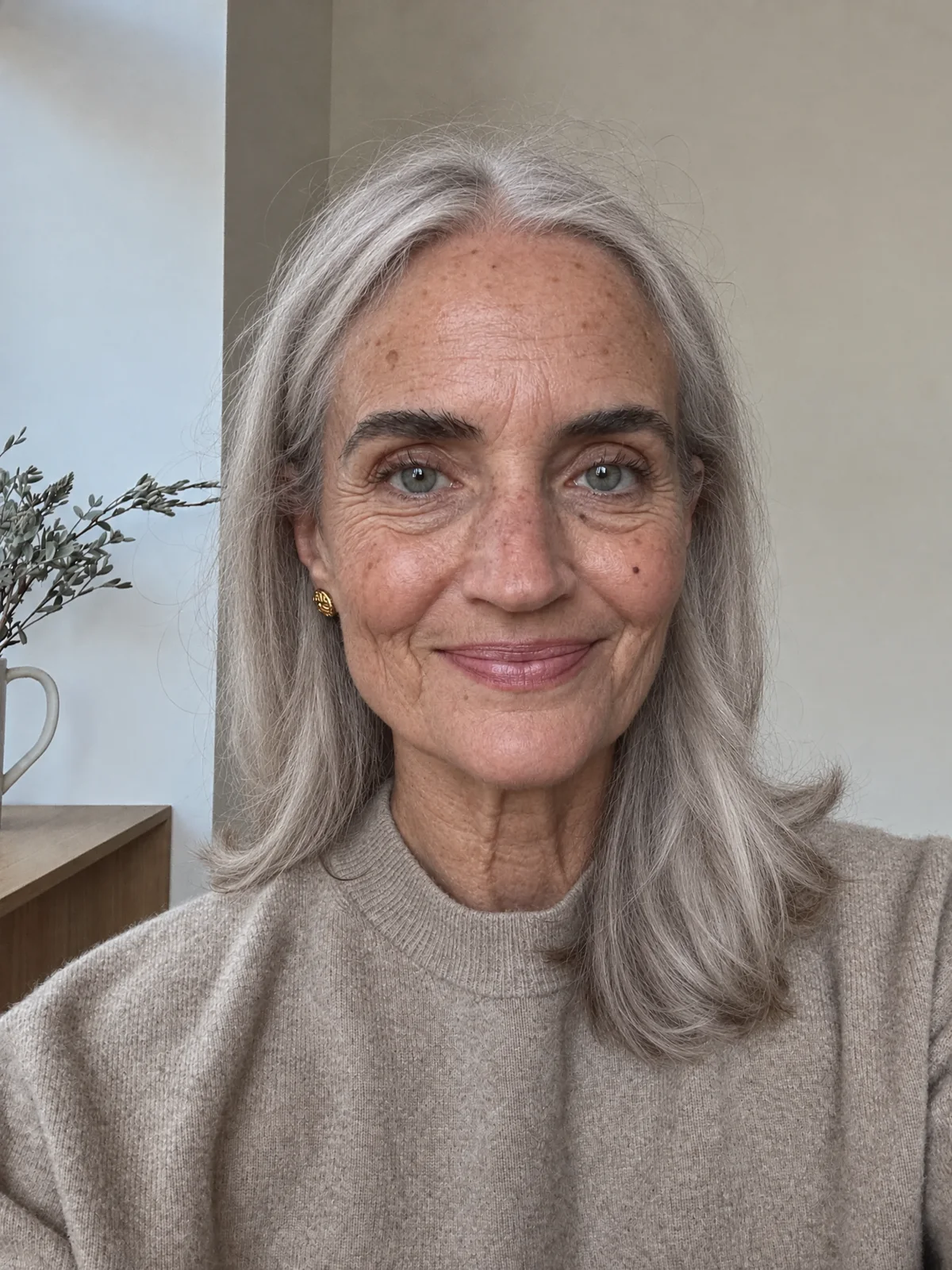
Each pair is from this page's own renders.
1. Younger moves less
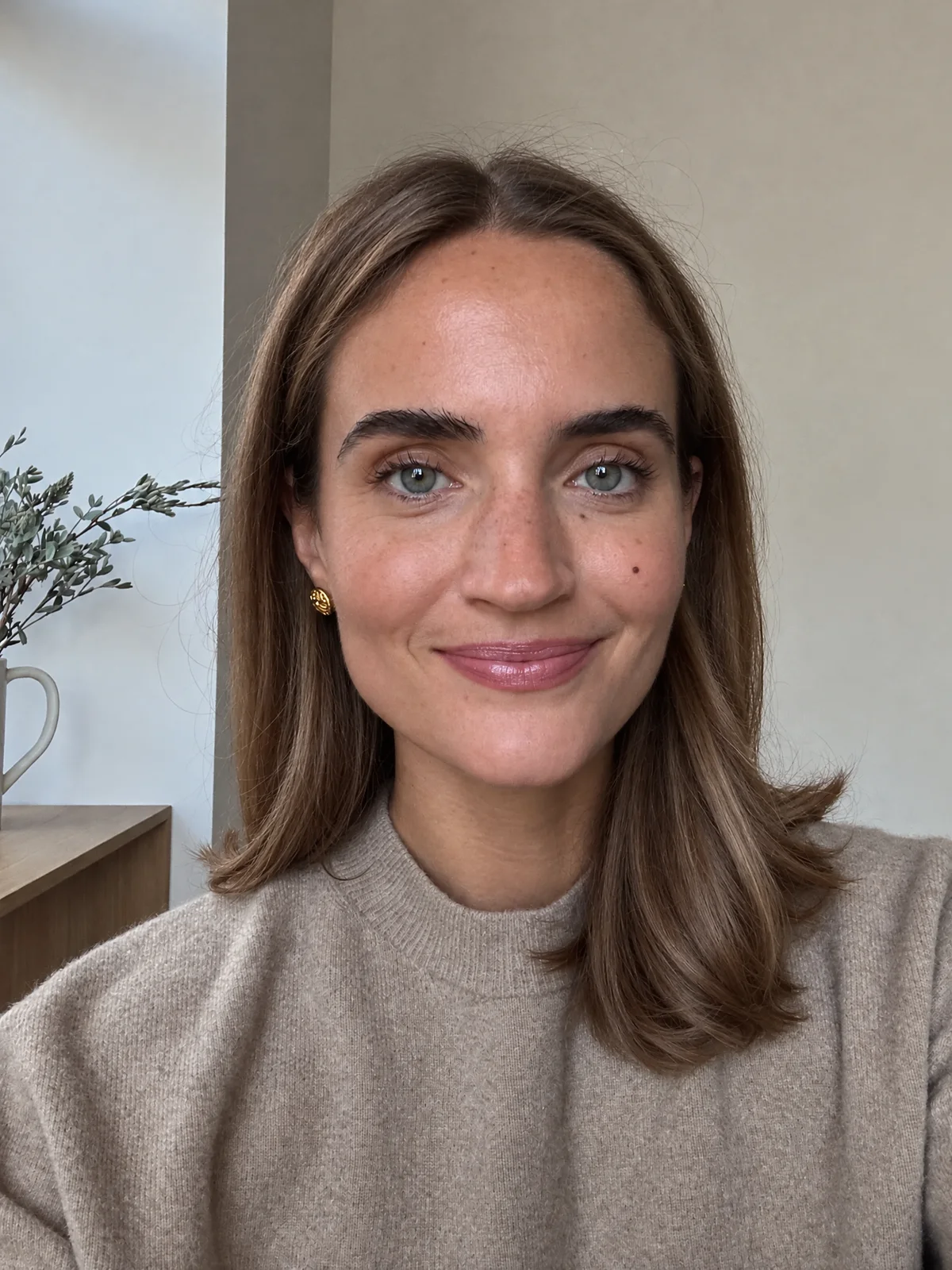
Going back thirteen years smoothed her skin and filled her cheeks a little. Her face shape stayed, so she reads closer to 30 than to 25.
Fix: Expect a smaller change going younger than going older. Name the hair, skin and lines you want gone.
2. It can skip part of the prompt
The 75 prompt asked for thin white hair. The edit turned his hair white and lined his face, but left his hair as thick as it was at 45.
Fix: If a change you named is missing, run it again or say it plainer, like a receding hairline with thin white hair.
3. It can't see what the photo never showed
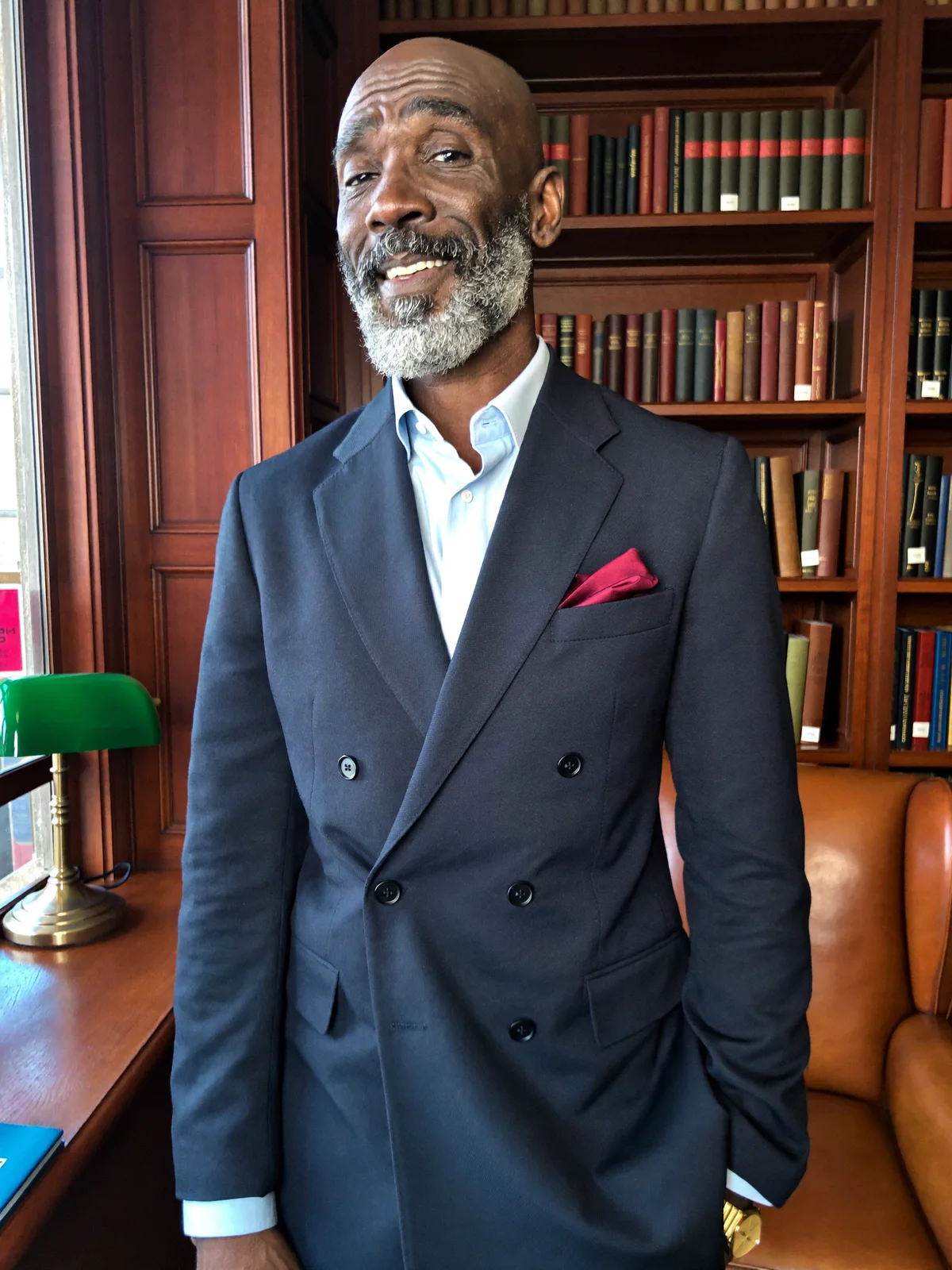
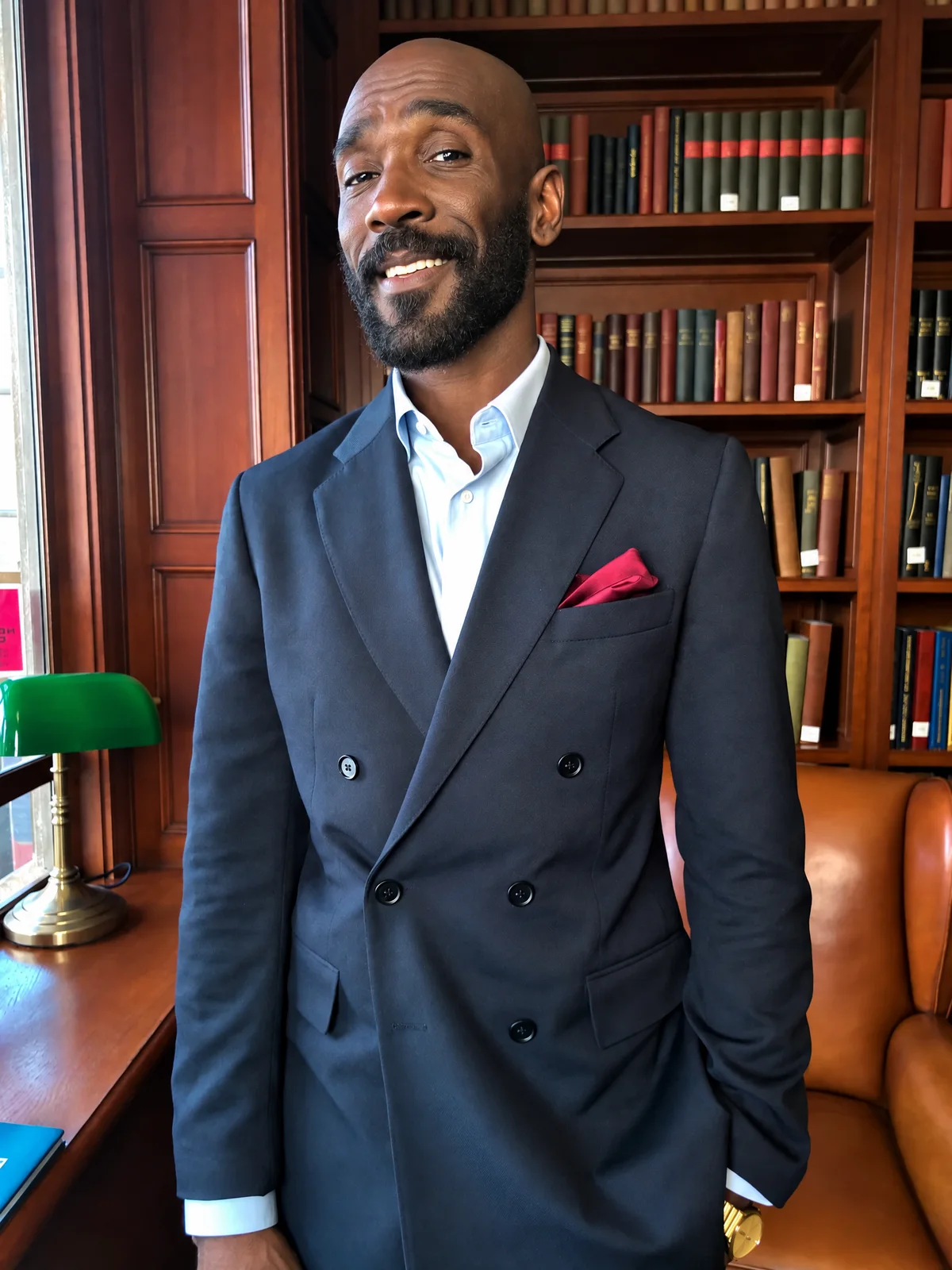
He is bald in the photo, and the prompt asked for a dark beard but said nothing about the hair on his head. At 30 the model kept him bald, because the photo can't tell it what his hair looked like.
Fix: If you know how your hair looked at that age, write it in the prompt. Otherwise the edit keeps what it sees.
4. A vague prompt picks the age
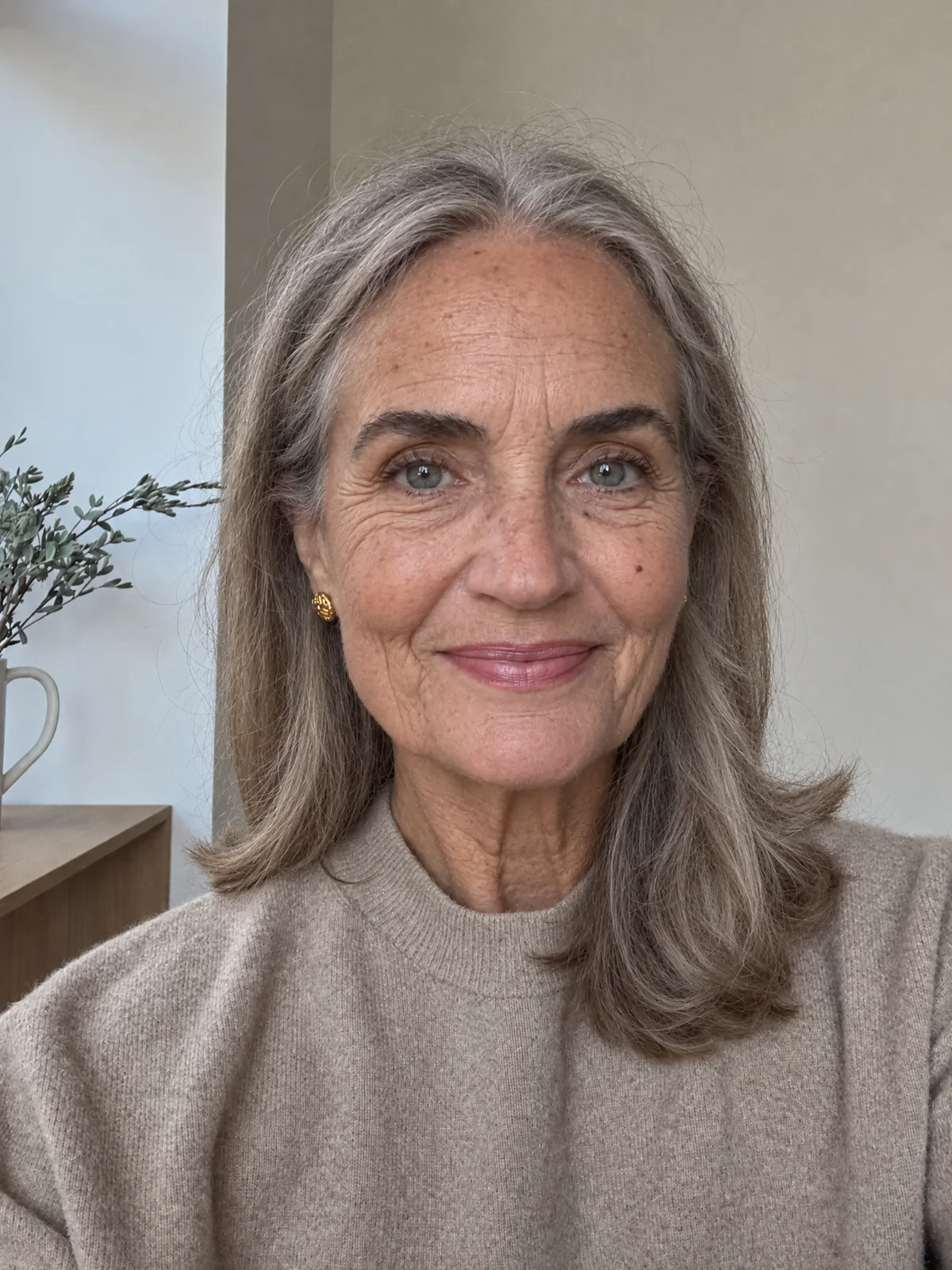
Three words gave her graying hair and lines that look about 60. The prompt named no age, so the model chose one.
Fix: Write a number and two to four changes you expect at that age, then the keep sentence.
Each age prompt on this page has two parts: the age with two to four visible changes, and one sentence that keeps the person and the photo.
Keep it the same person: the same face shape, eye color, nose, freckles, moles and skin tone. Keep the pose, expression, clothing, framing, lighting and background exactly the same.
No freckles or moles in your photo? Leave those two words out, or the model may add them.
smoother, firmer skin, slightly fuller cheeks, no lines around her eyes, and glossier hair with no gray.
a few gray strands at the temples, fine lines around her eyes and mouth, and a slightly softer jawline.
hair mostly gray, deeper lines at her eyes and across her forehead, thinner lips, and looser skin on her neck.
silver-white hair, deep smile lines, lower eyelids that sag a little, and thinner skin with a few age spots.
thin white hair, deep wrinkles across her face and neck, hollower cheeks and temples, and heavier eyelids.
Your edits can become a clip. In the video generator, pick Kling 4.0, add your photo as the first frame and your oldest edit as the last, and paste the prompt below. Kling 4.0 fills the seconds between them, so the face ages in one take for a reel or a short.
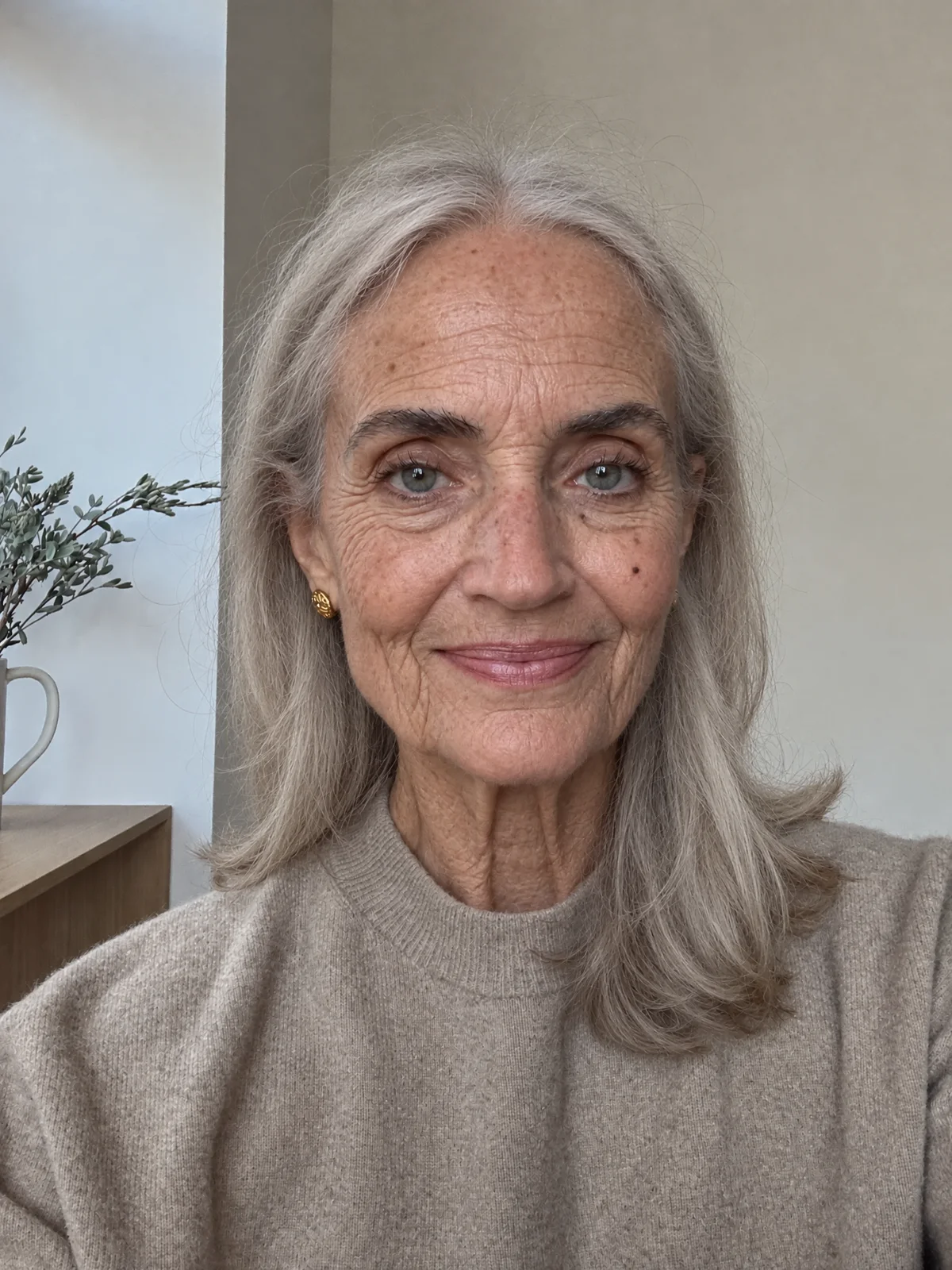
She ages from 38 to 85 in one continuous take. Her hair turns gray at the temples, then silver, then white. Lines deepen around her eyes and mouth, and her cheeks grow hollower. She keeps looking into the camera with the same gentle smile and blinks now and then. The camera stays still. No cuts.
Pick the plan for how much you post. Every model on every plan. Unused credits roll over. Cancel anytime.
Billed monthly
For solo creators posting every week
500 credits every month
Billed monthly
For creators posting daily across channels
1,300 credits every month
Billed monthly
For brands and production teams
2,700 credits every month
Billed monthly
For agencies running always-on content
5,500 credits every month
Want checkout, comparison tables, or a custom volume? See the full pricing page
Six strips of the same face, from 25 on the left to 85 on the right. Bring a portrait and pick your own ages.