Creator
$19/month
Billed monthly
For solo creators posting every week
500 credits every month
- Up to 250 smile edits
- Up to 50 AI videos
- Up to 1.5 hours of AI voiceover
- Roll over up to 1,000 credits
Add a smile to any photo, from soft to big.
Pick a soft, natural or big smile. The prompt lifts the mouth, cheeks and eyes and asks for the rest of the photo to stay as it is.
Plans from $19 a month
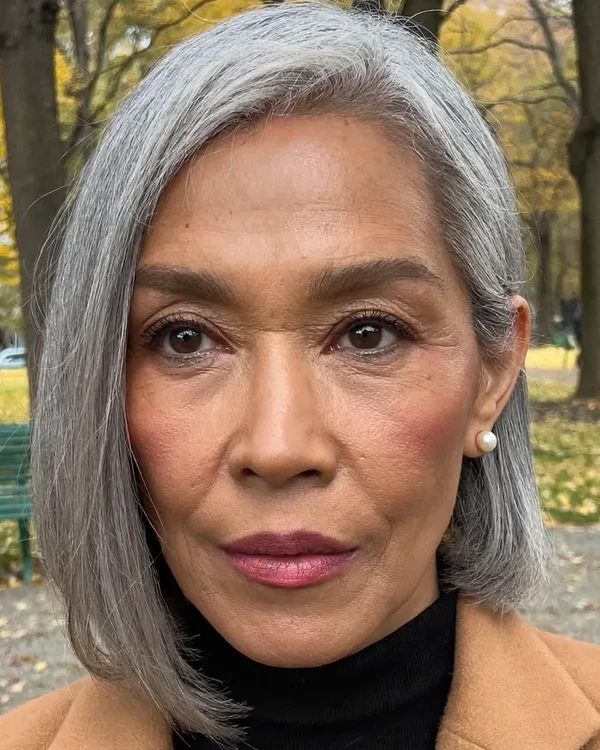
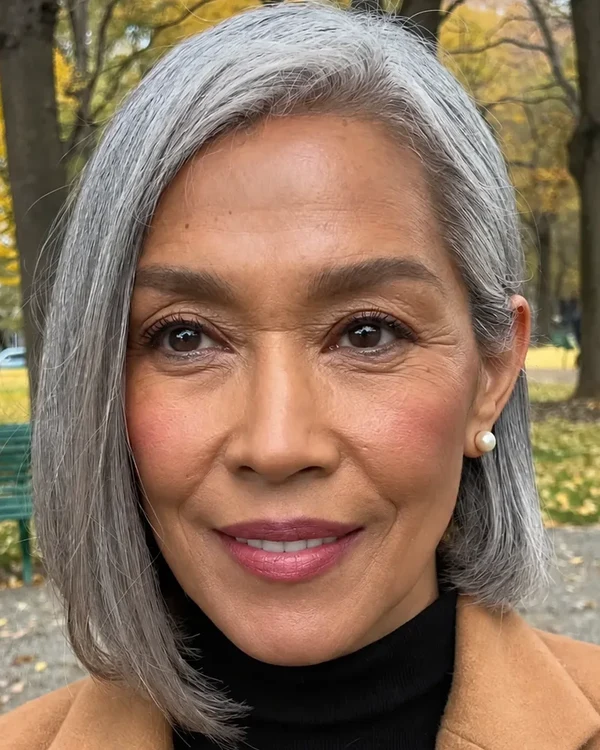
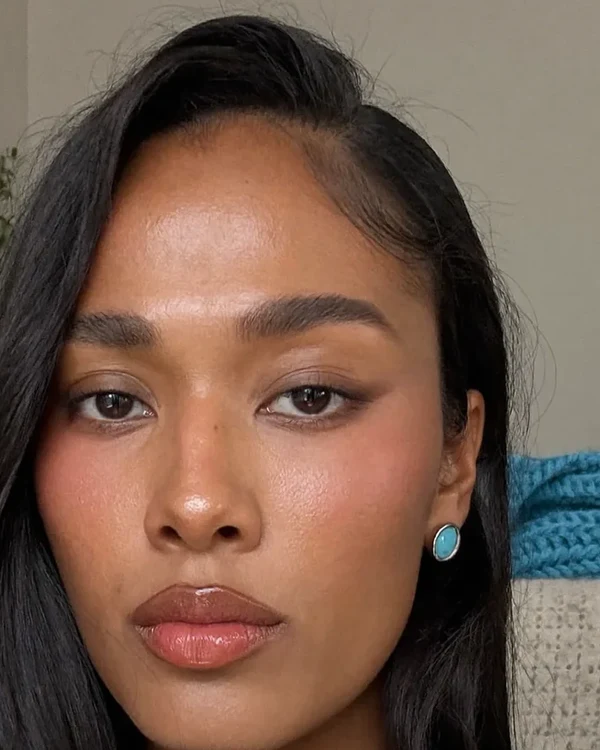
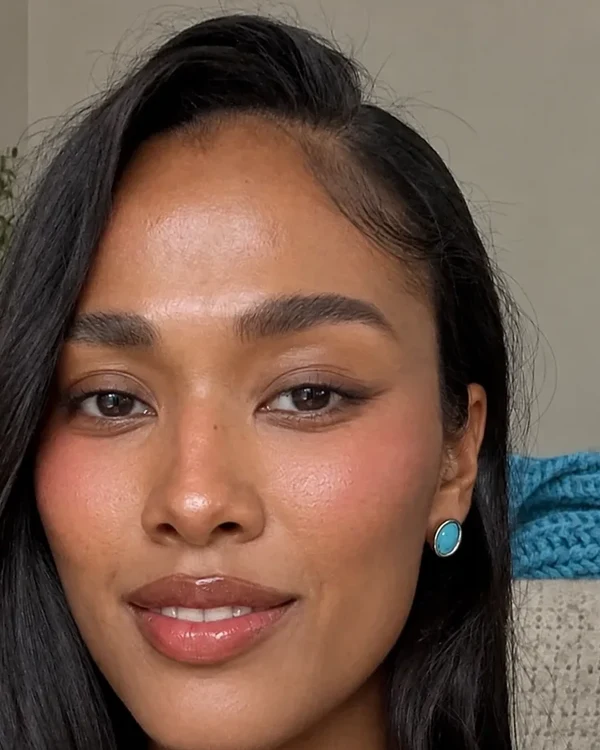
Give the person a natural smile that shows a little of the upper teeth. The cheeks lift and the eyes narrow slightly, with small creases at the outer corners. Keep the same face shape, nose, eye color, skin, hair, clothes, lighting, camera angle and background exactly as they are.
Upload a clear photo
Open the image editor and add a sharp photo where your face looks toward the camera. Nothing should cover your mouth: no hand, glass or mic.
Say how big the smile is
Copy the soft, natural or big prompt from this page, or write your own. End with the sentence that asks to keep your face, hair, clothes and light as they are.
Compare it with your photo
Check the eyes, the teeth and the shape of your face. If the smile is too much or too little, change one word and run it again.
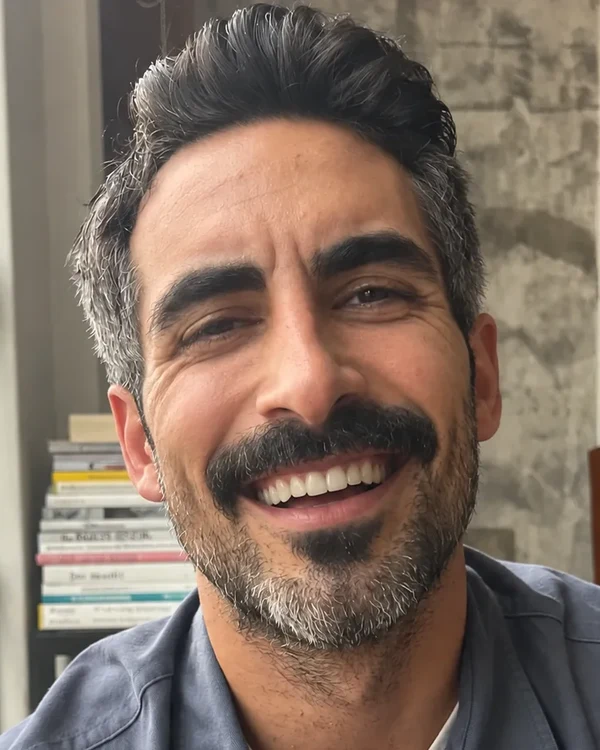
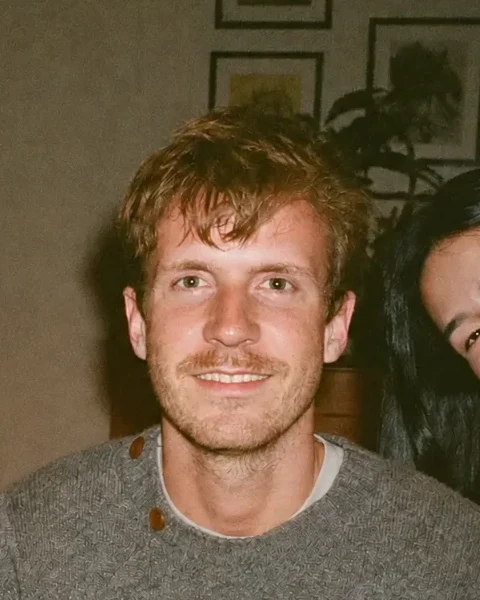
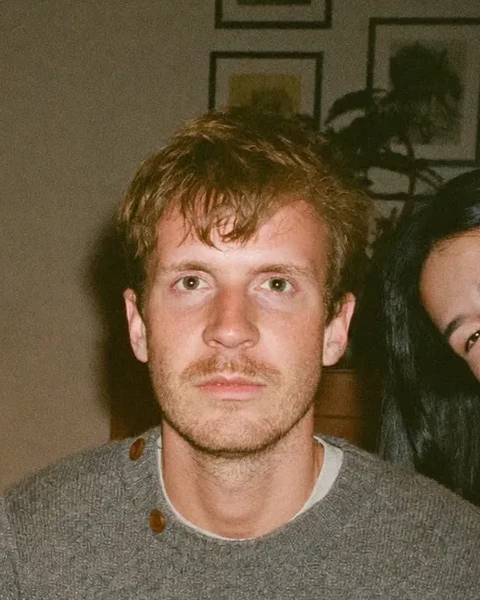
In a real smile the cheeks rise and the eyes narrow. When only the mouth moves, the smile looks posed. Here is one photo three ways, cut to the eyes and the mouth.
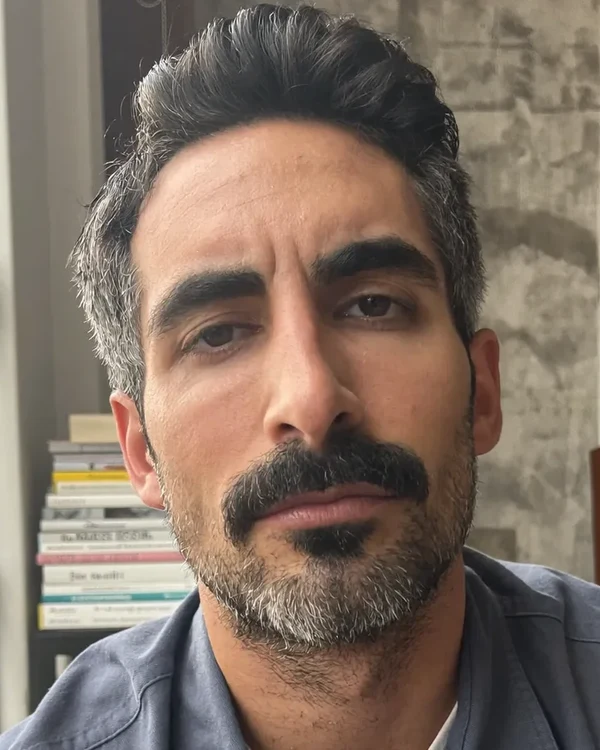
His photo
1/3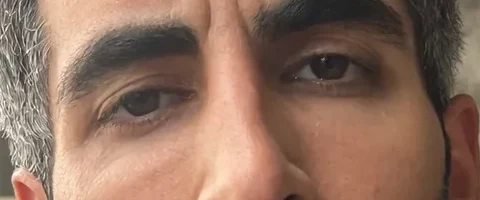
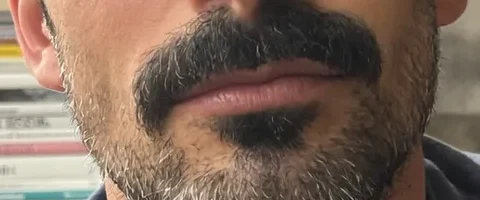
No smile. Eyes open, cheeks flat.
Only the mouth
2/3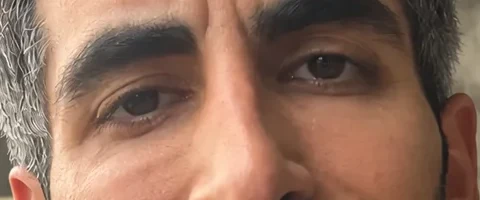
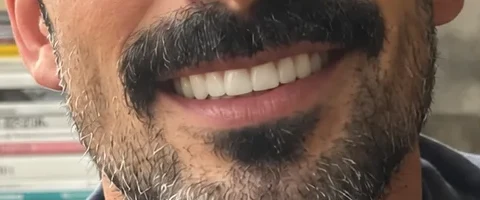
The teeth show, but the eyes barely change. It reads as posed.
"Give him a big open smile with the upper teeth fully showing. Change only the mouth. Keep his eyes, eyelids, cheeks and everything else exactly as they are."
Cheeks and eyes named
3/3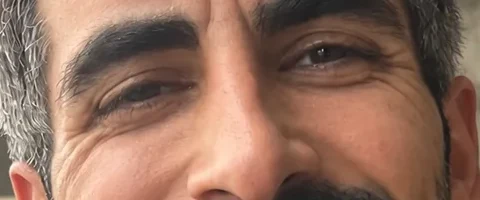
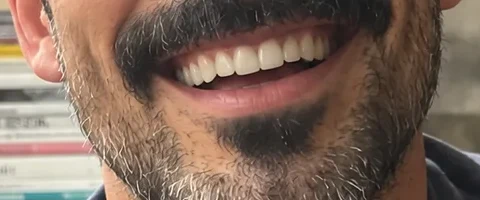
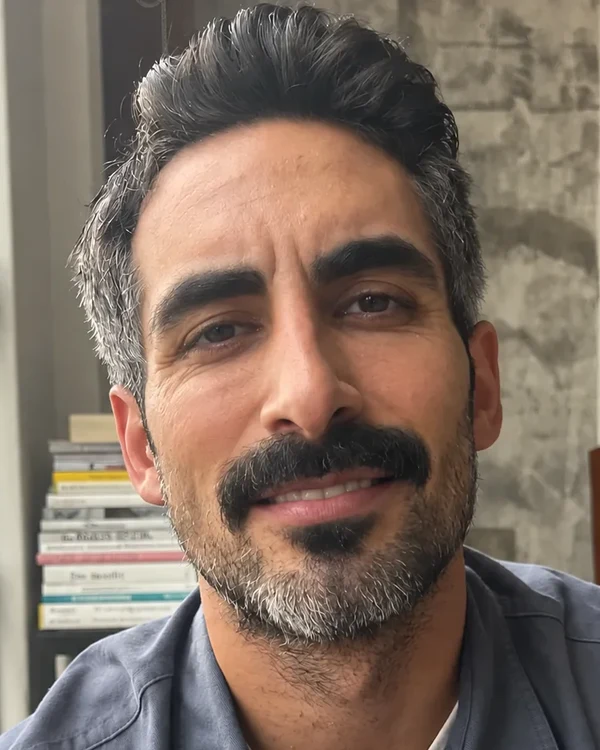
The cheeks push up, the eyes narrow and creases form at the corners.
"Give the person a big open smile, as if laughing at something just off camera, with the upper teeth fully showing. The cheeks lift high and the eyes narrow, with creases at the outer corners. Keep the same face shape, nose, eye color, skin, hair, clothes, lighting, camera angle and background exactly as they are."
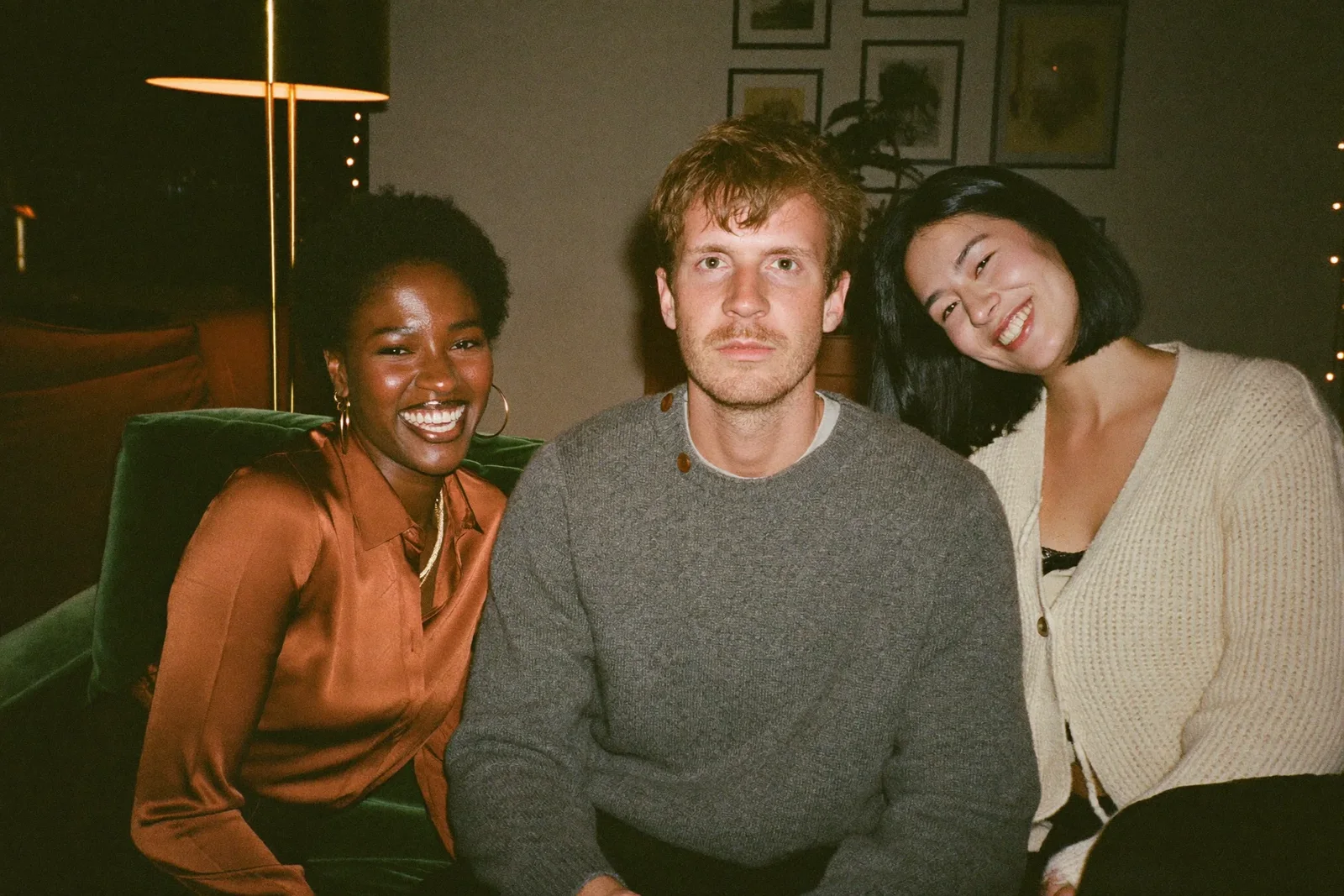
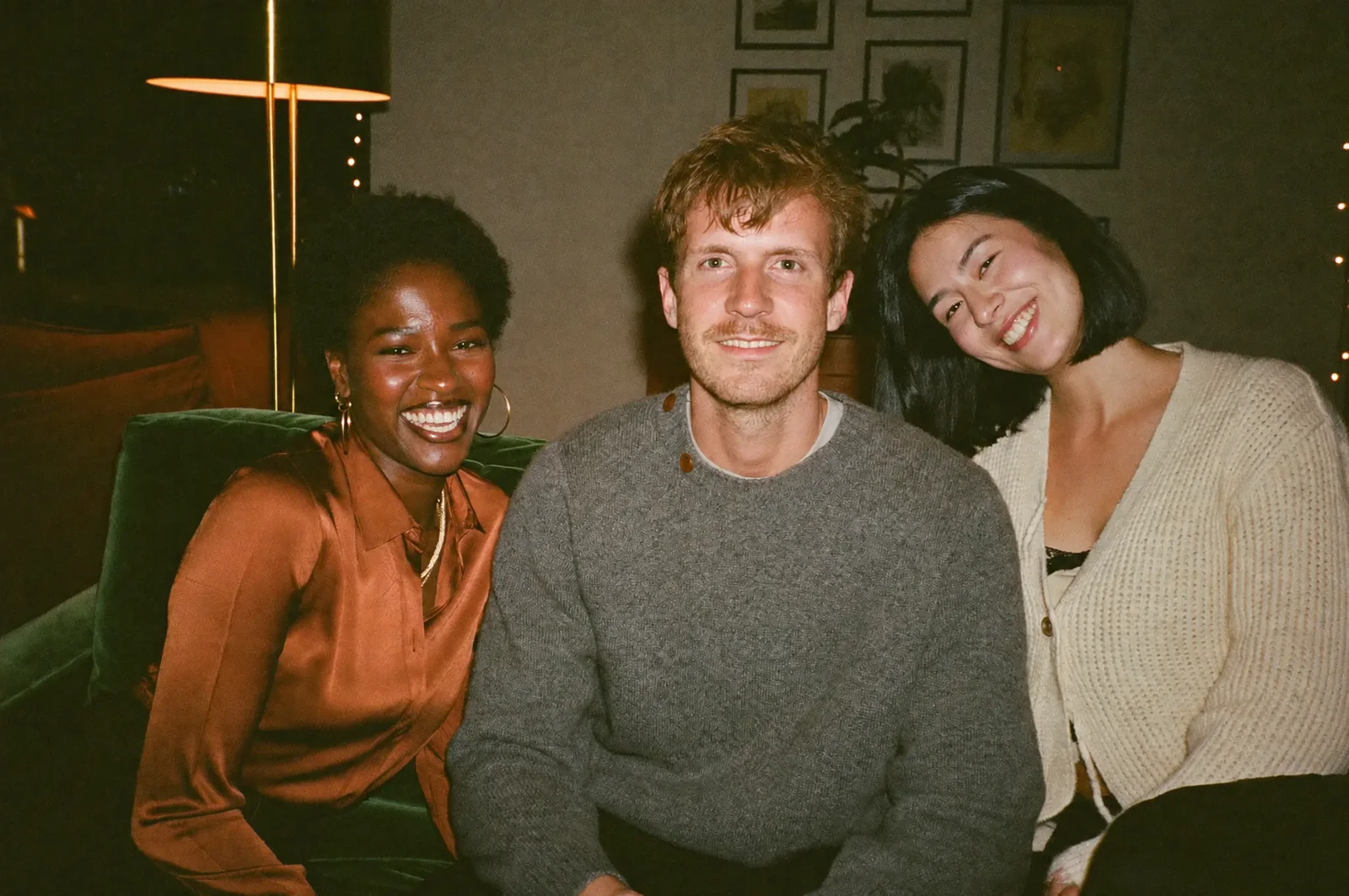
Two friends laughed and one didn't. Say who to change by where they sit and what they wear, and say the others stay as they are. Drag the line to compare.
Give the man in the middle, in the grey sweater, a natural smile that shows a little of his upper teeth. His cheeks lift and his eyes narrow slightly, with small creases at the outer corners. Keep his face shape, hair and clothes, the other two people, the lighting and the background exactly as they are.
In a crowded photo, brush over the face in the editor too, so the edit stays inside that area.
1. The eyes stayed put
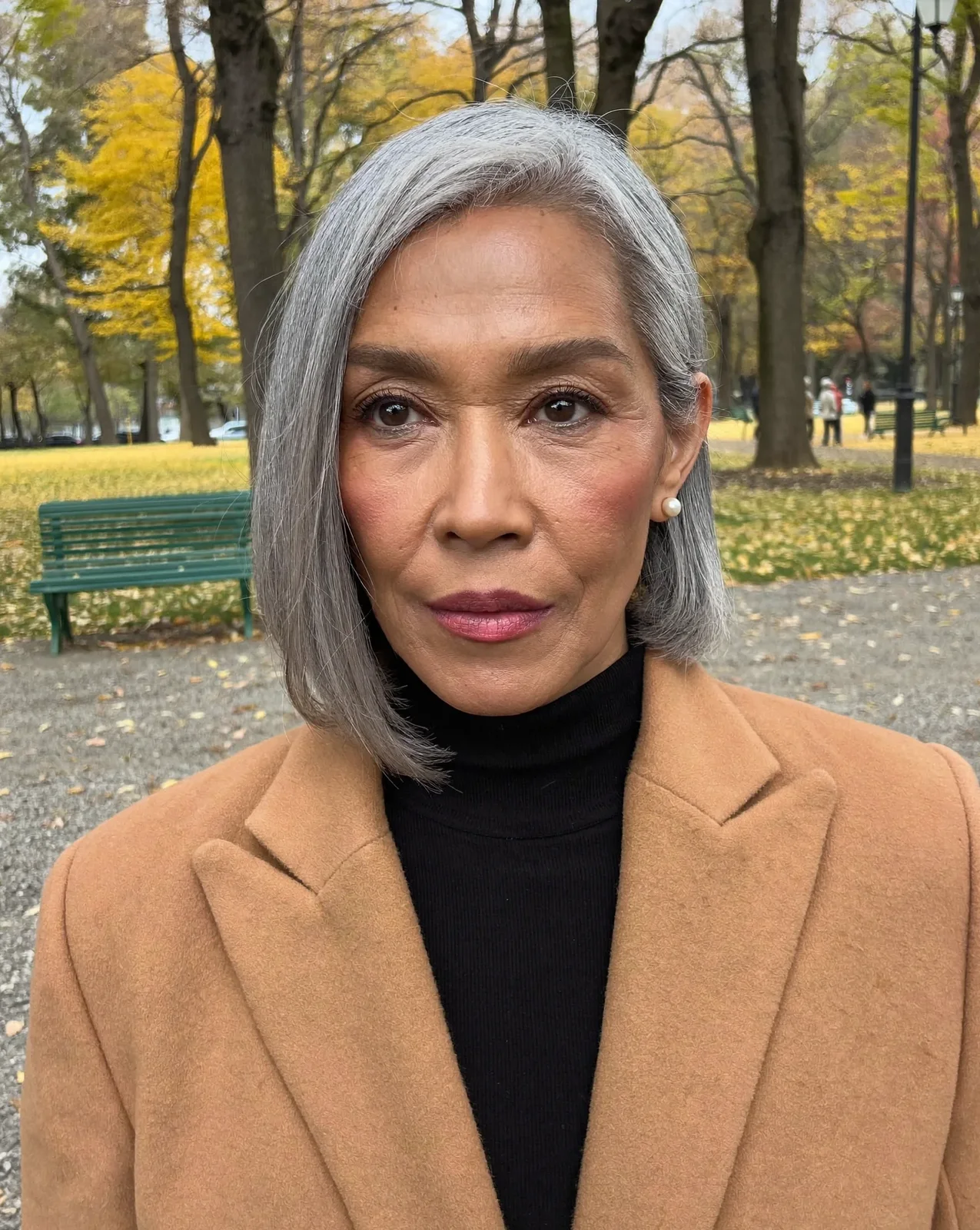
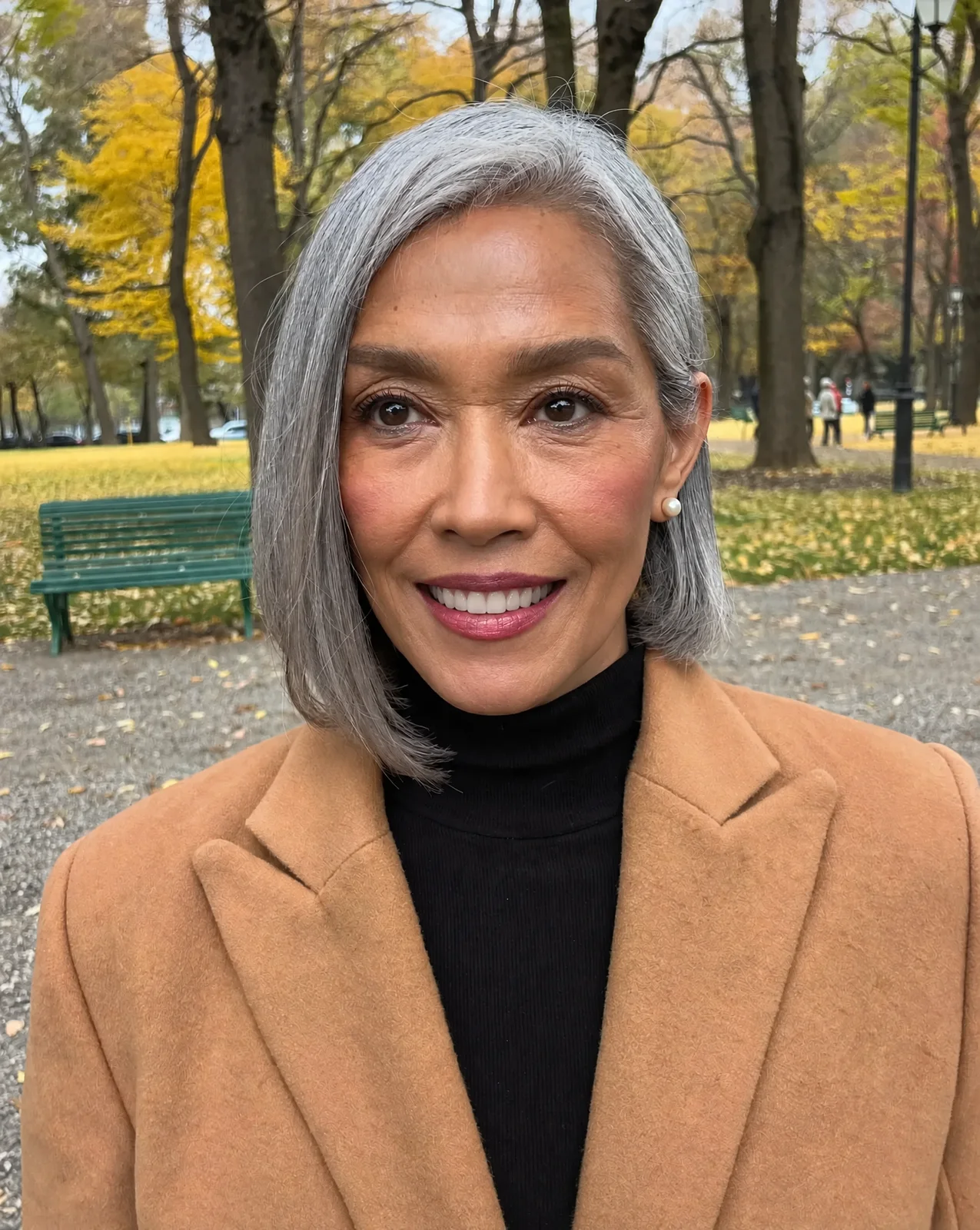
Told to change only her mouth, the edit did just that. Her teeth show, but her eyes are as wide as in the photo, so the smile looks held for the camera.
Fix: Leave out change only the mouth, and name the cheeks and eyes. Her big smile on this page narrowed her eyes.
2. The teeth are a guess
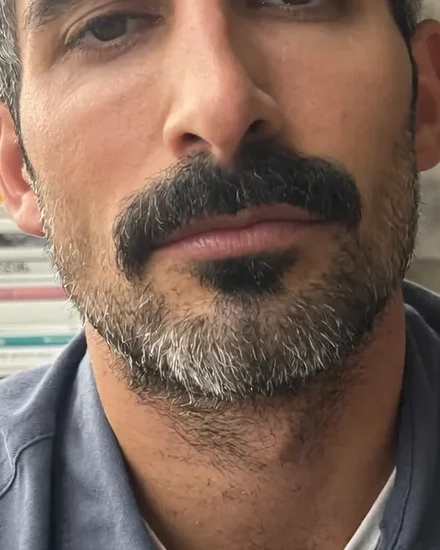
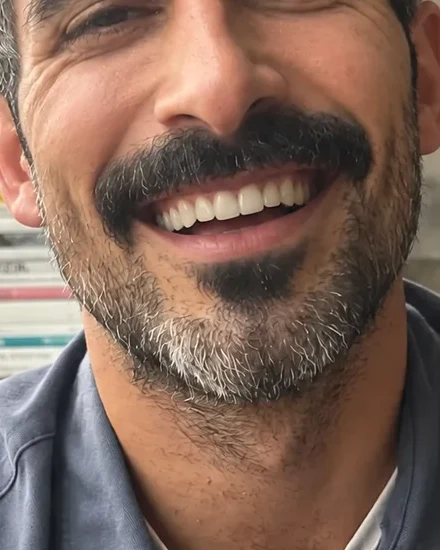
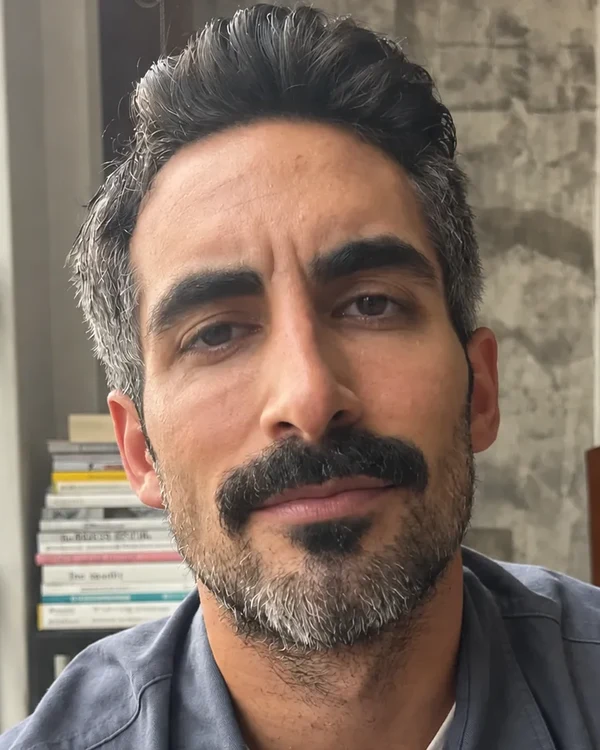
None of the source portraits showed teeth. Every set of teeth in the edits is the model's guess, even and white.
Fix: If your teeth matter, like a gap or a crown, use the soft smile, which keeps the lips closed. Or start from a photo that shows them.
Each prompt names the mouth, the cheeks and the eyes, then says what must not change. Paste one into the image editor as it is.
Keep the same face shape, nose, eye color, skin, hair, clothes, lighting, camera angle and background exactly as they are.
Soft
Lips closed, corners up. No teeth.
Give the person a soft closed-mouth smile: the corners of the lips turn up a little, the lips stay together and no teeth show. The cheeks lift slightly and the eyes soften.
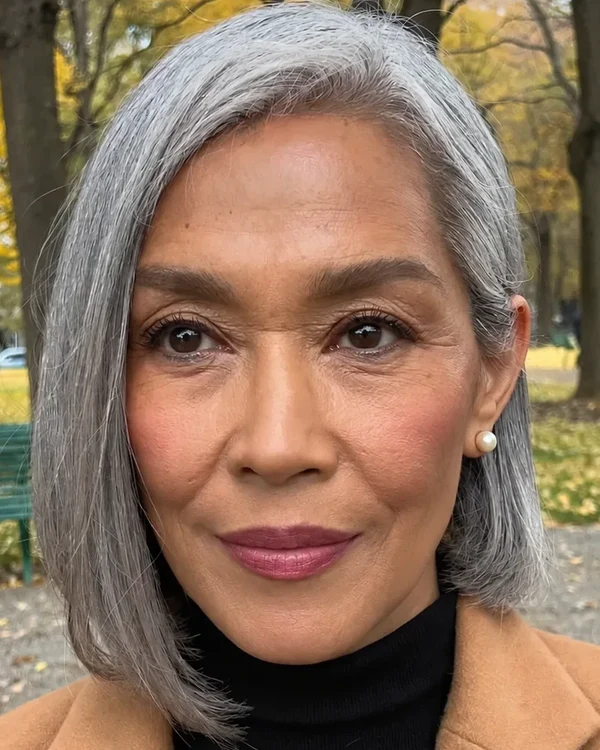
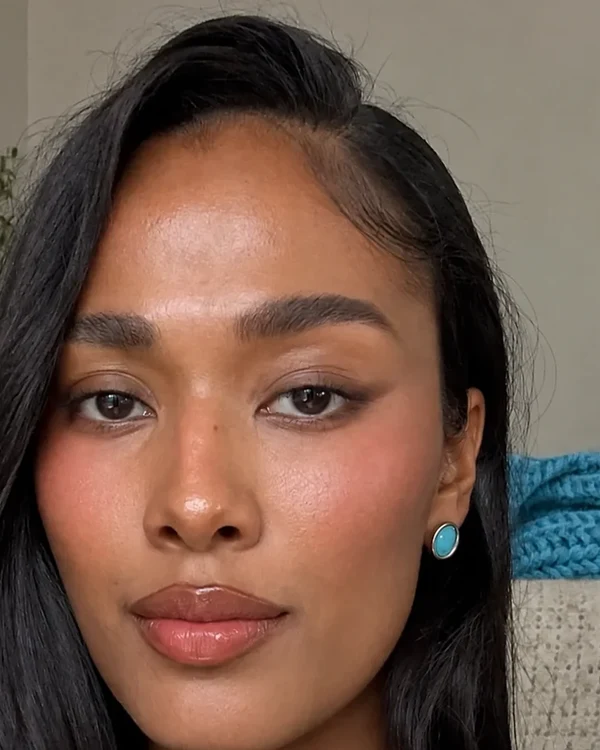
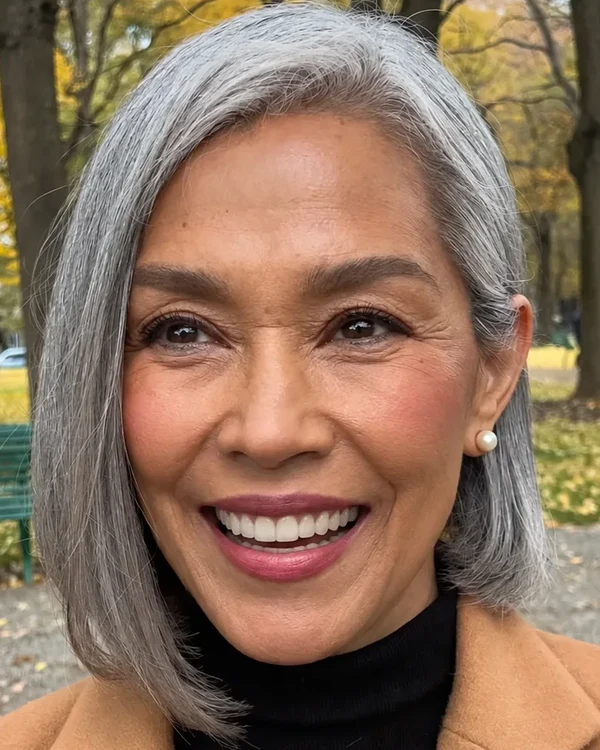
Natural
A little of the upper teeth, eyes narrowed.
Give the person a natural smile that shows a little of the upper teeth. The cheeks lift and the eyes narrow slightly, with small creases at the outer corners.
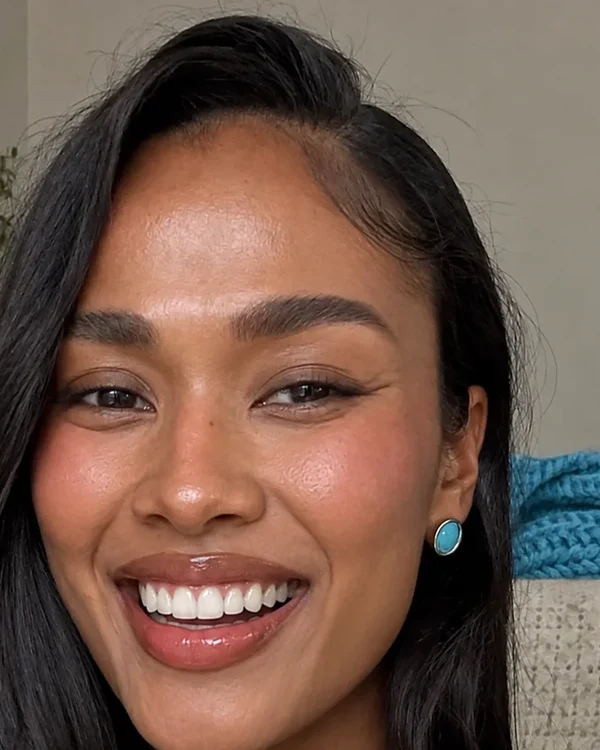
Big
A full laugh, upper teeth showing.
Give the person a big open smile, as if laughing at something just off camera, with the upper teeth fully showing. The cheeks lift high and the eyes narrow, with creases at the outer corners.
Pick the plan for how much you post. Every model on every plan. Unused credits roll over. Cancel anytime.
Billed monthly
For solo creators posting every week
500 credits every month
Billed monthly
For creators posting daily across channels
1,300 credits every month
Billed monthly
For brands and production teams
2,700 credits every month
Billed monthly
For agencies running always-on content
5,500 credits every month
Want checkout, comparison tables, or a custom volume? See the full pricing page
Plans from $19 a month, about 8 cents a smile edit.