Skip to content

Video compilation maker

Your best clips, cut on the beat

Cut each clip to its moment, put them in order and lay a song under them.
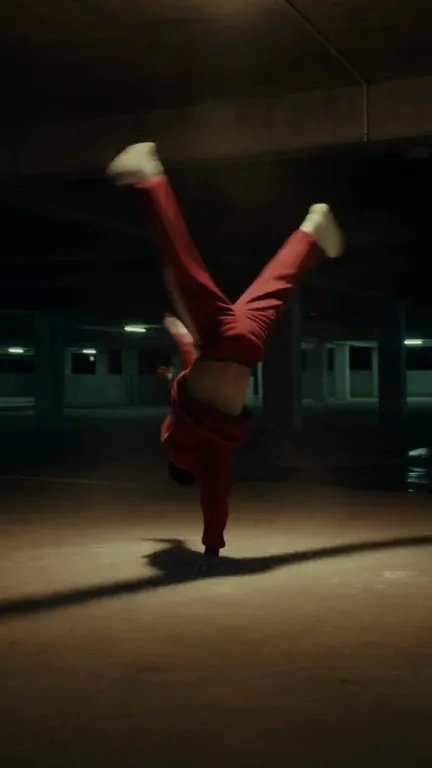
A dancer in a red tracksuit holds a one-hand freeze in an empty car park.
No.1
0:12 / 0:18

Free, with no upload: iMovie, Google Photos, Clipchamp or FFmpeg; steps just below.

Make a compilation in Studio

Plans from $19 a month, each project's first export included. Studio runs in a desktop browser.

Free ways on your phone or computer

Each runs on your own device, with no upload. Studio is the paid route, for full control: you set each cut on the song's waveform, write your own title cards and export up to 4K for commercial use.

iPhone
In iMovie, Apple's free app: tap Start New Project, then Movie. Tap your clips, then Create Movie. Touch and hold a clip to drag it into place. For a song, tap Add Media, then Audio. Tap Done, Share, Save Video.
Android
In Google Photos: tap Create, then Highlight video. Pick a template, which comes with music, text and beat-matching, then select your clips. Touch and hold a clip to drag it into order, then tap Save.
Windows
In Clipchamp, built into Windows 11: import your clips and a song under My media. Drag the clips side by side onto one track, the song under them, then click Export. The free plan exports up to 1080p.
Mac
In iMovie, free from Apple: click Create New, then Movie. Drag your clips from the browser to the timeline in order. Select Audio & Video above the browser and drag a song to the background music well. Choose File > Share > File.
Any computer

With FFmpeg, for clips from the same phone or camera: list them in clips.txt, one file 'name.mp4' line each, then run this. It joins them in order and lays song.mp3 under them, ending when the shorter one ends.

ffmpeg -f concat -safe 0 -i clips.txt -i song.mp3 -map 0:v -map 1:a -c:v copy -shortest compilation.mp4

Steps from Apple iMovie for iPhone, Google Photos Help, Microsoft Clipchamp help, Apple iMovie for Mac, FFmpeg concat docs, checked November 5, 2026.

How to make a compilation videoSix steps in Studio

  1. 01

    Pick a theme, then gather the clips

    One idea holds a compilation together: a year of your shorts, one season, one trip, one pet. Upload the clips, photos and song to a Studio project. Pull in clips you made in Sceneform from the same library.

  2. 02

    Cut each clip down to its moment

    Park the playhead where the moment starts and press S to split. Drag the edges in. Keep half a second of run-up so the payoff makes sense.

  3. 03

    Put them in order

    Drag the clips along the timeline. Count down to the best one, follow the calendar, or build from calm to wild.

  4. 04

    Lay the song under and cut on the beat

    Studio draws the waveform of every clip and song on the timeline, so the kicks are easy to see. Line each cut up with one. Turn the clips' own sound down or off, and fade the song out at the end.

  5. 05

    Add title cards

    Add a text item for the opening title, a number or a label for each clip, and a closing card. Studio can also write captions from the speech in your clips.

  6. 06

    Export

    New projects start at 1080 by 1920 for Shorts, Reels and TikTok; set 1920 by 1080 for YouTube. Download an MP4 or WebM at 720p, 1080p or 4K, at 24, 30 or 60 frames a second.

How long should each clip be?Count it in beats

The reel above is cut to a 120 BPM song, so one beat is 0.5 s. Every cut lands on a kick: four beats for the first clips, two once it picks up, eight for No. 1 at half speed.

  1. My year in shorts

    Card, 4

    starts at 0:00
  2. No. 8, 4

    starts at 0:02
  3. No. 7, 4

    starts at 0:04
  4. No. 6, 4

    starts at 0:06
  5. No. 5, 2

    starts at 0:08
  6. No. 4, 2

    starts at 0:09
  7. No. 3, 2

    starts at 0:10
  8. No. 2, 2

    starts at 0:11
  9. No. 1, 8

    starts at 0:12
  10. See you next year

    Card, 4

    starts at 0:16
Beats per clip under each frame. Studio draws this waveform on its timeline: park the playhead on a kick and press S.

Your song, your numbers

Pick the song first. Its tempo sets every cut. Most songs list their BPM, or tap along for fifteen seconds and multiply by four.

120 BPM: one beat is 0.5 s, or 15 frames at 30 fps.

0.5 s
1 beat
a flash: the last few clips before the best one
1 s
2 beats
keeps it moving once the reel has picked up
2 s
4 beats
holds a moment long enough to land
4 s
8 beats
the finale, often at half speed

Same eight clipsThree ways to order them

Order decides why someone keeps watching. Title cards tell them which order they're in.

A ranked best-of. A number on every clip, and viewers stay for No. 1.

  1. Top 8
  2. A rally car throws up a wall of muddy water on a forest road.8
  3. A cook tosses rice in a wok as flames jump over the rim.7
  4. A man presses an earbud into his ear on a crowded train.6
  5. A woman in a snow jacket takes a big bite of a taco.5
  6. A grey cat reaches for a treat bag as its owner gasps.4
  7. A young man on a sofa flinches with wide eyes.3
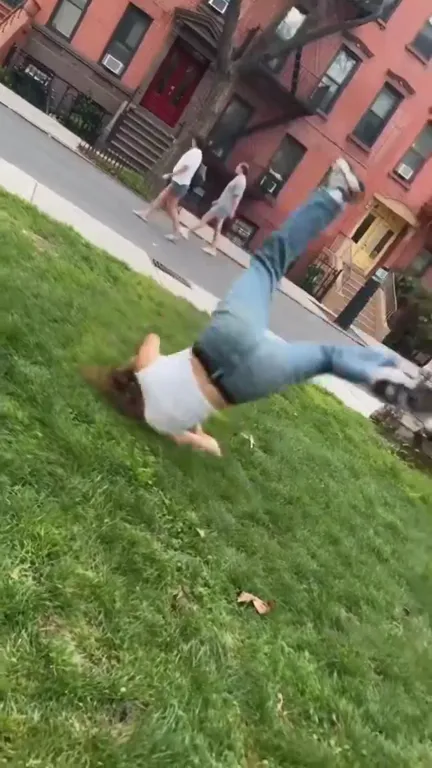
  8. A woman tumbles sideways onto the grass in a city park.2
  9. A dancer in a red tracksuit holds a one-hand freeze in an empty car park.1

Five more compilationsAnd how to cut each one

The reel above is a year of shorts. These are the other compilations people make most, with the length, pace and order that suit each.

A grey cat on a kitchen counter tips a mug off the edge, it smashes on the floor, and the cat stares into the lens.

Funny pet moments

Length
30 to 60 seconds for Shorts and Reels
Each clip
1 to 3 seconds, cut right after the punchline
Order
Building, best fail last
Sound
Keep the clips' own sound under a quiet song
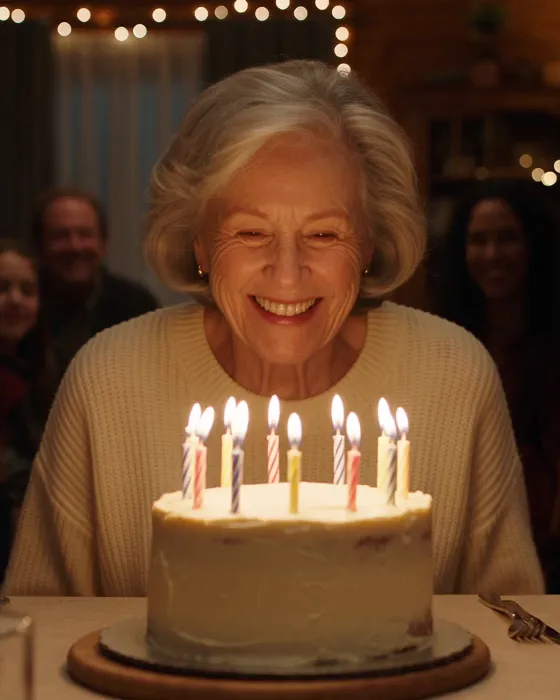
A grey-haired woman blows out the candles on her birthday cake and laughs as her family looks on.

Birthday or wedding recap

Length
2 to 4 minutes to play at the party
Each clip
3 to 6 seconds; speeches stay whole
Order
In time, from arrivals to the last dance
Sound
Warm song at 80 to 100 BPM, dipped under the candles and speeches
A footballer in a green kit sprints at the camera after scoring in the rain and knee-slides to a stop, roaring.

Season highlights

Length
1 to 3 minutes
Each clip
4 to 8 seconds, from the build-up to the celebration
Order
In time, a match card before each game
Sound
120 to 130 BPM, cuts on the beat between goals
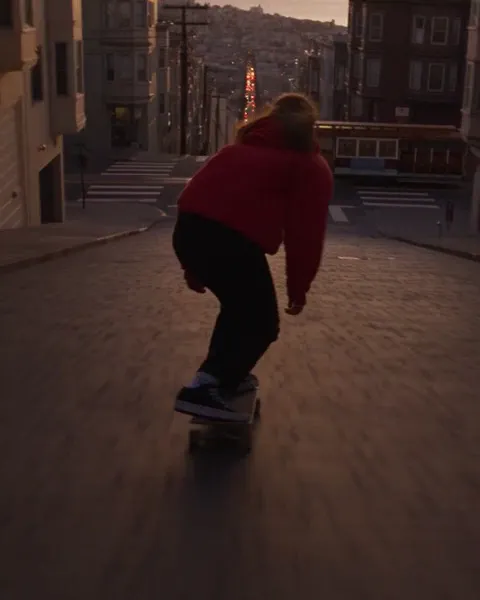
A skateboarder in a red hoodie bombs a steep San Francisco hill at dusk as a cable car crosses below.

Trick clips

Length
30 to 60 seconds
Each clip
Run-up to landing, nothing after
Order
Countdown, the hardest trick last
Sound
90 to 100 BPM; the best trick again at half speed
A woman in a mustard coat leans on a ferry rail at night as a deckhand brings two cups of tea.

Travel year

Length
60 to 90 seconds
Each clip
2 to 4 seconds, one per place
Order
In time, a place name card for each stop
Sound
100 to 110 BPM, one song all the way through

Can AI make a compilation?It makes the parts. You pick the moments.

You know which moments matter, so you choose them. Sceneform makes what a compilation is often missing.

A song cut to fit

The reel's song came from this prompt in the Audio panel. Instrumental, 120 BPM, ending on the reel's last cut.

0:00 / 0:18
“Punchy instrumental for a 20-second highlight reel of short videos. Exactly 120 BPM, steady four-on-the-floor kick on every beat from the very first second, no intro and no fade in. Bright synth stabs, clapping snare on beats two and four, deep bass. The first half grooves, the second half builds with rising energy, and it ends on one big final hit at the last beat.”

An empty football pitch at night in the rain as the floodlights switch on one by one and the camera glides toward the goal.

The shot you didn't film

A season reel wants an opener: the empty pitch before kick-off. Describe it and Seedance 2.5 makes a 5-second clip that drops onto the same timeline.

Captions from speech

Studio writes captions from what people say in your clips, timed to the words. Keep them for interviews and speeches; leave them off for music-only reels.

Cutting your own clips and songs in Studio uses no credits, and each project's first export is free. Each re-export costs 10 credits, so the $19 Creator plan covers 50 a month. A 30-second song made in the Audio panel adds 4 credits.

Simple pricing that scales with you.

Pick the plan for how much you post. Every model on every plan. Unused credits roll over. Cancel anytime.

Creator

$19/month

Billed monthly

For solo creators posting every week

500 credits every month

  • Up to 250 AI images
  • Up to 50 Studio exports, plus the first export of each project
  • Up to 1.5 hours of AI voiceover
  • Roll over up to 1,000 credits

Pro

Most popular
$49/month

Billed monthly

For creators posting daily across channels

1,300 credits every month

  • Up to 650 AI images
  • Up to 130 Studio exports, plus the first export of each project
  • Up to 4 hours of AI voiceover
  • Roll over up to 2,600 credits

Studio

$99/month

Billed monthly

For brands and production teams

2,700 credits every month

  • Up to 1,350 AI images
  • Up to 270 Studio exports, plus the first export of each project
  • Up to 9 hours of AI voiceover
  • Roll over up to 5,400 credits

Scale

$199/month

Billed monthly

For agencies running always-on content

5,500 credits every month

  • Up to 2,750 AI images
  • Up to 550 Studio exports, plus the first export of each project
  • Up to 18 hours of AI voiceover
  • Roll over up to 11,000 credits
Every plan includesEvery model, 90+ and countingReusable AI personasSceneform Studio editorCommercial usage rights

Want checkout, comparison tables, or a custom volume? See the full pricing page

Before you pick the clipsCommon questions

An empty football pitch at night in the rain under its floodlights.

Pick the moments.Cut them on the beat.

Make a compilation

Plans from $19 a month. Commercial use and no watermark included.