


Skip to content

Add music to video.

Hear what the score changes.

Put a song you own or an original score under your video in Studio, set its volume and fades, and export an MP4.

See the free steps for your phone
iPhone
In iMovie, Apple's free app: tap Add Media, then Audio. Pick a song and tap Add Audio.
Android
In Google Photos: open the video, tap Audio, Add music, On device. Pick a song, tap Done, then Save.
Add music in Studio
Add music in Studio

Studio runs in a desktop browser, on plans from $19 a month. Each project's first export is included.

Three shots and no sound. Pick a score.

The Upbeat prompt · instrumental, 15 seconds

Upbeat instrumental for a 15-second coastal travel video: a cyclist on a cliff road at sunrise, a surfer running into the sea, a surfer inside a breaking wave. Bright acoustic guitar, ukulele, handclaps and a kick drum, 118 BPM, sunny and carefree. Full groove from the first second, a lift halfway through, and one big final strum on the last beat. No silence at the end.

Free, with no upload, in an app on your device:

iPhone
In iMovie, Apple's free app: tap Add Media, then Audio. Pick a song and tap Add Audio.
Android
In Google Photos: open the video, tap Audio, Add music, On device. Pick a song, tap Done, then Save.
Mac
In iMovie: drag a song to the background music well.
Windows
In Clipchamp, built into Windows 11: import both files, drag them onto the timeline, then Export.
Every step, an FFmpeg command and the sources

Every free way, step by step.On your phone or your computer.

iPhone, with iMovie

Free from Apple. Its soundtracks stretch to fit the length of your movie.

  1. 1Tap Start New Project, then Movie. Tap your video, then Create Movie.
  2. 2Tap the Add Media button, then tap Audio.
  3. 3Tap Soundtracks, My Music for songs synced from your computer, or iCloud Drive for a file.
  4. 4Tap the track, then tap the Add Audio button.
  5. 5Tap Done, tap the Share button, then tap Save Video.
Steps from Apple's iMovie guide, checked November 4, 2026

Android, with Google Photos

First allow Google Photos music and audio access in Settings.

  1. 1Open the video in Google Photos.
  2. 2Tap Audio, then Add music, then On device, and pick a song.
  3. 3Touch and hold, then drag to choose the part of the song. Tap Done.
  4. 4Tap Music, then Volume to balance Video audio and Soundtrack.
  5. 5Tap Save at the top. It saves a copy.
Steps from Google Photos Help, checked November 4, 2026

Mac, with iMovie

Background music sits below the timeline and ignores edits to your clips.

  1. 1Open your movie in the timeline and select Audio & Video above the browser.
  2. 2In the sidebar, select Music or Sound Effects.
  3. 3Drag the song to the background music well below the timeline.
  4. 4Select the movie in the browser and choose File > Share > File.
  5. 5Click Next, name it in Save As, and click Save.
Steps from Apple's iMovie guide, checked November 4, 2026

Windows, with Clipchamp

Built into Windows 11. Its free plan exports up to 1080p.

  1. 1Click My media, then Import media, and add the video and the song.
  2. 2Drag both onto the timeline.
  3. 3Click the song, open the audio tab on the property panel, and drag the volume slider.
  4. 4For a fade, open the fade tab and drag the fade-out slider.
  5. 5Click Export and pick a resolution.
Steps from Microsoft's Clipchamp help, checked November 4, 2026

Any computer, with FFmpeg

FFmpeg is a free command-line tool. Name your files video.mp4 and song.mp3, then run one line.

Replace the sound with a song

ffmpeg -i video.mp4 -i song.mp3 -map 0:v -map 1:a -c:v copy -shortest with-music.mp4

Stops at whichever is shorter. The picture is copied, not re-encoded.

Keep the sound, put the song under it

ffmpeg -i video.mp4 -i song.mp3 -filter_complex "[1:a]volume=-16dB[m];[0:a][m]amix=inputs=2:duration=first:normalize=0[a]" -map 0:v -map "[a]" -c:v copy with-music.mp4

The song plays 16 dB below the original sound, for the length of the video.

How to add music to a video.Four steps in Studio.

Bring a song you have, or make one for the video in the same project. Timing and levels are yours to set.

Open Studio
  1. 1

    Put both files in a project

    Open Studio and upload your video and your song to the project's media. Select them and press Add to timeline.

  2. 2

    No song yet? Make one

    Open Audio, pick Music and describe the track: genre, instruments, tempo and mood. Pick 15 seconds to 3 minutes. It lands in the project's media.

  3. 3

    Fit it to the picture

    Drag the music to where it should start. Move the playhead to the last frame, press S to split the music, and delete the piece that runs past the end.

  4. 4

    Set the level, then export

    Select the music and set Volume, Fade in and Fade out. Open Export and press Export video for an MP4 or WebM file.

Two settings make it sound finished.The level under a voice, and the end.

Same edit, played back at the settings below. Each one is the Volume or Fade out on the music in Studio.

Under a voice

When the video ends

Press a setting to hear it.

Voiceover

Day three on the coast. We left before sunrise, rode the cliff road down to the beach, and were in the water by six.

Which music can you use?Make it, own it, or license it.

Where a song comes from decides where you can post it.

An original score you make in Studio
Yes
Describe it in Audio, Music. Every paid plan includes commercial use.
A song you wrote, recorded or licensed
Yes
Upload the file to the project, and keep the license with it.
A track from YouTube's Audio Library
On YouTube
YouTube says these tracks won't be claimed through Content ID. Credit the artist when the license is Creative Commons.
A song you bought on iTunes
With a license
Apple's iMovie guide says you need the copyright or the holder's permission to publish it.
A song you stream on Spotify
No
Spotify's terms allow personal, non-commercial use only. On YouTube, a claimed song can get your video muted or blocked.

Simple pricing that scales with you.

Pick the plan for how much you post. Every model on every plan. Unused credits roll over. Cancel anytime.

Creator

$19/month

Billed monthly

For solo creators posting every week

500 credits every month

  • Up to 250 original scores, or
  • Up to 50 Studio exports, plus the first export of each project
  • Up to 1.5 hours of AI voiceover
  • Roll over up to 1,000 credits

Pro

Most popular
$49/month

Billed monthly

For creators posting daily across channels

1,300 credits every month

  • Up to 650 original scores, or
  • Up to 130 Studio exports, plus the first export of each project
  • Up to 4 hours of AI voiceover
  • Roll over up to 2,600 credits

Studio

$99/month

Billed monthly

For brands and production teams

2,700 credits every month

  • Up to 1,350 original scores, or
  • Up to 270 Studio exports, plus the first export of each project
  • Up to 9 hours of AI voiceover
  • Roll over up to 5,400 credits

Scale

$199/month

Billed monthly

For agencies running always-on content

5,500 credits every month

  • Up to 2,750 original scores, or
  • Up to 550 Studio exports, plus the first export of each project
  • Up to 18 hours of AI voiceover
  • Roll over up to 11,000 credits
Every plan includesEvery model, 90+ and countingReusable AI personasSceneform Studio editorCommercial usage rights

Want checkout, comparison tables, or a custom volume? See the full pricing page
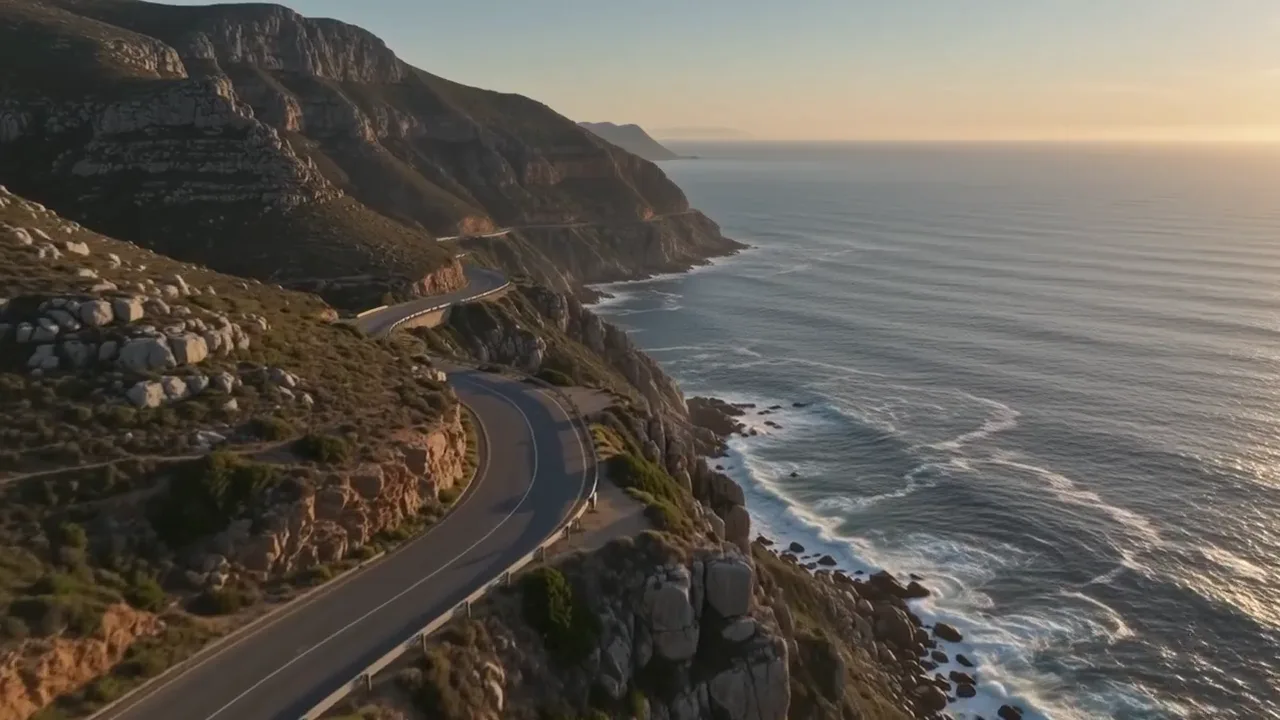
Adding music to a video

A cyclist rides a cliff road above the sea at sunrise, then a surfer runs into the waves, then a surfer rides inside a breaking wave.

Same picture.Pick the feeling.

Add music in Studio

Plans from $19 a month. Commercial use and no watermark included.