Creator
$19/month
Billed monthly
For solo creators posting every week
500 credits every month
- Up to 250 AI images
- Up to 50 AI videos
- Up to 1.5 hours of AI voiceover
- Roll over up to 1,000 credits
Plan, script, record, cut, caption, export.
Every step on this page builds the same 60-second tutorial. Play the finished one first, then see how each part was made.
Commercial use and no watermark on every paid plan.
Cut and caption in Studio on a tablet or computer.
Here's the kit:
How to spray a stencil
1:00 · 6 chapters · Narrated, captioned
Teach one thing a viewer can finish by the end. Write down who they are and what they already know.
List every step in order, then write what you'll say over each one. Read it aloud and cut anything you wouldn't say to a friend.
Record your screen, film with a phone, or skip filming and have each step illustrated. Record one step per take.
Remove false starts, pauses and waiting. Speed up anything slow and crop to the part that matters.
Narrate over the picture or type the script for a generated voice. Add captions so it works with the sound off.
Export an MP4 at 1080p: 16:9 for YouTube, 9:16 for Shorts, TikTok and Reels. Add chapters to the description.
Left, what the viewer sees. Right, what they hear. One row per step. This is the stencil script, with every line timed as it was read.
How to spray a stencil
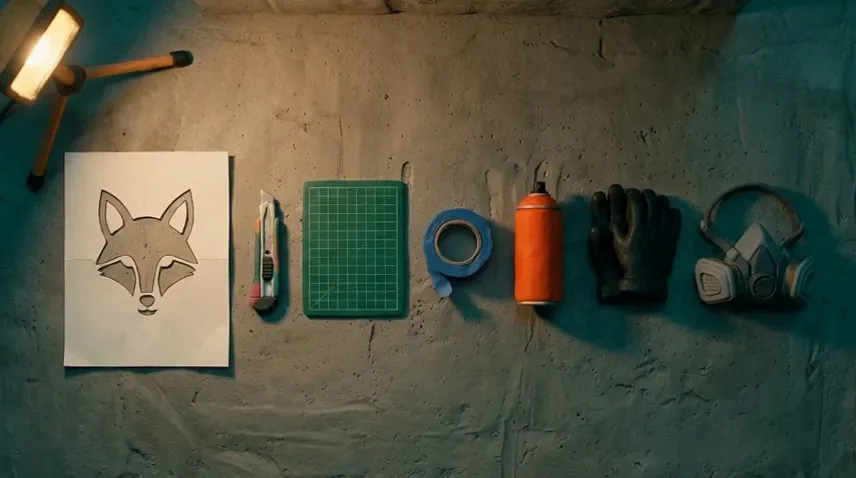
0:00 What you need
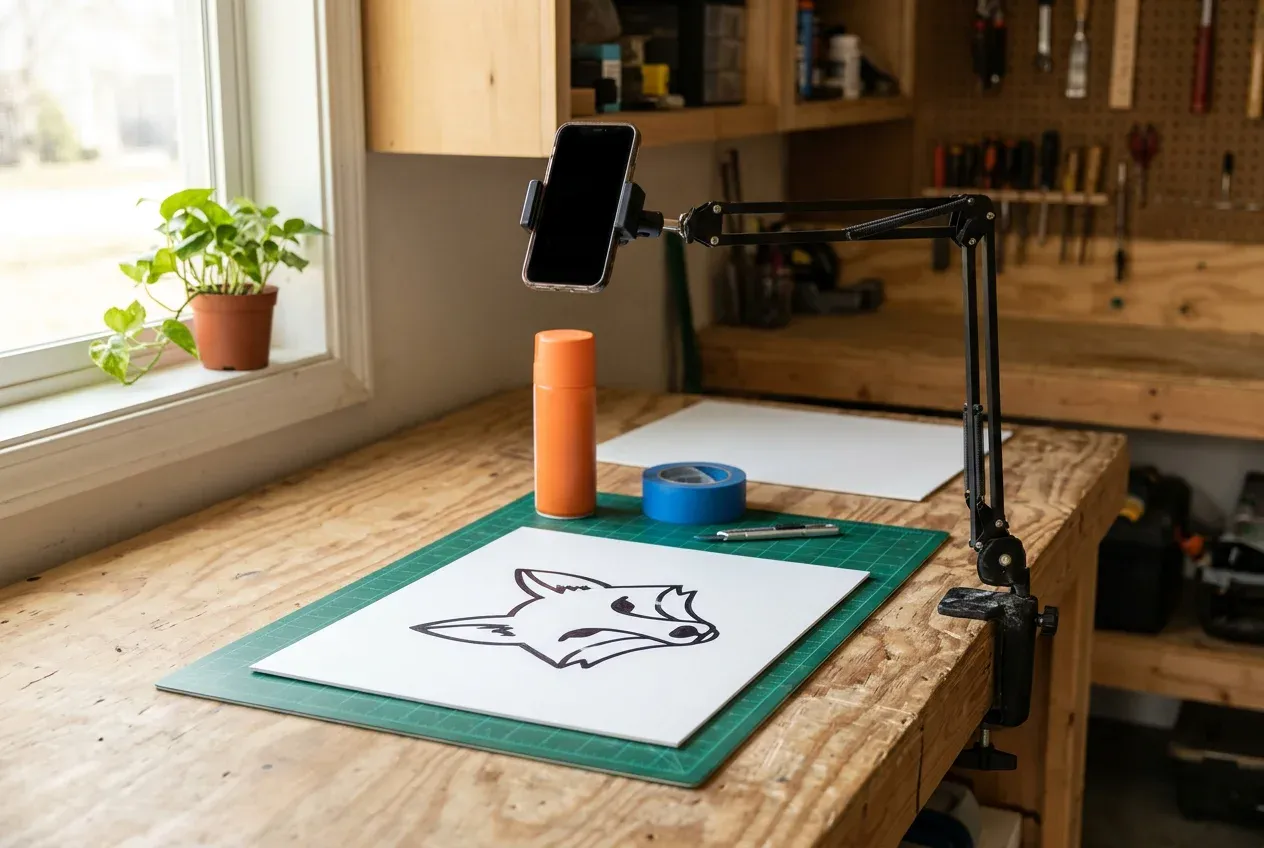
Top-down on concrete: card with a fox drawn on it, knife, mat, tape, spray can, gloves, mask.
Here's the kit: thick card with your design on it, a craft knife, a cutting mat, painter's tape, a can of spray paint and a mask.
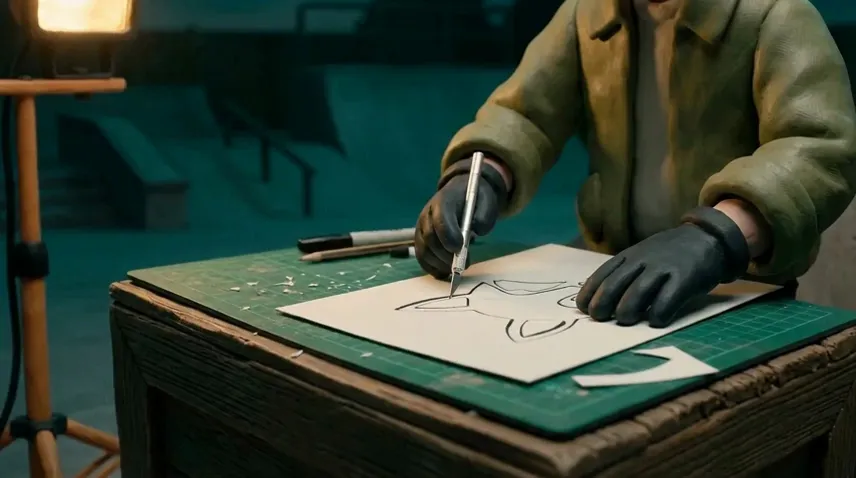
0:10 Cut the stencil
Gloved hands cut the fox's ears out of the card with a knife.
Cut out every part you want painted. Leave thin bridges of card across the gaps, or the eyes and nose fall out.
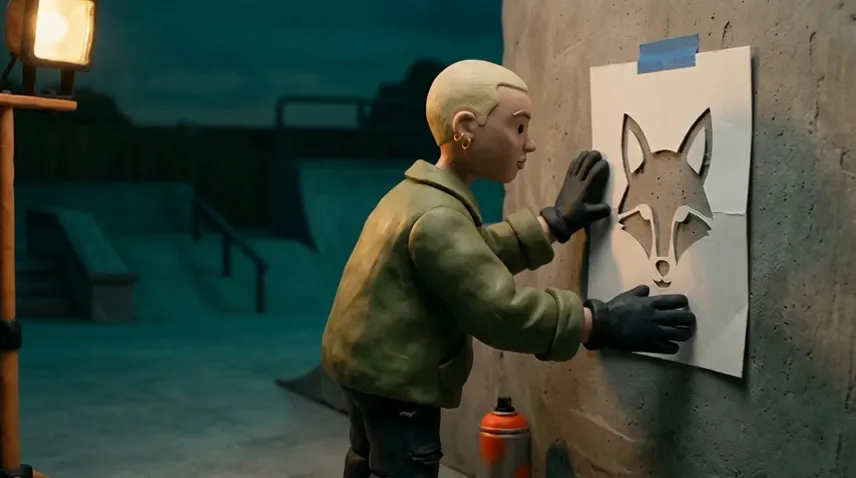
0:20 Tape it flat
She presses the stencil to the wall and tapes down the edges.
Press the stencil flat against the wall and tape down every edge. Any gap lets paint creep underneath and blurs the line.
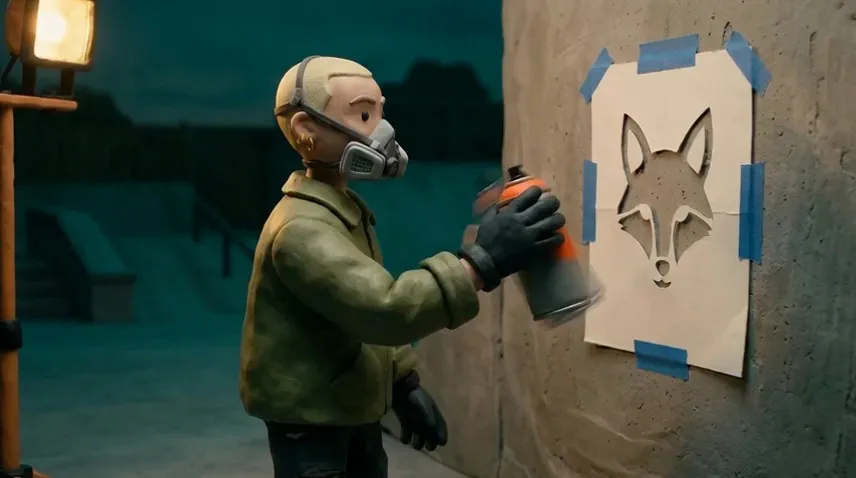
0:30 Mask on, shake the can
In a respirator, she shakes the orange can beside the taped stencil.
Put your mask on, then shake the can for a full minute, until the ball inside rattles freely.
0:40 Spray thin coats
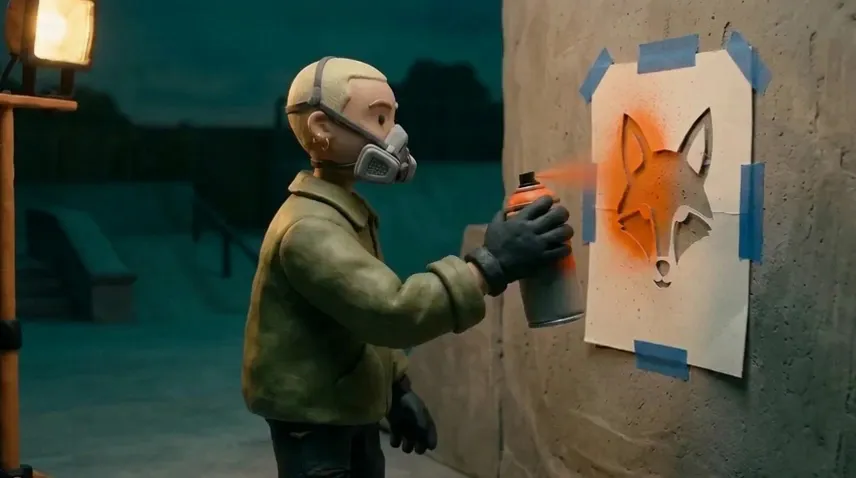
Light passes of orange mist fill the fox through the stencil.
Hold the can a hand's width away and spray light, quick passes. Two thin coats beat one heavy one, which drips.
0:50 Peel it off
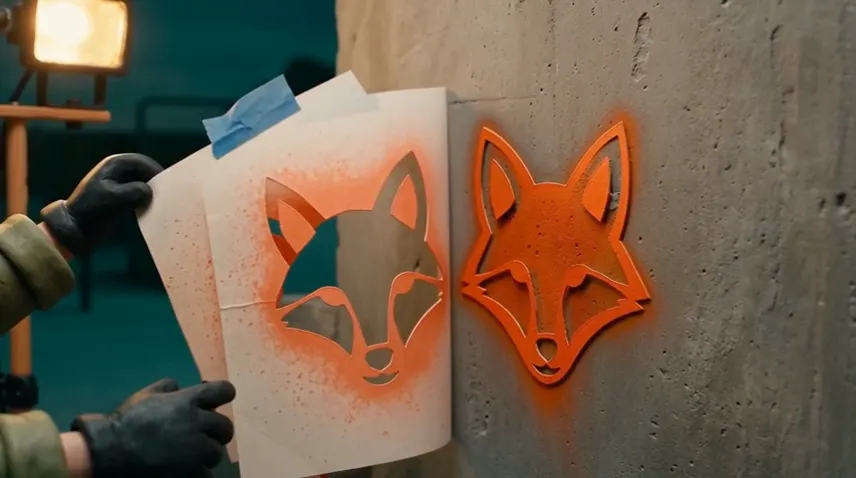
The stencil comes away from a clean orange fox; she steps back with it.
Let it dry for a minute, then peel the stencil off slowly from one corner. Wipe it clean, and you can use it again.
133 words, 46 seconds of speech, 60 seconds of video. Plan on about 130 words for each minute of video, so every step has a beat to show before the next line starts.
Sceneform doesn't record your screen or camera. Use the recorder you already have and bring the file to Studio, or skip recording and have every step illustrated.

Software, websites, settings, spreadsheets.
Cooking, crafts, repairs, anything done with hands.
Recipes, processes and ideas you can't film right now.
Add your recording to Studio on a computer. These are the five cuts a first take usually needs.
False starts and retakes
Split
Split the clip where the good take begins and delete the piece before it.
Pauses and dead air
Split
Split around the silence and delete it. Leave a short beat between steps.
Waiting for something
Speed
An install, a progress bar, an oven timer. Play that stretch faster, up to 5x.
A small detail on a big screen
Framing, Zoom in
Crop to the window or button that matters, or push in slowly with a zoom.
A step the viewer could miss
Text
Name it on screen in a few words, where it starts.
2. Cut the stencil
Paste the narration column and pick a voice. The same opening line, read two ways:
“Here's the kit: thick card with your design on it, a craft knife, a cutting mat, painter's tape, a can of spray paint and a mask.”
Victoria
American, warm. Storybook's default narrator.
Eleanor
British, clear and measured.
Record your narration in a quiet room and add it to the Studio timeline. Or make a custom voice from a recording of yourself and type the lines you didn't record.
In Studio, Auto captions writes each spoken word onto the timeline at the moment it's said. Fix any word, pick a style, and export with the captions burned in, like the tutorial at the top of this page. See the caption styles
Studio exports MP4 at 720p, 1080p or 4K. For the vertical cut, swap the canvas and move the picture into frame.
then peel the stencil off slowly
then peel the stencil off slowly
Paste these under a YouTube video and the progress bar splits into named parts. YouTube needs the first at 0:00, at least three, and each one 10 seconds or longer.
The plan and the recording stay yours. Sceneform does the editing, the voice and the captions, and can draw the whole thing when there is nothing to film.
| Step | You | Sceneform |
|---|---|---|
| Plan | You: Pick the task and the viewer. | Sceneform: Nothing. This part is yours. |
| Script | You: List the steps in order. | Sceneform: Storybook writes the narration from your steps or a link. |
| Record | You: Record your screen or film with your phone. | Sceneform: No screen or camera recorder. Storybook can illustrate the steps instead. |
| Cut | You: Decide what stays. | Sceneform: Studio splits, trims, speeds up, crops and adds text. |
| Voice | You: Narrate, or don't. | Sceneform: A voiceover from your typed script, your own cloned voice, or a presenter made from one photo. |
| Captions | You: Read them once and fix any word. | Sceneform: Auto captions write each spoken word at the moment it's said. |
| Export | You: Choose the shape and where it goes. | Sceneform: MP4 or WebM at 720p, 1080p or 4K, 24, 30 or 60 frames a second. |
Pick the plan for how much you post. Every model on every plan. Unused credits roll over. Cancel anytime.
Billed monthly
For solo creators posting every week
500 credits every month
Billed monthly
For creators posting daily across channels
1,300 credits every month
Billed monthly
For brands and production teams
2,700 credits every month
Billed monthly
For agencies running always-on content
5,500 credits every month
Want checkout, comparison tables, or a custom volume? See the full pricing page
Plans from $19 a month. Commercial use included.