Creator
$19/month
Billed monthly
For solo creators posting every week
500 credits every month
- Up to 250 AI images
- Up to 7 HeyGen Avatar IV videos (30 s, 71 credits each)
- Up to 1.5 hours of AI voiceover
- Roll over up to 1,000 credits
Write the script. Your presenter says it.
Start from one photo or a Persona. Type what they should say, pick a voice, and get a talking avatar video for a course, a gym or a kitchen.
Plans from $19 a month. 30 seconds on HeyGen Avatar IV costs about $2.70.
Welcome to lesson three. Today we throw our first bowl on the wheel, and we stop being scared of wet clay. Sleeves up.
HeyGen Avatar IV, voice Margaret, 16:9
Pick the face
Upload a photo of the presenter, or pick a Persona, a face saved to reuse. Make one from your photos, a description or the Builder, or pick a Featured Persona: a ready-made presenter you can use as it is.
Give it a voice
Pick the model and the shape
Choose 9:16 for phones or 16:9 for courses and players, check the length fits the model, and generate.
Sami is a Persona: a face and a voice saved together. Put him in any scene with the image generator, then make each scene talk. His face and voice stay the same, in English or in Spanish.
Weekly update, 16:9
Hi, it's Sami. Three new plants came in this week, and all three are very hard to kill.
Care tip, 9:16
Water it when the top inch of soil feels dry. Not before. Most houseplants die from too much love.
Product video, 9:16
This pot hides its own saucer, so the water stays in and your windowsill stays dry.
Welcome, in Spanish, 16:9
Hola, soy Sami. Bienvenidos a la tienda. Si buscan una planta fácil, pregúntenme.
Each bar runs from the shortest to the longest audio a model takes. A calm presenter reads about 150 words a minute.
About 75 words. 6 models fit
Infinitalk
Long talking videos. No set length cap. 480p or 720p.
HeyGen Avatar IV
Talking-head presenters from one photo. Up to 3 minutes. 9:16 or 16:9.
Mirage Avatar X
Realistic talking heads. 3 seconds to 3 minutes. Photo must be 9:16 or 16:9.
OmniHuman 1.5
Expressive, full-body presenters. Up to 60 seconds at 720p, 30 at 1080p.
Kling Avatar 2.0
Talking avatars up to 1080p. 2 to 60 seconds.
VEED Fabric 1.0
Short presenters from audio or a typed line. Up to 30 seconds. 480p or 720p.
Grok ImagineToo long
Reads a typed line. 6 to 15 seconds. 9:16 or 16:9.
Wan 2.5Too long
Talking clips with a scene prompt. 5 or 10 second videos, up to 1080p.
Veo 3.1Too long
Reads a typed line, up to 4K. 8 seconds. 9:16 or 16:9.
Veo 3.1 and Grok Imagine read a typed line, so their length is the video length. Veo 3.1 Fast has the same 8-second limit. Infinitalk takes longer audio. For the others, split a script longer than 3 minutes and make one video per part.
The avatar model animates the photo you give it, background and all. Frame it the way the video should look.
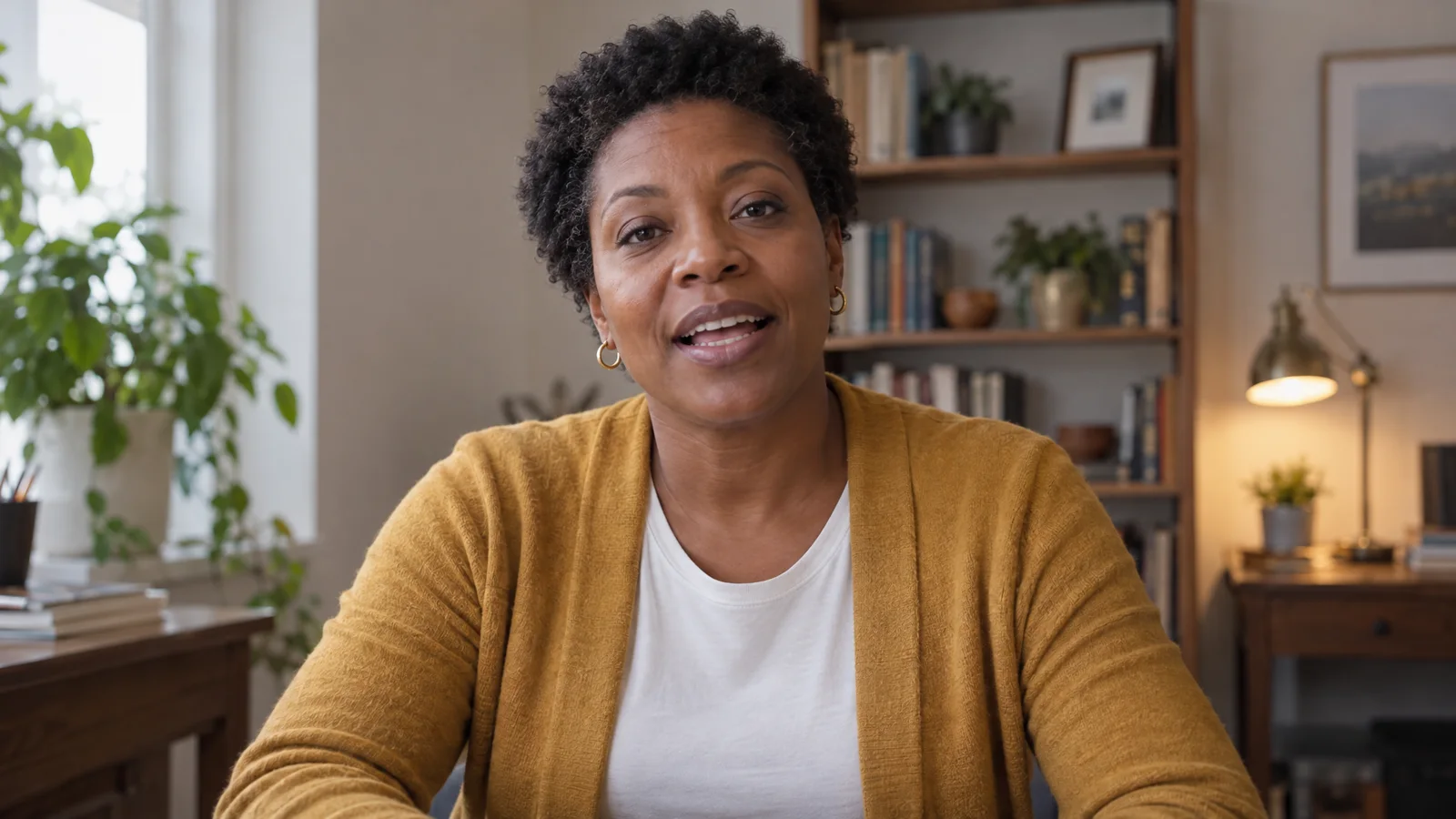
This photo works
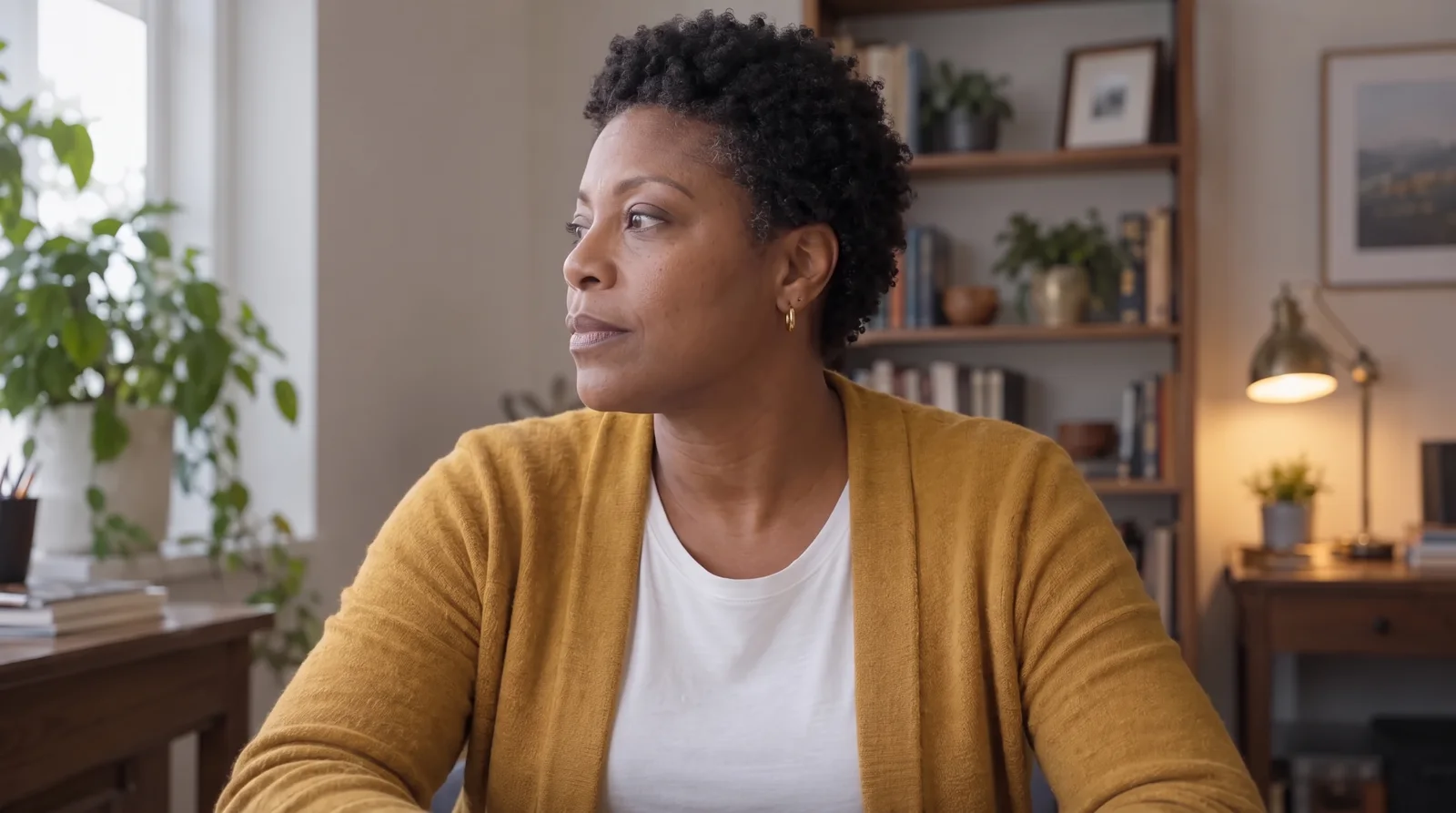
Turned away
The model sees half a face and has to guess the rest when she talks.

Mouth covered
A mug, a hand or a microphone in front of the lips leaves nothing to move.
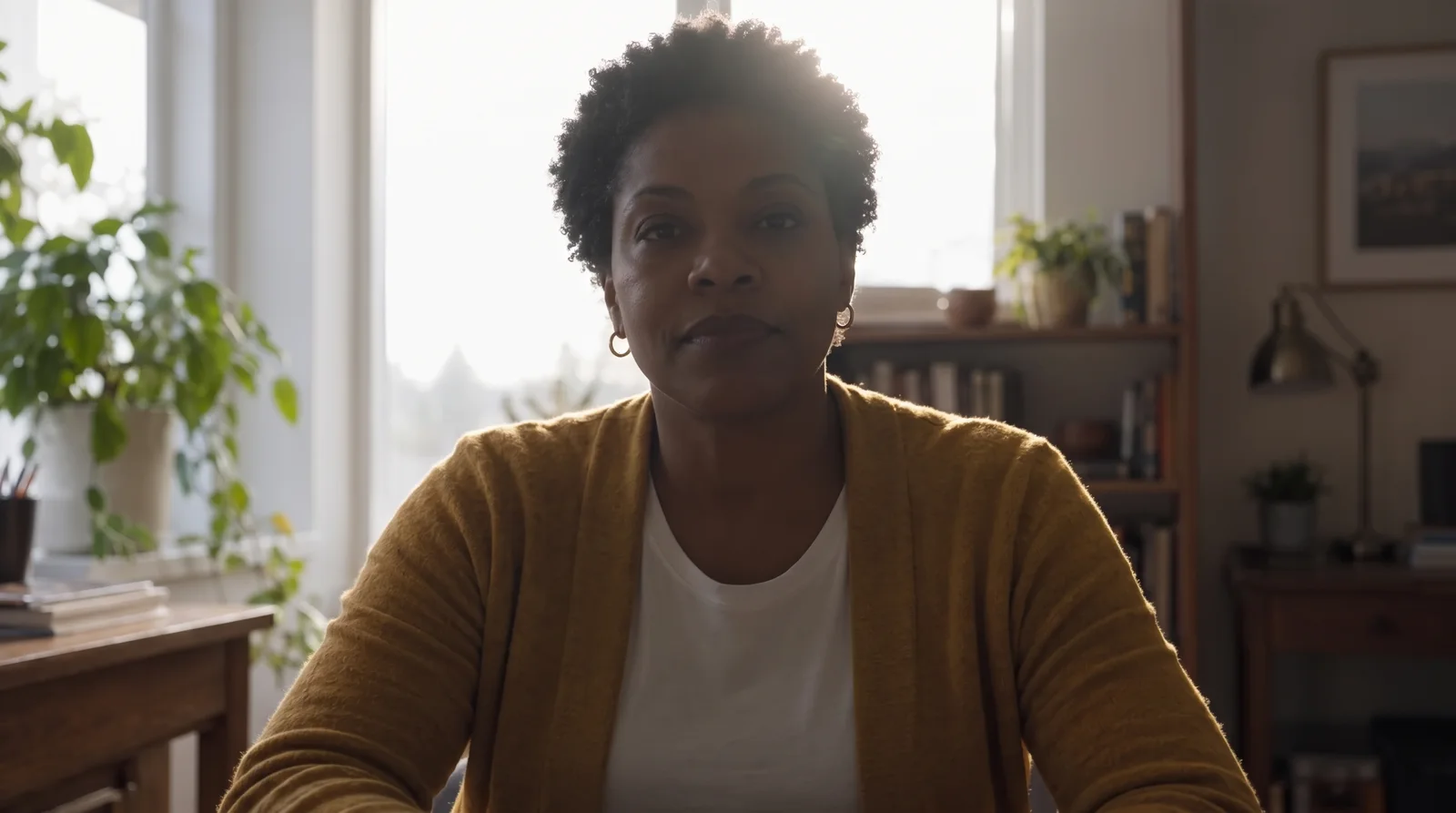
Backlit
A bright window behind the face drops it into shadow, and the detail goes with it.
Pick the plan for how much you post. Every model on every plan. Unused credits roll over. Cancel anytime.
Billed monthly
For solo creators posting every week
500 credits every month
Billed monthly
For creators posting daily across channels
1,300 credits every month
Billed monthly
For brands and production teams
2,700 credits every month
Billed monthly
For agencies running always-on content
5,500 credits every month
Want checkout, comparison tables, or a custom volume? See the full pricing page
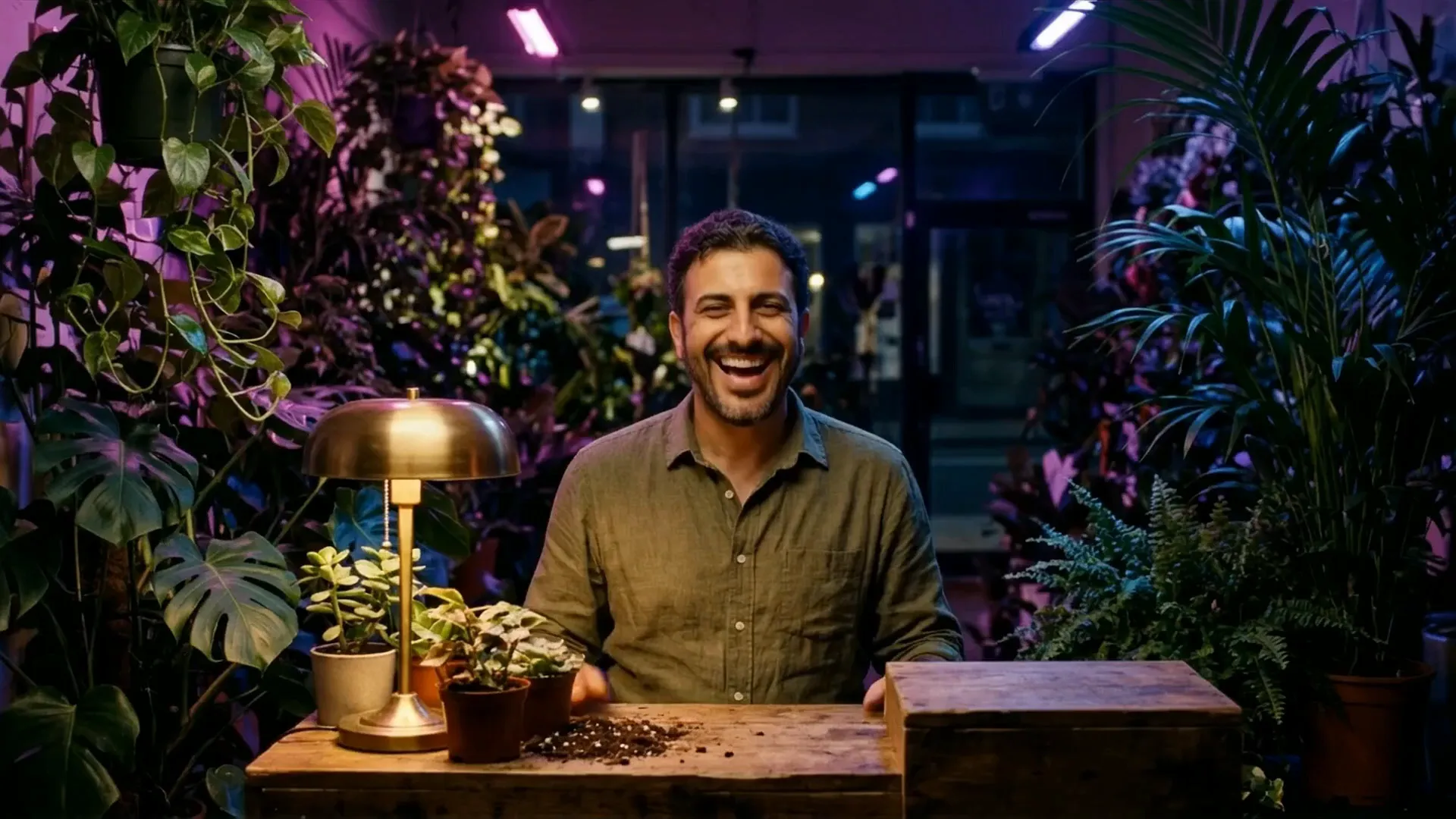
Plans from $19 a month.