Creator
$19/month
Billed monthly
For solo creators posting every week
500 credits every month
- Up to 250 relights
- Up to 50 AI videos
- Up to 1.5 hours of AI voiceover
- Roll over up to 1,000 credits
Change the light in any photo.
Pick a light and its side, then choose a photo. The image editor redraws it in that light and keeps everything else.
About 8 cents a relight on the $19 plan
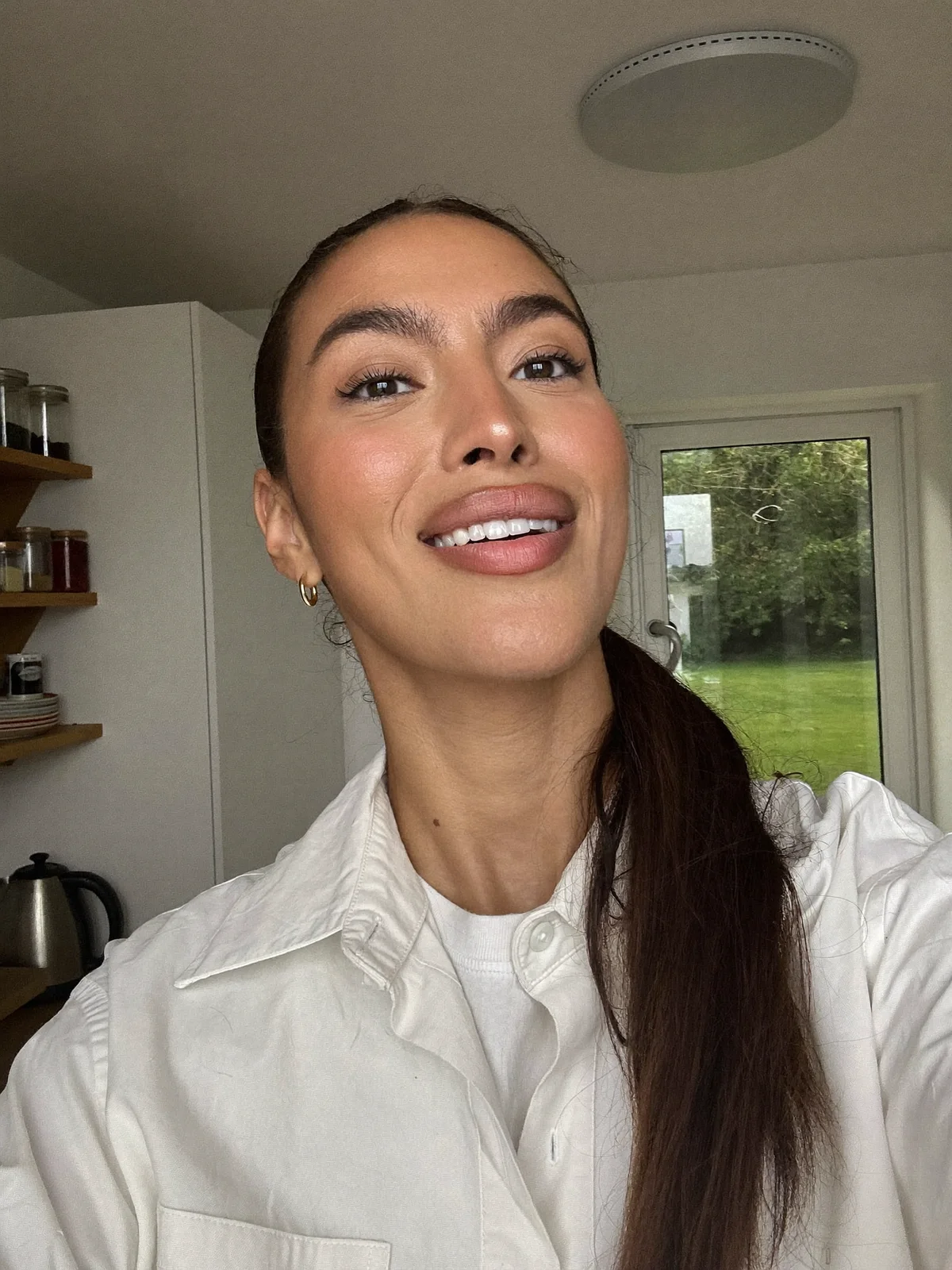 Original
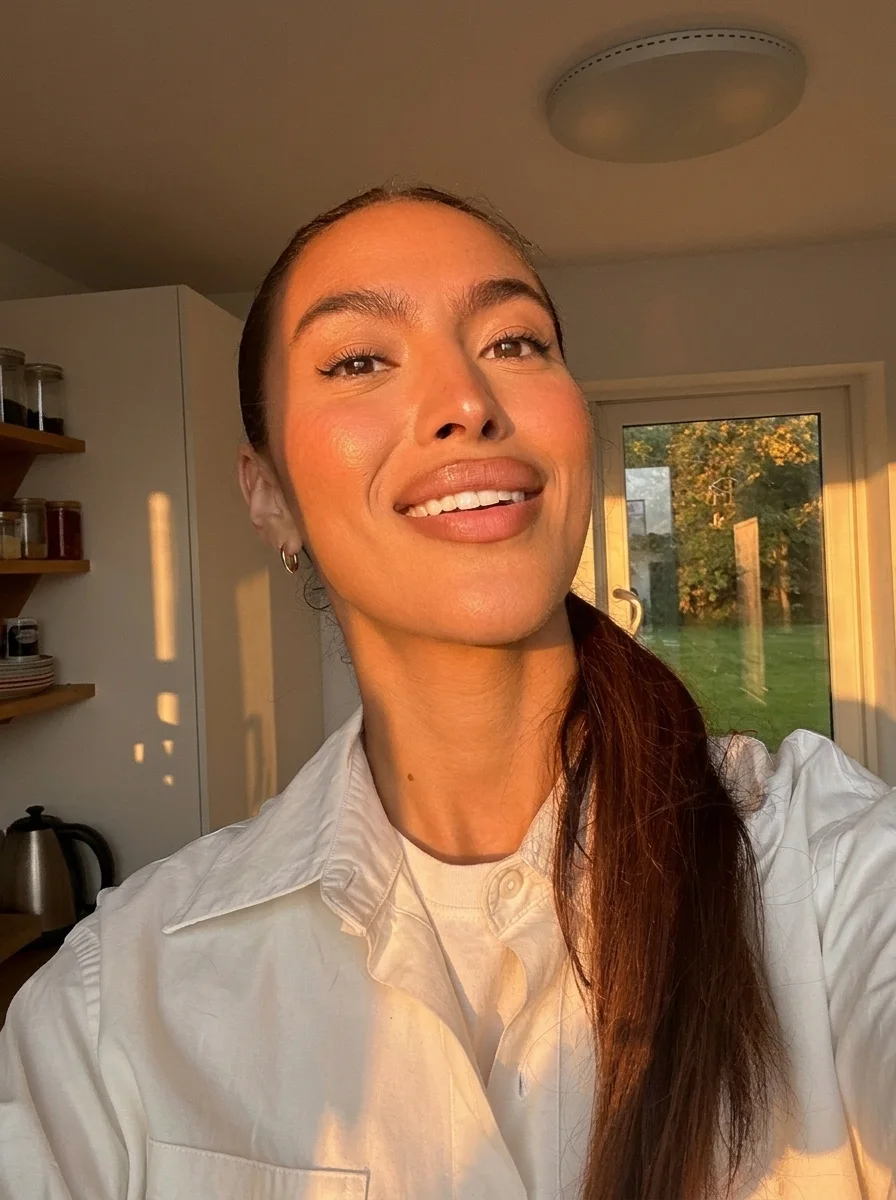 Golden hour
Light from
The button adds “The light comes from the right, so the left side of the face falls into deep shadow.”
Golden hour, the exact prompt
Relight this photo as late golden hour. Low warm sun comes in through the window on the right and falls across her face and hair, with long soft shadows on the cabinets. Keep her face, hair, shirt and the kitchen the same.
Upload the photo
Open the image editor and drop in a PNG, JPG or WebP up to 10 MB.
Describe the light
Say where it comes from, how soft it is, what color it has and what must stay the same.
Compare and keep
Every result stays in the history next to the original. Try another light from either one.
Both window prompts below name the window and switch off the ceiling light. The first asked for gentle shadow and changed almost nothing. The second asked for deep shadow on one side of her face and a dim left half of the kitchen, and the room went dim.
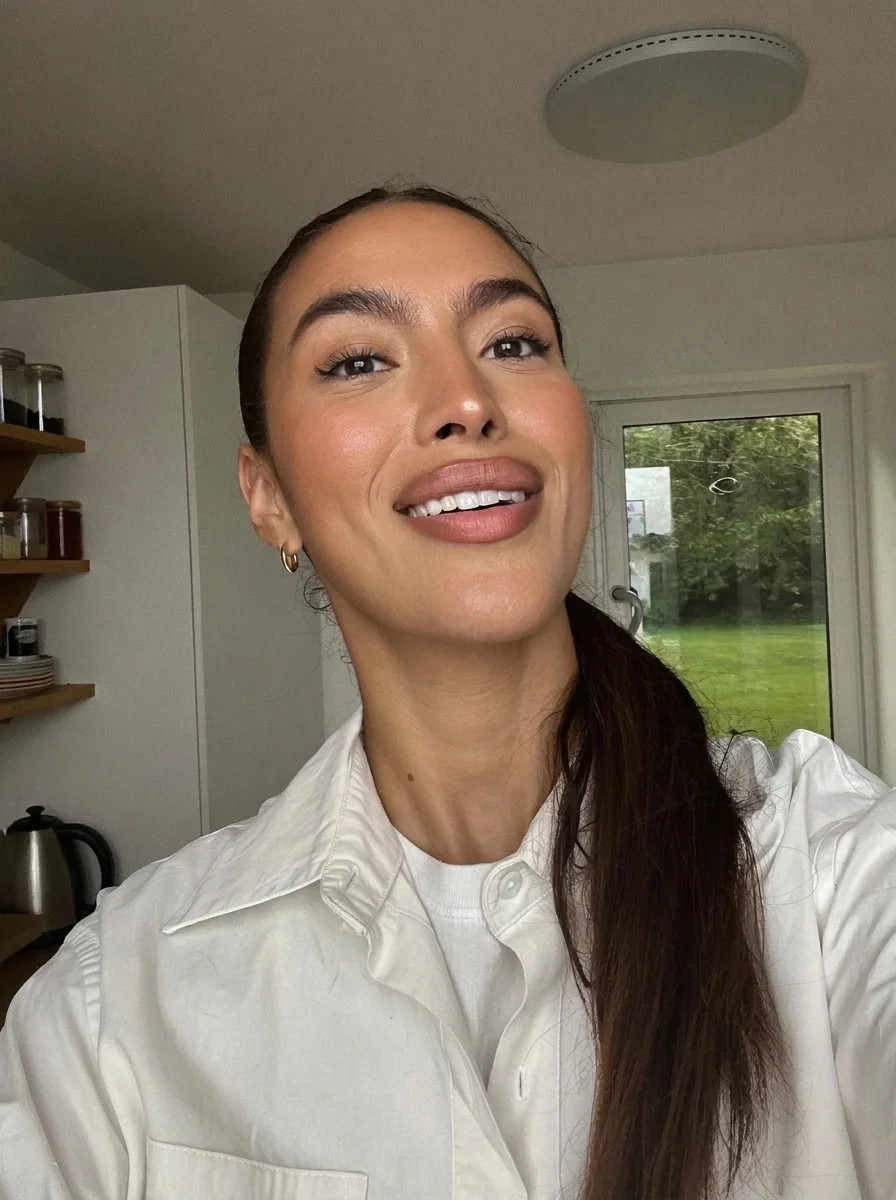 First try
Almost nothing changed. The ceiling light still fills her face from the front.
Relight this photo with soft daylight from the window on the right only. Turn off the ceiling light so the left side of her face falls into gentle shadow. Keep her face, hair, shirt and the kitchen the same.
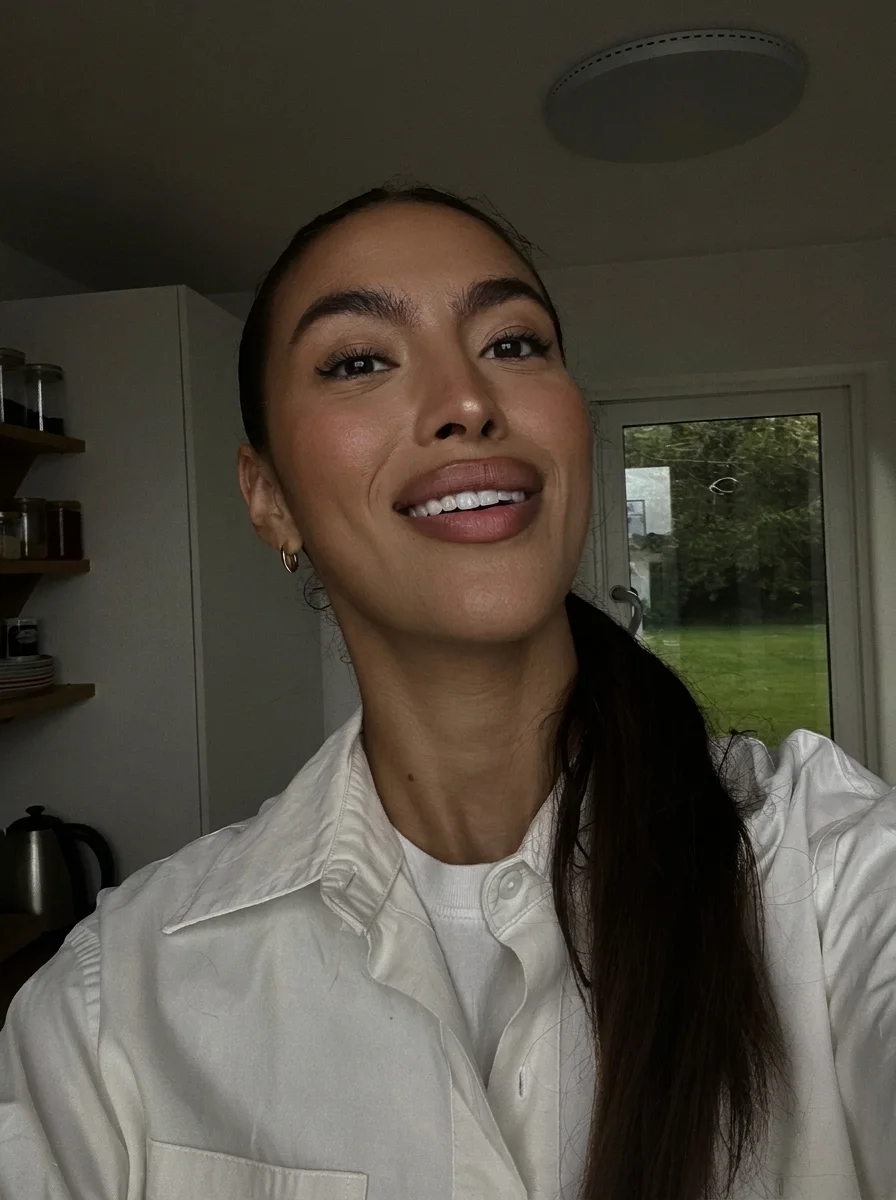 Second try
The ceiling light went out. The kitchen and her face dim, the left side most, though the shadow stays soft.
Prompt
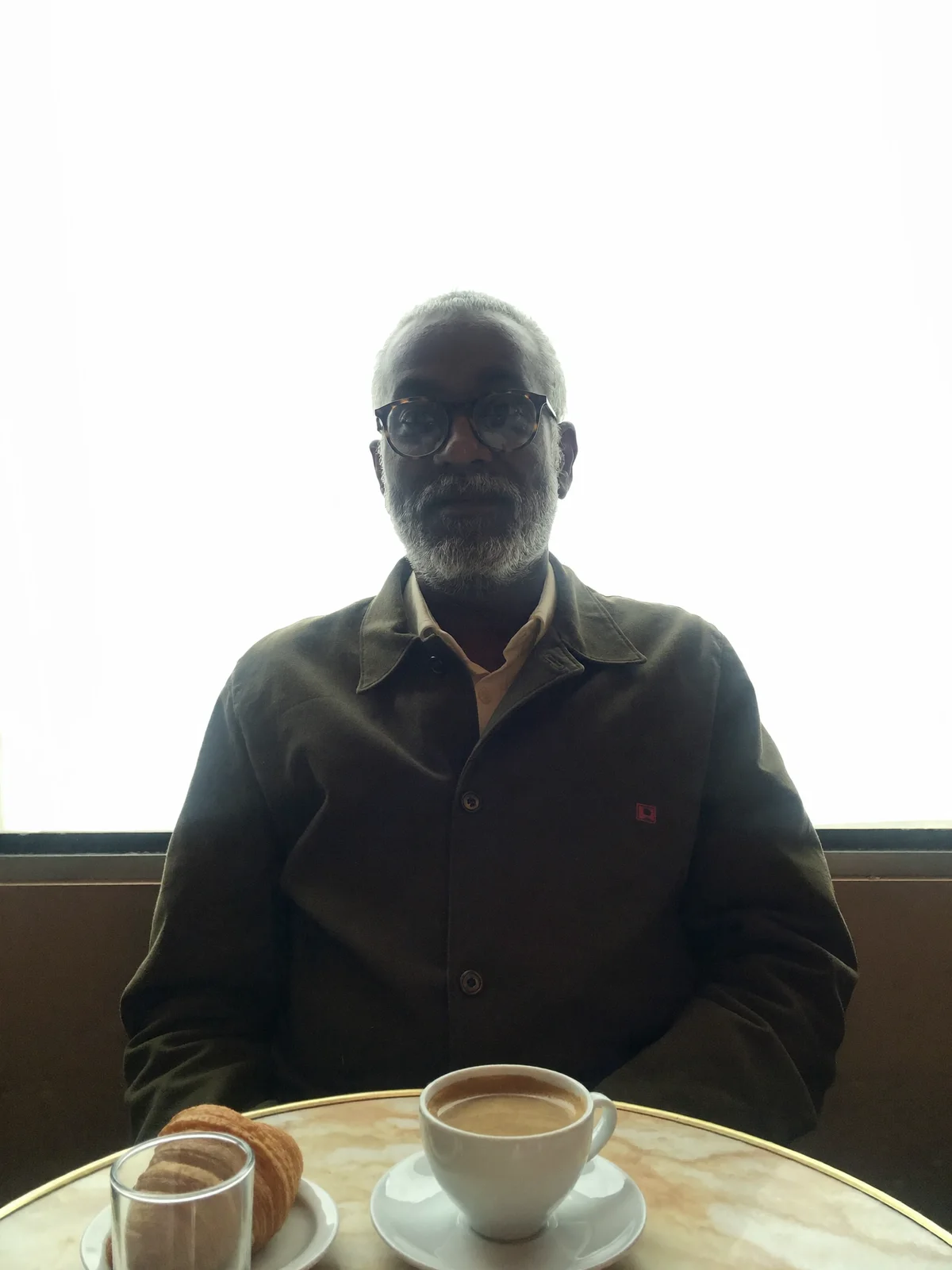
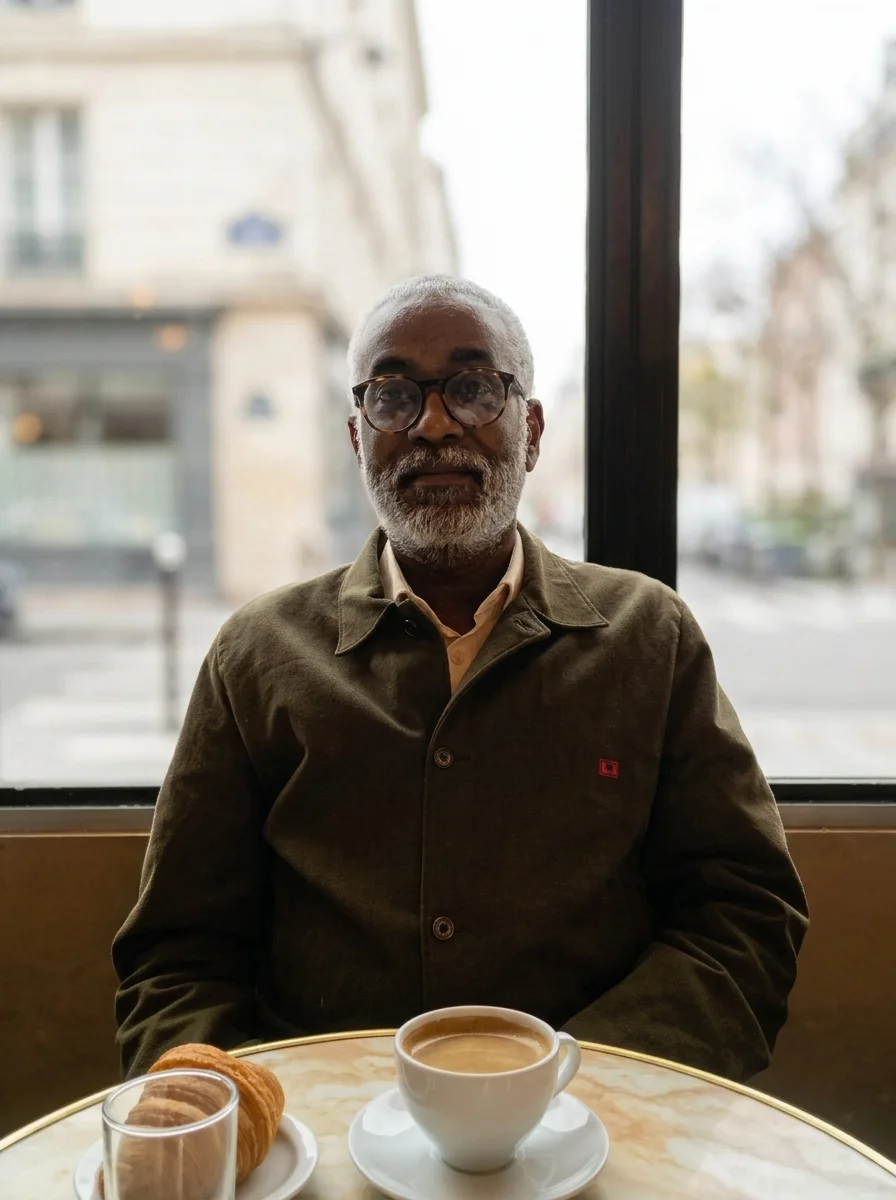
A bright window behind someone turns them into a silhouette. Ask for light in front of them and detail back in the window.
Fix the lighting. Brighten his face and overshirt as if a soft light were in front of him, and bring back detail in the bright window behind him. Keep his face, glasses, the cup and the croissant the same.
What it had to guess
His face was close to black in the original, so the model filled in his eyes and expression from very little. The window was blank white, so the street and buildings behind it are new.
Light a packshot for a sunny listing or a dark campaign without setting up a single lamp.
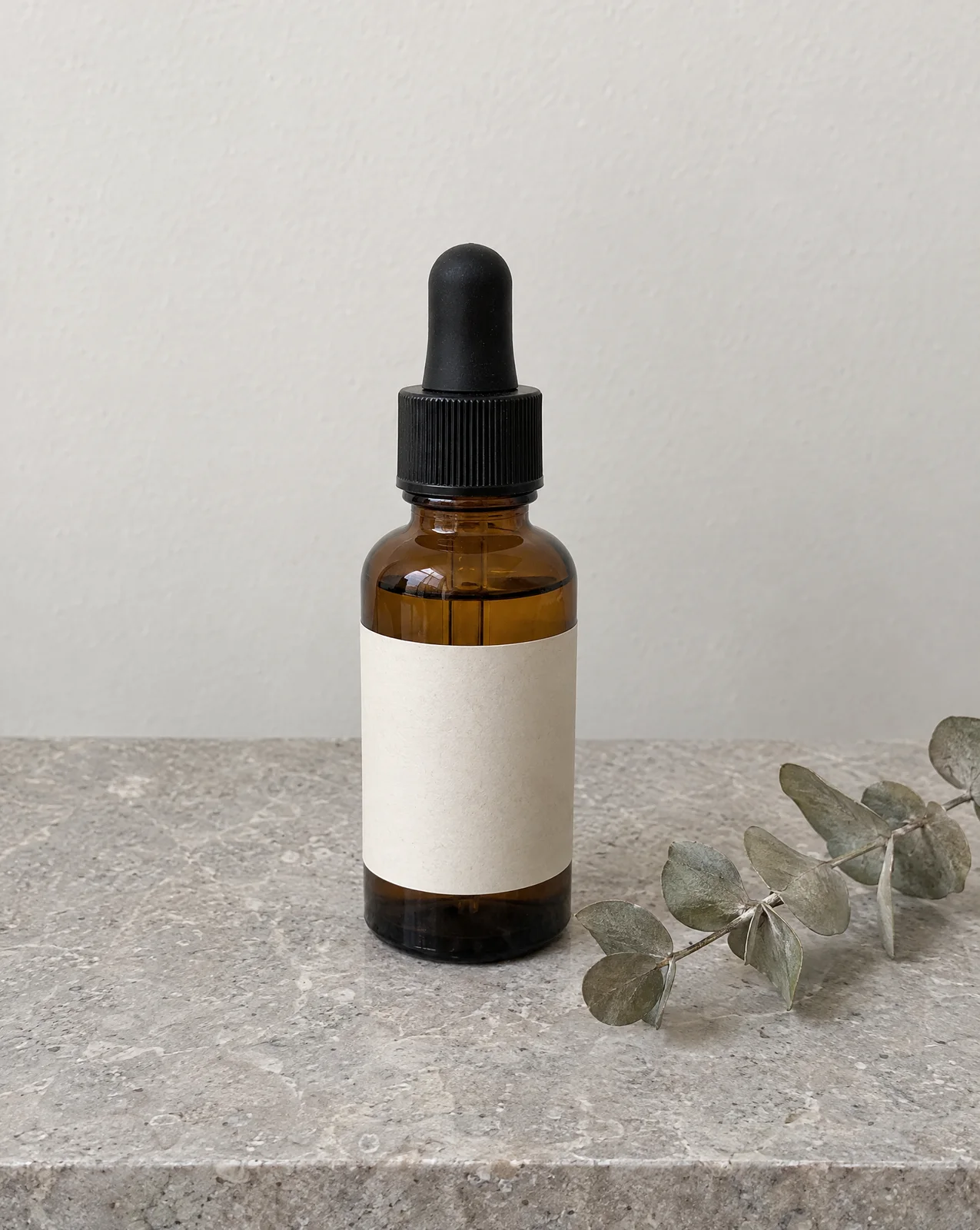 Original
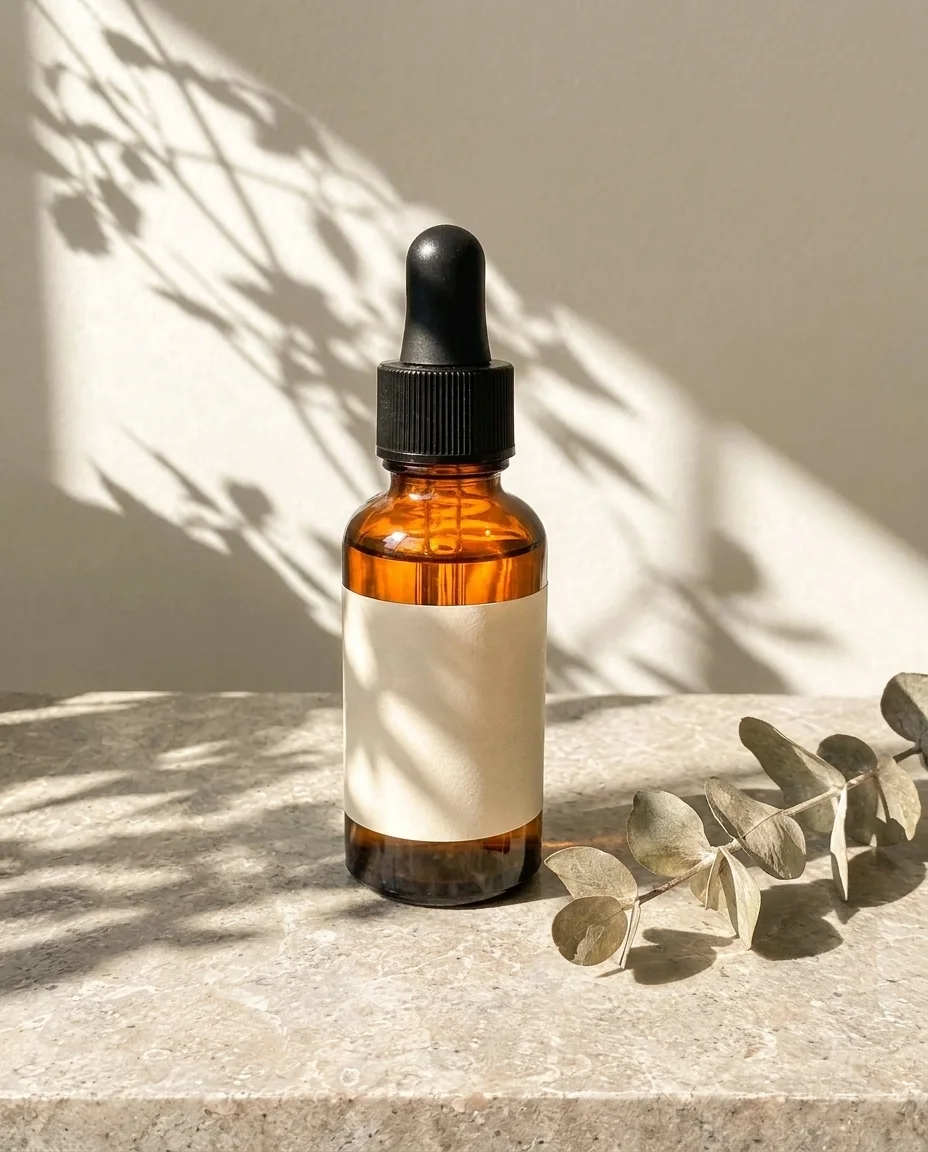 Morning sun
Relight this as a bright summer morning. Hard sunlight from the upper left comes through a window and casts crisp leaf shadows across the bottle and the wall, and warm light glows through the amber glass. Keep the bottle, label, slab and eucalyptus the same.
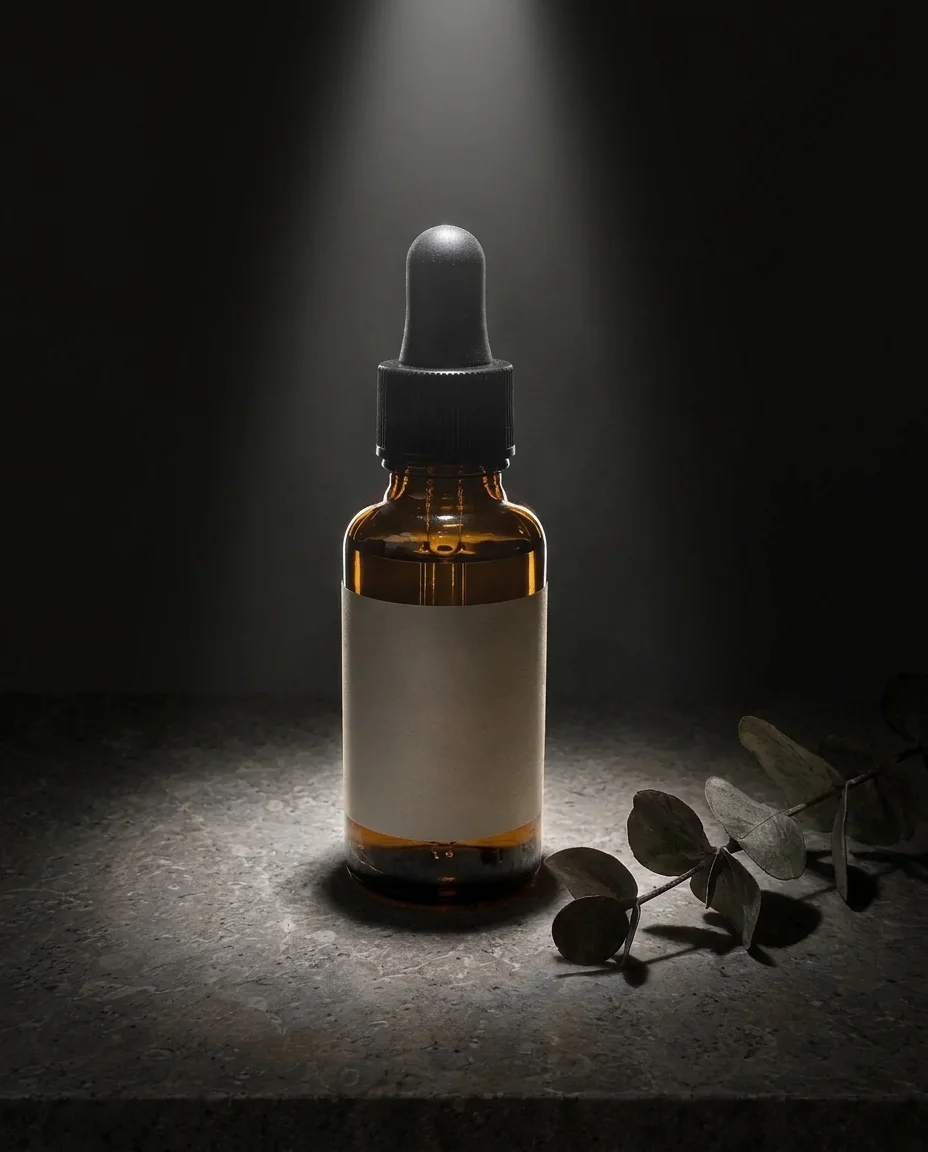 Spotlight
Relight this as a dark studio shot. One narrow spotlight shines from directly above, the wall falls off to near black, and a bright rim runs along the edges of the glass. Keep the bottle, label, slab and eucalyptus the same.
Add a second image to the same prompt and say what to take from it. The editor takes up to 14 images at once.
Your photo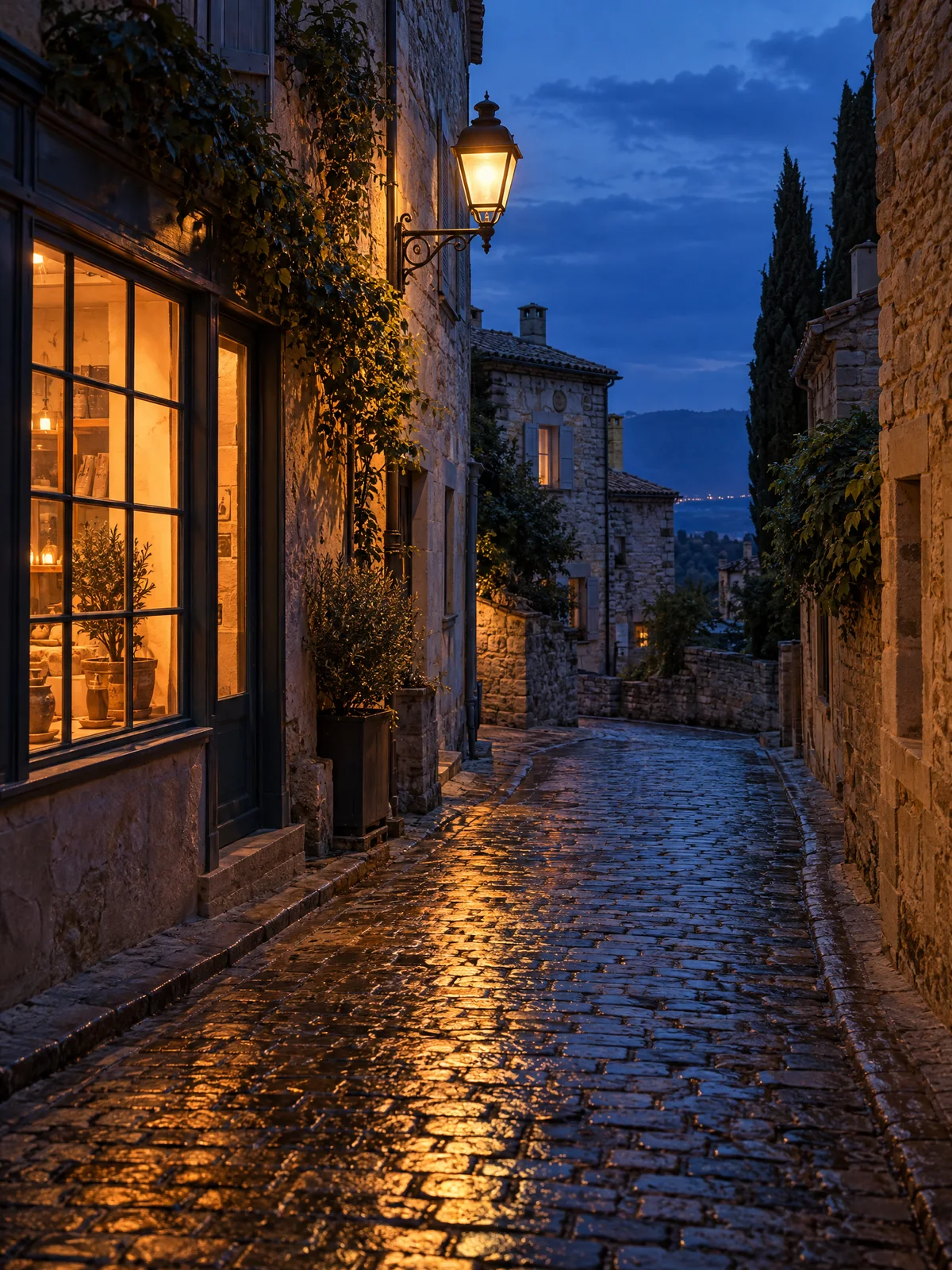 The light you want
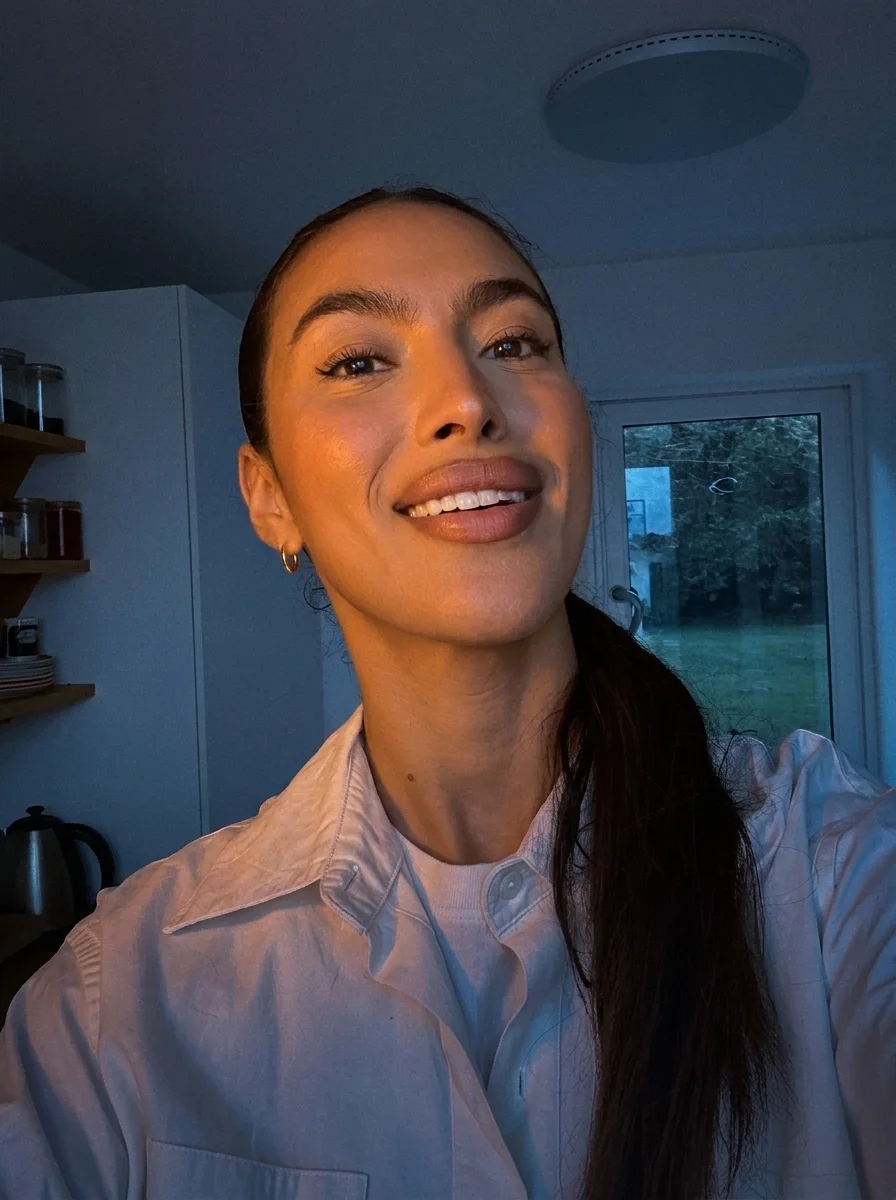 Result
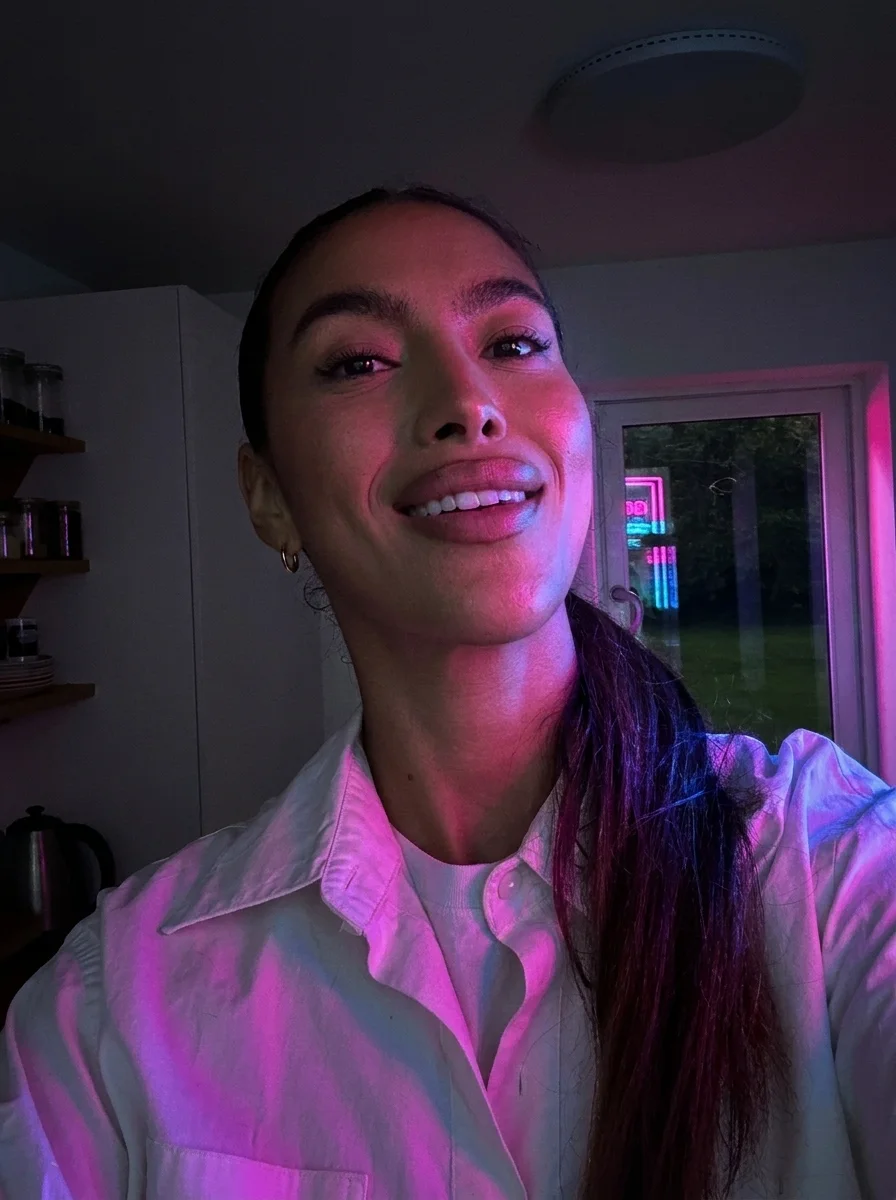
Relight the first photo to match the light in the second photo: deep blue evening light from the window and warm orange lamplight on her face from the left. Keep her face, hair, shirt and the kitchen from the first photo.
The model redraws the whole photo in the new light, so other things can move too. Here is what we found, at the spot where it shows.
Zoomed in on the shelves on the left
Zoomed in on her face
Zoomed in on the edge of her hair
Zoomed in on the window
Zoomed in on his face
Zoomed in on the front of the slab
Each relight comes back at the editor's default 1K size: 896 by 1200 pixels from this 1200 by 1600 selfie. Upscale in the editor when you need it larger.
Pick the plan for how much you post. Every model on every plan. Unused credits roll over. Cancel anytime.
Billed monthly
For solo creators posting every week
500 credits every month
Billed monthly
For creators posting daily across channels
1,300 credits every month
Billed monthly
For brands and production teams
2,700 credits every month
Billed monthly
For agencies running always-on content
5,500 credits every month
Want checkout, comparison tables, or a custom volume? See the full pricing page
Keep the photo. Change the light.