Develop image and lettering ideas with Ideogram V3.
Create poster concepts, title cards, and other image ideas in Sceneform. Choose Ideogram V3 and describe the layout you want. Put requested lettering in quotation marks, then inspect the generated text carefully.
Compare plans and credits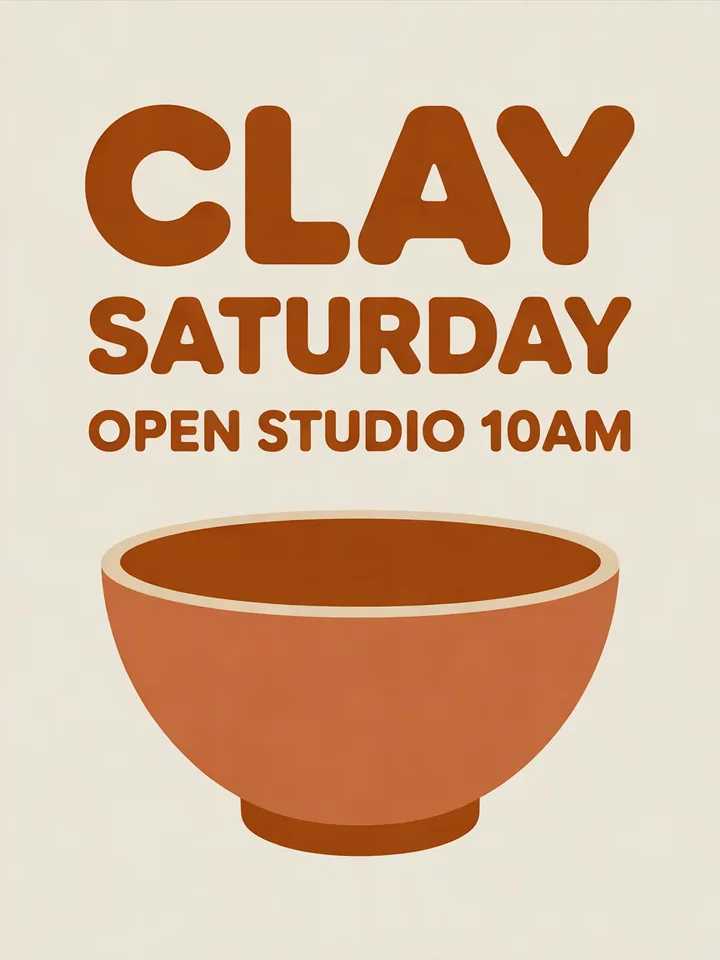
What you can create
Describe the whole layout
Explain where the main subject and lettering belong. Include the colors, mood, and composition you want to explore.
Request short, specific lettering
Put the desired words in quotation marks. Check every letter in the generated result before publishing.
Choose a useful image shape
Select a square, portrait, or landscape format. Leave enough room for the subject and any requested text.
From your idea to finished content
Open Ideogram V3
Open Sceneform's image tool with Ideogram V3 selected. Decide where the finished image will appear.
Write the design brief
Describe your subject, layout, and colors. Include short quoted text when lettering forms part of the image.
Inspect the result
Generate the image and check its composition and spelling. Refine the brief when letters or visual details need correction.
Prompts to start with
Use these briefs as a starting point. Replace the details with your own product, audience, and style.
Workshop poster
Design a simple pottery workshop poster with the words "Clay Saturday". Use earthy colors and a centered ceramic bowl illustration.
Video title card
Create a landscape title card reading "Small Space, Big Ideas". Use bold lettering, warm light, and a minimal studio background.
Frequently asked questions
- Which Ideogram model can I use here?
- This page opens Ideogram V3 in Sceneform's image tool.
- How should I include text in my prompt?
- Put the exact words in quotation marks. Describe their placement and keep the wording short.
- Does generated lettering always match the prompt?
- No. Check the spelling and letter shapes after generation. Revise the prompt or generate another version when needed.
- Can I choose the image format?
- Yes. Ideogram V3 offers square, portrait, and landscape aspect ratios in the image tool.
Explore related tools
Create your next project
Start with a clear brief. Review the result. Make it yours.