Explore a different outfit in your photo
Upload a photo and describe the outfit you want. Sceneform uses image editing models to generate a new clothing concept. Compare garment colors, shapes, and materials before choosing a direction.
Compare plans and credits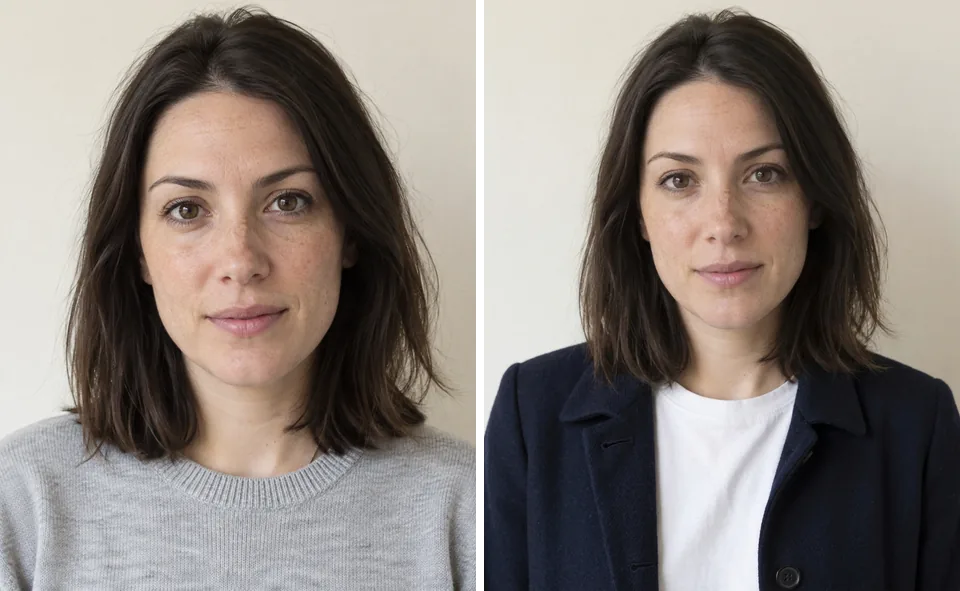
What you can create
Describe the complete outfit
Specify a jacket, shirt, trousers, or another garment. Include fabric, color, and sleeve length for a clearer request.
Work from an existing photo
Use a clear reference with visible clothing. Ask the model to retain the pose and background, then check the result.
Compare styling directions
Try one clothing change at a time. Compare a casual layer, a tailored jacket, or a different color palette.
From your idea to finished content
Upload your reference
Choose a photo with enough detail around the shoulders, sleeves, and waist. Open it in Image Editor.
Write the outfit change
Name the garment and describe its material. State which parts of the original photo should stay the same.
Inspect the generated edit
Check cuffs, seams, hands, and overlapping layers. Revise your instructions if the outfit or surrounding details need another pass.
Prompts to start with
Use these briefs as a starting point. Replace the details with your own product, audience, and style.
A tailored outer layer
Change the adult subject's jacket to a navy wool blazer over a white crewneck shirt. Retain the pose and background. Use natural fabric folds and simple buttons.
A relaxed weekend outfit
Dress the adult subject in a forest-green overshirt and straight beige trousers. Keep the original camera angle. Show a casual cotton texture with realistic seams.
Frequently asked questions
- Can I change clothes in an existing photo?
- Yes. Upload the photo in Image Editor and describe the replacement outfit. To try on a specific garment, add its product photo with the + button next to the prompt and refer to it in your request.
- Does this show how a garment will fit?
- No. Generated outfits provide visual concepts, not measurements or accurate fitting previews. Check garment sizing through the clothing retailer.
- Will the person and background stay identical?
- Image editing can change details beyond the clothing. Request the details you want to retain and inspect each result.
- Which settings affect the result?
- Your photo and prompt shape the edit. Image Editor shows the credit cost next to the Edit button before you generate.
Explore related tools
Create your next project
Start with a clear brief. Review the result. Make it yours.