WMV to MP4 converter
Choose a WMV and download an MP4 with H.264 video and AAC sound. FFmpeg won't copy WMA sound, or the WMV 8 and WMV 9 video we tested, into an MP4, so the converter re-encodes: our WMV 8 test clip scored 0.986 on SSIM, where 1 is identical, and came out 8% bigger.
- Input
- WMV files
- Output
- MP4, H.264 and AAC, re-encoded
- Limit
- Up to 500 MB
- Price
- Free, no account
How to convert WMV to MP4
- 01
Choose your WMV
Drop it on the box. The limit is 500 MB.
- 02
Check what changes
The table under your file shows what the MP4 keeps and what it drops.
- 03
Download the MP4
The link lasts one day.
Does converting WMV to MP4 lose quality?
Yes, the frames change: the converter re-encoded every WMV we tested to H.264.
We made a WMV 8 clip from the Sintel trailer and converted it. Up close, the stones keep their shapes and lose some fine grain.
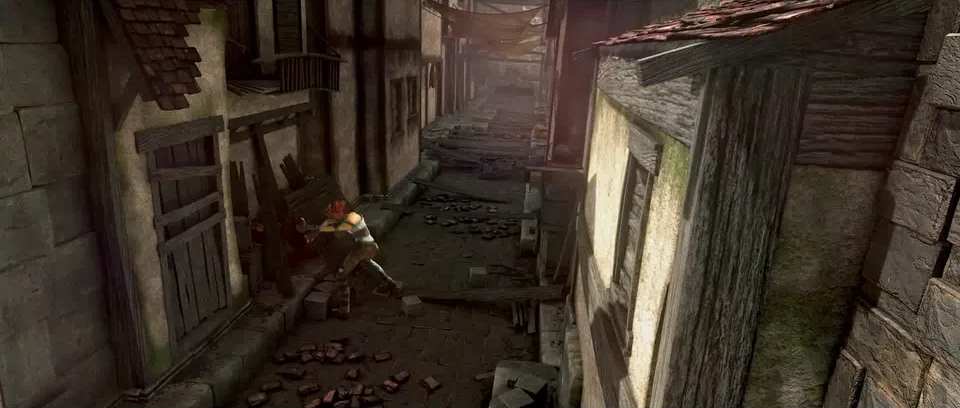
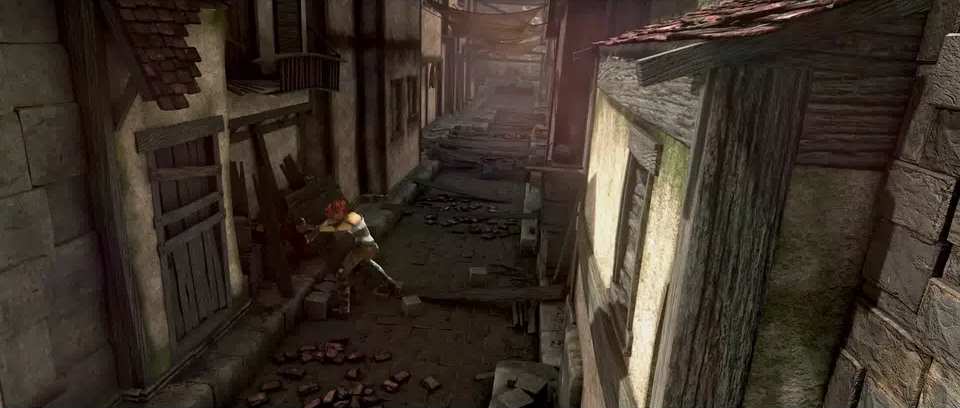
What the MP4 keeps
The converter maps every sound track, and the MP4 keeps chapters. A real WMV 9 with a German and an English track and 4 named chapters became an MP4 with both tracks, their languages and all 4 chapters. Each row is a file we ran through the converter, then played in our test browser, Chromium, the open-source base of Chrome.
WMV 9 + two WMA tracks, 4 chapters
A real WMV from FFmpeg's sample archive
Re-encodedH.264 + two AAC tracks, chapters kept
Plays in Chromium: Yes
WMV 9, no frame rate in the file
A real WMV from FFmpeg's sample archive
Re-encodedH.264 at 1000 fps, 5.7× the size
Plays in Chromium: Yes
WMV 8 + WMA
Made with FFmpeg
Re-encodedH.264 + AAC
Plays in Chromium: Yes
Where is the MP4 going?
You may not need an MP4.
Media Player on Windows 11 plays both WMV and H.264 MP4 without extensions.
Convert to MP4.
Apple names .wmv among the files its devices may not play. The iPhone 17 specs list H.264, which this MP4 holds.
Convert to MP4.
Adobe lists WMV import for Premiere on Windows only. MP4 imports on both.
You don't need an MP4.
YouTube lists WMV among the formats it accepts.
Source: YouTube: supported file formats
Convert on your computer
- FFmpeg, closer to the WMV
On our clip: 0.996 on SSIM at 5.8 MB in 28.4 seconds, against the converter's 0.986 at 5.7 MB in 10.2 seconds on the same machine.
ffmpeg -i in.wmv -map 0:v:0 -map 0:a? -c:v libx264 -crf 20 -preset medium -pix_fmt yuv420p -c:a aac -b:a 160k -movflags +faststart out.mp4- FFmpeg, for a WMV without a frame rate
Keeps each frame once, at the WMV's own timing.
ffmpeg -i in.wmv -map 0:v:0 -map 0:a? -fps_mode passthrough -c:v libx264 -crf 20 -preset medium -pix_fmt yuv420p -c:a aac -b:a 160k -movflags +faststart out.mp4- FFmpeg, as this converter runs it
The converter first tries a copy, which FFmpeg refused for every WMV we tested, then runs this.
ffmpeg -i in.wmv -map 0:v:0? -map 0:a? -codec:v libx264 -preset ultrafast -crf 28 -codec:a aac -b:a 128k -threads 0 -movflags +faststart out.mp4
If the conversion doesn't work
- The MP4 is several times bigger than the WMV
- Some WMVs store no frame rate, and FFmpeg then writes 1000 frames a second, repeating each picture. A 1.3 MB WMV 9 became a 7.2 MB MP4 with 59668 frames. The second FFmpeg command above made 2.1 MB with 595 frames.
Related file conversions
Turn an idea into a video
Give Storybook a topic or an article link. It makes an illustrated video with narration and music.
More in Konvertere
All 42 toolsWMV to MP4 questions
All file converters
Search convertersAny format
Video converters
- 3GP to MOV
- 3GP to MP4
- AVI to FLV
- AVI to MOV
- AVI to MPEG
- AVI to WMV
- FLV to MOV
- FLV to MP4
- FLV to MPEG
- FLV to WMV
- MKV to AVI
- MKV to MOV
- MKV to MPEG
- MKV to WMV
- MOV to AVI
- MOV to FLV
- MOV to MKV
- MOV to MPEG
- MOV to WebM
- MOV to WMV
- MP4 to AVI
- MP4 to FLV
- MP4 to MKV
- MP4 to MOV
- MP4 to MPEG
- MP4 to WebM
- MP4 to WMV
- MPEG to AVI
- MPEG to MOV
- TS to AVI
- WebM to MOV