Explore a new portrait from your own reference.
Use an image model with reference support to create a head-and-shoulders portrait. Describe the background, clothing, and lighting you want. Compare the generated face with your source before using the image as a professional profile photo.
Compare plans and credits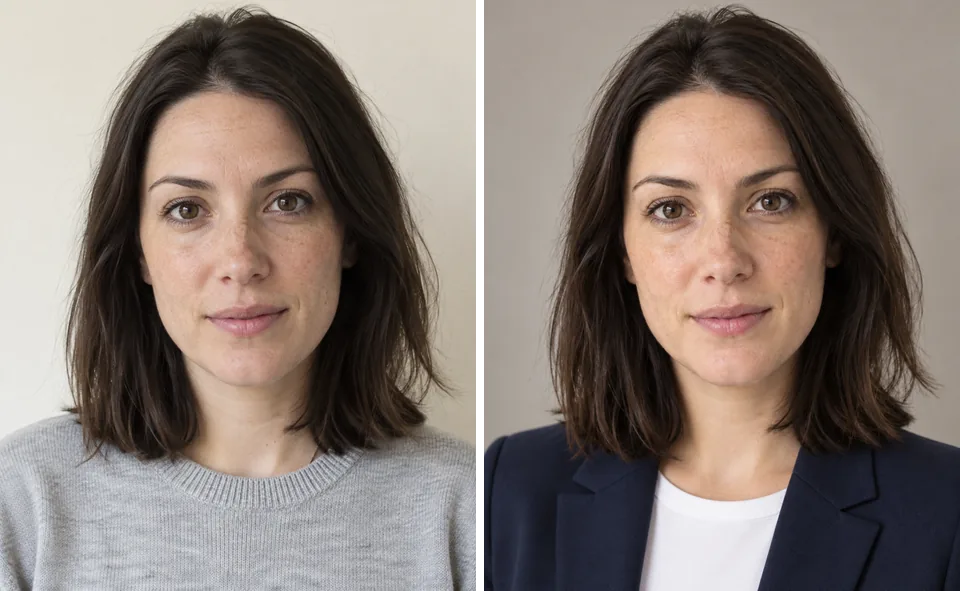
What you can create
Guide the portrait with a photo
Start with a sharp, well-lit reference of the person. A clearly visible face helps the model understand the features you want to retain.
Choose a professional setting
Ask for a plain studio background or a simple office setting. Keep distracting objects away from the face and shoulders.
Check resemblance carefully
Generated portraits can change facial features. Compare the eyes, face shape, skin texture, and hairline before choosing a result.
From your idea to finished content
Select a reference-capable image model
Open the image generator and choose a model that accepts images. Upload a suitable portrait you have permission to use.
Describe the headshot
Specify head-and-shoulders framing, background, clothing, and lighting. Ask for natural skin texture and an expression that fits the intended use.
Review and refine
Inspect resemblance at full size. Adjust the prompt or reference if the result changes the person's identity or adds distracting details.
Prompts to start with
Use these briefs as a starting point. Replace the details with your own product, audience, and style.
A simple studio portrait
Create a head-and-shoulders portrait using the reference person. Plain warm gray background, soft studio lighting, navy shirt, natural expression.
A relaxed profile photo
Portrait of the reference person near a bright office window. Simple background, natural skin texture, casual jacket, eyes toward camera.
Frequently asked questions
- Is this a separate headshot application?
- This workflow uses Sceneform's image generator with photo references. You choose the model and write the portrait instructions.
- Will the headshot look exactly like me?
- Not necessarily. A reference guides the output, but facial details can change. Review resemblance before using any generated portrait.
- Which reference photo should I use?
- Choose a sharp photo with even lighting and a clearly visible face. Avoid heavy filters, covered features, and extreme angles.
- Can I reuse a person across other content?
- Sceneform personas provide reusable identities for supported workflows. A persona differs from a single headshot because it supports future creations.
Explore related tools
Create your next project
Start with a clear brief. Review the result. Make it yours.