Free AI Tools

Audio & Video Converters

More tools in this category without leaving this page.

All tools

Free AVI to GIF Converter - Convert AVI to GIF Online

Click to upload or drag and drop
MP4, AVI, MOV, FLV, MKV, WebM, 3GP, MPEG, GIF, WMV, TS (Max 500 MB)

Convert to

How to Convert AVI to GIF Online

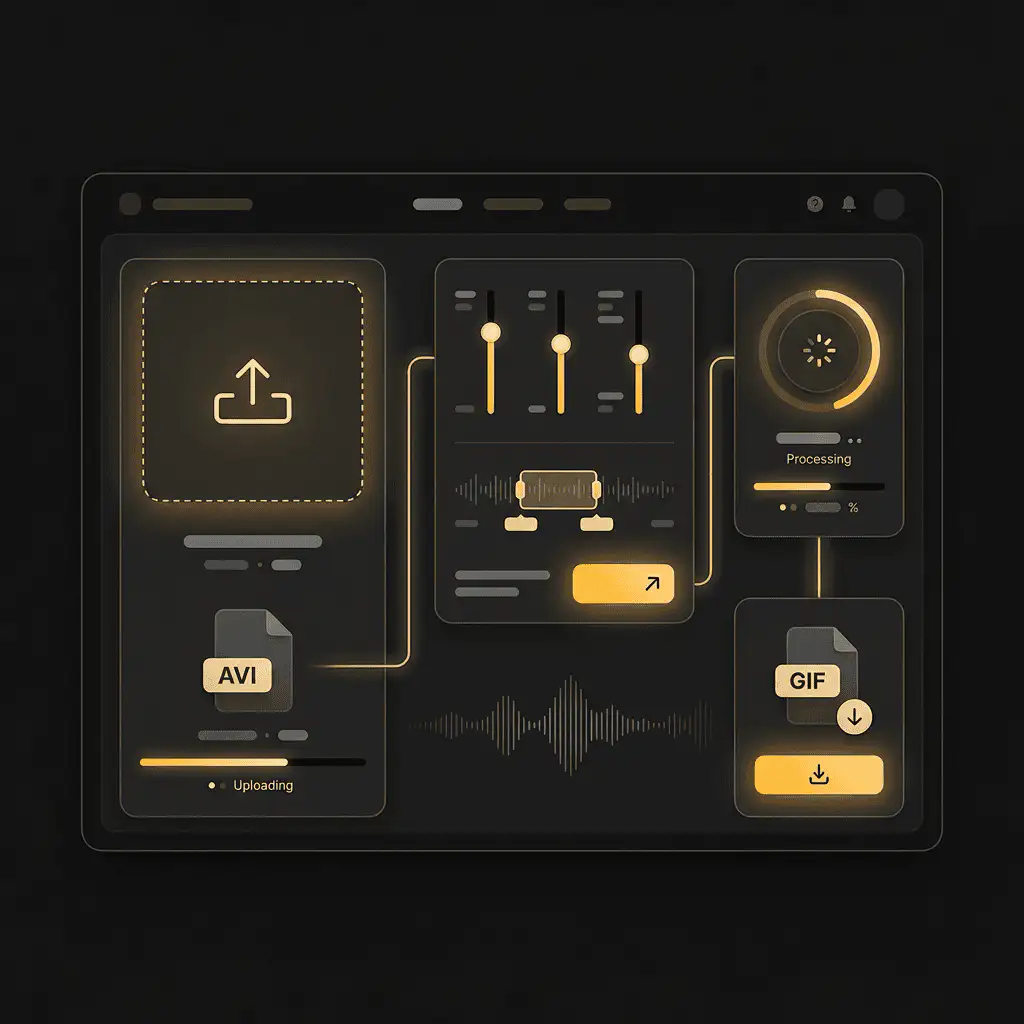
Converting AVI files to GIF format takes three simple steps. Our converter works directly in your browser, so you don't need to install anything on your computer or phone.

Step 1: Upload Your AVI File

Click the upload button or drag your AVI file directly into the converter box. You can upload files from your computer, phone, or tablet. We support AVI files up to 100MB in size.

Step 2: Adjust Your Settings (Optional)

Choose your GIF quality, frame rate, and dimensions. Want a smaller file size for social media? Select a lower resolution. Need high quality for presentations? Keep the original settings. You can also trim your video by selecting specific start and end times.

Step 3: Convert and Download

Hit the convert button and wait a few seconds while we process your file. Once done, download your GIF immediately. It's ready to use on social media, in emails, on websites, or anywhere else you need it.

The entire process takes less than a minute for most files. Large videos might take a bit longer, but you'll see real-time progress as your file converts.


How to Convert AVI to GIF Online

Understanding AVI and GIF File Formats

What is an AVI file?

AVI stands for Audio Video Interleave. Microsoft developed this format back in 1992, and it's been a standard for storing video ever since. AVI files contain both video and audio data in a single file, making them easy to play on Windows computers and many other devices.

The format supports multiple video codecs, which means AVI files can vary widely in quality and file size. Some AVI files are compressed for smaller sizes, while others maintain raw, high-quality video. This flexibility made AVI popular for everything from home videos to professional editing projects.

What is a GIF file?

GIF stands for Graphics Interchange Format. These files store short, looping animations that play automatically without needing a video player. You see GIFs everywhere on social media, in messaging apps, and across websites because they're simple, widely supported, and don't require any special plugins.

Unlike video formats, GIFs have some limitations. They support a maximum of 256 colors per frame, which creates that distinctive GIF look. They also don't include audio, so you're working with silent animations only.

Why convert AVI to GIF?

Here's why you might want to make this conversion:

GIFs are easier to share. Most platforms let you upload and embed GIFs without restrictions, while video files often have size limits or format requirements. Email clients display GIFs inline, but they make users download video files separately.

GIFs work everywhere. Every web browser, messaging app, and social platform supports GIFs natively. You don't worry about whether someone can play your file or if they have the right codec installed.

GIFs capture attention. A short, looping animation grabs eyes better than a static image. Marketing teams use GIFs to show product features, demonstrate processes, or add personality to their content.

The main tradeoff is file size versus length. A 10-second GIF at full resolution can be larger than the original AVI video. That's why our converter lets you adjust quality settings to find the right balance for your needs.


Understanding AVI and GIF File Formats

Key Features of Our AVI to GIF Converter

Free Conversion with No Watermarks

You get full access to our converter without paying anything or creating an account. Convert as many files as you need. We don't add watermarks, logos, or branding to your GIFs. What you create is yours to use however you want.

Most free converters limit file sizes to tiny amounts or slap their logo across your output. We skip all that. You upload your AVI, convert it, and download a clean GIF file ready to use immediately.

Complete Quality Control

Choose exactly how your GIF looks. Adjust the resolution to match where you're using it. Instagram posts need different dimensions than website headers. Slack messages work better with smaller file sizes than presentation slides.

Set your frame rate to control how smooth your animation appears. Higher frame rates create fluid motion but increase file size. Lower frame rates reduce size but might look choppy. Our converter shows you a preview before you download, so you can adjust until it looks right.

Trim your video to include only the exact moment you need. Don't convert a full 3-minute AVI when you only want a 5-second reaction clip. Select start and end points with precision controls that let you capture the perfect loop.

Fast Online Processing

Our servers handle the conversion work, not your computer. Upload your file and get results in seconds. Most files under 50MB convert in less than 30 seconds. Even larger files rarely take more than a few minutes.

You can keep working while your file processes. No need to sit and watch a progress bar. Our converter runs in the background, and you'll get a notification when your GIF is ready to download.

Multiple Video Format Support

We accept more than just AVI files. Upload MP4, MOV, WMV, FLV, or WebM videos and convert them to GIF just as easily. Have a collection of videos in different formats? Process them all without switching tools or converters.

This flexibility saves time when you're working with content from different sources. Screen recordings, smartphone videos, downloaded clips—convert any of them to GIF format using the same tool.

Privacy and Security Built In

Your files stay private. We don't store them permanently on our servers. Once you download your GIF, we delete both the original AVI and the converted file from our system within one hour. No one on our team looks at your files or uses them for any purpose.

We use encrypted connections for all uploads and downloads. Your file data transfers securely between your device and our servers. No third parties can intercept or access your content during the conversion process.


Key Features of Our AVI to GIF Converter

Who Benefits from AVI to GIF Conversion

Content Creators and Social Media Managers

If you create content for Instagram, Twitter, LinkedIn, or Facebook, you need quick ways to turn video clips into shareable formats. GIFs perform better in feeds than static images and they're easier to upload than full videos.

Grab a highlight from your latest video, convert it to GIF, and you have instant content for Stories, posts, or comments. GIFs also work perfectly for reaction content, behind-the-scenes moments, and quick product demos that stop people mid-scroll.

Marketing and Advertising Teams

Product demonstrations work better when customers see movement. Show how a feature works, demonstrate a before-and-after transformation, or highlight the key benefit of your service in a compact, looping animation.

Email campaigns get higher engagement with GIFs. They load faster than embedded videos and play automatically in most email clients. A 3-second GIF showing your product in action often drives more clicks than a static image with a play button overlay.

Web Designers and Developers

Website loading speed matters for SEO and user experience. GIFs let you add motion to your pages without the overhead of video players, JavaScript libraries, or third-party embed codes. A small, optimized GIF loads almost instantly and plays without user interaction.

Use GIFs for UI animations, loading states, tutorials, or decorative elements. They're easier to implement than video backgrounds and they don't break responsive layouts or mobile experiences.

Educators and Trainers

Explaining a process becomes clearer with visual demonstrations. Convert portions of your instructional videos into GIFs that show specific steps or procedures. Students can reference these animations repeatedly without scrubbing through long video files.

GIFs work in slide presentations, learning management systems, documentation, and help articles. They play automatically, so your audience doesn't need to click a play button to see the demonstration.


Common Use Cases for AVI to GIF Conversion

Creating Social Media Content

Take the best 5 seconds from your latest video and turn it into a GIF for social platforms. Short, looping clips catch attention in crowded feeds where full videos get scrolled past. Perfect for reactions, highlights, funny moments, or showcasing products.

Platform algorithms often favor native content over external video links. Upload a GIF directly instead of linking to YouTube or Vimeo, and you might see better reach and engagement.

Making Email Marketing More Engaging

Video embeds in emails are tricky. Some clients block them, others require users to click through to another page. GIFs play automatically in almost every email client, creating instant motion that grabs attention.

Show your product in action, demonstrate a feature update, or add a personal touch with an animated signature. Email GIFs typically perform better than static images for click-through rates.

Building Website Animations

Add movement to landing pages, product galleries, or hero sections without slowing down your site. A well-optimized GIF loads faster than video files and doesn't require JavaScript players or embed codes.

Use GIFs to show hover states, explain complex features, or guide users through processes. They're especially useful for mobile users who might have limited bandwidth or devices that struggle with autoplay videos.

Documenting Software or Processes

Screen recordings in AVI format are common, but GIFs are better for documentation. Capture a workflow, show how to use a feature, or demonstrate a bug for your development team. Recipients can see the issue immediately without downloading files or using special players.

Add GIFs to knowledge base articles, support tickets, bug reports, or internal documentation. They communicate steps more clearly than screenshots alone and take less time than writing detailed text instructions.

Sharing Quick Reactions and Memes

Pull moments from videos and turn them into reaction GIFs for messaging apps, forums, or comments. Personal GIFs from your own video content often work better than generic ones from GIF libraries.

Create custom memes, inside jokes for your team, or branded reaction content that matches your personality or company voice. These GIFs can become part of your communication style across different platforms.


Why Choose Our AVI to GIF Converter

No Installation Required

Desktop software clutters your computer, requires updates, and might conflict with other programs. Our online converter works in any browser on any device. Use it on Windows, Mac, Linux, iOS, or Android without downloading anything.

Start converting immediately. No setup wizards, no configuration files, no learning curve. Just upload and go.

Faster Than Desktop Alternatives

Many desktop converters process files using your computer's CPU, which can be slow on older machines. Our cloud-based system uses dedicated servers optimized for video processing. We handle the heavy lifting while your device stays free for other tasks.

Batch processing support means you can queue multiple files and let them convert while you focus on other work. Come back to find all your GIFs ready to download.

Better Output Quality

We use advanced encoding algorithms that preserve as much detail as possible when converting to GIF format. The 256-color limitation of GIFs is fixed, but our converter uses smart color mapping to make your animations look as close to the original video as possible.

Automatic optimization helps reduce file sizes without noticeable quality loss. Your GIFs load quickly on websites and social platforms while still looking crisp and professional.

Always Updated

Online tools don't need manual updates. When we improve our conversion algorithms or add new features, you get access immediately. No need to check for software updates, download new versions, or worry about compatibility issues.

We regularly add support for new video formats, improve processing speeds, and optimize output quality based on user feedback and changing platform requirements.

Works on Mobile Devices

Convert files directly from your phone or tablet. Upload videos from your camera roll, convert them, and share the GIF without touching a computer. Perfect for quick social media posts or responding to messages with custom GIFs.

Mobile conversion is especially useful for content creators who shoot video on their phones and want to share highlights immediately. Skip the desktop transfer step and go straight from recording to posting.


Start Converting AVI to GIF Now

Ready to turn your AVI videos into shareable GIFs? Upload your file and convert it in seconds. No account needed, no downloads required, and completely free to use.

For more professional-grade content creation tools, explore https://aiseo.ai

Related Converters

Convert Your Files Now

Upload your file, choose your settings, and download the result. No software, no sign-ups, no fees.