Turn your idea into an AI sketch.
Explore a composition before committing to the final image. Describe a subject and choose the drawing qualities you want. Sceneform generates sketch-style images from prompts, with reference inputs available on supported image models.
Compare plans and credits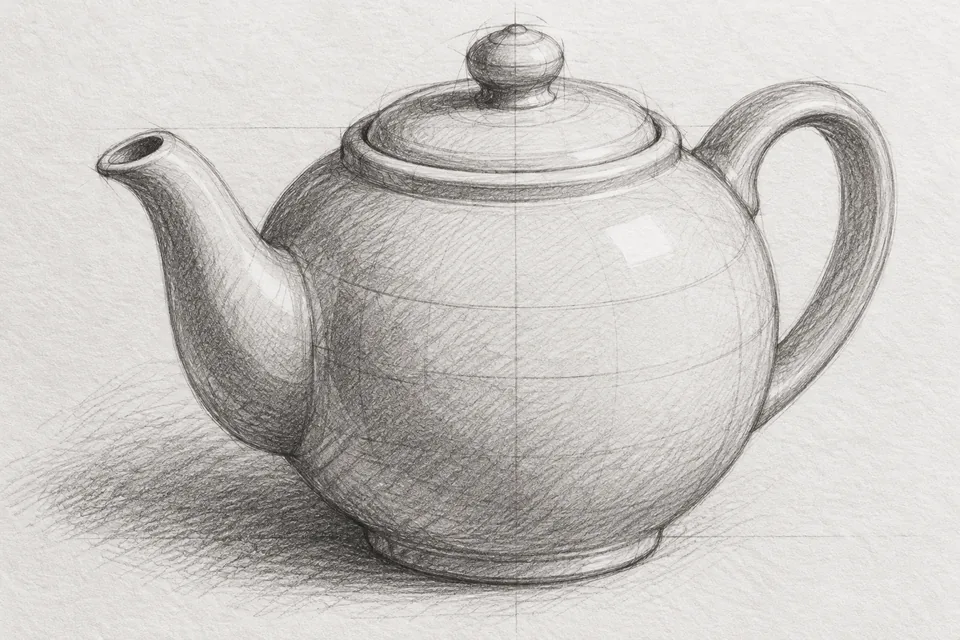
What you can create
Choose the drawing medium
Ask for graphite, charcoal, fine ink, or loose construction lines. Describe line weight, shading, and paper texture to make the direction clear.
Explore a composition
Try different viewpoints for a product, character, or setting. Keep the subject consistent while changing the framing or arrangement.
Use a visual reference
Choose a model with image inputs when an existing subject matters. Explain which details should remain and which parts should become sketch-like.
From your idea to finished content
Name the subject and purpose
Describe what you need to draw and how you will use it. A storyboard concept needs different detail from a product illustration.
Set the drawing direction
Specify the medium, viewpoint, background, and shading. Attach a reference if your selected model supports image inputs.
Review the important details
Inspect proportions, contours, and small objects. Adjust one part of your description when the result misses the intended composition.
Prompts to start with
Use these briefs as a starting point. Replace the details with your own product, audience, and style.
A product study
Graphite sketch of a ceramic teapot, three-quarter view. Fine construction lines, soft cross-hatched shadows, white paper, no labels.
An architectural concept
Loose ink sketch of a small courtyard cafe. Eye-level view, climbing plants, simple furniture, light watercolor shading, no text.
Frequently asked questions
- Can I generate a sketch without uploading a photo?
- Yes. Describe the subject and drawing style to create a new sketch-style image from text.
- Can I turn a photo into a pencil sketch?
- Use an image model that accepts reference images. Upload the photo and request pencil rendering. The result may reinterpret fine details.
- Does Sceneform export editable vector drawings?
- These generations are image files. They are not editable vector paths or measured technical drawings.
- How can I keep the sketch simple?
- Specify a plain background, limited shading, and a clear subject. Ask for outline detail only where it supports the composition.
Explore related tools
Create your next project
Start with a clear brief. Review the result. Make it yours.