Design an original anime character or scene.
Turn a character idea into a still illustration. Describe the expression, costume, pose, and world around them. Sceneform's image models let you explore anime-style portraits, character concepts, and complete scenes through prompts and supported references.
Compare plans and credits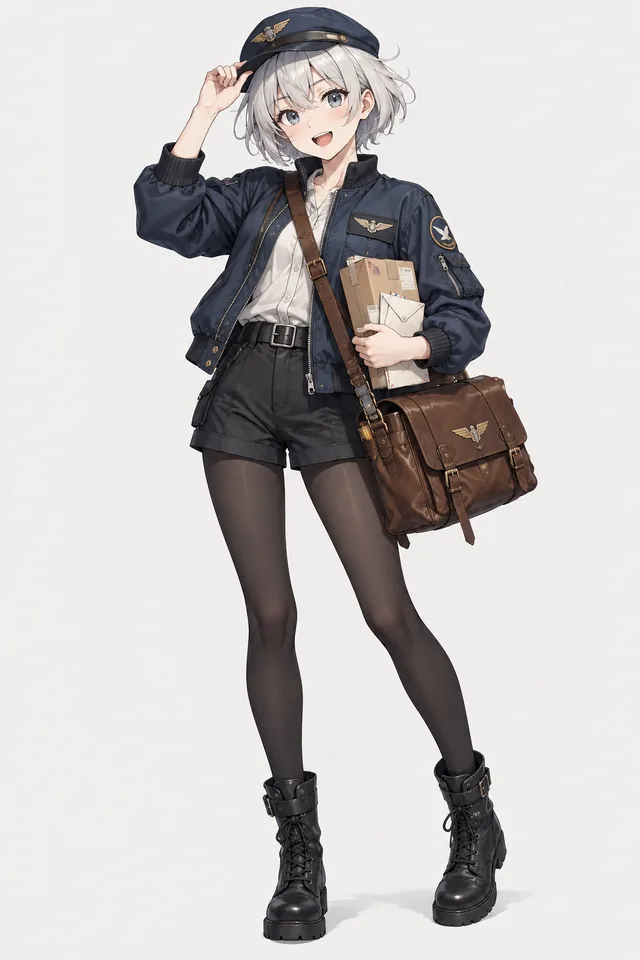
What you can create
Define the character's appearance
Specify the hairstyle, outfit, colors, and expression. A concise set of distinctive features makes revisions easier to evaluate.
Choose framing and lighting
Request a close portrait, full-body study, or wide scene. Describe cel shading, line detail, and light direction to guide the rendering.
Prepare an image for animation
Use a clear silhouette and an uncluttered composition when you plan to animate the result. Save the image as your starting reference.
From your idea to finished content
Write an original character brief
Name the visual features and mood you want. Describe the design directly instead of relying on a long list of style names.
Choose a model and composition
Set an available aspect ratio and add a reference if needed. Make the subject's position and background detail explicit.
Check the illustration
Inspect hands, facial features, costume details, and perspective. Keep useful references when you want to create another image of the character.
Prompts to start with
Use these briefs as a starting point. Replace the details with your own product, audience, and style.
An original character concept
Original anime courier with short silver hair and a navy flight jacket. Full-body pose, satchel, clean linework, cel shading, plain background.
An atmospheric illustration
Anime-style student reading beside an open window during summer rain. Soft painted background, warm room lighting, thoughtful expression, no text.
Frequently asked questions
- Does the anime generator create still images or videos?
- This page opens the image generator for still illustrations. Use the anime video generator to create motion from text or an image.
- Can I guide the result with a reference image?
- Yes, when your chosen image model supports references. Describe the features and composition you want the new image to retain.
- Can I create several views of one character?
- You can request different views and reuse references. Check each result because AI can change proportions, clothing, and facial details.
- What helps create a cleaner anime illustration?
- Choose a clear pose, a limited palette, and one lighting direction. Keep secondary characters and background objects out of early drafts.
Explore related tools
Create your next project
Start with a clear brief. Review the result. Make it yours.