YouTube Shorts downloader
Paste a Shorts link and download the Short as an MP4, up to 720 pixels on the short side with its shape kept, free and without an account. In our five test downloads nothing was added to the picture: no YouTube logo, no channel name.
- Έξοδος
- MP4, H.264 with AAC sound
- Size
- Up to 720 on the short side
- Link
- Lasts one day
How to download a YouTube Short
- 01
Copy the Short's link
In the YouTube app, tap Share, then Copy link. In a browser, copy the address while the Short plays.
- 02
Paste it and choose a size
Paste the link and choose 360p, 480p or 720p. Tick the permission checkbox and finish the security check.
- 03
Press Download, then save the file
When the card says your file is ready, press Download. Your browser saves it where it keeps downloads.
Does the Short have a watermark?
Not one added by this tool. In our five downloads, nothing was drawn over the picture.
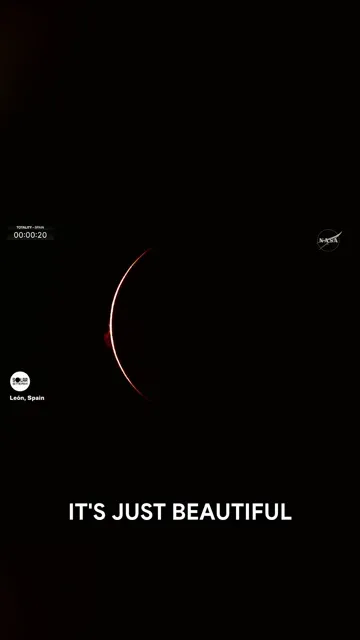
We looked at 15 frames from the five files: the first second, the middle and the last half second of each. None had a YouTube logo or a channel name on it. NASA's own logo and captions are there, because they are part of what NASA uploaded.
What size a Short comes out at
Up to 720 pixels on the short side, in the Short's own shape: 720 × 1280 for a 9:16 Short, and a square Short stays square.
The file can come out smaller. On our test machine YouTube gave the tool only its 360p files that day, so all five Shorts we downloaded at the 720p setting came out like this, as H.264 at about 30 frames a second with AAC sound:
YouTube held a 720 × 1280 H.264 file for the eclipse flight Short; with its sound it weighs 8.8 MB. Here is the same second from that file, fetched with yt-dlp, and from the 360 × 640 file the tool returned:
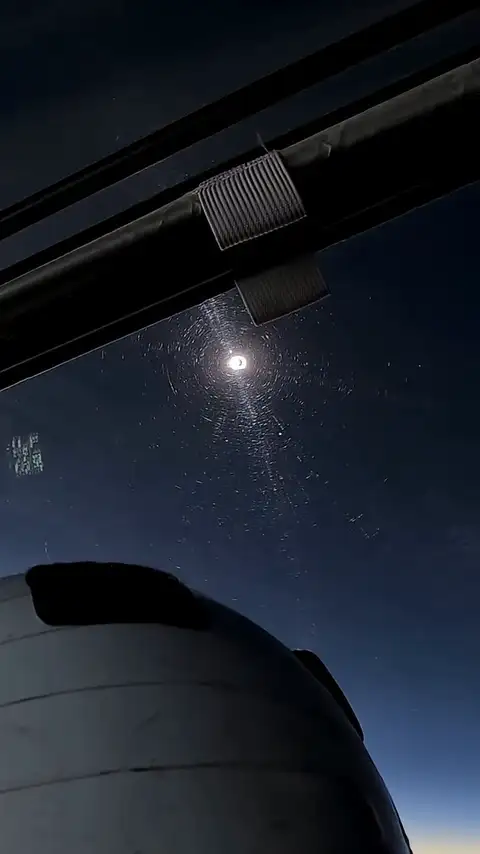
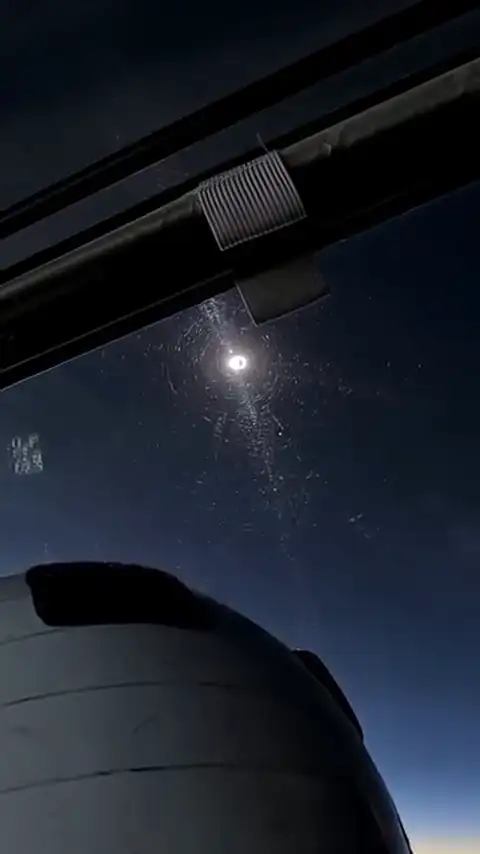 720 × 1280360 × 640
On the live tool, 930 of about 2,650 YouTube downloads of any kind asked for at 720p from 2026-11-18 19:23 to 2026-11-19 10:31 UTC came out at 360p. The card after a download says which size you got.
Which Shorts links work
The link from the Share button, the address from a browser, and a watch link to a Short all work.
We downloaded a different Short with each form, so each was a fresh download:
- https://www.youtube.com/shorts/myZ9kn9MIWQ
- https://youtu.be/MT8tg5b3b8E
- https://www.youtube.com/watch?v=fUrlyCjL8JA
If a Short won't download
- "This video isn't available. It may have been removed, so check the link."
- We got this for a Shorts link to a video that doesn't exist.
- "This video is age-restricted, so it can't be fetched."
- We got this for an age-restricted video: YouTube asked to sign in and confirm the viewer's age.
- "This video is private. Use a link to a public video."
- We got this for a video its owner set to private.
For a regular YouTube video, the YouTube video downloader page shows what each size weighs.
Turn an idea into a video
Give Storybook a topic or an article link. It makes an illustrated video with narration and music.
More in YouTube
All 42 toolsTurn a YouTube link into a free 192 kbit/s MP3, with nothing to install.
Save a YouTube video as an H.264 and AAC MP4, up to 720p.
Download a YouTube video as an MP4 at 360p, 480p or 720p, with what each size weighs.
Save a YouTube video's thumbnail as a JPG in any of five sizes, up to 1280 × 720.
Writes 10 channel name ideas from your name and topic. It doesn't check if they're taken.
Writes hashtags from a few words about your video, in a language you pick from a menu of 73.
Drafts a YouTube description from your topic or script, for long-form or short-form videos.
Paste a YouTube link and get a summary of the video's English captions.
Μετατρέψτε βίντεο YouTube σε αναγνώσιμο κείμενο για σημειώσεις, λεζάντες, αποσπάσματα και επαναχρησιμοποίηση.
Paste a YouTube link to get the video's English captions as a transcript. Copy it or save TXT or SRT.
Get a YouTube video's English subtitles as a timed SRT file or plain TXT.