Seventeen product-shot styles in Ad Studio
Turn one product photo into closeups, lifestyle scenes, studio packshots, iced and levitating shots, retro sets, and more, with a different take on every run.
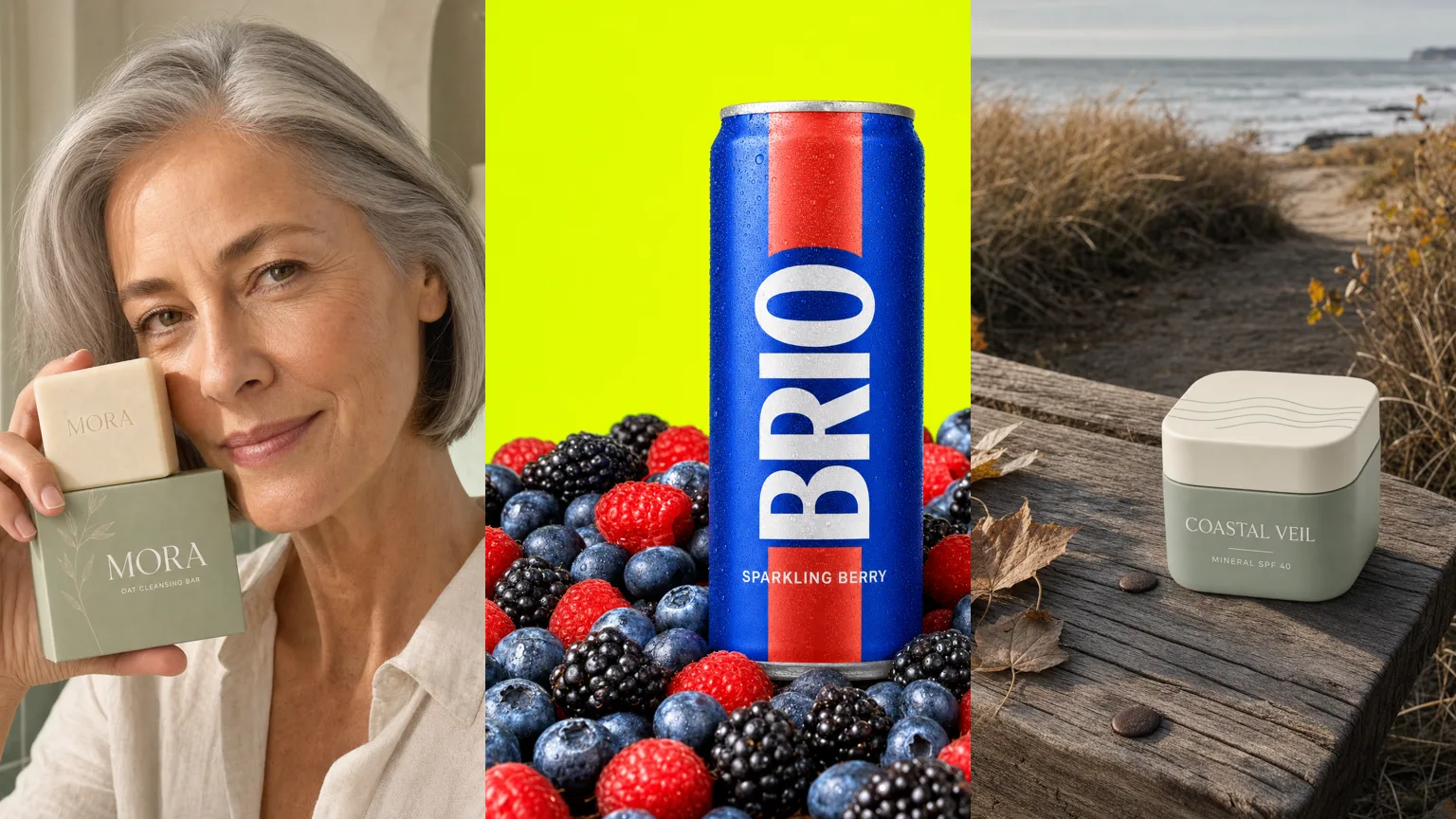
Image ads in Ad Studio now include seventeen photography styles built around your product photo. Each style keeps your exact product and label while changing everything around it: the setting, the people, the light, and the mood.
Pick the shot your ad needs
- Portrait, Hands on, Full length, and Campaign put your product in the hands of a person, from tight portraits to full campaign-style scenes.
- Candid and In action create believable customer photos and show your product mid-use with the result in frame.
- White seamless, Soft studio, Color block, and After dark cover clean packshots, pastel sets, bold graphic still lifes, and moody low-light luxe.
- Open air, Ingredient bed, and On ice move outdoors, onto a bed of what your product is made of, or into crushed ice and frozen blocks.
- Restock, Lineup, Zero gravity, and Throwback fill a fridge with your product, arrange it in strict formations, float it mid-air, or stage it in a retro decade.
A different image every time
Rerunning the same style does not repeat the same photo. Each run commits to a fresh take, so a soap bar might get a golden-hour portrait first and a tiled-bathroom scene next, and you can keep generating until one fits.
Works for apps too
Add an app screenshot instead of a product photo and the styles adapt: your real screen appears on a phone in someone's hand, on a studio pedestal, or glowing in the dark, with the interface preserved.